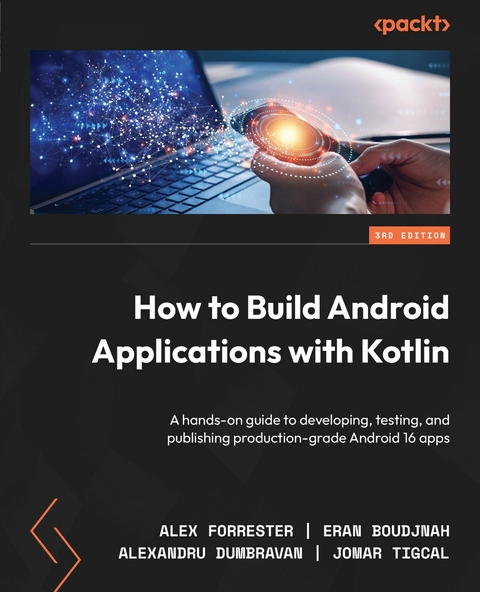
How to Build Android Applications with Kotlin (eBook)
654 Seiten
Packt Publishing (Verlag)
978-1-83588-277-1 (ISBN)
Written by four veteran developers with 60+ years of collective experience, this updated third edition will jumpstart your Android development journey, focusing on Kotlin libraries and Jetpack Compose, Google's powerful declarative UI framework.
You'll learn the fundamentals of app development, enabling you to use Android Studio, as well as get to grips with Jetpack Compose to create your first screens, build apps to run them on virtual devices through guided exercises, and implement Jetpack Compose's layout groups to make the most of lists, images, and maps. The book has been updated with Kotlin's powerful networking and coroutines libraries to help you fetch data in the background from a web service and manage displaying the data using Kotlin flows. You'll learn about testing, creating clean architecture, and persisting data, as well as exploring the dependency injection pattern and learning how to publish your apps on the Google Play Store. You'll also work on realistic projects split up into bite-size exercises and activities, along with building apps to create quizzes, read news articles, check weather reports, store recipes, retrieve movie information, and remind you where you parked your car.
By the end of this book, you'll have gained the skills and confidence to build your own creative Android apps using Kotlin.
Utilize Android programming to build scalable and reliable apps using industry best practices with practical guidance from a team of Android experts with over 60 years of combined experienceGet a free PDF copy, AI Assistant, and Next-Gen Reader with your bookKey FeaturesBuild real-world Android apps with Kotlin and the Jetpack Compose UI frameworkLeverage the latest libraries to accelerate your Android developmentOvercome development challenges with tips and tricks from experienced Android professionalsGet With Your Book: PDF Copy, AI Assistant, and Next-Gen Reader FreeBook DescriptionWritten by four veteran developers with 60+ years of collective experience, this updated third edition will jumpstart your Android development journey, focusing on Kotlin libraries and Jetpack Compose, Google s powerful declarative UI framework. You ll learn the fundamentals of app development, enabling you to use Android Studio, as well as get to grips with Jetpack Compose to create your first screens, build apps to run them on virtual devices through guided exercises, and implement Jetpack Compose s layout groups to make the most of lists, images, and maps. The book has been updated with Kotlin s powerful networking and coroutines libraries to help you fetch data in the background from a web service and manage displaying the data using Kotlin flows. You ll learn about testing, creating clean architecture, and persisting data, as well as exploring the dependency injection pattern and learning how to publish your apps on the Google Play Store. You'll also work on realistic projects split up into bite-size exercises and activities, along with building apps to create quizzes, read news articles, check weather reports, store recipes, retrieve movie information, and remind you where you parked your car. By the end of this book, you'll have gained the skills and confidence to build your own creative Android apps using Kotlin.What you will learnCreate maintainable and scalable apps using KotlinGrasp Android asynchronous programming with coroutines and the Flow APISimplify app development with Google architecture componentsApply MVVM and Repository architecture patterns to standardize retrieving and displaying data from outside sourcesIncrease app stability and robustness with unit and integration testsUse standard libraries for dependency injection, networking, data parsing, and persistencePublish your app on the Google Play StoreWho this book is forThis book is for beginners as well as intermediate-level developers with no prior experience in Android app development. Basic knowledge of the Kotlin programming language or experience in a similar programming language, along with a willingness to brush up on Kotlin is required.]]>
1
Creating Your First App
This chapter is an introduction to Android, where you will set up the Android Studio environment and focus on the fundamentals of Android development.
You will cover creating an Android project with Android Studio. Then, you will set up a virtual device and run your app on it. You will explore the Android manifest file, which details all the Android app components, features, and permissions model. You will learn how to use the Gradle build system and analyze the Android application structure. You will start developing user interfaces (UIs) with the Android UI toolkit, Jetpack Compose.
By the end of this chapter, you will have gained the knowledge required to create an Android app from scratch and install it on a virtual Android device. You will be able to analyze and understand the importance of the AndroidManifest.xml file. You will know how an app project is structured in Android Studio and use the Gradle build tool to configure and build your app and manage library dependencies. Finally, you will be able to start implementing UI elements using Jetpack Compose with Material Design.
We will cover the following topics in the chapter:
- Creating an Android project with Android Studio
- Setting up a virtual device and running your app
- The Android manifest file
- Using Gradle to build, configure, and manage app dependencies
- Android application structure
Getting the most out of this book – get to know your free benefits
Unlock exclusive free benefits that come with your purchase, thoughtfully crafted to supercharge your learning journey and help you learn without limits.
Here’s a quick overview of what you get with this book:
Next-gen reader
| Figure 1.1: Illustration of the next-gen Packt Reader’s features | Our web-based reader, designed to help you learn effectively, comes with the following features: Multi-device progress sync: Learn from any device with seamless progress sync. Highlighting and notetaking: Turn your reading into lasting knowledge. Bookmarking: Revisit your most important learnings anytime. Dark mode: Focus with minimal eye strain by switching to dark or sepia mode. |
Interactive AI assistant (beta)
| Figure 1.2: Illustration of Packt’s AI assistant | Our interactive AI assistant has been trained on the content of this book, to maximize your learning experience. It comes with the following features: Summarize it: Summarize key sections or an entire chapter. AI code explainers: In the next-gen Packt Reader, click the Explain button above each code block for AI-powered code explanations. Note: The AI assistant is part of next-gen Packt Reader and is still in beta. |
DRM-free PDF or ePub version
| Figure 1.3: Free PDF and ePub | Learn without limits with the following perks included with your purchase: Learn from anywhere with a DRM-free PDF copy of this book. Use your favorite e-reader to learn using a DRM-free ePub version of this book. |
Unlock this book’s exclusive benefits nowScan this QR code or go to packtpub.com/unlock, then search for this book by name. Ensure it’s the correct edition. |
| Note: Keep your purchase invoice ready before you start. |
Technical requirements
The complete code for all the exercises and the activity in this chapter is available on GitHub at https://packt.link/EiB80.
Creating an Android project with Android Studio
In order to be productive building Android apps, it is essential to become confident in using Android Studio. This is the official integrated development environment (IDE) for Android development, built on JetBrains’ IntelliJ IDEA IDE and developed by the Android Studio team at Google. You will use it throughout this book to create apps and progressively add more advanced features.
Since Google I/O 2017 (the annual Google developer conference), Kotlin has been Google’s preferred programming language for Android app development. You will be using Kotlin throughout this book to build Android apps.
Kotlin was created to address some of the shortcomings of Java in terms of verbosity, handling null types, and adding more functional programming techniques, among many other issues.
Getting to grips with and familiarizing yourself with Android Studio will enable you to feel confident building Android apps. So, let’s get started with creating your first project.
The installation and setup of Android Studio are covered in the Preface. Please ensure you have completed those steps before you continue.
Exercise 1.01 – Creating an Android Studio project for your app
This is the starting point for creating a project structure that your app will be built upon. The template-driven approach will enable you to create a basic project in a short timeframe while setting up the building blocks you can use to develop your app.
To complete this exercise, perform the following steps:
- Open Android Studio. You will see a window with side tabs and Projects highlighted. Select the New Project option on the right-hand side.
- Now, you’ll enter a simple wizard-driven flow, which greatly simplifies the creation of your first Android project. The next screen you will see has many options for the initial setup you’d like your app to have:
Figure 1.4 – Starting a project template for your app
Welcome to your first introduction to the Android development ecosystem. The word displayed in most of the project types is Activity. In Android, an activity represents a single screen in your app that a user can interact with. When creating a new project, you can choose from different templates, each of which sets up the initial screen in a specific way. These templates determine how the first screen will look and provide a starting point for building your app. Select Empty Activity from the template and click on Next. The project configuration screen is as follows:
Figure 1.5 – Project configuration
Quick tip: Need to see a high-resolution version of this image? Open this book in the next-gen Packt Reader or view it in the PDF/ePub copy.
The next-gen Packt Reader and a free PDF/ePub copy of this book are included with your purchase. Scan the QR code OR visit packtpub.com/unlock, then use the search bar to find this book by name. Double-check the edition shown to make sure you get the right one.
The preceding screen configures your app. Let’s go through all the options:
- Name: Similar to the name of your Android project, this name will appear as the default name of your app when it’s installed on a phone and visible on Google Play.
- Package name: This uses the standard reverse domain name pattern to create a name. It will be used as an address identifier for source code and assets in your app. It’s best to make this name as clear and descriptive and as closely aligned with the purpose of your app as possible. As shown in Figure 1.5, the Name value of the app,
My Application(in lowercase with spaces removed), is appended to the domain (com.example.myapplication). - Save location: This is the local folder on your machine where the app will initially be stored. By default, the project will be saved into a new folder with the name of the application with spaces removed. This results in a
MyApplicationproject folder being created. - Minimum SDK: Depending on which version of Android Studio you download, the default might be the same as shown in Figure 1.5 or a...
| Erscheint lt. Verlag | 5.9.2025 |
|---|---|
| Sprache | englisch |
| Themenwelt | Mathematik / Informatik ► Informatik ► Web / Internet |
| ISBN-10 | 1-83588-277-3 / 1835882773 |
| ISBN-13 | 978-1-83588-277-1 / 9781835882771 |
| Informationen gemäß Produktsicherheitsverordnung (GPSR) | |
| Haben Sie eine Frage zum Produkt? |
 EPUB (Ohne DRM)
Digital Rights Management: ohne DRM
Dieses eBook enthält kein DRM oder Kopierschutz. Eine Weitergabe an Dritte ist jedoch rechtlich nicht zulässig, weil Sie beim Kauf nur die Rechte an der persönlichen Nutzung erwerben.
Dateiformat: EPUB (Electronic Publication)
EPUB ist ein offener Standard für eBooks und eignet sich besonders zur Darstellung von Belletristik und Sachbüchern. Der Fließtext wird dynamisch an die Display- und Schriftgröße angepasst. Auch für mobile Lesegeräte ist EPUB daher gut geeignet.
Systemvoraussetzungen:
PC/Mac: Mit einem PC oder Mac können Sie dieses eBook lesen. Sie benötigen dafür die kostenlose Software Adobe Digital Editions.
eReader: Dieses eBook kann mit (fast) allen eBook-Readern gelesen werden. Mit dem amazon-Kindle ist es aber nicht kompatibel.
Smartphone/Tablet: Egal ob Apple oder Android, dieses eBook können Sie lesen. Sie benötigen dafür eine kostenlose App.
Geräteliste und zusätzliche Hinweise
Buying eBooks from abroad
For tax law reasons we can sell eBooks just within Germany and Switzerland. Regrettably we cannot fulfill eBook-orders from other countries.
aus dem Bereich