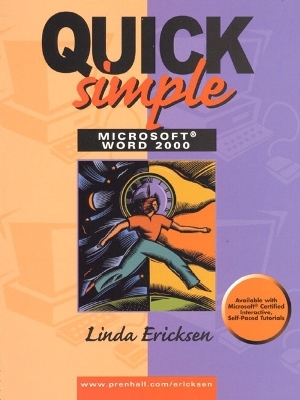
Quick, Simple Microsoft Word 2000
Pearson (Verlag)
978-0-13-081329-9 (ISBN)
- Titel ist leider vergriffen;
keine Neuauflage - Artikel merken
Supported by numerous exercises and projects designed to appeal to a wide range of students, these practical and informative texts offer a step-by-step, hands-on guide to learning the software. Ericksen fills a much-needed void in the market.
For short, introductory courses on Windows/98 and Office 2000. Supported by numerous exercises and projects designed to appeal to a wide range of students, these practical and informative texts offer a step-by-step, hands-on guide to learning the software. Ericksen fills a much-needed void in the market. *Full, four-color, spiral-bound texts on the latest releases of Microsofts best-selling applications. *Completely visual, hands-on in orientation with minimal reading; the focus is on doing. Explains each task in detail, concluding with a practice exercise students can perform. Presents numerous screen shots, including dialog boxes and results of the exercises. *Concise, task-oriented objectives, guided exercises, and end-of-chapter summaries keeps students on track. *Supported by interactive, CD-ROM based tutorials developed by CBT Systems, these tutorials may be value packed with any text in the series. *All supplements for this series, including Instructors Manual, Solutions Disk, PowerPoint, and Data Disks as well as the Computerized Testing System, are available on one CD.
1. Getting Started.
Introduction. Starting the Software. The Interface. Moving Around a Document. Using Help. Exiting Word. Shutting Down Windows.
2. Using Word Wizards.
Using a Wizard. Typing the Body of a Letter. Deleting Text. Inserting Text and Typing over Text. Checking Spelling and Grammar. Saving the Document. Previewing the Document. Printing the Document.
3. Creating Documents.
Creating a Document from Scratch. Creating an Envelope. Creating Mailing Labels. Switching Between Documents. Closing a Document. Selecting Text and Deleting Selected Text. Undoing a Task. Cutting, Copying, and Pasting Text. Using Templates.
Check Point 1.
4. Formatting Documents.
Opening Documents. Using Bold, Italic, Underline. Changing the Font, Size, Color, and other Attributes. Changing Text Alignment. Changing Line Spacing. Indenting Paragraphs. Changing Margins. Changing Tabs.
5. Automating Tasks.
Formatting Text Using Built-In Styles. Creating Styles. Creating Templates. Using AutoCorrect. Editing AutoCorrect Entries. Using Bullets and Numbers. Using Borders and Shading. Including Special Symbols.
6. Working with Multi-Page Documents.
Inserting Page Breaks. Centering a Page Vertically. Insert Page Numbers. Including Headers and Footers. Using Bookshelf. Including Footnotes.
Check Point 2.
7. Enhancing Documents.
Including a Drop Cap. Using AutoFormat. Inserting a Graphic. Inserting a Table. Using WordArt. Including a Chart.
8. Merging Documents and Linking to the World Wide Web.
Using Mail Merge Helper. Creating the Data Source. Editing the Main Document. Merging the Documents. Creating Merged Envelopes. Creating Merged Labels. Creating Web Documents.
Check Point 3.
Appendix A: Alphabetized List of Tasks.
| Erscheint lt. Verlag | 26.5.1999 |
|---|---|
| Sprache | englisch |
| Maße | 220 x 274 mm |
| Gewicht | 491 g |
| Themenwelt | Informatik ► Office Programme ► Word |
| ISBN-10 | 0-13-081329-X / 013081329X |
| ISBN-13 | 978-0-13-081329-9 / 9780130813299 |
| Zustand | Neuware |
| Informationen gemäß Produktsicherheitsverordnung (GPSR) | |
| Haben Sie eine Frage zum Produkt? |
aus dem Bereich