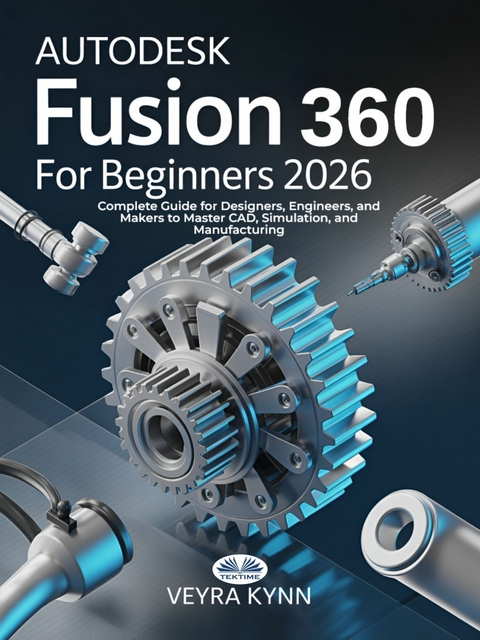
AutoDesk Fusion 360 For Beginners 2026 (eBook)
268 Seiten
Tektime (Verlag)
978-88-354-8212-3 (ISBN)
AutoDesk Fusion 360 For Beginners 2026 is your all-in-one roadmap to mastering the essentials of one of the most advanced and versatile 3D CAD tools available today. Written in clear, beginner-friendly language by industry educator Veyra Kynn, this guide demystifies Fusion 360's interface and functions, walking you step by step through real-world design workflows used by engineers, industrial designers, and fabricators around the globe.
Inside, you'll learn how to confidently sketch, model, assemble, simulate, and even prepare your projects for 3D printing and CNC machining-all using the latest Fusion 360 features. But this isn't just about software. It's about unlocking your ability to think and create like a modern designer. With actionable strategies and hands-on exercises, you'll build not just parts-but lasting skills.
Are you struggling to bring your product ideas to life because CAD software feels too complex and overwhelming?
Whether you're an aspiring designer, engineering student, or hands-on maker, you're likely facing the same challenge: powerful tools like Autodesk Fusion 360 promise everything-3D design, simulation, rendering, manufacturing-but getting started often feels like deciphering a foreign language. Endless toolbars, unclear workflows, and outdated tutorials can make even the most passionate creators give up before they begin.
This book changes that.
AutoDesk Fusion 360 For Beginners 2026 is your all-in-one roadmap to mastering the essentials of one of the most advanced and versatile 3D CAD tools available today. Written in clear, beginner-friendly language by industry educator Veyra Kynn, this guide demystifies Fusion 360's interface and functions, walking you step by step through real-world design workflows used by engineers, industrial designers, and fabricators around the globe.
Inside, you'll learn how to confidently sketch, model, assemble, simulate, and even prepare your projects for 3D printing and CNC machining-all using the latest Fusion 360 features. But this isn't just about software. It's about unlocking your ability to think and create like a modern designer. With actionable strategies and hands-on exercises, you'll build not just parts-but lasting skills.
This guide is perfect for anyone searching for 'Fusion 360 tutorial,' 'learn CAD for beginners,' '3D modeling step-by-step,' or 'Fusion 360 2026 updates.' It's built for self-learners, students, hobbyists, and professionals who want fast, practical results without the fluff.
Stop wasting time on outdated videos and trial-and-error guessing.
Start creating with confidence, clarity, and precision.
Get your copy of AutoDesk Fusion 360 For Beginners 2026 today-and start turning your ideas into reality.
AutoDesk Fusion 360 For Beginners 2026 is your all-in-one roadmap to mastering the essentials of one of the most advanced and versatile 3D CAD tools available today. Written in clear, beginner-friendly language by industry educator Veyra Kynn, this guide demystifies Fusion 360's interface and functions, walking you step by step through real-world design workflows used by engineers, industrial designers, and fabricators around the globe.Inside, you'll learn how to confidently sketch, model, assemble, simulate, and even prepare your projects for 3D printing and CNC machining all using the latest Fusion 360 features. But this isn t just about software. It s about unlocking your ability to think and create like a modern designer. With actionable strategies and hands-on exercises, you ll build not just parts but lasting skills.Are you struggling to bring your product ideas to life because CAD software feels too complex and overwhelming?Whether you're an aspiring designer, engineering student, or hands-on maker, you're likely facing the same challenge: powerful tools like Autodesk Fusion 360 promise everything 3D design, simulation, rendering, manufacturing but getting started often feels like deciphering a foreign language. Endless toolbars, unclear workflows, and outdated tutorials can make even the most passionate creators give up before they begin.This book changes that.AutoDesk Fusion 360 For Beginners 2026 is your all-in-one roadmap to mastering the essentials of one of the most advanced and versatile 3D CAD tools available today. Written in clear, beginner-friendly language by industry educator Veyra Kynn, this guide demystifies Fusion 360 s interface and functions, walking you step by step through real-world design workflows used by engineers, industrial designers, and fabricators around the globe.Inside, you'll learn how to confidently sketch, model, assemble, simulate, and even prepare your projects for 3D printing and CNC machining all using the latest Fusion 360 features. But this isn t just about software. It s about unlocking your ability to think and create like a modern designer. With actionable strategies and hands-on exercises, you ll build not just parts but lasting skills.This guide is perfect for anyone searching for Fusion 360 tutorial, learn CAD for beginners, 3D modeling step-by-step, or Fusion 360 2026 updates. It's built for self-learners, students, hobbyists, and professionals who want fast, practical results without the fluff.Stop wasting time on outdated videos and trial-and-error guessing.Start creating with confidence, clarity, and precision.Get your copy of AutoDesk Fusion 360 For Beginners 2026 today and start turning your ideas into reality.
CHAPTER ONE
INTRODUCTION TO FUSION 360
Overview
Fusion 360 is an advanced 3D modeling program that excels in modeling, simulation, and documentation. AutoCAD created this cloud-based solution in 2013, and it utilizes a top-down approach. It allows users to design bigger constructions that can be divided into smaller components. Users may adjust each component based on their choices and requirements. This chapter will teach you the advantages of Fusion and how to obtain and install the program. Fusion 360 is a software that has quickly gained popularity due to its impressive functions:
Some of these features include the following:
What are the Benefits of Fusion 360?
Fusion 360 offers a wide array of advantages. Here is a list of them:
User Interface
Fusion 360, like other high-quality CAD software, has an easy-to-use interface. The design is very user-friendly, with a sleek ribbon-style main menu that dynamically adjusts to the user's current job, providing a smooth and intuitive experience. When the user engages in rendering or Computer Aided Manufacturing (CAM), they will confront a separate collection of tools.
Integrated Electronics
With the integration of MCAD and ECAD, co-designing both mechanical and electrical components becomes seamless and efficient.
Designed to Innovate
Working with direct modeling in Fusion 360 may be a highly interesting experience, given the software's broad creative and flexible possibilities. It uses a T-spline structure rather than a NURBS framework. This simply means that it allows curves to flow smoothly across rectangular structures, resulting in the formation of non-rectangular, curving patterns and shapes.
What are the advantages and disadvantages of using Fusion 360 for architecture?
Advantages
Pricing Flexibility
Fusion 360 provides a range of pricing options designed to meet the diverse needs of large corporations, boutique firms, small businesses, start-ups, hobbyists, and students. This flexibility ensures that users from various sectors and backgrounds can access and benefit from its advanced features.
Streamlined Workflow
Fusion 360 enhances productivity through seamless cloud integration, facilitating effortless collaboration with co-designers and other stakeholders on shared projects. This integration ensures that teams can work together efficiently, regardless of their location.
Integrated and Realistic Simulation
Fusion 360 empowers users to perform integrated and realistic simulations, allowing for precise evaluation of design performance under various stress conditions. This capability enables users to refine their designs and anticipate potential issues before physical prototypes are created.
Advanced Rendering Capabilities
Fusion 360 features powerful built-in tools for hyper-realistic rendering. For users requiring exceptional visual quality, there is a dedicated workstation specifically optimized for advanced rendering tasks, ensuring that every detail of your design is showcased with stunning clarity.
Downsides
Malware Risk
Users have reported frequent crashes with Fusion 360, despite its extensive applications and powerful capabilities, raising concerns about malware risks. This instability can be especially concerning because it may expose users to malware threats. Crashes can sometimes indicate underlying vulnerabilities that malicious actors could use to gain unauthorized access to systems. To reduce these risks, users should maintain strong cybersecurity measures such as up-to-date antivirus software and regular system scans.
Keyboard Incompatibility
Most CAD-based software includes the ability to customize keyboard controls, allowing users to tailor their workflow to their specific needs and preferences. Unfortunately, Fusion 360 lacks support for this critical feature, forcing users to use the default keyboard settings. This limitation can be inconvenient, especially for those who are used to personalized shortcuts that boost productivity in other CAD applications. Users who want a more customizable experience may need to look into additional software or tools to bridge the gap.
Regular Feature Updates
While regular updates and patches are critical for software's continuous improvement and security, Fusion 360 users have expressed dissatisfaction with the frequency of these updates. Although these updates frequently introduce new features, bug fixes, and performance improvements, the constant need to download and install updates can disrupt workflows and cause compatibility issues with existing projects. Users may benefit from scheduling update checks during off-peak hours or implementing a system to manage these updates more efficiently to reduce disruptions.
Key Takeaway: Without a reliable internet connection, working on Fusion 360 can be challenging as it does not offer a web-based version. Unfortunately, this means that you may experience data and file loss if your connection is lost. This is a limitation commonly found in cloud-based...
| Erscheint lt. Verlag | 9.9.2025 |
|---|---|
| Sprache | englisch |
| Themenwelt | Informatik ► Weitere Themen ► CAD-Programme |
| Schlagworte | 3D modeling Fusion 360 • CAD for beginners • Fusion 360 beginner guide • fusion 360 for dummies • Fusion 360 step-by-step • Fusion 360 tutorial • Learn Fusion 360 |
| ISBN-10 | 88-354-8212-7 / 8835482127 |
| ISBN-13 | 978-88-354-8212-3 / 9788835482123 |
| Informationen gemäß Produktsicherheitsverordnung (GPSR) | |
| Haben Sie eine Frage zum Produkt? |
 EPUB (Adobe DRM)
Kopierschutz: Adobe-DRM
Adobe-DRM ist ein Kopierschutz, der das eBook vor Mißbrauch schützen soll. Dabei wird das eBook bereits beim Download auf Ihre persönliche Adobe-ID autorisiert. Lesen können Sie das eBook dann nur auf den Geräten, welche ebenfalls auf Ihre Adobe-ID registriert sind.
Details zum Adobe-DRM
Dateiformat: EPUB (Electronic Publication)
EPUB ist ein offener Standard für eBooks und eignet sich besonders zur Darstellung von Belletristik und Sachbüchern. Der Fließtext wird dynamisch an die Display- und Schriftgröße angepasst. Auch für mobile Lesegeräte ist EPUB daher gut geeignet.
Systemvoraussetzungen:
PC/Mac: Mit einem PC oder Mac können Sie dieses eBook lesen. Sie benötigen eine
eReader: Dieses eBook kann mit (fast) allen eBook-Readern gelesen werden. Mit dem amazon-Kindle ist es aber nicht kompatibel.
Smartphone/Tablet: Egal ob Apple oder Android, dieses eBook können Sie lesen. Sie benötigen eine
Geräteliste und zusätzliche Hinweise
Buying eBooks from abroad
For tax law reasons we can sell eBooks just within Germany and Switzerland. Regrettably we cannot fulfill eBook-orders from other countries.
aus dem Bereich