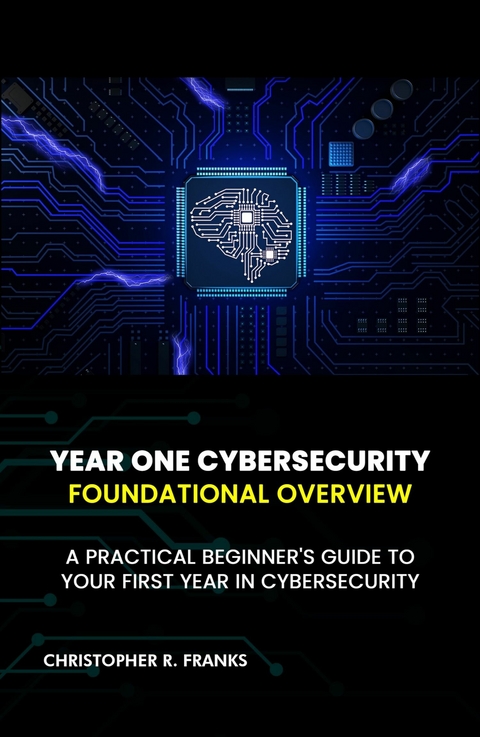
Year One Cybersecurity (eBook)
466 Seiten
Publishdrive (Verlag)
979-8-89889-124-4 (ISBN)
Embark on your cybersecurity career with confidence using Year One Cybersecurity: Foundational Overview. This clearly structured guide empowers aspiring professionals with essential knowledge, practical skills, and the right mindset to excel in a rapidly evolving field. Packed with real-world scenarios and clear explanations, it bridges the gap between theory and practice so you can hit the ground running in your first year.
Inside this comprehensive guide, you will:
• Master core security principles and frameworks, building a rock-solid foundation from day one.
• Gain hands-on experience through practical exercises and labs that mirror real-world scenarios.
• Learn to use industry-standard tools and best practices, from network defense to incident response.
• Develop communication skills to articulate threats and solutions to both technical and non-technical audiences.
• Get insider tips to navigate your first year in the field with confidence and professionalism.
Whether you're launching your cybersecurity career or reinforcing the basics, Year One Cybersecurity will become your go-to reference for years to come. It provides the knowledge, skills, and confidence you need to survive and thrive in the exciting world of cybersecurity!
- Lifecycle Management: Every asset goes through a life cycle: planning, purchase, deployment, maintenance, and disposal. Effective asset management ensures that each stage is handled correctly.
- Tracking and Monitoring: Using tools and procedures to know where every asset is, how it is used, and whether it is up to date.
- Control and Governance: Making sure that each asset meets security requirements and fits the organization's needs. It is also about setting clear rules and responsibilities for who can access and manage each asset.
- Complete Visibility: With a detailed inventory, you know every device, software program, and digital tool that is part of your network. This helps you quickly spot any gaps in your security. For example, if a computer is missing from your records, it might be an unapproved device that could pose a risk.
- Better Control: When you have control over your assets, you can enforce security rules more effectively. You can check if devices have the latest updates, if unauthorized software has been installed, or if any hardware is out of warranty and may require support.
- Regulatory Needs: Many laws and standards, such as PCI DSS (Payment Card Industry Data Security Standard) or HIPAA (Health Insurance Portability and Accountability Act), require organizations to keep detailed records of their assets. This shows that sensitive data is stored on approved and secure devices.
- Audit Preparation: When it comes time for an audit, a complete asset inventory makes it easier to show that your organization is following best practices and meeting regulations.
- Faster Incident Response: If a security breach happens, knowing exactly what assets exist—and who is responsible for them—can speed up the process of containing the breach. You can quickly determine which devices might have been affected and take steps to secure them.
- Root-Cause Analysis: After an incident, detailed asset records help in analyzing what went wrong and how to prevent similar issues in the future.
- Avoiding Waste: By tracking how software licenses are used, you can avoid buying more licenses than you need or wasting money on tools that are not used.
- Better Budgeting: Understanding asset usage helps you plan for future needs and allocate budgets more effectively. You can identify assets that need replacing or upgrading, ensuring that resources are used wisely.
- Evaluate Current Capacity: Begin by looking at what you already have. What devices are in use? What software is running? Are these assets meeting your current needs?
- Growth Forecasts: Consider the future. How will your organization grow? Will you need more devices or additional software licenses in the coming months or years? Create a technology roadmap that outlines your long-term needs.
- Technology Roadmap: Identify new trends and technologies that might affect your organization. For example, if your company plans to move more operations to the cloud, you may need to invest in new virtual assets.
- Secure Funding: Develop a budget that includes purchase costs, maintenance fees, support contracts, and eventual disposal costs.
- Cost vs. Benefit: Evaluate each asset for its return on investment (ROI). This means looking at not just the purchase price but also the long-term benefits and potential risks of each asset.
- Approval Process: Work with your finance and IT departments to get approval. This might include getting quotes from vendors, comparing prices, and checking warranty options.
- Choosing the Right Vendors: Research vendors carefully. Look at their reputation, service terms, and warranty coverage. Reliable vendors are key to ensuring that your assets are of high quality and come with good support.
- Vendor Records: Once you choose a vendor, include their details in your asset record. This information can be useful later when managing warranties or support issues.
- Standard Setups: Use standard procedures for setting up devices. For example, when you receive a new laptop, you can ‘image’ it using a standard software package known as ‘Golden Image.’ Note that multiple types of golden images can be tailored to different job roles or departments, ensuring that specialized applications and configurations are in place for various teams. This approach guarantees that every device is configured consistently with all the necessary security settings while accommodating the specific needs of each group.
- Consistent Configurations: Standardizing setups helps in maintaining security. When every device is set up according to the same rules, it is easier to manage updates and security patches later.
- Document Changes: Every time you install new software or make significant changes to a device, document the changes. This keeps your asset records up to date.
- Approval for Changes: Use a formal process to approve significant changes. It helps ensure that any modifications are necessary and that they follow security guidelines.
- Regular Updates: Use endpoint management tools to automatically push out security patches and updates. This keeps all devices up to date and reduces the risk of vulnerabilities.
- Version Control: Keep a record of software versions and hardware configurations. This way, if an update causes an issue, you know exactly which devices need attention.
- Real-Time Monitoring: Implement tools that monitor asset usage continuously. You can quickly investigate if a new device appears on the network that you did not authorize.
- Regular Checks: Perform routine audits to verify that all assets in your inventory are accounted for. This might be done monthly or quarterly, depending on your organization’s size.
- Compliance Verification: Audits also help ensure that warranties, support contracts, and licenses are still valid and that all assets are up to...
| Erscheint lt. Verlag | 1.8.2025 |
|---|---|
| Sprache | englisch |
| Themenwelt | Informatik ► Netzwerke ► Sicherheit / Firewall |
| Schlagworte | Computer Security • cybersecurity for beginners • cybersecurity for dummies • cybersecurity study guide • Hacking • Network Security • security |
| ISBN-13 | 979-8-89889-124-4 / 9798898891244 |
| Informationen gemäß Produktsicherheitsverordnung (GPSR) | |
| Haben Sie eine Frage zum Produkt? |
 EPUB (Ohne DRM)
Digital Rights Management: ohne DRM
Dieses eBook enthält kein DRM oder Kopierschutz. Eine Weitergabe an Dritte ist jedoch rechtlich nicht zulässig, weil Sie beim Kauf nur die Rechte an der persönlichen Nutzung erwerben.
Dateiformat: EPUB (Electronic Publication)
EPUB ist ein offener Standard für eBooks und eignet sich besonders zur Darstellung von Belletristik und Sachbüchern. Der Fließtext wird dynamisch an die Display- und Schriftgröße angepasst. Auch für mobile Lesegeräte ist EPUB daher gut geeignet.
Systemvoraussetzungen:
PC/Mac: Mit einem PC oder Mac können Sie dieses eBook lesen. Sie benötigen dafür die kostenlose Software Adobe Digital Editions.
eReader: Dieses eBook kann mit (fast) allen eBook-Readern gelesen werden. Mit dem amazon-Kindle ist es aber nicht kompatibel.
Smartphone/Tablet: Egal ob Apple oder Android, dieses eBook können Sie lesen. Sie benötigen dafür eine kostenlose App.
Geräteliste und zusätzliche Hinweise
Buying eBooks from abroad
For tax law reasons we can sell eBooks just within Germany and Switzerland. Regrettably we cannot fulfill eBook-orders from other countries.
aus dem Bereich