


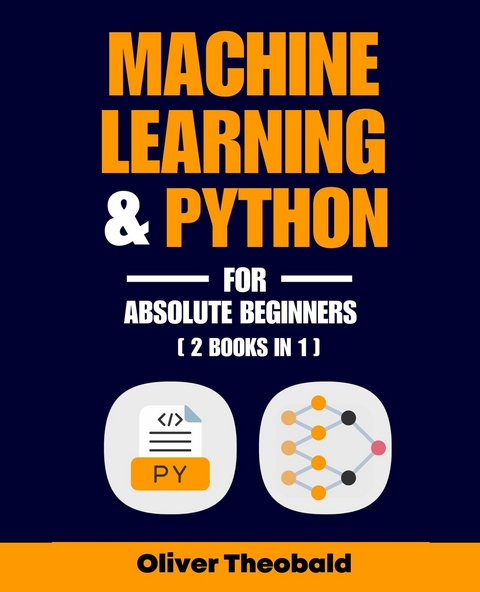
Machine Learning & Python for Absolute Beginners (eBook)
248 Seiten
Packt Publishing (Verlag)
9781806380046 (ISBN)
Starting with Python syntax and data types, this guide builds toward implementing key machine learning models. Learn about loops, functions, OOP, and data cleaning, then transition into algorithms like regression, KNN, and neural networks. A final section walks you through model optimization and building projects in Python.
The book is split into two major sections-foundational Python programming and introductory machine learning. Readers are guided through essential concepts such as data types, variables, control flow, object-oriented programming, and using libraries like pandas for data manipulation.
In the machine learning section, topics like model selection, supervised vs unsupervised learning, bias-variance, and common algorithms are demystified with practical coding examples. It's a structured, clear roadmap to mastering both programming and applied ML from zero knowledge.
|
| 2 |
VARIABLES
While solving mathematical equations can help us to familiarize ourselves with inputs and outputs, and operating the Python interpreter, we’re not yet utilizing the many awesome features that come packed in with Python. Let’s unbox some of these features, beginning with the ability to create and assign variables.
2.1 About Variables
Variables are a fundamental part of Python and many other programming languages. In mathematics, a variable is something that varies, such as the price of a product item or the height of a person. However, in computer programming, the role of a variable is to store a defined value in the computer’s memory for ongoing use. This enables earlier code to be saved, referenced, and manipulated later down the line. Once you have created a new variable name and assigned a value to it, you can ask the Python interpreter to call the saved value by entering that unique variable name.
To create a variable in Python, you first need to type out a unique name and assign it to a value using the equals (=) operator. For instance, using the equals operator, we can assign the value 0.2 as our income tax rate and 50000 as our annual income.
Example 1
# Assign two variables
tax_rate = 0.2
annual_income = 50000
Now, anytime we refer to the variable tax_rate, the Python interpreter will understand this as equal to 0.2. Likewise, anytime we refer to the variable annual_income, the Python interpreter will understand this as equal to 50000, as demonstrated in the next example.
Example 2
# Multiply tax rate by annual income
tax_rate * annual_income
Out: 10000.0
The Python interpreter recognizes the variable names tax_rate and annual_income and automatically multiplies these variables based on their assigned values (0.2 * 50000 = 10000.0).
2.2 The Equals Operator
In Python, it’s important to remember that the equals operator does not perform the same role as an equals sign in mathematics. While the equals operator is used in Python to assign a variable and save an associated value, it is not connected to any mathematical logic.
Example 3
# Create a new variable
one = 2 + 2
In the example above, the value 2 + 2 is stored in a variable called one. This example shows that the variable name doesn’t have to be equal or even relate to what’s packed inside the variable. However, it does make sense to name your variables based on what value is contained inside. Similar to the way you might pack boxes labeled “kitchen” and “garage” when moving to a new home, naming conventions in Python help you to find and manage variables more efficiently in the future.
If you don’t want to create a variable and instead want to solve a mathematical equation in Python, you can run the code without adding an equals operator as demonstrated in Chapter 1, i.e. 2 + 2.
Also, if you want to confirm whether a mathematical relationship in Python is True or False, you can use two equals operators (==) as seen here in Example 4.
Example 4
2 + 2 == 4
Out: True
2 + 2 == 5
Out: False
2.3 Variable Naming Conventions
In terms of using the correct syntax for creating a variable name, there are a few important rules to follow. The first rule is that variable names are case-sensitive. This means that data and Data are two different variables. While the two variable names are spelled the same, one is capitalized and the other is not. As Python variables are case-sensitive, these two variable names are therefore treated by the Python interpreter as two completely different variables and cannot be used to refer to the same target value.
The second rule is the variable name cannot contain any spaces. This means that to connect two words, you must always use an underscore (_) in between, as seen in Example 5.
Example 5
# Using an underscore between keywords
my_dataset = 8
In regards to the specific naming of a variable, you can select any name as long as it fits with these three requirements:
- The variable name contains only alpha-numeric characters and underscores (A-Z, 0-9, _ )
- The name starts with a letter or underscore and not a number
- The variable name does not imitate a Python keyword such as “return” (we will learn more about common Python keywords including “print” and “class” in future chapters)
2.4 Variables Are Variable!
One of the great features of variables is their “variable” nature. Rather than being immutable or unchangeable, we can modify and update the value stored inside a variable simply by adding more code. (Note, however, that this does not apply to tuples, which we will introduce in the next chapter.)
As a demonstration, let’s create two new variables called savings and interest and assign these variables with the initial values of 10000 and 1.05 respectively.
Example 6
# Assign two variables
savings = 10000
interest = 1.05
savings * interest
Out: 105000.0
After establishing two new variables (savings and interest), let’s change the value of the savings variable to 20000 and rerun the code to recalculate our expected return on investment.
# Update the first variable’s saved value
savings = 20000
interest = 1.05
savings * interest
Out: 21000.0
As we can see, the value for the variable savings has been modified, which means the output value also changes accordingly (after re-running the code).
The Python interpreter automatically takes the most recent (or last) line of code as the final value. This means that you can modify the value of a variable anytime by retyping the variable name and assigning it a new value in order to override the previous value, as shown again in Example 7.
Example 7
# Override the variable’s stored value
savings = 10000
savings = 20000
savings
Out: 20000
Here, the value of the variable savings has been updated to 20000. Also, you may have noticed that you can simply type the name of the established variable and run your code to output the stored value of that variable.
2.5 Using Print
In Python, the print() function is used to specify an output, such as the value of a variable or a text message (also known as a string). This ability to print an output is extremely useful for formatting and customizing outputs. For instance, if you create a variable and then run the Python interpreter to output that variable, the interpreter spits out the saved value but there is no context of what that output actually means and represents.
Let’s take a look at an example.
Example 8
my_name = "Mike"
my_name
Out: "Mike"
While we can clearly see the output in this code example is "Mike", it might be useful to describe what this output represents. Using the print() function, we can do just that by adding text, referred to as string, inside the parentheses. In this case, we want to write a string (describing the output) as well as the variable name (to output), and then merge the two objects using the addition operator. Note also that the string must be wrapped inside quote marks.
Example 9
print("My first name is " + my_name)
Out: My first name is Mike
As shown above, the print function is useful for providing context and adding clarity by annotating important aspects of the outputted code—especially as code comments cannot be shown as output. Without the print function, all we would see is an unlabeled output value, which is even more confusing if the end-user is unable to see or read your initial input code.
Note that when printing a string, the print function automatically removes the quote marks after you run the code. If you wish to include quote marks in the output, you can add single quote marks inside double quote marks as shown here.
Example 10
# Double and single quotes
print("'What is your name?'")
Out: 'What is your name?'
# Double quotes only
print("What is your name?")
Out: What is your name?
To print on a new line, we can use /n, and for...
| Erscheint lt. Verlag | 20.8.2025 |
|---|---|
| Sprache | englisch |
| Themenwelt | Mathematik / Informatik ► Informatik ► Programmiersprachen / -werkzeuge |
| ISBN-13 | 9781806380046 / 9781806380046 |
| Informationen gemäß Produktsicherheitsverordnung (GPSR) | |
| Haben Sie eine Frage zum Produkt? |
 EPUB (Ohne DRM)
Digital Rights Management: ohne DRM
Dieses eBook enthält kein DRM oder Kopierschutz. Eine Weitergabe an Dritte ist jedoch rechtlich nicht zulässig, weil Sie beim Kauf nur die Rechte an der persönlichen Nutzung erwerben.
Dateiformat: EPUB (Electronic Publication)
EPUB ist ein offener Standard für eBooks und eignet sich besonders zur Darstellung von Belletristik und Sachbüchern. Der Fließtext wird dynamisch an die Display- und Schriftgröße angepasst. Auch für mobile Lesegeräte ist EPUB daher gut geeignet.
Systemvoraussetzungen:
PC/Mac: Mit einem PC oder Mac können Sie dieses eBook lesen. Sie benötigen dafür die kostenlose Software Adobe Digital Editions.
eReader: Dieses eBook kann mit (fast) allen eBook-Readern gelesen werden. Mit dem amazon-Kindle ist es aber nicht kompatibel.
Smartphone/Tablet: Egal ob Apple oder Android, dieses eBook können Sie lesen. Sie benötigen dafür eine kostenlose App.
Geräteliste und zusätzliche Hinweise
Buying eBooks from abroad
For tax law reasons we can sell eBooks just within Germany and Switzerland. Regrettably we cannot fulfill eBook-orders from other countries.
aus dem Bereich


