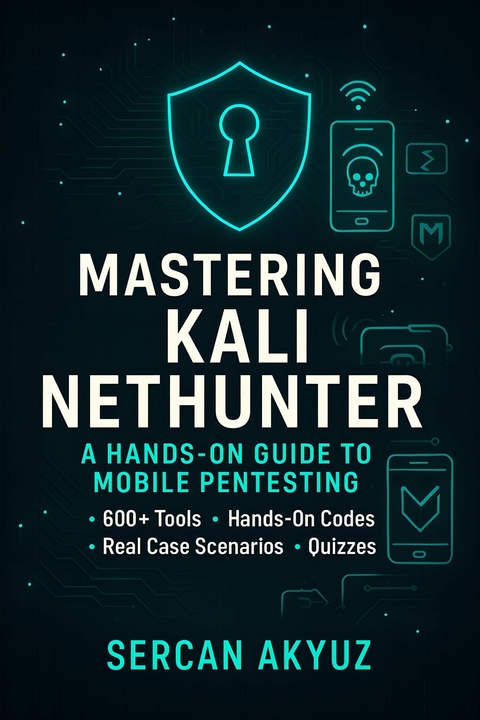
Mastering Kali NetHunter (eBook)
893 Seiten
Publishdrive (Verlag)
978-0-00-104205-6 (ISBN)
Mastering Kali NetHunter is your complete guide to turning an ordinary Android device into a full-fledged hacking toolkit. Built on Kali Linux, NetHunter brings penetration testing power to your pocket.
Inside, you'll learn how to:
• Install and customize Kali NetHunter on supported devices
• Perform wireless, Bluetooth, and USB-based attacks
• Use advanced tools like Metasploit, Burp Suite, and OWASP ZAP
• Build and run real-world attack simulations with step-by-step examples
• Stay on the legal side with guidelines for responsible testing
Packed with diagrams, case scenarios, and practical exercises, this book doesn't just teach you commands-it trains you to think like a pentester. Whether you're a beginner or an advanced red teamer, this is your hands-on playbook for mastering mobile hacking.
Chapter 15 – Quiz Banks
Brief history of Kali Linux and Offensive Security.
1.1 What is Kali NetHunter?
Kali NetHunter is Offensive Security’s mobile penetration testing platform built on top of Android.
It turns a standard Android phone or tablet into a portable hacking toolkit capable of performing many of the same attacks you’d run from a full Kali Linux machine.
Think of it as:
Kali Linux in your pocket — but with extra features for wireless, Bluetooth, USB, and HID-based attacks.
Core advantages:
NetHunter Ecosystem Overview
NetHunter Flavors
NetHunter comes in three versions:
1.3 Supported Devices
NetHunter runs on many Android devices, but not all.
You’ll find the official compatibility list on NetHunter’s GitHub.
Popular supported devices:
Pro Tip: If you’re buying a phone just for NetHunter, pick a model with a known WiFi injection-compatible chipset (Atheros, Ralink, Realtek).
1.4 NetHunter vs Desktop Kali
1.5 Common Use Cases
1.6 Mini-Lab – Verify Your NetHunter Environment
Objective: Confirm NetHunter is properly installed and ready for tool execution.
Requirements:
Steps:
# Check NetHunter OS version
cat /etc/os-release
# Verify wireless interface
ifconfig wlan0
# Confirm package manager works
apt update && apt list --installed | head -n 10
Expected Output:
| Erscheint lt. Verlag | 14.9.2025 |
|---|---|
| Sprache | englisch |
| Themenwelt | Informatik ► Netzwerke ► Sicherheit / Firewall |
| ISBN-10 | 0-00-104205-X / 000104205X |
| ISBN-13 | 978-0-00-104205-6 / 9780001042056 |
| Informationen gemäß Produktsicherheitsverordnung (GPSR) | |
| Haben Sie eine Frage zum Produkt? |
 EPUB (Adobe DRM)
Größe: 1,3 MB
Kopierschutz: Adobe-DRM
Adobe-DRM ist ein Kopierschutz, der das eBook vor Mißbrauch schützen soll. Dabei wird das eBook bereits beim Download auf Ihre persönliche Adobe-ID autorisiert. Lesen können Sie das eBook dann nur auf den Geräten, welche ebenfalls auf Ihre Adobe-ID registriert sind.
Details zum Adobe-DRM
Dateiformat: EPUB (Electronic Publication)
EPUB ist ein offener Standard für eBooks und eignet sich besonders zur Darstellung von Belletristik und Sachbüchern. Der Fließtext wird dynamisch an die Display- und Schriftgröße angepasst. Auch für mobile Lesegeräte ist EPUB daher gut geeignet.
Systemvoraussetzungen:
PC/Mac: Mit einem PC oder Mac können Sie dieses eBook lesen. Sie benötigen eine
eReader: Dieses eBook kann mit (fast) allen eBook-Readern gelesen werden. Mit dem amazon-Kindle ist es aber nicht kompatibel.
Smartphone/Tablet: Egal ob Apple oder Android, dieses eBook können Sie lesen. Sie benötigen eine
Geräteliste und zusätzliche Hinweise
Buying eBooks from abroad
For tax law reasons we can sell eBooks just within Germany and Switzerland. Regrettably we cannot fulfill eBook-orders from other countries.
aus dem Bereich