


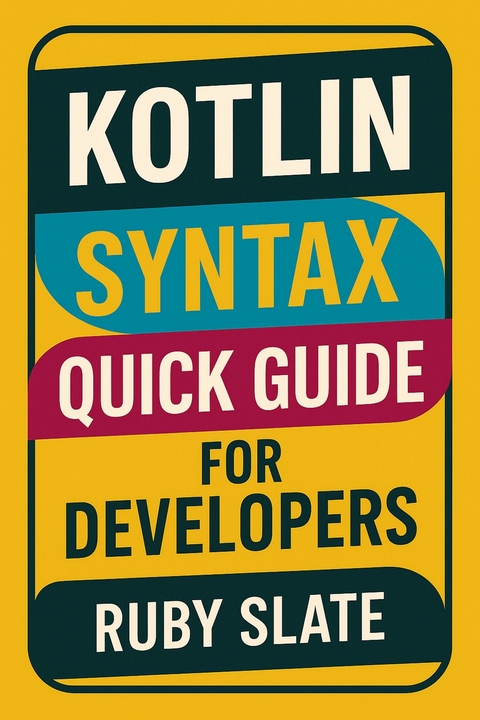
Kotlin Syntax Quick Guide for Developers (eBook)
513 Seiten
Publishdrive (Verlag)
978-0-00-103575-1 (ISBN)
Kotlin has quickly become one of the most popular programming languages for Android, backend, and multiplatform development. Known for its clean syntax, type safety, and powerful features, Kotlin helps developers write more expressive, concise, and reliable code. Kotlin Syntax Quick Guide for Developers is designed as a practical reference for anyone who wants to learn Kotlin quickly and apply it effectively in projects.
Whether you are just starting with Kotlin or already an experienced programmer, this guide gives you a clear and straightforward path through the language's essential syntax. From variables, functions, and control flow to object-oriented and functional programming features, each topic is explained with simple explanations and clean code examples. The goal is to help you focus on what really matters: writing better Kotlin code with confidence.
Beyond the basics, this book also explores modern Kotlin features such as data classes, sealed classes, extension functions, null safety, and coroutines. These topics are explained in a practical way so you can easily adopt them in Android apps, backend services, or multiplatform projects. Each concept is presented with a balance of clarity and depth, making the book useful both as a learning resource and as a quick desk reference.
Kotlin Syntax Quick Guide for Developers is the perfect companion for software developers who want to level up their skills, adopt Kotlin in their workflow, and write code that is both efficient and elegant. Whether you are coding mobile apps, web services, or cross-platform solutions, this book will give you the syntax knowledge you need to succeed.
Getting Started with Kotlin
Kotlin is a modern, statically typed programming language designed to boost developer productivity while maintaining simplicity and readability. Developed by JetBrains, Kotlin has rapidly become a preferred choice for building applications across different domains, from Android mobile apps to backend systems and even cross-platform solutions. Its concise syntax reduces boilerplate code, making programs easier to write, maintain, and understand.
One of the key reasons for Kotlin’s popularity is its seamless interoperability with Java, allowing developers to adopt it gradually without discarding existing projects. Android development, in particular, has seen widespread adoption of Kotlin, as Google officially supports it as the recommended language for building Android apps. Beyond mobile, Kotlin is widely used in server-side development with frameworks like Ktor and Spring, as well as in multiplatform projects that share code across Android, iOS, and web applications.
Kotlin’s design emphasizes safety, expressiveness, and modern features such as null-safety, coroutines for concurrency, and extension functions.
Setting Up Kotlin
Before diving into Kotlin syntax and building your first applications, you need to set up a proper development environment. Fortunately, Kotlin offers flexibility: you can work with it in IntelliJ IDEA, Android Studio, or directly from the command line interface (CLI). Each method suits different types of developers. Beginners often prefer an IDE like IntelliJ IDEA or Android Studio, while more experienced developers may choose CLI for quick experiments, scripting, or server-side development.
This chapter provides a step-by-step guide for installing Kotlin on your system, verifying the setup, and writing your very first Kotlin program. By the end of this chapter, you’ll be ready to start coding confidently in Kotlin.
1. Choosing Your Development Environment
Kotlin is designed to be versatile and platform-independent. You can use it for Android development, backend applications, or even scripting tasks. Depending on your goals, you should select an environment that suits your workflow:
In most cases, you’ll end up using more than one of these environments, so it’s worth understanding how to set up all three.
2. Setting Up Kotlin in IntelliJ IDEA
Step 1: Download and Install IntelliJ IDEA
- Visit JetBrains IntelliJ IDEA.
- Download either:
- Install IntelliJ IDEA following your operating system’s standard installation process:
Step 2: Create a New Kotlin Project
- Open IntelliJ IDEA.
- On the welcome screen, select New Project.
- Choose Kotlin → JVM | IDEA.
(If you’re building for Android, you’d instead use Android Studio—covered later in this chapter.) - Name your project (e.g., HelloKotlin).
- Choose a location for the project and click Finish.
Step 3: Write Your First Kotlin Program
Once the project is created:
- Right-click the src folder.
- Select New → Kotlin File/Class.
- Name the file Main.
- Add the following code:
fun main() {
println("Hello, Kotlin from IntelliJ IDEA!")
}
Step 4: Run the Program
Hello, Kotlin from IntelliJ IDEA!
At this point, your IntelliJ setup is complete.
3. Setting Up Kotlin in Android Studio
Android Studio is based on IntelliJ IDEA but comes pre-packaged with Android-specific tools. Since Google officially supports Kotlin for Android development, Android Studio provides excellent Kotlin integration out of the box.
Step 1: Download and Install Android Studio
- Visit Android Studio.
- Download the installer for your platform (Windows, macOS, Linux).
- Install Android Studio:
Step 2: Create a New Kotlin Android Project
- Launch Android Studio.
- Click New Project.
- Choose a template (e.g., Empty Activity).
- Make sure the Language is set to Kotlin.
- Set the project name and package name.
- Click Finish.
Step 3: Verify Kotlin is Enabled
package com.example.myfirstkotlinapp
import androidx.appcompat.app.AppCompatActivity
import android.os.Bundle
class MainActivity : AppCompatActivity() {
override fun onCreate(savedInstanceState: Bundle?) {
super.onCreate(savedInstanceState)
setContentView(R.layout.activity_main)
}
}
Step 4: Run the Android App
4. Setting Up Kotlin via the Command Line (CLI)
Sometimes you don’t want a full IDE. For quick experiments or lightweight development, you can install the Kotlin compiler and use the CLI.
Step 1: Install the JDK
Kotlin runs on the Java Virtual Machine (JVM). You’ll need Java installed:
- Download OpenJDK from Adoptium or Oracle JDK.
- Install it according to your OS instructions.
- Verify installation:
java -version
You should see something like:
openjdk version "17.0.2" 2023-01-17
Step 2: Install the Kotlin Compiler
- Visit the official Kotlin website: Kotlin Releases.
- Download the compiler distribution (kotlin-compiler-*.zip).
- Extract the archive to a location on your computer.
- Add the bin directory to your system PATH.
For example:
export PATH=$PATH:/path/to/kotlinc/bin
Add C:/path/to/kotlinc/bin to your Environment Variables.
Step 3: Verify...
| Erscheint lt. Verlag | 28.8.2025 |
|---|---|
| Sprache | englisch |
| Themenwelt | Mathematik / Informatik ► Informatik ► Programmiersprachen / -werkzeuge |
| ISBN-10 | 0-00-103575-4 / 0001035754 |
| ISBN-13 | 978-0-00-103575-1 / 9780001035751 |
| Informationen gemäß Produktsicherheitsverordnung (GPSR) | |
| Haben Sie eine Frage zum Produkt? |
 EPUB (Adobe DRM)
Größe: 4,8 MB
Kopierschutz: Adobe-DRM
Adobe-DRM ist ein Kopierschutz, der das eBook vor Mißbrauch schützen soll. Dabei wird das eBook bereits beim Download auf Ihre persönliche Adobe-ID autorisiert. Lesen können Sie das eBook dann nur auf den Geräten, welche ebenfalls auf Ihre Adobe-ID registriert sind.
Details zum Adobe-DRM
Dateiformat: EPUB (Electronic Publication)
EPUB ist ein offener Standard für eBooks und eignet sich besonders zur Darstellung von Belletristik und Sachbüchern. Der Fließtext wird dynamisch an die Display- und Schriftgröße angepasst. Auch für mobile Lesegeräte ist EPUB daher gut geeignet.
Systemvoraussetzungen:
PC/Mac: Mit einem PC oder Mac können Sie dieses eBook lesen. Sie benötigen eine
eReader: Dieses eBook kann mit (fast) allen eBook-Readern gelesen werden. Mit dem amazon-Kindle ist es aber nicht kompatibel.
Smartphone/Tablet: Egal ob Apple oder Android, dieses eBook können Sie lesen. Sie benötigen eine
Geräteliste und zusätzliche Hinweise
Buying eBooks from abroad
For tax law reasons we can sell eBooks just within Germany and Switzerland. Regrettably we cannot fulfill eBook-orders from other countries.
aus dem Bereich


