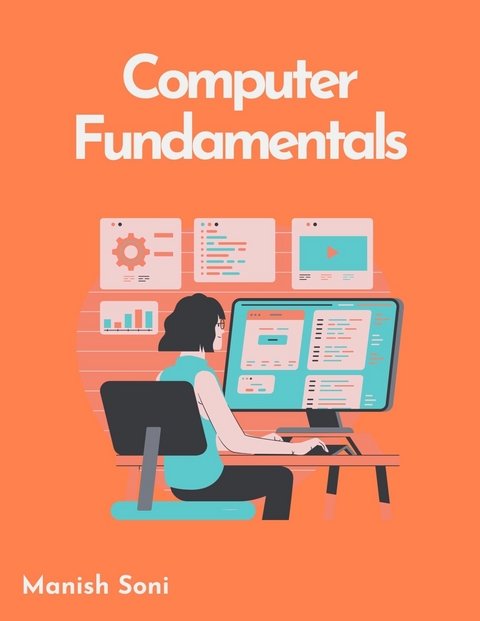
Computer Fundamentals (eBook)
204 Seiten
Poorav Publications (Verlag)
978-93-6972-754-4 (ISBN)
In the vast landscape of modern technology, understanding the fundamentals of computing is akin to possessing a master key that unlocks a world of possibilities. This book, dedicated to the exploration of computer fundamentals, serves as your gateway to comprehending the intricacies of these ubiquitous machines. Knowledge of computer fundamentals is not a mere luxury; it is an indispensable tool in the arsenal of modern life. Whether you're a seasoned professional seeking to deepen your understanding or a curious novice embarking on your first foray into the realm of computing, this book is tailored to meet your needs. As your companion in this voyage of discovery, we offer not just knowledge, but guidance. Whether you seek to bolster your technical prowess, embark on a career in technology, or simply satiate your intellectual curiosity, this book stands ready to accompany you every step of the way. Computers have revolutionised the way we live, work, and communicate. From smartphones and tablets to sophisticated data centres, the impact of computing is felt in virtually every aspect of modern society. A solid grasp of computer fundamentals not only empowers you to navigate this digital landscape with confidence but also opens doors to countless opportunities in various fields. In this book, we embark on a journey to explore the fundamental principles that underpin the world of computing. Starting with a historical overview of the evolution of computers, we delve into the essential components of computer hardware and software, covering topics such as data representation, operating systems, networking, logic gates and many more.
Now the question comes, Who Should Read This Book? The readership of a Computer Fundamental book extends beyond mere enthusiasts; it caters to a diverse array of individuals whose pursuits intersect with the realms of technology and information. Targeting a broad spectrum of learners, this tome is indispensable for aspiring technocrats, ambitious students, enterprising professionals, and curious minds alike. Students traversing the hallowed halls of academia find solace in its pages, as it encapsulates the requisite knowledge for mastering computer science fundamentals. Armed with this arsenal of understanding, they tackle assignments, ace examinations, and prepare themselves for the rigors of a burgeoning tech industry, where innovation and adaptability reign supreme. Seasoned professionals, entrenched in the trenches of corporate warfare, unearth in its depths a trove of wisdom to augment their skill set. From IT consultants grappling with complex infrastructure dilemmas to cybersecurity experts fortifying digital fortresses against insidious threats, this text serves as a beacon of enlightenment, illuminating pathways to professional growth and excellence.
Chapter 3: Computer Software
In this chapter you will learn about:
Types of Software
Operating Systems and Utility Programs
Overview of Programming Languages
3.1 Types of Software
In the realm of computing, software can be broadly categorized into two main types: System Software and Application Software. Each type serves distinct purposes, catering to various operational needs of a computer system.System software and application software are integral to the functionality of modern computers, each fulfilling crucial roles. System software provides the necessary platform and tools to run hardware and manage resources efficiently, while application software directly assists users in performing specific, task-oriented functions. Together, they enable diverse computing experiences, catering to various personal and professional needs.
3.1.1 System Software
System software serves as the fundamental interface between hardware and user applications. It is designed to manage the system resources and provide a platform for running application software.
Operating Systems: The core software that manages hardware resources, provides common services for computer programs, and allows for user interaction with the hardware. Examples include Windows, macOS, and Linux.
Device Drivers: These are specific types of system software that allow higher-level computer programs to interact with a hardware device. Examples include printer drivers, display drivers, and USB drivers.
Utility Programs: Software designed to help manage, maintain, and control computer resources. Examples include antivirus programs, file management tools, and backup software.
3.1.2 Application Software
Application software is designed to perform specific tasks for users. These tasks can range from productivity and data management to entertainment and design.
Productivity Software: Tools that help users produce things like documents, databases, graphs, and presentations. Examples include Microsoft Office, Google Workspace, and Adobe Acrobat.
Database Software: Systems that allow users to store, modify, and extract information from a database. Examples include Oracle, MySQL, and Microsoft SQL Server.
Media Software: Programs designed for creating and editing graphics, video, and music. Examples include Adobe Photoshop, Final Cut Pro, and Ableton Live.
Web Browsers: Software used to browse the internet. Examples include Google Chrome, Mozilla Firefox, and Safari.
Educational Software: Applications designed specifically for learning purposes. Examples include Duolingo for language learning and Khan Academy for a wide range of educational content.
3.2 Operating Systems and Utility Programs
Operating systems and utility programs are foundational components of computer functionality, each playing a crucial role in the management and efficiency of computing resources.Operating systems and utility programs are integral to the operational efficacy and security of computer systems. While operating systems provide the necessary groundwork and resources for all computing activities, utility programs enhance and optimize these operations, ensuring that the system remains efficient, secure, and well-maintained. Together, they form the backbone of a computer’s functionality, enabling both basic and advanced computing tasks.
3.2.1 Operating Systems (OS)
An operating system is the core software that manages computer hardware, software resources, and provides common services for computer programs. It acts as an intermediary between users and the computer hardware.
Resource Management: Manages the hardware resources of the computer such as CPU, memory, disk space, and peripheral devices.
Task Scheduling: Efficiently manages the execution of multiple tasks, often giving the illusion of concurrency on processors with a single core.
User Interface: Provides a graphical user interface (GUI) or command-line interface (CLI) for users to interact with the system.
Examples- Windows, macOS, Linux .
3.2.2 Utility Programs
Utility programs are software designed to help analyze, configure, optimize, or maintain a computer. They are often viewed as a subset of system software, directly interacting with the operating system to perform specific tasks.
System Maintenance: Tools that help in cleaning up unnecessary files, defragmenting disks, scanning for malware, and backing up data.
System Monitoring: Utilities that monitor system resources and performance, such as CPU usage, memory usage, and network traffic.
File Management: Tools designed to manage files and directories, providing functions beyond those available in the operating system.
Examples- Antivirus Software, Disk Cleaner, Backup Software, File Compression Tools .
3.3 Overview of Programming Languages: Machine, Assembly, and High-Level Languages
Programming languages are the fundamental tools used to instruct computers and are categorized based on their level of abstraction and closeness to human language. These categories include machine language, assembly language, and high-level languages, each serving different purposes and offering different benefits.The spectrum of programming languages from machine to high-level languages represents a transition from a focus on direct hardware manipulation to emphasizing problem-solving and application development. Each category serves its purpose, from performing hardware-level operations in machine and assembly languages to developing complex, portable applications in high-level languages. This hierarchy not only aids in educational understanding but also in practical applications, catering to the needs of different programming environments and challenges.
3.3.1 Machine Language
Machine language is the lowest level of programming language, consisting of binary code that is directly understood by a computer's CPU. It is specific to the architecture of the computer's processor and is the most basic form of instruction a computer can execute.
Binary Code: Composed entirely of 0s and 1s, which represent on/off signals that the processor can interpret.
Processor-Specific: Each type of processor has its own unique machine language.
Example- Direct binary commands entered into a micro controller or a primitive computer system.
3.3.2 Assembly Language
Assembly language is one step above machine language and uses mnemonic codes or symbols instead of binary to represent operations. It is still closely tied to the architecture of the CPU but is more readable than machine language.
Low-level: Although more abstract than machine language, assembly is still considered low-level and requires a thorough understanding of the computer’s architecture.
Assembler: Requires a tool called an assembler to convert the assembly code into machine code that the computer can execute.
Example- Using Assembly for programming embedded systems, where precise control over hardware is required, such as in robotics or real-time system processing.
3.3.3 High-Level Languages
High-level programming languages are closer to human languages and far removed from the hardware details. They are designed to be easy to read and write, with a syntax that expresses more complex operations in a single statement.
Abstraction: High-level languages abstract the details of the computer hardware, allowing the programmer to focus on the logic of the program without worrying about the specifics of the underlying hardware.
Portability: Codes written in high-level languages can often be run on multiple platforms without modification.
Examples- Python, Java, C++ .
SUMMARY
Software is divided into system software, which facilitates the operation of hardware and system resources, and application software, designed for user-oriented tasks.
Includes operating systems like Windows, macOS, and Linux, which manage hardware resources, and utility programs that optimize and maintain system performance.
Encompasses productivity tools like Microsoft Office, database systems such as MySQL, media software such as Adobe Photoshop, web browsers like Chrome, and educational software like Khan Academy.
Essential for resource management, task scheduling, and user interaction, providing both GUI and CLI interfaces.
Include antivirus software, disk cleaners, and backup tools, enhancing system maintenance, monitoring, and file management.
Categorized by abstraction level from machine languages (low-level, directly executed by CPU) to high-level languages (abstract, portable, user-friendly), facilitating a range of tasks from hardware control to application development.
GLOSSARY
System Software: Software that manages hardware resources and provides a platform for running application software.
Application Software: Software designed to perform specific user-oriented tasks, such as productivity or...
| Erscheint lt. Verlag | 13.11.2024 |
|---|---|
| Reihe/Serie | Computer Fundamentals Books Series |
| Sprache | englisch |
| Themenwelt | Mathematik / Informatik ► Informatik |
| Schlagworte | computer fundamentals |
| ISBN-10 | 93-6972-754-X / 936972754X |
| ISBN-13 | 978-93-6972-754-4 / 9789369727544 |
| Informationen gemäß Produktsicherheitsverordnung (GPSR) | |
| Haben Sie eine Frage zum Produkt? |
 EPUB (Ohne DRM)
Digital Rights Management: ohne DRM
Dieses eBook enthält kein DRM oder Kopierschutz. Eine Weitergabe an Dritte ist jedoch rechtlich nicht zulässig, weil Sie beim Kauf nur die Rechte an der persönlichen Nutzung erwerben.
Dateiformat: EPUB (Electronic Publication)
EPUB ist ein offener Standard für eBooks und eignet sich besonders zur Darstellung von Belletristik und Sachbüchern. Der Fließtext wird dynamisch an die Display- und Schriftgröße angepasst. Auch für mobile Lesegeräte ist EPUB daher gut geeignet.
Systemvoraussetzungen:
PC/Mac: Mit einem PC oder Mac können Sie dieses eBook lesen. Sie benötigen dafür die kostenlose Software Adobe Digital Editions.
eReader: Dieses eBook kann mit (fast) allen eBook-Readern gelesen werden. Mit dem amazon-Kindle ist es aber nicht kompatibel.
Smartphone/Tablet: Egal ob Apple oder Android, dieses eBook können Sie lesen. Sie benötigen dafür eine kostenlose App.
Geräteliste und zusätzliche Hinweise
Buying eBooks from abroad
For tax law reasons we can sell eBooks just within Germany and Switzerland. Regrettably we cannot fulfill eBook-orders from other countries.
aus dem Bereich