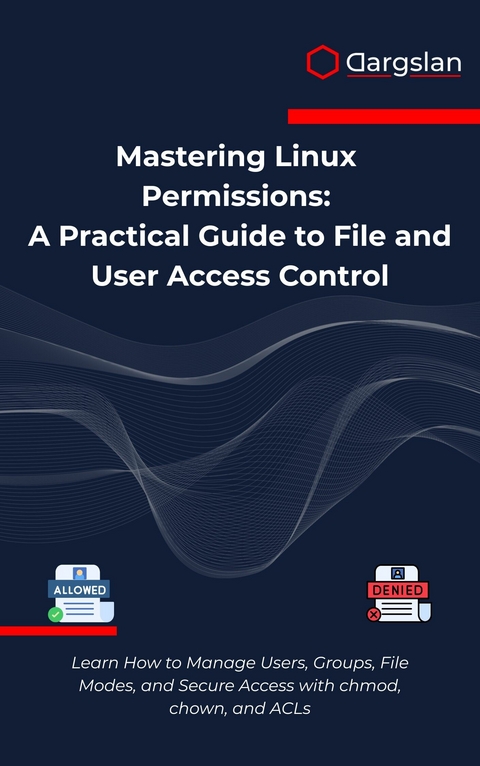
Mastering Linux Permissions (eBook)
286 Seiten
Dargslan s.r.o. (Verlag)
978-0-00-103098-5 (ISBN)
Mastering Linux Permissions: A Practical Guide to File and User Access Control
Unlock the full potential of Linux security with the definitive guide to permissions management!
Are you struggling with permission denied errors? Confused about chmod numbers? Unsure how to properly secure your Linux systems? 'Mastering Linux Permissions' is the comprehensive resource you've been searching for-written specifically for system administrators, developers, DevOps engineers, and security professionals who need to implement robust access controls in Linux environments.
Unlike basic tutorials that merely scratch the surface, this practical guide takes you on a journey from fundamental concepts to advanced permission strategies used by experts in enterprise environments. Through clear explanations, real-world examples, and hands-on exercises, you'll develop an intuitive understanding of Linux's powerful security model.
Inside this comprehensive guide, you'll discover:
A complete breakdown of the traditional rwx permission system that forms the foundation of Linux security
Step-by-step instructions for using chmod, chown, and chgrp with both symbolic and numeric notation
Advanced techniques for leveraging special permission bits (setuid, setgid, sticky bit) to solve complex access challenges
Practical strategies for implementing Access Control Lists (ACLs) to go beyond the limitations of standard permissions
Best practices for managing users, groups, and default permissions with umask in multi-user environments
Troubleshooting techniques to diagnose and resolve common permission problems that plague Linux administrators
Enterprise-grade security policies and implementation strategies for protecting sensitive data and system files
Why this book stands apart:
While many resources offer fragmented information on Linux permissions, 'Mastering Linux Permissions' provides a structured, comprehensive approach that builds your expertise systematically. Each concept is explained clearly with practical examples that you can immediately apply to your own systems.
The author draws on decades of experience securing production Linux environments to share insights rarely found in documentation. You'll learn not just the 'how' but the crucial 'why' behind permission strategies, enabling you to design secure systems rather than simply following recipes.
Perfect for:
System administrators managing multi-user Linux environments
DevOps engineers building secure deployment pipelines
Security professionals implementing hardening measures
Developers who need to understand file permissions for application security
IT students preparing for careers in Linux administration
Cloud engineers securing containerized and virtualized environments
Anyone who wants to truly understand Linux's powerful access control mechanisms
Beyond the basics:
This isn't just another introduction to chmod. The book covers sophisticated topics including recursive permission management, default permission strategies, advanced ACL implementations, and hardening techniques used in high-security environments. You'll learn how to audit permissions at scale, automate permission management, and implement proper permission hierarchies for web servers, databases, and application deployments.
Whether you're managing a single server or an enterprise infrastructure, this essential guide will transform how you approach Linux security. Your journey to permissions mastery begins now!
Get your copy today and take control of your Linux security!
Chapter 1: Understanding File Ownership
Introduction to Linux File Ownership
In the realm of Linux system administration, mastering file ownership stands as one of the fundamental pillars of security and system management. Every file and directory in a Linux system carries with it a digital fingerprint that identifies who owns it and which group has associated privileges. This ownership model forms the backbone of Linux security, determining who can read, write, or execute files across the entire system.
The concept of file ownership in Linux extends far beyond simple access control. It represents a sophisticated framework that governs resource allocation, process execution, and system security. When you master file ownership, you gain the ability to create secure environments, manage multi-user systems effectively, and implement granular access controls that protect sensitive data while maintaining system functionality.
Understanding file ownership requires grasping three core components: the user owner (also known as the file owner), the group owner, and the broader category of "others" or "world" permissions. Each file in a Linux system is assigned to exactly one user and one group, creating a hierarchical permission structure that administrators can leverage to implement complex access control schemes.
The Anatomy of File Ownership
User Ownership: The Primary Controller
Every file in a Linux system belongs to a specific user account. This user ownership, often referred to as the "owner" or "user" component of file permissions, grants the owning user primary control over the file. The user owner typically possesses the most comprehensive set of permissions for their files, including the ability to modify permissions, change ownership (in some cases), and perform operations that other users cannot.
When a user creates a file, the system automatically assigns that user as the file owner. This default behavior ensures that users maintain control over their own creations while establishing clear accountability for file management. The user ownership is represented by a User ID (UID), which is a numerical identifier that the system uses internally to track ownership relationships.
Consider the practical implications of user ownership in a typical Linux environment. When a developer creates a script file in their home directory, they become the owner of that file. This ownership grants them the authority to execute the script, modify its contents, and determine who else can access it. Without proper understanding of user ownership, administrators cannot effectively manage file access or troubleshoot permission-related issues.
Group Ownership: Collaborative Access Control
Group ownership provides a mechanism for collaborative file access that extends beyond individual user permissions. Every file belongs to exactly one group, and users who are members of that group inherit specific permissions for the file. This group-based access control enables administrators to create logical collections of users who need shared access to specific resources.
The group ownership model proves particularly valuable in organizational environments where teams need to collaborate on projects. For instance, a development team might share access to source code files, while a database administration team requires collective access to configuration files and backup scripts. By leveraging group ownership effectively, administrators can implement permission schemes that facilitate collaboration while maintaining security boundaries.
Group ownership operates through Group IDs (GIDs), numerical identifiers that the system uses to track group memberships and permissions. When determining file access, the Linux kernel examines both the user's UID and their group memberships to calculate the effective permissions for any given file operation.
The "Others" Category: World Permissions
The third component of Linux file ownership addresses users who are neither the file owner nor members of the owning group. These users fall into the "others" or "world" category, and their access rights are governed by a separate set of permissions. This three-tiered approach ensures that administrators can implement granular access controls that account for various user relationships to files.
The "others" permissions serve as a catch-all category that defines the baseline access level for users who have no special relationship to a file. In many cases, these permissions are restrictive, preventing unauthorized access to sensitive files. However, certain files, such as system executables and shared resources, may grant broader access to the "others" category to ensure system functionality.
Examining File Ownership Information
Using the ls Command for Ownership Details
The ls command serves as the primary tool for examining file ownership information in Linux systems. When used with appropriate options, ls reveals comprehensive details about file ownership, permissions, and other metadata that administrators need for effective system management.
The basic ls -l command provides a detailed listing that includes ownership information:
ls -l /home/user/documents/
This command produces output similar to:
-rw-r--r-- 1 john developers 1024 Oct 15 14:30 project.txt
drwxr-xr-x 2 john developers 4096 Oct 15 14:25 scripts/
-rwx------ 1 john developers 512 Oct 15 14:20 private.sh
Each line in this output contains crucial ownership information. The third column displays the user owner (john), while the fourth column shows the group owner (developers). The second column indicates the number of hard links to the file, and the fifth column shows the file size in bytes.
For more detailed ownership information, administrators can use the ls -n option, which displays numerical UIDs and GIDs instead of user and group names:
ls -n /home/user/documents/
This produces output like:
-rw-r--r-- 1 1001 1002 1024 Oct 15 14:30 project.txt
drwxr-xr-x 2 1001 1002 4096 Oct 15 14:25 scripts/
-rwx------ 1 1001 1002 512 Oct 15 14:20 private.sh
The numerical format proves particularly useful when troubleshooting permission issues or when working with systems where user and group names might not resolve correctly.
Advanced Ownership Examination Techniques
Beyond the standard ls command, Linux provides several tools for examining file ownership in greater detail. The stat command offers comprehensive file metadata, including detailed ownership information:
stat /home/user/documents/project.txt
This command produces detailed output including:
File: /home/user/documents/project.txt
Size: 1024 Blocks: 8 IO Block: 4096 regular file
Device: 801h/2049d Inode: 1234567 Links: 1
Access: (0644/-rw-r--r--) Uid: (1001/ john) Gid: (1002/developers)
Access: 2023-10-15 14:30:45.123456789 +0000
Modify: 2023-10-15 14:30:45.123456789 +0000
Change: 2023-10-15 14:30:45.123456789 +0000
The stat command reveals both the numerical IDs and the corresponding user and group names, providing a complete picture of file ownership and permissions.
For examining ownership across directory trees, the find command offers powerful filtering capabilities:
find /home/user -user john -group developers -type f
This command locates all files owned by user "john" and group "developers" within the specified directory tree.
File Ownership in Practice
Default Ownership Assignment
When users create files in a Linux system, the ownership assignment follows predictable rules that administrators must understand for effective system management. By default, newly created files inherit their user ownership from the creating user's UID, while group ownership typically derives from the user's primary group or the parent directory's group, depending on system configuration.
The process of default ownership assignment involves several factors:
User Ownership Assignment: The creating user automatically becomes the file owner. This assignment occurs at the kernel level and cannot be overridden during file creation without special privileges.
Group Ownership Assignment: Group ownership follows more complex rules. In most Linux distributions, newly created files inherit the user's primary group as the group owner. However, when the parent directory has the setgid bit enabled, files created within that directory inherit the directory's group ownership instead.
Inheritance Patterns: Directory permissions and special bits can influence ownership inheritance. The setgid bit on directories creates inheritance patterns that facilitate shared project directories and collaborative workspaces.
Consider this practical example of ownership assignment:
# Create a test directory
mkdir /tmp/ownership_test
cd /tmp/ownership_test
# Create a file - observe default ownership
touch newfile.txt
ls -l newfile.txt
The output shows the file owned by the current user and their primary group:
-rw-r--r-- 1 john john 0 Oct 15 15:45 newfile.txt
Understanding Ownership Context
File ownership operates within the broader context of Linux process management and security models. When a process attempts to access a file, the kernel evaluates the process's effective UID and GID against the file's ownership information to determine access rights.
This evaluation process follows a specific...
| Erscheint lt. Verlag | 22.8.2025 |
|---|---|
| Sprache | englisch |
| Themenwelt | Mathematik / Informatik ► Informatik ► Betriebssysteme / Server |
| ISBN-10 | 0-00-103098-1 / 0001030981 |
| ISBN-13 | 978-0-00-103098-5 / 9780001030985 |
| Informationen gemäß Produktsicherheitsverordnung (GPSR) | |
| Haben Sie eine Frage zum Produkt? |
 EPUB (Adobe DRM)
Größe: 1,4 MB
Kopierschutz: Adobe-DRM
Adobe-DRM ist ein Kopierschutz, der das eBook vor Mißbrauch schützen soll. Dabei wird das eBook bereits beim Download auf Ihre persönliche Adobe-ID autorisiert. Lesen können Sie das eBook dann nur auf den Geräten, welche ebenfalls auf Ihre Adobe-ID registriert sind.
Details zum Adobe-DRM
Dateiformat: EPUB (Electronic Publication)
EPUB ist ein offener Standard für eBooks und eignet sich besonders zur Darstellung von Belletristik und Sachbüchern. Der Fließtext wird dynamisch an die Display- und Schriftgröße angepasst. Auch für mobile Lesegeräte ist EPUB daher gut geeignet.
Systemvoraussetzungen:
PC/Mac: Mit einem PC oder Mac können Sie dieses eBook lesen. Sie benötigen eine
eReader: Dieses eBook kann mit (fast) allen eBook-Readern gelesen werden. Mit dem amazon-Kindle ist es aber nicht kompatibel.
Smartphone/Tablet: Egal ob Apple oder Android, dieses eBook können Sie lesen. Sie benötigen eine
Geräteliste und zusätzliche Hinweise
Buying eBooks from abroad
For tax law reasons we can sell eBooks just within Germany and Switzerland. Regrettably we cannot fulfill eBook-orders from other countries.
aus dem Bereich