


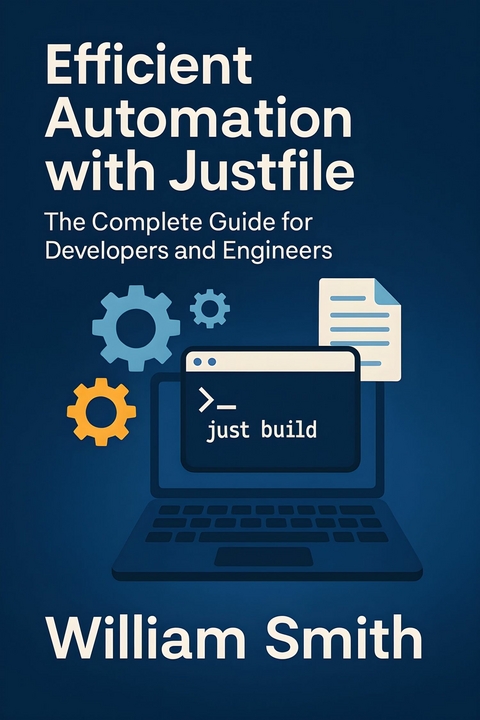
Efficient Automation with Justfile (eBook)
250 Seiten
HiTeX Press (Verlag)
978-0-00-102716-9 (ISBN)
'Efficient Automation with Justfile'
In 'Efficient Automation with Justfile,' readers are guided through the transformative landscape of modern DevOps and project orchestration, with Justfile at the heart of practical, maintainable automation. The book begins by contextualizing Justfile within the broader automation ecosystem, delivering insightful comparisons with staples like Make, Bash, and Task. Through comprehensive adoption strategies, foundational setup walkthroughs, and clear guidance on integrating Justfile into diverse teams and projects, both newcomers and seasoned professionals will find actionable starting points for streamlining their workflows.
Delving deeper, the book explores the intricacies of Justfile syntax, semantics, and design patterns, empowering readers to craft scalable, modular, and reliable automation scripts. Chapters cover advanced techniques such as parameterized recipes, dynamic task generation, environment-aware logic, and batch processing-equipping professionals to automate even complex, cross-platform scenarios with confidence. Extensive sections on testing, debugging, and safeguarding automation workflows ensure that reliability and security remain paramount throughout the automation lifecycle.
Beyond technical mastery, 'Efficient Automation with Justfile' emphasizes sustainable, future-proof automation practices. Readers learn how to integrate Justfile seamlessly with CI/CD pipelines, manage dependencies and artifacts, foster collaboration through version control, and optimize performance at scale. Rich with real-world case studies, community-driven extensions, and forward-looking insights, this book is an essential resource for anyone intent on elevating their automation strategy to meet the demands of today's fast-evolving development environments.
Chapter 2
Justfile Syntax and Semantics Deep Dive
Beneath Justfile’s approachable syntax lies a powerful and expressive language, enabling automation that is both robust and surprisingly elegant. This chapter peels back the layers of recipe definition, logic, and error handling, arming you with a deep technical command of the Justfile language. Whether you are refactoring legacy scripts or authoring maintainable, future-proof recipes from scratch, you’ll uncover best practices, nuanced features, and caveats often overlooked by experienced practitioners.
2.1 Recipe Definitions and Executable Logic
At the heart of Justfile lies the recipe: a named block of code intended to automate tasks through an explicitly declared set of commands. Each recipe embodies both the procedural logic and the dependencies necessary to fulfill a specific build or automation step. This section examines the anatomy of recipe definitions, focusing on dependencies, command blocks, parameterization, and shell integration, and outlines best practices for structuring recipes to maximize reusability and maintainability.
A recipe declaration begins with its name, optionally followed by parameters, and then a command block that specifies the shell commands to execute. The simplest form is a recipe without parameters or dependencies:
gcc -o myapp main.c utils.c
Here, build is the recipe name, and the indented lines specify commands run sequentially in a shell environment. Indentation and command layout are syntactically significant to preserve clarity and structure.
Recipes can depend on other recipes by declaring their names as prerequisites. This ensures that prerequisite recipes are executed before the current one. Dependencies are specified by listing recipe names after the main recipe name, separated by spaces:
./tests/run_tests.sh
In this example, the test recipe requires the successful completion of the build recipe prior to running the tests. Explicit dependency chaining allows complex workflows to be decomposed into modular building blocks while maintaining clear execution order.
Commands within a recipe execute in a subshell by default, allowing flexible use of shell syntax, environment variables, and utilities. Multiple commands inside a block run sequentially unless combined:
echo "Starting deployment"
scp myapp user@server:/var/www/myapp/
ssh user@server ’systemctl restart myapp.service’
echo "Deployment completed"
Every command line is executed independently, so environment changes in one line (such as directory changes) do not affect subsequent commands unless combined using shell operators (&&, ;) or multi-line scripts embedded within the recipe.
To encapsulate more intricate logic or maintain environmental context, multi-line commands can be combined via shell constructs:
cd /var/www/myapp && /
./start_server.sh
Alternatively, recipes may incorporate environment variables and shell built-ins to enhance flexibility and cross-platform capability without sacrificing readability.
Parameterization transforms simple recipes into reusable templates that accept arguments at invocation time. Parameters are declared inside parentheses following the recipe name, optionally with default values:
git checkout {{branch}}
pylint src/
Here, the lint recipe takes an optional branch parameter defaulting to "main". Within the recipe, parameters are referenced using Mustache-style braces {{branch}}, allowing interpolation within command strings. This mechanism supports concise yet powerful variable substitution.
Users invoke parameterized recipes by providing actual argument values:
just lint branch=feature-xyzParameters can be positional or named, but named parameters convey clarity and self-documentation. Default values reduce boilerplate and simplify common use cases.
Encapsulation and modularity are essential when designing complex automation. Recipes should be decomposed into small, focused units that embody a single well-defined task or step. Reuse is encouraged through dependencies and parameterization rather than code duplication. Common best practices include:
- Clear naming conventions: Use descriptive, consistent names to clarify recipe intent and facilitate discovery.
- Minimal side effects: Recipes should avoid altering state unless explicitly related to their purpose.
- Explicit dependencies: Declare dependencies even when implicit execution order might suffice, improving readability and execution guarantees.
- Parameter defaults: Leverage parameter defaults to handle the majority of use cases while allowing customization.
- Command grouping: Where multiple shell commands share context (e.g., environment variables, directories), cluster them within a single combined command block. ...
| Erscheint lt. Verlag | 20.8.2025 |
|---|---|
| Sprache | englisch |
| Themenwelt | Mathematik / Informatik ► Informatik ► Programmiersprachen / -werkzeuge |
| ISBN-10 | 0-00-102716-6 / 0001027166 |
| ISBN-13 | 978-0-00-102716-9 / 9780001027169 |
| Informationen gemäß Produktsicherheitsverordnung (GPSR) | |
| Haben Sie eine Frage zum Produkt? |
 EPUB (Adobe DRM)
Größe: 572 KB
Kopierschutz: Adobe-DRM
Adobe-DRM ist ein Kopierschutz, der das eBook vor Mißbrauch schützen soll. Dabei wird das eBook bereits beim Download auf Ihre persönliche Adobe-ID autorisiert. Lesen können Sie das eBook dann nur auf den Geräten, welche ebenfalls auf Ihre Adobe-ID registriert sind.
Details zum Adobe-DRM
Dateiformat: EPUB (Electronic Publication)
EPUB ist ein offener Standard für eBooks und eignet sich besonders zur Darstellung von Belletristik und Sachbüchern. Der Fließtext wird dynamisch an die Display- und Schriftgröße angepasst. Auch für mobile Lesegeräte ist EPUB daher gut geeignet.
Systemvoraussetzungen:
PC/Mac: Mit einem PC oder Mac können Sie dieses eBook lesen. Sie benötigen eine
eReader: Dieses eBook kann mit (fast) allen eBook-Readern gelesen werden. Mit dem amazon-Kindle ist es aber nicht kompatibel.
Smartphone/Tablet: Egal ob Apple oder Android, dieses eBook können Sie lesen. Sie benötigen eine
Geräteliste und zusätzliche Hinweise
Buying eBooks from abroad
For tax law reasons we can sell eBooks just within Germany and Switzerland. Regrettably we cannot fulfill eBook-orders from other countries.
aus dem Bereich


