


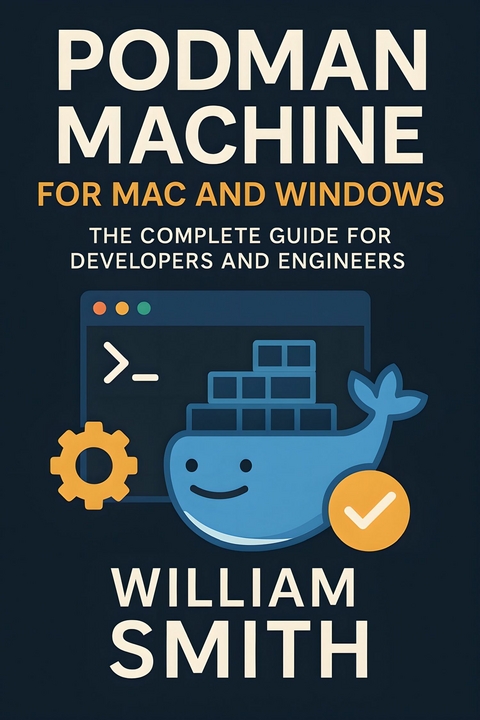
Podman Machine for Mac and Windows (eBook)
250 Seiten
HiTeX Press (Verlag)
978-0-00-102644-5 (ISBN)
'Podman Machine for Mac and Windows'
Unlock the full potential of desktop containerization with **Podman Machine for Mac and Windows**, a comprehensive technical guide tailored for developers and IT professionals operating outside native Linux environments. This book begins with an in-depth architectural overview, elucidating Podman's revolutionary daemonless and rootless design, its adherence to open container standards, and the rationale behind the podman-machine abstraction for running Linux containers on Mac and Windows platforms. Readers will gain a nuanced understanding of the distinctions between Podman and Docker, the essential role of virtualization backends, and how lifecycle management empowers scalable, secure, and resilient container environments.
Seamlessly transitioning from theory to practice, this volume walks through detailed installation procedures for both Mac and Windows, including platform-specific nuances such as Apple Silicon optimization, WSL2 integration, and hypervisor selection. Configuration chapters demystify initial VM setup, networking patterns, host-resource mapping, and robust isolation strategies, ensuring readers can confidently bridge traditional development workflows with containerized solutions. Hands-on guidance for daily usage-creating, starting, managing, and troubleshooting Podman Machines-equips readers to quickly spin up reliable environments for local development, testing, and CI/CD pipelines.
As containerized workloads mature and scale, the book delves into advanced topics including multi-service orchestration, secure secrets management, comprehensive monitoring, and enterprise-grade policy enforcement. Security best practices, incident diagnostics, upgrade methodologies, and centralized management at scale are detailed with clarity and depth. Concluding with forward-looking chapters on community contributions, extensibility, and emerging trends, **Podman Machine for Mac and Windows** is an indispensable resource for those who seek mastery over modern cross-platform container development.
Chapter 2
Installation and Environment Preparation
Prepare to master every nuance of Podman Machine’s installation and setup, whether you’re on a Mac or Windows system. This chapter guides you through the complexity of adapting enterprise-grade Linux containerization technology to desktop environments, addressing subtle differences in hardware, operating systems, and virtualization requirements. Beyond simply getting up and running, you’ll gain the insights necessary to optimize, secure, and configure your local container environment for maximum productivity and robust isolation.
2.1 MacOS Installation: Homebrew, Bundles, and QEMU
Podman Machine installation on macOS requires careful consideration of the underlying hardware architecture—Intel (x86_64) or Apple Silicon (ARM64)—to ensure optimal performance and compatibility. This section details the installation process via Homebrew, dependency management through bundled packages, and the configuration of QEMU as the virtualization backend. Advanced technical insights into architectural nuances, emulation strategies, and platform-specific optimizations facilitate a robust Podman Machine deployment tailored for macOS environments.
Homebrew remains the de facto package manager for macOS, providing streamlined access to Podman and its dependencies. To begin, it is essential to confirm Homebrew’s architecture alignment with the system hardware. On Intel Macs, Homebrew typically operates natively in the /usr/local prefix with x86_64 binaries, whereas Apple Silicon Macs utilize the /opt/homebrew directory for ARM64 binaries. Running the following commands verifies the Homebrew architecture and ensures correct paths:
arch -x86_64 brew config # On Intel machines or under Rosetta 2
Installation of Podman via Homebrew can then proceed using:
Homebrew on Apple Silicon supports universal binaries where available, but Podman’s dependencies, particularly QEMU, must be carefully resolved to maintain compatibility. Explicitly verifying installed package architectures using:
file $(brew --prefix)/bin/qemu-system-aarch64
ensures the binaries correspond appropriately to the hardware or emulate correctly.
Podman Machine bundles several essential components including QEMU for virtualization, systemd for service orchestration inside the VM, and libvirt tools for management. On macOS, Homebrew packages QEMU as a dependency; however, direct control over QEMU versions is recommended due to frequent updates and discontinuities in ARM support.
For Apple Silicon, QEMU’s ability to perform ARM system emulation natively contrasts with the Intel platform, which requires full ARM emulation using Rosetta 2 or QEMU’s dynamic binary translation. This introduces performance penalties mitigated in recent QEMU versions through optimized TCG (Tiny Code Generator) techniques.
Podman Machine leverages a minimalist VM image built atop Fedora or Ubuntu cloud images, embedding the Podman engine and runtime. The bundled VM image encapsulates the required systemd and container runtime services, abstracting complex configurations and ensuring rapid startup.
QEMU provides the critical virtualization layer for Podman Machine, enabling containerized workloads to run efficiently within isolated VMs across macOS architectures. On Apple Silicon, QEMU’s aarch64 system emulation matches the host CPU, resulting in near-native performance. Conversely, Intel hosts must utilize full ARM emulation with considerable overhead.
Key QEMU configuration options for Podman Machine include:
- -machine virt,accel=hvf to enable Apple Hypervisor Framework acceleration on Apple Silicon.
- -cpu host to expose host CPU features directly to the VM for performance gains.
- Memory allocation flags -m and CPU core specification via -smp to tailor VM resources.
- Virtio device emulation for network and block devices ensuring high-performance I/O.
A typical QEMU launch command for Podman Machine on Apple Silicon resembles:
-machine virt,accel=hvf /
-cpu host /
-m 4096 /
-smp 4 /
-device virtio-net-pci,netdev=net0 /
-netdev user,id=net0,hostfwd=tcp::2222-:22 /
-drive file=podman-machine.qcow2,if=virtio,format=qcow2
On Intel Macs, the accel=hvf option is unsupported; instead, QEMU relies on TCG for full emulation:
| Erscheint lt. Verlag | 20.8.2025 |
|---|---|
| Sprache | englisch |
| Themenwelt | Mathematik / Informatik ► Informatik ► Programmiersprachen / -werkzeuge |
| ISBN-10 | 0-00-102644-5 / 0001026445 |
| ISBN-13 | 978-0-00-102644-5 / 9780001026445 |
| Informationen gemäß Produktsicherheitsverordnung (GPSR) | |
| Haben Sie eine Frage zum Produkt? |
 EPUB (Adobe DRM)
Größe: 623 KB
Kopierschutz: Adobe-DRM
Adobe-DRM ist ein Kopierschutz, der das eBook vor Mißbrauch schützen soll. Dabei wird das eBook bereits beim Download auf Ihre persönliche Adobe-ID autorisiert. Lesen können Sie das eBook dann nur auf den Geräten, welche ebenfalls auf Ihre Adobe-ID registriert sind.
Details zum Adobe-DRM
Dateiformat: EPUB (Electronic Publication)
EPUB ist ein offener Standard für eBooks und eignet sich besonders zur Darstellung von Belletristik und Sachbüchern. Der Fließtext wird dynamisch an die Display- und Schriftgröße angepasst. Auch für mobile Lesegeräte ist EPUB daher gut geeignet.
Systemvoraussetzungen:
PC/Mac: Mit einem PC oder Mac können Sie dieses eBook lesen. Sie benötigen eine
eReader: Dieses eBook kann mit (fast) allen eBook-Readern gelesen werden. Mit dem amazon-Kindle ist es aber nicht kompatibel.
Smartphone/Tablet: Egal ob Apple oder Android, dieses eBook können Sie lesen. Sie benötigen eine
Geräteliste und zusätzliche Hinweise
Buying eBooks from abroad
For tax law reasons we can sell eBooks just within Germany and Switzerland. Regrettably we cannot fulfill eBook-orders from other countries.
aus dem Bereich


