


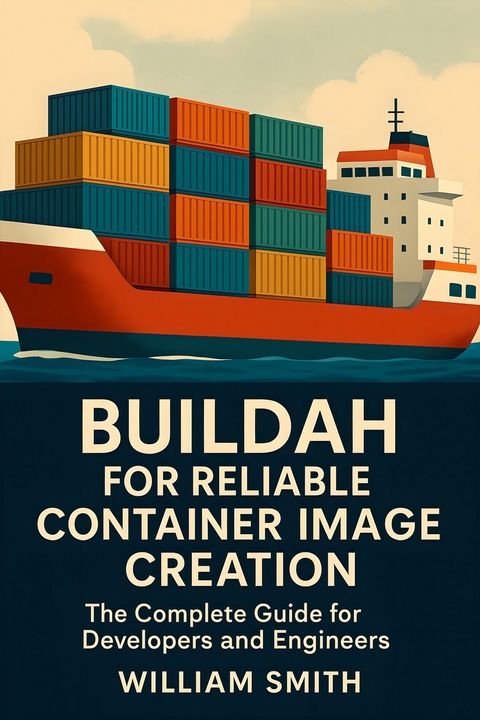
Buildah for Reliable Container Image Creation (eBook)
250 Seiten
HiTeX Press (Verlag)
978-0-00-102383-3 (ISBN)
'Buildah for Reliable Container Image Creation'
'Buildah for Reliable Container Image Creation' is a definitive guide for modern DevOps professionals, platform architects, and container enthusiasts who demand robust and secure image building in contemporary cloud-native environments. This comprehensive book begins with a foundational overview of the OCI image specification and the pivotal role Buildah plays in the broader container ecosystem, contrasting its unique capabilities with traditional tools such as Docker and Kaniko. Through expert analysis of Buildah's architecture, installation strategies, and image creation paradigms-scripted and declarative-it lays a strong groundwork for both everyday and advanced users.
Delving into advanced workflows, the book covers practical techniques for constructing and manipulating container layers, multi-stage builds, performance optimization, and managing the caching mechanisms critical for scalable, reproducible images. Security is a recurring thread, with in-depth coverage of rootless operations, vulnerability scanning, secret management, compliance automation, and cryptographic image signing to meet the highest standards of auditability and compliance. Readers will also learn to integrate Buildah into complex CI/CD pipelines, orchestrators like Kubernetes and OpenShift, and manage images reliably across hybrid and multi-cloud infrastructures.
Beyond best practices, the book takes a deep dive into Buildah's internal APIs, CLI intricacies, error handling, troubleshooting, and recovery strategies. It also explores cutting-edge topics such as declarative image assembly, Buildah's role at the edge and in serverless computing, and the evolving landscape of image security and supply chain integrity. Enriched with real-world examples, migration guidance, troubleshooting matrices, and an extensive glossary, this is an indispensable resource for anyone looking to master reliable, secure, and efficient container image creation with Buildah.
Chapter 2
Advanced Image Building Workflows
Beyond the basics lies the art of constructing container images with precision and agility. This chapter invites you to explore sophisticated Buildah techniques to sculpt, optimize, and orchestrate images tailored to complex application demands. From granular layer manipulation to dynamic scripting and performance breakthroughs, discover the power and flexibility that advanced image workflows can unlock in your build pipeline.
2.1 Manual Image Layer Construction and Manipulation
Buildah’s command-line interface (CLI) enables granular control over container image layers, permitting advanced manipulation strategies that underpin minimal, auditable, and maintainable images. This section elucidates the practices for explicit layer ordering, diff generation, squashing, and composition-fundamental operations to refine image construction beyond typical Dockerfile automation.
Image layers correspond to filesystem changesets, capturing modifications as distinct abstractions. By manually crafting these layers, users control the provenance and content of each layer, aiding debugging, security auditing, and optimizing image size. The foundational Buildah commands used for such control include buildah from, buildah run, buildah commit, and buildah diff.
To initiate a new container environment, one typically uses:
This command creates a container working from the alpine base image without producing a final image. Modifications such as file additions or package installations will later be committed as individual layers. Layer ordering is determined by the commit sequence; hence, deliberate ordering impacts resultant image characteristics.
File modifications or configuration changes applied to the container environment are saved as a new layer via:
buildah commit $ctr intermediate-image
Subsequent modifications proceed similarly. The explicit commit after each modification ensures discrete, traceable layers and facilitates selective layer reuse or discarding. Careful ordering controls cache effectiveness and image buildup logic.
To inspect changes introduced by a particular container relative to its base, the buildah diff command is indispensable. It reports filesystem differences as JSON or simple text enumerations of added, deleted, or modified files:
Sample output may resemble:
A /usr/bin/curl C /etc/apk/repositoriesThis granular diff output allows developers to audit and verify the scope of each layer’s changes.
Manual layer squashing consolidates multiple intermediate layers into one, reducing overall image complexity and size while retaining composite changes. Buildah achieves this by generating a new image from a container with all modifications applied but recorded as a single atomic layer:
The –squash flag flattens the container’s diff into one new layer, eliminating the layered history but resulting in a lighter image. This technique is valuable when iterative build steps are no longer needed or when producing production images optimized for deployment.
Advanced composition techniques include the reuse and merging of existing images or layers. Using Buildah, one can mount the container’s filesystem at any point and manipulate it with native OS tools, injecting files or applying patches not accessible via container commands:
cp ./custom.conf $mnt/etc/
buildah unmount $ctr
buildah commit $ctr customized-image
This facility for off-container manipulation enables integration of complex application data, manual binary insertions, or dynamic configuration templating, which are otherwise cumbersome in Dockerfile workflows. It supports comprehensive auditing since each modification is explicit and controlled.
Layer caching and reuse are amplified through explicit tagging and naming conventions. For example, committing intermediate containers with semantic tags allows selective build stage reapplication, mitigating redundant computation:
ctr2=$(buildah from base-with-curl:1.0)
Utilizing these tagged intermediates is critical for sophisticated CI/CD pipelines aiming to minimize build times and maximize reproducibility.
Finally, Buildah’s ability to assemble new images from existing layers stored as tarballs is crucial for modular image design. Extracting, modifying, or combining these archives allows for composite images integrating multiple independent components:
buildah add base-layer extracted-layer.tar /
buildah commit base-layer assembled-image
This underpins infrastructure-as-code paradigms promoting image immutability and reproducibility via controlled layer management.
...| Erscheint lt. Verlag | 19.8.2025 |
|---|---|
| Sprache | englisch |
| Themenwelt | Mathematik / Informatik ► Informatik ► Programmiersprachen / -werkzeuge |
| ISBN-10 | 0-00-102383-7 / 0001023837 |
| ISBN-13 | 978-0-00-102383-3 / 9780001023833 |
| Informationen gemäß Produktsicherheitsverordnung (GPSR) | |
| Haben Sie eine Frage zum Produkt? |
 EPUB (Adobe DRM)
Größe: 841 KB
Kopierschutz: Adobe-DRM
Adobe-DRM ist ein Kopierschutz, der das eBook vor Mißbrauch schützen soll. Dabei wird das eBook bereits beim Download auf Ihre persönliche Adobe-ID autorisiert. Lesen können Sie das eBook dann nur auf den Geräten, welche ebenfalls auf Ihre Adobe-ID registriert sind.
Details zum Adobe-DRM
Dateiformat: EPUB (Electronic Publication)
EPUB ist ein offener Standard für eBooks und eignet sich besonders zur Darstellung von Belletristik und Sachbüchern. Der Fließtext wird dynamisch an die Display- und Schriftgröße angepasst. Auch für mobile Lesegeräte ist EPUB daher gut geeignet.
Systemvoraussetzungen:
PC/Mac: Mit einem PC oder Mac können Sie dieses eBook lesen. Sie benötigen eine
eReader: Dieses eBook kann mit (fast) allen eBook-Readern gelesen werden. Mit dem amazon-Kindle ist es aber nicht kompatibel.
Smartphone/Tablet: Egal ob Apple oder Android, dieses eBook können Sie lesen. Sie benötigen eine
Geräteliste und zusätzliche Hinweise
Buying eBooks from abroad
For tax law reasons we can sell eBooks just within Germany and Switzerland. Regrettably we cannot fulfill eBook-orders from other countries.
aus dem Bereich


