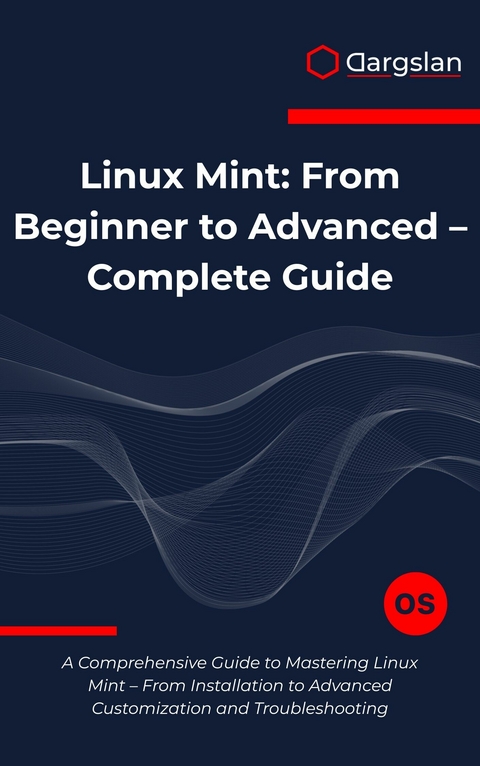
Linux Mint (eBook)
443 Seiten
Dargslan s.r.o. (Verlag)
978-0-00-100863-2 (ISBN)
Master Linux Mint from Installation to Advanced System Administration - The Complete Learning Guide for Beginners and Experienced Users
Transform your computing experience with Linux Mint: From Beginner to Advanced, the most comprehensive guide to mastering one of the world's most popular Linux distributions. Whether you're making your first transition to Linux or seeking to deepen your open-source expertise, this complete tutorial takes you on a structured journey from basic installation to advanced system customization and troubleshooting.
Why Choose This Linux Mint Guide?
Linux Mint stands as the perfect gateway to Linux computing, combining Ubuntu's stability with an intuitive desktop environment that welcomes users from all backgrounds. This book unlocks Linux Mint's full potential through practical, hands-on instruction that builds real-world skills you'll use every day.
Complete Learning Path - 22 Comprehensive Chapters:
Foundation Building: Start with Linux Mint installation, desktop navigation, and essential system settings. Learn file management, user administration, and basic configuration in clear, step-by-step instructions perfect for Linux newcomers.
Essential Skills Development: Master the powerful Linux terminal, software installation methods, system updates, and networking configuration. Discover printer setup, multimedia management, and security implementation that keeps your system protected.
Advanced Mastery: Explore disk management, backup strategies, performance optimization, and extensive customization options. Learn troubleshooting techniques that solve real problems and development environment setup for programming projects.
What Makes This Book Different:
Beginner-Friendly Approach: No prior Linux experience required - start from absolute basics
Practical Focus: Every lesson includes hands-on exercises and real-world applications
Progressive Learning: Each chapter builds upon previous knowledge systematically
Professional Depth: Covers enterprise-level skills including security, networking, and system administration
Quick Reference Resources: Includes keyboard shortcuts, terminal commands, and troubleshooting checklists
Perfect For:
Complete beginners transitioning from Windows or Mac to Linux
IT professionals seeking Linux certification preparation
Students and educators exploring open-source alternatives
System administrators managing Linux Mint deployments
Developers setting up Linux development environments
Privacy-conscious users seeking secure, reliable computing platforms
Master These Essential Skills:
Software management through GUI and command line • Network configuration and troubleshooting • Security hardening and privacy protection • System performance optimization • Custom desktop environments • Terminal mastery and shell scripting • Hardware compatibility and driver installation • Backup and disaster recovery • Multi-boot configurations • Development tool setup
Bonus Resources Include:
Comprehensive appendices featuring Linux Mint keyboard shortcuts, essential terminal commands, APT package management guide, and curated community resources for continued learning.
Start your Linux journey today - from your first Linux Mint installation to advanced system mastery, this complete guide provides everything needed to succeed in the open-source world.
Chapter 1: Getting Started with Linux Mint
Introduction to the World of Linux Mint
Linux Mint stands as one of the most welcoming and user-friendly distributions in the vast landscape of Linux operating systems. Born from the Ubuntu foundation, Linux Mint has carved its own distinctive path, creating an environment that bridges the gap between the familiar comfort of traditional desktop computing and the powerful flexibility that Linux offers. This chapter serves as your comprehensive introduction to Linux Mint, guiding you through the essential concepts, preparation steps, and initial setup procedures that will establish a solid foundation for your Linux journey.
The philosophy behind Linux Mint centers on providing a complete, elegant, and easy-to-use operating system that works out of the box. Unlike many Linux distributions that prioritize cutting-edge features or minimal installations, Linux Mint focuses on delivering a polished experience that newcomers can immediately appreciate while maintaining the depth and customization options that advanced users demand. This balanced approach has made Linux Mint consistently rank among the most popular Linux distributions worldwide.
Understanding Linux Mint: Origins and Philosophy
Linux Mint emerged in 2006 under the guidance of Clement Lefebvre, who envisioned creating a Linux distribution that would be more accessible to everyday users. The distribution builds upon Ubuntu's solid foundation while incorporating numerous enhancements, proprietary codecs, and multimedia support that Ubuntu omits by default. This approach eliminates many of the post-installation configuration tasks that typically frustrate newcomers to Linux.
The development team behind Linux Mint maintains a clear philosophy: the operating system should be functional, comfortable, and elegant. This translates into several key principles that guide every aspect of the distribution. First, Linux Mint prioritizes stability over bleeding-edge features, ensuring that users experience a reliable computing environment. Second, the distribution includes comprehensive multimedia support from the moment of installation, eliminating the need to hunt for codecs and drivers. Third, Linux Mint maintains a conservative approach to interface changes, respecting user workflows and avoiding the dramatic shifts that sometimes characterize other distributions.
The community surrounding Linux Mint reflects these values, fostering an environment where both newcomers and experienced users can find support, share knowledge, and contribute to the distribution's continued development. This community-driven approach ensures that Linux Mint evolves in response to real user needs rather than abstract technical considerations.
Desktop Environments: Choosing Your Interface
Linux Mint offers several desktop environment options, each providing a distinct user experience while maintaining the distribution's core principles. Understanding these options helps you select the interface that best matches your preferences, hardware capabilities, and workflow requirements.
Cinnamon Desktop Environment
Cinnamon represents Linux Mint's flagship desktop environment, developed specifically for the distribution. This environment provides a traditional desktop metaphor that will feel immediately familiar to users transitioning from Windows or other conventional operating systems. The taskbar spans the bottom of the screen, featuring a menu button, application shortcuts, window list, and system tray. The desktop supports icons, widgets, and multiple workspaces, creating a flexible workspace that accommodates various working styles.
Cinnamon's strength lies in its balance between modern functionality and traditional usability. The environment supports advanced features like desktop effects, customizable panels, and extensive theming options while maintaining intuitive navigation patterns. The settings panel provides comprehensive customization options without overwhelming users with unnecessary complexity.
# Check current desktop environment
echo $DESKTOP_SESSION
# View Cinnamon version
cinnamon --version
# Restart Cinnamon (useful for applying changes)
nohup cinnamon --replace &
MATE Desktop Environment
MATE continues the legacy of GNOME 2, providing a lightweight yet fully-featured desktop experience. This environment appeals to users who prefer a more traditional approach to desktop computing, with a focus on efficiency and resource conservation. MATE typically consumes less memory and processing power than Cinnamon while still offering comprehensive functionality.
The MATE desktop features a customizable panel system, traditional menu structure, and straightforward window management. This environment particularly suits older hardware or users who prioritize system responsiveness over visual effects. Despite its lightweight nature, MATE includes all necessary desktop components, including a file manager, text editor, terminal emulator, and system utilities.
# Check MATE version
mate-about --version
# Restart MATE panels
mate-panel --replace &
# Access MATE configuration
mate-control-center
Xfce Desktop Environment
Xfce emphasizes modularity, efficiency, and minimal resource consumption while maintaining a complete desktop experience. This environment follows a philosophy of doing one thing well, resulting in a fast, stable, and highly customizable desktop that performs excellently on both modern and legacy hardware.
The Xfce desktop organizes around a panel-based interface that users can extensively customize. The environment supports multiple panels, various panel plugins, and flexible workspace management. Xfce's modular architecture allows users to add or remove components according to their specific needs, creating a truly personalized computing environment.
# Check Xfce version
xfce4-about
# Restart Xfce panel
xfce4-panel --restart
# Open Xfce settings manager
xfce4-settings-manager
System Requirements and Hardware Compatibility
Understanding Linux Mint's system requirements ensures optimal performance and helps you prepare appropriate hardware for installation. Linux Mint's requirements remain modest compared to many modern operating systems, making it an excellent choice for breathing new life into older computers while still providing a contemporary computing experience.
Minimum System Requirements
The absolute minimum requirements for Linux Mint allow the operating system to run on relatively modest hardware. A system with 1GB of RAM can run Linux Mint, though performance will be limited, particularly when running multiple applications simultaneously. The processor requirements are equally modest, with any x86 processor from the last fifteen years capable of running the distribution.
Storage requirements depend on the desktop environment and intended usage. A basic installation requires approximately 15GB of disk space, though allocating 20-30GB provides comfortable room for applications, updates, and personal files. These requirements make Linux Mint suitable for older laptops, budget computers, and systems where resource efficiency is paramount.
Recommended System Requirements
For optimal performance, Linux Mint benefits from more generous hardware specifications. Systems with 4GB or more RAM provide smooth multitasking capabilities and responsive performance across all desktop environments. Modern multi-core processors enhance the overall user experience, particularly when running demanding applications or performing system maintenance tasks.
Graphics capabilities significantly impact the desktop experience, especially with Cinnamon's visual effects enabled. While Linux Mint runs acceptably on integrated graphics, dedicated graphics hardware improves performance and enables advanced desktop features. Network connectivity, whether wired or wireless, requires appropriate drivers, which Linux Mint typically detects and configures automatically.
# Check system memory
free -h
# Display CPU information
lscpu
# Show disk space usage
df -h
# List hardware information
sudo lshw -short
# Check graphics information
lspci | grep VGA
Pre-Installation Preparation
Proper preparation before installing Linux Mint prevents complications and ensures a smooth installation process. This preparation phase involves backing up important data, creating installation media, and making informed decisions about installation options.
Data Backup Strategies
Before proceeding with any operating system installation, creating comprehensive backups protects against data loss. Even when installing Linux Mint alongside an existing operating system, unexpected issues can occur, making backups essential insurance against data loss.
Identify all important files, including documents, photos, music, videos, and configuration files from existing applications. Consider both obvious locations like the Desktop and Documents folders, as well as hidden locations where applications store settings and data. Email clients, browsers, and specialized software often store data in non-obvious locations that require specific attention during the backup process.
External storage devices provide reliable backup destinations, whether traditional...
| Erscheint lt. Verlag | 10.8.2025 |
|---|---|
| Sprache | englisch |
| Themenwelt | Mathematik / Informatik ► Informatik ► Betriebssysteme / Server |
| ISBN-10 | 0-00-100863-3 / 0001008633 |
| ISBN-13 | 978-0-00-100863-2 / 9780001008632 |
| Informationen gemäß Produktsicherheitsverordnung (GPSR) | |
| Haben Sie eine Frage zum Produkt? |
 EPUB (Adobe DRM)
Größe: 1,5 MB
Kopierschutz: Adobe-DRM
Adobe-DRM ist ein Kopierschutz, der das eBook vor Mißbrauch schützen soll. Dabei wird das eBook bereits beim Download auf Ihre persönliche Adobe-ID autorisiert. Lesen können Sie das eBook dann nur auf den Geräten, welche ebenfalls auf Ihre Adobe-ID registriert sind.
Details zum Adobe-DRM
Dateiformat: EPUB (Electronic Publication)
EPUB ist ein offener Standard für eBooks und eignet sich besonders zur Darstellung von Belletristik und Sachbüchern. Der Fließtext wird dynamisch an die Display- und Schriftgröße angepasst. Auch für mobile Lesegeräte ist EPUB daher gut geeignet.
Systemvoraussetzungen:
PC/Mac: Mit einem PC oder Mac können Sie dieses eBook lesen. Sie benötigen eine
eReader: Dieses eBook kann mit (fast) allen eBook-Readern gelesen werden. Mit dem amazon-Kindle ist es aber nicht kompatibel.
Smartphone/Tablet: Egal ob Apple oder Android, dieses eBook können Sie lesen. Sie benötigen eine
Geräteliste und zusätzliche Hinweise
Buying eBooks from abroad
For tax law reasons we can sell eBooks just within Germany and Switzerland. Regrettably we cannot fulfill eBook-orders from other countries.
aus dem Bereich