


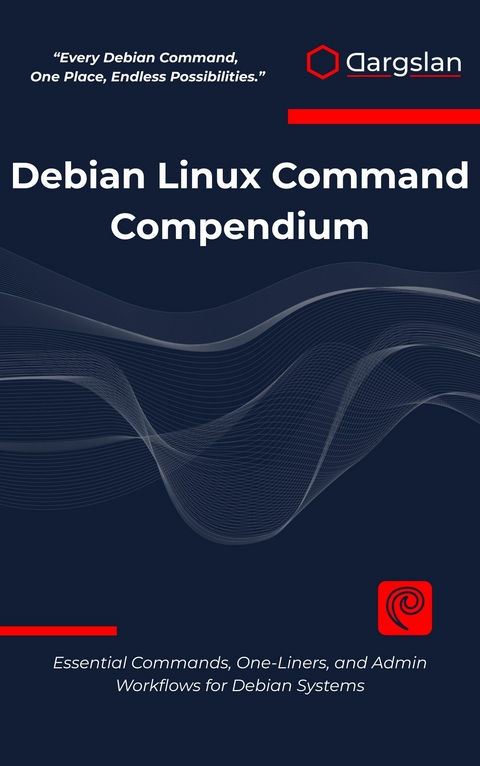
Debian Linux Command Compendium (eBook)
695 Seiten
Dargslan s.r.o. (Verlag)
978-0-00-099952-8 (ISBN)
Master Debian Linux with the Most Comprehensive Command Line Reference Available
Transform your Debian Linux skills from beginner to expert with this definitive command compendium designed specifically for system administrators, developers, and Linux enthusiasts. Unlike generic Linux guides, this book focuses exclusively on Debian's unique ecosystem, providing over 200 tested one-liners, practical workflows, and real-world solutions that work seamlessly with Debian's architecture.
What Makes This Book Essential:
Debian-Specific Focus: Every command, configuration, and workflow is optimized for Debian systems, from stable server deployments to cutting-edge development environments
Comprehensive Coverage: 37 detailed chapters spanning basic terminal skills to advanced troubleshooting, network security, containerization, and performance optimization
Immediate Practical Value: Over 200 ready-to-use one-liners in the appendix solve real problems you'll encounter daily
Modern Infrastructure Ready: Covers systemd services, APT package management, LVM storage, Docker containers, and cloud-native deployments
Master Critical Skills Including: ✓ APT and dpkg package management mastery ✓ Systemd service configuration and troubleshooting
✓ Network configuration and security hardening ✓ Storage management with LVM and filesystem optimization ✓ Python development environments and web stack deployment ✓ Git workflows optimized for Debian systems ✓ Container and virtualization technologies ✓ Performance profiling and system recovery techniques
Perfect For:
System administrators managing Debian servers in production
Developers working in Debian-based development environments
DevOps engineers deploying containerized applications
Linux enthusiasts choosing Debian for its stability and security
IT professionals preparing for Linux certification exams
Students learning system administration on Debian platforms
Bonus Resources Include:
Comprehensive cheat sheets for quick reference
Server hardening checklist specific to Debian security
Offline rescue toolkit for system recovery
Useful configuration paths and debugging workflows
Emergency troubleshooting procedures
This compendium serves both as a complete learning resource for linear study and an invaluable reference guide for daily administration tasks. Each chapter combines theoretical understanding with immediately actionable examples, ensuring you can apply new knowledge instantly in real-world scenarios.
Whether you're hardening Debian servers, optimizing laptop performance, orchestrating containers, or troubleshooting network issues, this book provides the exact commands and workflows you need. Built on decades of Debian development best practices and tested across multiple Debian versions, these techniques ensure reliable results in any Debian environment.
Start mastering Debian's command line today and unlock the full potential of one of the world's most stable and respected Linux distributions. Your journey from Debian user to Debian expert begins here.
Chapter 1: Terminal & Shell Basics
Introduction to the Command Line Environment
The terminal stands as the gateway to Linux mastery, a black window that transforms simple keystrokes into powerful system operations. For newcomers approaching Debian Linux, the command line interface might appear intimidating—a stark contrast to the colorful graphical environments they've grown accustomed to. However, beneath this seemingly austere facade lies an incredibly efficient and precise tool that has remained virtually unchanged in its fundamental approach for decades, testament to its enduring effectiveness.
When you launch a terminal in Debian, you're not merely opening an application; you're establishing a direct communication channel with the operating system kernel. This interface operates through a shell—a command interpreter that acts as an intermediary between your human-readable commands and the system's binary operations. The default shell in most Debian installations is Bash (Bourne Again Shell), a powerful and feature-rich environment that provides extensive scripting capabilities alongside interactive command execution.
The terminal prompt that greets you contains valuable information encoded in its structure. A typical Debian prompt displays the current username, hostname, and working directory, followed by a symbol indicating your privilege level. Understanding this prompt structure becomes crucial as you navigate through different system contexts and user permissions.
Understanding Shell Types and Configuration
Debian systems support multiple shell environments, each offering distinct features and capabilities. While Bash dominates as the default choice, understanding the alternatives provides insight into the flexibility of Unix-like systems.
Bash Shell Fundamentals
Bash represents the most widely used shell across Linux distributions, combining backward compatibility with the original Bourne shell while introducing modern enhancements. Its configuration files control everything from command aliases to environment variables, creating a personalized command-line experience.
The primary Bash configuration files include:
Global Configuration Files:
User-Specific Configuration Files:
# View current shell
echo $SHELL
# List available shells on the system
cat /etc/shells
# Check Bash version
bash --version
# Display current shell options
set -o
Notes: The $SHELL environment variable contains the path to your current shell. The /etc/shells file lists all valid login shells available on the system. Understanding shell options helps customize behavior for specific tasks.
Alternative Shells
While Bash serves as the default, Debian provides access to several alternative shells, each optimized for different use cases:
Dash (Debian Almquist Shell):
# Switch to dash temporarily
dash
# Check if dash is the system shell
ls -l /bin/sh
Zsh (Z Shell):
# Install zsh if not present
sudo apt update && sudo apt install zsh
# Switch to zsh
zsh
# Make zsh default shell
chsh -s /usr/bin/zsh
Fish (Friendly Interactive Shell):
# Install fish shell
sudo apt install fish
# Launch fish shell
fish
# Configure fish interactively
fish_config
Notes: Dash is often used as /bin/sh for system scripts due to its speed and POSIX compliance. Zsh offers advanced features like better tab completion and themes. Fish provides user-friendly features but may not be compatible with all Bash scripts.
Command Structure and Syntax Fundamentals
Every command in the Linux terminal follows a predictable structure that, once understood, makes the entire system more intuitive. This structure consists of several components that work together to specify exactly what operation you want the system to perform.
Basic Command Anatomy
The fundamental command structure follows this pattern:
command [options] [arguments]
Understanding each component:
Command: The actual program or built-in function you want to execute
Options: Flags that modify the command's behavior (usually preceded by - or --)
Arguments: The targets or inputs for the command to operate upon
# Basic command examples
ls
ls -l
ls -l /home
ls --long --human-readable /var/log
# Command with multiple options and arguments
cp -r -v source_directory destination_directory
# Using short and long option formats
grep -i "pattern" file.txt
grep --ignore-case "pattern" file.txt
Notes: Short options can often be combined (e.g., ls -la instead of ls -l -a). Long options are more descriptive but require more typing. Some commands accept both formats for the same option.
Command Types and Categories
Linux commands fall into several categories, each serving different purposes within the system:
File and Directory Operations:
# Navigation commands
pwd # Print working directory
cd /path/to/directory # Change directory
cd .. # Move up one directory level
cd ~ # Return to home directory
cd - # Return to previous directory
# Listing and viewing
ls -la # List all files with details
tree # Display directory structure as tree
find /path -name "*.txt" # Search for files by name
File Content Manipulation:
# Viewing file contents
cat filename # Display entire file
less filename # View file with pagination
head -n 10 filename # Show first 10 lines
tail -f logfile # Follow file changes in real-time
# Text processing
grep "pattern" file # Search for patterns in files
sed 's/old/new/g' file # Stream editor for filtering and transforming text
awk '{print $1}' file # Pattern scanning and processing language
System Information Commands:
# System status
ps aux # List running processes
top # Display running processes dynamically
df -h # Show disk usage in human-readable format
free -m # Display memory usage in megabytes
uname -a # Show system information
# Network information
ip addr show # Display network interfaces
netstat -tuln # Show listening ports
ss -tuln # Modern replacement for netstat
Notes: The tree command may need installation via sudo apt install tree. The -f option with tail is particularly useful for monitoring log files. Modern systems prefer ip over deprecated ifconfig commands.
Navigation and File System Hierarchy
The Linux file system follows a hierarchical structure that begins at the root directory (/) and branches into a standardized layout. Understanding this structure is essential for effective navigation and system administration.
File System Structure Overview
The Filesystem Hierarchy Standard (FHS) defines the organization of directories in Linux systems:
# Explore the root directory structure
ls -la /
# Key directories and their purposes
ls -la /bin # Essential command binaries
ls -la /etc # System configuration files
ls -la /home # User home directories
ls -la /var # Variable data files (logs, caches)
ls -la /usr # User programs and data
ls -la /tmp # Temporary files
Critical Directory Purposes:
| Erscheint lt. Verlag | 9.8.2025 |
|---|---|
| Sprache | englisch |
| Themenwelt | Mathematik / Informatik ► Informatik ► Betriebssysteme / Server |
| ISBN-10 | 0-00-099952-0 / 0000999520 |
| ISBN-13 | 978-0-00-099952-8 / 9780000999528 |
| Informationen gemäß Produktsicherheitsverordnung (GPSR) | |
| Haben Sie eine Frage zum Produkt? |
 EPUB (Adobe DRM)
Größe: 1,6 MB
Kopierschutz: Adobe-DRM
Adobe-DRM ist ein Kopierschutz, der das eBook vor Mißbrauch schützen soll. Dabei wird das eBook bereits beim Download auf Ihre persönliche Adobe-ID autorisiert. Lesen können Sie das eBook dann nur auf den Geräten, welche ebenfalls auf Ihre Adobe-ID registriert sind.
Details zum Adobe-DRM
Dateiformat: EPUB (Electronic Publication)
EPUB ist ein offener Standard für eBooks und eignet sich besonders zur Darstellung von Belletristik und Sachbüchern. Der Fließtext wird dynamisch an die Display- und Schriftgröße angepasst. Auch für mobile Lesegeräte ist EPUB daher gut geeignet.
Systemvoraussetzungen:
PC/Mac: Mit einem PC oder Mac können Sie dieses eBook lesen. Sie benötigen eine
eReader: Dieses eBook kann mit (fast) allen eBook-Readern gelesen werden. Mit dem amazon-Kindle ist es aber nicht kompatibel.
Smartphone/Tablet: Egal ob Apple oder Android, dieses eBook können Sie lesen. Sie benötigen eine
Geräteliste und zusätzliche Hinweise
Buying eBooks from abroad
For tax law reasons we can sell eBooks just within Germany and Switzerland. Regrettably we cannot fulfill eBook-orders from other countries.
aus dem Bereich


