


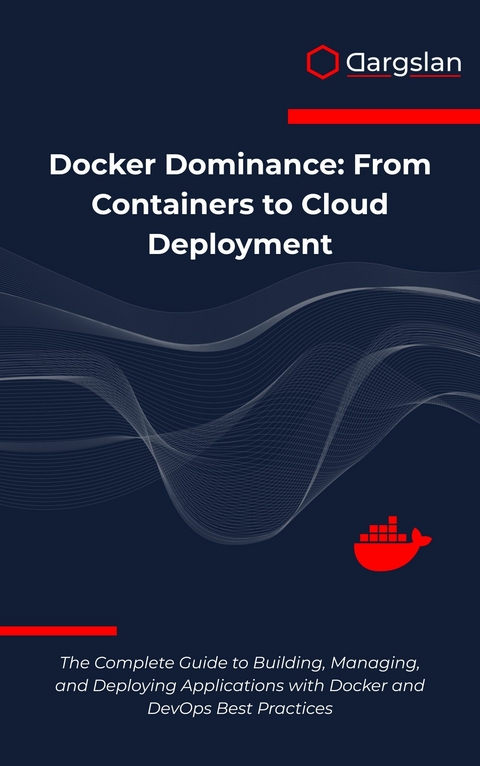
Docker Dominance (eBook)
489 Seiten
Dargslan s.r.o. (Verlag)
978-0-00-098565-1 (ISBN)
Master Docker from Beginner to Expert: The Ultimate Guide to Containerization, Cloud Deployment, and DevOps Excellence
Transform your development workflow and accelerate your career with Docker Dominance, the most comprehensive guide to containerization technology available today. Whether you're a developer struggling with environment inconsistencies, a system administrator seeking deployment efficiency, or a DevOps engineer building scalable infrastructure, this book provides everything you need to achieve Docker mastery.
What Makes This Book Different?
Unlike theoretical guides, Docker Dominance emphasizes hands-on learning through real-world projects. You'll build production-ready applications including LAMP stacks, Node.js web applications, WordPress sites, and Django REST APIs-all fully containerized and deployment-ready. Each project teaches essential Docker best practices while solving actual business problems.
Complete Learning Path from Zero to Hero:
Foundation Building: Master Docker installation, images, containers, and core concepts across all platforms
Advanced Techniques: Dive deep into Docker Compose, networking, volumes, and security implementation
Real-World Projects: Build four complete applications with step-by-step guidance and professional-grade code
Production Deployment: Learn CI/CD integration, cloud hosting strategies, and enterprise security practices
Orchestration Mastery: Explore Docker Swarm and get introduced to Kubernetes for large-scale deployments
Practical Benefits You'll Gain:
Eliminate 'it works on my machine' problems forever with consistent containerization strategies
Reduce deployment time from hours to minutes with automated Docker workflows Build scalable microservices architectures using industry-proven patterns
Implement robust security practices protecting your applications and data
Master Docker Compose for complex multi-container application orchestration
Create efficient CI/CD pipelines integrating Docker with popular DevOps tools
Real-World Projects Include:
LAMP Stack: Complete PHP web application with MySQL database
Node.js + MongoDB: Modern JavaScript application with NoSQL database
WordPress Site: Professional content management system deployment
Django REST API: Python-based API with PostgreSQL integration
Advanced Topics Covered:
Docker Swarm orchestration for production environments
Legacy application containerization strategies
Docker security best practices and vulnerability management
Comprehensive monitoring and logging solutions
Integration with popular DevOps tools and platforms
Troubleshooting techniques for complex Docker deployments
Bonus Resources:
Complete Docker CLI command reference
Ready-to-use Dockerfile templates for popular languages
Curated list of essential Docker images and tools
YAML syntax guide
Perfect For:
Software developers transitioning to containerized development
System administrators modernizing infrastructure
DevOps engineers building scalable deployment pipelines
Students learning modern software deployment practices
Technical teams adopting microservices architectures
With clear explanations, practical examples, and production-ready code, Docker Dominance is your pathway to containerization mastery and DevOps excellence.
Introduction
The Revolutionary Impact of Containerization Technology
In the rapidly evolving landscape of modern software development, few technologies have fundamentally transformed the way we build, deploy, and manage applications as profoundly as Docker. This containerization platform has emerged as the cornerstone of contemporary DevOps practices, revolutionizing how developers approach application packaging, distribution, and deployment across diverse computing environments.
The journey of software deployment has been fraught with challenges that have plagued developers for decades. The infamous "it works on my machine" syndrome has cost countless hours of debugging, frustrated development teams, and delayed product releases. Traditional deployment methods often involved complex configuration management, dependency conflicts, and environment-specific issues that made scaling applications a nightmare for organizations of all sizes.
Docker emerged as a game-changing solution to these persistent problems, introducing a lightweight, portable containerization technology that encapsulates applications along with their dependencies, runtime environments, and system libraries. This approach ensures consistent behavior across development, testing, staging, and production environments, effectively eliminating the environmental discrepancies that have historically plagued software deployment processes.
Understanding the Container Revolution
The Genesis of Containerization
The concept of containerization predates Docker by several decades, with roots tracing back to Unix chroot jails in the 1970s. However, Docker democratized containerization technology, making it accessible to mainstream developers and operations teams. The platform leverages Linux kernel features such as namespaces and control groups (cgroups) to create isolated processes that share the host operating system's kernel while maintaining complete separation of application resources.
This architectural approach differs fundamentally from traditional virtualization technologies. While virtual machines require a complete guest operating system for each instance, containers share the host OS kernel, resulting in significantly reduced resource overhead and faster startup times. A typical virtual machine might consume gigabytes of memory and take minutes to boot, whereas containers typically require only megabytes of memory and start in seconds.
The Docker Ecosystem Architecture
Docker's architecture consists of several interconnected components that work together to provide a comprehensive containerization solution:
Docker Engine serves as the core runtime environment, responsible for creating, managing, and executing containers. It operates as a daemon process on the host system, exposing a REST API that enables interaction through various client interfaces.
Docker Images function as read-only templates containing application code, runtime dependencies, system libraries, and configuration files. These images serve as blueprints for creating container instances and can be versioned, shared, and distributed through registries.
Docker Containers represent running instances of Docker images. Each container provides an isolated execution environment with its own filesystem, network interface, and process space, while sharing the host kernel.
Docker Registry systems, such as Docker Hub, provide centralized repositories for storing and distributing Docker images. These registries enable teams to share containerized applications and leverage community-contributed images.
Docker Compose simplifies multi-container application orchestration by defining services, networks, and volumes in declarative YAML configuration files. This tool enables developers to manage complex application stacks with simple command-line operations.
The Business Case for Docker Adoption
Operational Efficiency and Cost Reduction
Organizations adopting Docker containerization typically experience significant improvements in operational efficiency and cost reduction. The lightweight nature of containers enables higher density deployments compared to traditional virtual machines, allowing organizations to maximize hardware utilization and reduce infrastructure costs.
Resource optimization becomes particularly evident in cloud environments, where organizations pay for consumed resources. Containers' minimal overhead enables more efficient resource allocation, directly translating to reduced operational expenses. Additionally, the consistent deployment model reduces the time and effort required for environment setup and maintenance.
Development Velocity and Team Productivity
Docker dramatically accelerates development workflows by providing consistent development environments across team members. Developers can quickly spin up complete application stacks locally, including databases, message queues, and external services, without complex installation procedures or configuration management.
The containerization approach also facilitates microservices architecture adoption, enabling teams to develop, test, and deploy individual services independently. This architectural pattern promotes team autonomy, reduces coordination overhead, and enables faster feature delivery cycles.
Scalability and Performance Optimization
Modern applications must handle varying load patterns and scale dynamically to meet user demand. Docker containers provide the foundation for implementing robust scaling strategies, whether through simple horizontal scaling or sophisticated orchestration platforms like Kubernetes.
Container startup times measured in seconds rather than minutes enable responsive auto-scaling implementations that can quickly adapt to traffic spikes. This capability is particularly valuable for applications with unpredictable or seasonal traffic patterns.
DevOps Integration and Continuous Delivery
Pipeline Automation and CI/CD Integration
Docker integrates seamlessly with continuous integration and continuous delivery (CI/CD) pipelines, enabling automated testing, building, and deployment processes. Development teams can create standardized build environments that ensure consistent application packaging regardless of the underlying build infrastructure.
Automated testing becomes more reliable when tests run in containerized environments that mirror production conditions. This approach reduces the likelihood of environment-related test failures and increases confidence in deployment processes.
Infrastructure as Code and Configuration Management
Container-based deployments align naturally with Infrastructure as Code (IaC) principles, enabling teams to version control their entire application stack configuration. Docker Compose files, Kubernetes manifests, and container orchestration configurations can be managed alongside application source code, ensuring consistency and traceability.
This approach facilitates collaboration between development and operations teams by providing a common language for describing application requirements and deployment specifications. Operations teams can understand application dependencies and resource requirements by examining container configurations, while developers gain insight into production deployment constraints.
Security Considerations in Containerized Environments
Container Security Fundamentals
While Docker provides isolation between containers and the host system, containerized applications introduce unique security considerations that organizations must address. Container images may contain vulnerabilities in base operating systems, application dependencies, or configuration settings that could expose applications to security threats.
Image scanning and vulnerability assessment become critical components of the container deployment pipeline. Organizations should implement automated scanning processes that identify known vulnerabilities in container images before deployment to production environments.
Best Practices for Secure Container Deployment
Implementing security best practices requires a comprehensive approach covering image creation, container runtime configuration, and network security. Using minimal base images reduces the attack surface by eliminating unnecessary system components and libraries.
Running containers with non-root users and implementing proper resource limits prevents privilege escalation attacks and resource exhaustion scenarios. Network segmentation and proper firewall configuration ensure that containers can only communicate with authorized services and external resources.
Cloud-Native Architecture and Orchestration
Kubernetes Integration and Container Orchestration
While Docker provides the foundation for containerization, production deployments typically require orchestration platforms to manage container lifecycle, scaling, and service discovery. Kubernetes has emerged as the de facto standard for container orchestration, providing sophisticated capabilities for managing containerized applications at scale.
The combination of Docker and Kubernetes enables organizations to implement cloud-native architectures that leverage the full potential of modern cloud platforms. These architectures support advanced deployment patterns such as blue-green deployments, canary releases, and rolling updates that minimize service disruption during application updates.
Multi-Cloud and Hybrid Cloud Strategies
Docker's portability characteristics enable organizations to implement multi-cloud and hybrid cloud strategies...
| Erscheint lt. Verlag | 5.8.2025 |
|---|---|
| Sprache | englisch |
| Themenwelt | Mathematik / Informatik ► Informatik ► Datenbanken |
| ISBN-10 | 0-00-098565-1 / 0000985651 |
| ISBN-13 | 978-0-00-098565-1 / 9780000985651 |
| Informationen gemäß Produktsicherheitsverordnung (GPSR) | |
| Haben Sie eine Frage zum Produkt? |
 EPUB (Adobe DRM)
Größe: 1,5 MB
Kopierschutz: Adobe-DRM
Adobe-DRM ist ein Kopierschutz, der das eBook vor Mißbrauch schützen soll. Dabei wird das eBook bereits beim Download auf Ihre persönliche Adobe-ID autorisiert. Lesen können Sie das eBook dann nur auf den Geräten, welche ebenfalls auf Ihre Adobe-ID registriert sind.
Details zum Adobe-DRM
Dateiformat: EPUB (Electronic Publication)
EPUB ist ein offener Standard für eBooks und eignet sich besonders zur Darstellung von Belletristik und Sachbüchern. Der Fließtext wird dynamisch an die Display- und Schriftgröße angepasst. Auch für mobile Lesegeräte ist EPUB daher gut geeignet.
Systemvoraussetzungen:
PC/Mac: Mit einem PC oder Mac können Sie dieses eBook lesen. Sie benötigen eine
eReader: Dieses eBook kann mit (fast) allen eBook-Readern gelesen werden. Mit dem amazon-Kindle ist es aber nicht kompatibel.
Smartphone/Tablet: Egal ob Apple oder Android, dieses eBook können Sie lesen. Sie benötigen eine
Geräteliste und zusätzliche Hinweise
Buying eBooks from abroad
For tax law reasons we can sell eBooks just within Germany and Switzerland. Regrettably we cannot fulfill eBook-orders from other countries.
aus dem Bereich


