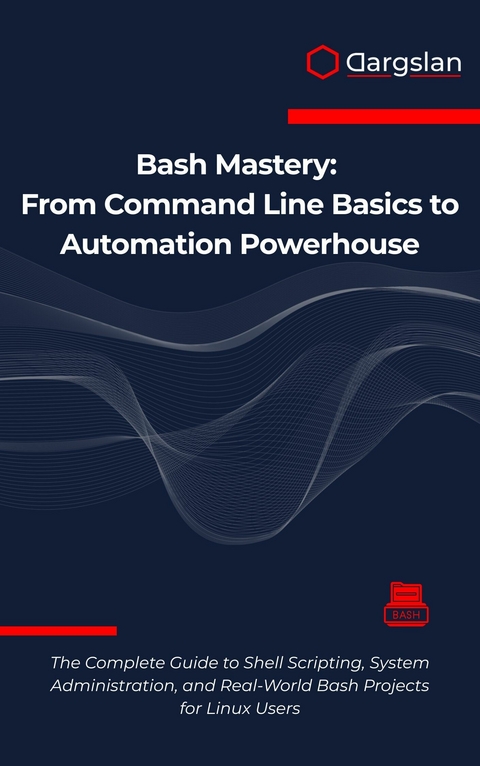
Bash Mastery: From Command Line Basics to Automation Powerhouse (eBook)
597 Seiten
Dargslan s.r.o. (Verlag)
978-0-00-098552-1 (ISBN)
Transform Your Linux Skills with the Ultimate Bash Scripting Guide - Master System Administration and Automation Like a Pro!
Are you ready to unlock the true power of Linux through Bash scripting mastery? Whether you're a complete beginner or an experienced user looking to automate your workflow, 'Bash Mastery: From Command Line Basics to Automation Powerhouse' is your comprehensive roadmap to becoming a Linux system administration expert.
Why This Book Will Transform Your Technical Career
In today's competitive tech landscape, shell scripting automation skills are essential for system administrators, developers, and IT professionals. This book doesn't just teach you commands-it transforms you into an automation expert capable of streamlining complex workflows and solving real-world system challenges.
What Makes This Book Different
Complete Learning Path: From basic command line navigation to advanced automation techniques
4 Real-World Projects: Build professional-grade tools including system monitoring scripts, backup solutions, and user management portals
Practical Focus: Every concept includes hands-on examples and immediate applications
Industry-Relevant Skills: Learn the exact techniques used by professional system administrators
Master These Essential Skills
Linux shell commands and filesystem navigation
Advanced Bash programming with variables, functions, and control structures
System administration automation for user management and service monitoring
Regular expressions and pattern matching for text processing
Parallel processing and performance optimization
Professional debugging and testing methodologies
Scheduling and cron job automation
Perfect For
Linux beginners wanting to master the command line
System administrators seeking automation solutions
Developers building deployment and maintenance scripts
IT professionals preparing for system administration roles
Students learning Linux and shell scripting
Comprehensive Project-Based Learning
Unlike other technical books, this guide includes four complete capstone projects:
Interactive System Information Tool
Log Rotation and Archiving System
Professional Server Backup Script
User Management Portal
Each project reinforces your learning while building portfolio-worthy automation tools.
Bonus Materials Included
Chapter 1: Introduction to Bash and the Shell
Understanding the Foundation of Linux Command Line
In the vast landscape of computing, few tools have remained as fundamental and enduring as the command line interface. At the heart of this interface lies Bash, a powerful shell that serves as the bridge between human intention and machine execution. This chapter will guide you through the essential foundations of Bash and shell concepts, establishing the groundwork for your journey toward command line mastery.
What is a Shell?
A shell represents the outermost layer of an operating system, serving as the interactive interface between users and the kernel. Think of the shell as a translator that interprets your commands and communicates them to the operating system in a language it understands. The name "shell" itself derives from this concept of being the outer layer that encases the system's core functionality.
When you open a terminal window, you are essentially launching a shell program that waits for your input. This program reads your commands, interprets them, executes the appropriate system calls, and displays the results back to you. The shell operates in a continuous loop: read, evaluate, print, and repeat.
The shell provides several crucial functions:
Command Interpretation: The shell parses your input, identifying commands, arguments, and special characters. It handles complex command structures, including pipes, redirections, and command substitutions.
Environment Management: Every shell maintains an environment consisting of variables, aliases, and functions that customize your working experience. This environment can be modified and extended to suit your specific needs.
Process Control: The shell manages the execution of programs, handling foreground and background processes, job control, and process termination.
File System Navigation: Built-in commands allow you to navigate directories, manipulate files, and manage permissions without requiring external programs.
The Evolution and History of Bash
Bash, which stands for "Bourne Again Shell," represents a significant milestone in the evolution of command line interfaces. To understand Bash's importance, we must first examine the historical context from which it emerged.
The original Unix shell, known as the Thompson shell, was created by Ken Thompson in 1971. This primitive shell provided basic command execution but lacked many features we consider essential today. The Thompson shell was succeeded by the Bourne shell (sh), developed by Stephen Bourne at Bell Labs in 1977. The Bourne shell introduced significant improvements, including variables, control structures, and command substitution.
Throughout the 1980s, various shell implementations emerged, each adding unique features. The C shell (csh) introduced command history and job control, while the Korn shell (ksh) combined Bourne shell compatibility with C shell enhancements.
Brian Fox began developing Bash in 1987 as part of the GNU Project, with the goal of creating a free software replacement for the Bourne shell. The name "Bourne Again Shell" reflects both its heritage and its rebirth as free software. Bash incorporated the best features from various shells while maintaining backward compatibility with the original Bourne shell.
The first version of Bash was released in 1989, and it quickly gained popularity due to its comprehensive feature set and active development community. Today, Bash serves as the default shell on most Linux distributions and macOS systems, making it one of the most widely used shells in existence.
Key Features and Capabilities of Bash
Bash offers an extensive array of features that make it incredibly powerful for both interactive use and scripting. Understanding these capabilities will help you appreciate why Bash has become the standard shell for Linux systems.
Command Line Editing and History
Bash provides sophisticated command line editing capabilities that significantly enhance productivity. The shell maintains a history of previously executed commands, allowing you to recall, modify, and re-execute them with ease.
# View command history
history
# Execute the last command
!!
# Execute command number 150 from history
!150
# Search through command history interactively
# Press Ctrl+R and start typing to search
The command line editor supports both Emacs and vi editing modes, enabling you to use familiar key bindings to edit commands before execution.
Tab Completion
One of Bash's most beloved features is tab completion, which automatically completes commands, file names, and directory paths as you type. This feature not only saves time but also reduces typing errors.
# Type 'ls /usr/b' and press Tab to see completions
ls /usr/b[Tab]
# Type 'systemctl st' and press Tab twice to see all matching commands
systemctl st[Tab][Tab]
Variable Management and Environment
Bash provides comprehensive variable management capabilities, supporting both local and environment variables. Variables can store strings, numbers, and arrays, making them versatile tools for scripting.
# Set a local variable
name="John Doe"
# Set an environment variable
export PATH="/usr/local/bin:$PATH"
# Display all environment variables
env
# Display all variables (local and environment)
set
Input/Output Redirection
Bash offers powerful redirection capabilities that allow you to control where commands read input and send output. This feature enables complex data processing workflows and automation tasks.
# Redirect output to a file
ls -la > directory_listing.txt
# Append output to a file
echo "New entry" >> logfile.txt
# Redirect both stdout and stderr
command > output.txt 2>&1
# Use input redirection
sort < unsorted_data.txt
Pipes and Command Chaining
The pipe operator allows you to chain commands together, sending the output of one command as input to another. This capability enables the creation of powerful command pipelines.
# Count the number of files in the current directory
ls -1 | wc -l
# Find and sort unique IP addresses in a log file
grep -o '[0-9]/{1,3/}/.[0-9]/{1,3/}/.[0-9]/{1,3/}/.[0-9]/{1,3/}' access.log | sort | uniq
# Complex pipeline for system monitoring
ps aux | grep -v grep | grep apache | awk '{print $2}' | xargs kill
Job Control
Bash provides comprehensive job control features that allow you to manage multiple processes simultaneously. You can run commands in the background, suspend running processes, and switch between jobs.
# Run a command in the background
long_running_command &
# List active jobs
jobs
# Bring a background job to the foreground
fg %1
# Send a foreground job to the background
# First suspend with Ctrl+Z, then:
bg %1
Aliases and Functions
Bash allows you to create aliases and functions to customize your command line experience. Aliases provide simple command shortcuts, while functions offer more complex customization capabilities.
# Create simple aliases
alias ll='ls -la'
alias grep='grep --color=auto'
# Create a function
backup_file() {
cp "$1" "$1.backup.$(date +%Y%m%d)"
}
# Use the function
backup_file important_document.txt
Bash vs Other Shells: Understanding the Differences
While Bash is the most popular shell, understanding how it compares to other shells helps you make informed decisions about when to use each one.
Bash vs Zsh (Z Shell)
Zsh offers many advanced features beyond Bash, including improved tab completion, better globbing patterns, and more sophisticated prompt customization. Many developers prefer Zsh for interactive use due to its user-friendly features.
# Zsh-style globbing (not available in Bash)
# ls **/*.txt # Recursively find all .txt files
# Bash equivalent requires find
find . -name "*.txt" -type f
Bash vs Fish (Friendly Interactive Shell)
Fish focuses on user-friendliness with features like syntax highlighting, autosuggestions, and intuitive configuration. However, Fish is not POSIX-compliant, which can cause compatibility issues with existing...
| Erscheint lt. Verlag | 5.8.2025 |
|---|---|
| Sprache | englisch |
| Themenwelt | Mathematik / Informatik ► Informatik ► Betriebssysteme / Server |
| ISBN-10 | 0-00-098552-X / 000098552X |
| ISBN-13 | 978-0-00-098552-1 / 9780000985521 |
| Informationen gemäß Produktsicherheitsverordnung (GPSR) | |
| Haben Sie eine Frage zum Produkt? |
 EPUB (Adobe DRM)
Größe: 946 KB
Kopierschutz: Adobe-DRM
Adobe-DRM ist ein Kopierschutz, der das eBook vor Mißbrauch schützen soll. Dabei wird das eBook bereits beim Download auf Ihre persönliche Adobe-ID autorisiert. Lesen können Sie das eBook dann nur auf den Geräten, welche ebenfalls auf Ihre Adobe-ID registriert sind.
Details zum Adobe-DRM
Dateiformat: EPUB (Electronic Publication)
EPUB ist ein offener Standard für eBooks und eignet sich besonders zur Darstellung von Belletristik und Sachbüchern. Der Fließtext wird dynamisch an die Display- und Schriftgröße angepasst. Auch für mobile Lesegeräte ist EPUB daher gut geeignet.
Systemvoraussetzungen:
PC/Mac: Mit einem PC oder Mac können Sie dieses eBook lesen. Sie benötigen eine
eReader: Dieses eBook kann mit (fast) allen eBook-Readern gelesen werden. Mit dem amazon-Kindle ist es aber nicht kompatibel.
Smartphone/Tablet: Egal ob Apple oder Android, dieses eBook können Sie lesen. Sie benötigen eine
Geräteliste und zusätzliche Hinweise
Buying eBooks from abroad
For tax law reasons we can sell eBooks just within Germany and Switzerland. Regrettably we cannot fulfill eBook-orders from other countries.
aus dem Bereich