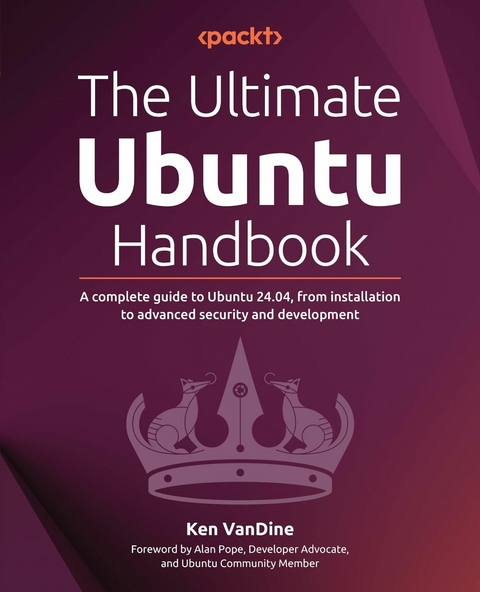
Ultimate Ubuntu Handbook (eBook)
356 Seiten
Packt Publishing (Verlag)
978-1-83546-887-6 (ISBN)
Ubuntu 24.04 brings powerful new features, but most users barely scratch the surface of its potential. This book transforms you from a basic user into an Ubuntu power user by guiding you through setup, security, and development workflows step by step. Ken VanDine reveals insider knowledge and proven strategies that turn Ubuntu into a stable, secure, and productive development platform.
Starting with Ubuntu's mission, release lifecycles, and what's new in 24.04, you'll learn how to install the system, customize your desktop, and use the command line to work more efficiently. The book shows you how to apply updates, activate Ubuntu Pro, configure firewalls, and secure data with full disk encryption before covering topics often overlooked by desktop users. Moving into advanced territory, this book covers container-based development using LXD, working with virtual machines through Multipass, and setting up Kubernetes with MicroK8s. Whether you're building cloud-native apps or data science projects, you'll benefit from reliable and repeatable Ubuntu workflows.
Beyond the technical skills, you'll discover how to tap into Ubuntu's global community for ongoing support and opportunities to contribute. This book is ideal for both newcomers eager to accelerate their Linux journey and seasoned professionals seeking to maximize their Ubuntu expertise.
Build your Ubuntu 24.04 skills with hands-on guidance from an Ubuntu Core developer, covering desktop usage, security best practices, containers, and development environment setupKey FeaturesMaster Ubuntu 24.04 through a structured learning path, from initial setup and customization to advanced development workflowsAvoid common mistakes with practical tips for ensuring stability, security, and clean configurationLearn directly from an Ubuntu Core developer as he shares his insider knowledge and best practicesPurchase of the print or Kindle book includes a free PDF eBookBook DescriptionUbuntu 24.04 brings powerful new features, but most users barely scratch the surface of its potential. This book transforms you from a basic user into an Ubuntu power user by guiding you through setup, security, and development workflows step by step. Ken VanDine reveals insider knowledge and proven strategies that turn Ubuntu into a stable, secure, and productive development platform. Starting with Ubuntu s mission, release lifecycles, and what s new in 24.04, you ll learn how to install the system, customize your desktop, and use the command line to work more efficiently. The book shows you how to apply updates, activate Ubuntu Pro, configure firewalls, and secure data with full disk encryption before covering topics often overlooked by desktop users. Moving into advanced territory, this book covers container-based development using LXD, working with virtual machines through Multipass, and setting up Kubernetes with MicroK8s. Whether you re building cloud-native apps or data science projects, you ll benefit from reliable and repeatable Ubuntu workflows. Beyond the technical skills, you'll discover how to tap into Ubuntu's global community for ongoing support and opportunities to contribute. This book is ideal for both newcomers eager to accelerate their Linux journey and seasoned professionals seeking to maximize their Ubuntu expertise.What you will learnUnderstand Ubuntu's software lifecycles to keep your system updated and secureConnect with Ubuntu communities to seek help and contribute to the ecosystemMaster the command line to improve flexibility and efficiencyConfigure firewalls to manage network traffic securelyProtect your data with full disk encryption for comprehensive securityDifferentiate between Snap and Debian packages to make informed software installation choicesBuild and manage containerized environments with UbuntuWho this book is forThis book is for software engineers, DevOps professionals, data scientists, systems administrators, and tech enthusiasts who want to get hands-on with Ubuntu 24.04. Whether you're new to Linux or looking to improve your setup, this book shows you how to build a secure desktop, use the command line with confidence, and create clean, reliable development environments. A basic understanding of operating systems is helpful but not required.]]>
Preface
Welcome to the world of Ubuntu, a powerful and user-friendly operating system that has revolutionized the way we interact with our computers. As one of the most popular Linux distributions, Ubuntu has gained a reputation for its ease of use, flexibility, and commitment to community-driven development.
In this book, we will take you on a journey through the world of Ubuntu, exploring its features, capabilities, and applications. Whether you are a seasoned Linux user or just starting out, this book is designed to provide you with a comprehensive guide to getting the most out of your Ubuntu experience.
From installing and configuring your system to exploring the latest features and applications, we will cover it all. You will learn how to navigate the Ubuntu Desktop interface, manage your files and folders, and customize your desktop to suit your needs. We will also delve into the world of Ubuntu’s software repositories, showing you how to find, install, and manage the thousands of free and open source applications available.
But Ubuntu is not just about technology – it’s also about the community that drives it. In this book, we will introduce you to the Ubuntu philosophy and the values that underpin the project, including the importance of freedom, collaboration, and mutual support. You will learn how to get involved in the Ubuntu community, contribute to the project, and connect with other users and developers from around the world.
Throughout this book, we will use a combination of step-by-step tutorials, screenshots, and real-world examples to illustrate the concepts and techniques you need to know about to master Ubuntu. Whether you are a student, a professional, or simply a curious user, this book is designed to be your companion and guide as you explore the exciting world of Ubuntu.
So, let’s get started on this journey together! With this book, you will be able to unlock the full potential of Ubuntu and discover a whole new world of computing possibilities.
Who this book is for
This book caters to a diverse audience, including software engineers (embedded, frontend, backend, full stack), machine learning/data science professionals, DevOps engineers, systems administrators, and technology enthusiasts (hobbyists). Whether you’re eager to delve into Linux for the first time or seek to deepen your understanding of Ubuntu, this guide is designed to empower you. While a basic knowledge of operating systems is beneficial, no prior experience with Linux is required.
What this book covers
Chapter 1, Introduction to Ubuntu, explains what Ubuntu is, its history, and key concepts of Ubuntu and the open source ecosystem.
Chapter 2, What’s New in Ubuntu 24.04?, walks you through changes in Ubuntu 24.04 since the previous LTS release, 22.04.
Chapter 3, Security and Transparency – The Advantages of Open Source Software, demonstrates the advantages of open source software.
Chapter 4, Getting Started with Ubuntu: A User’s Guide, guides you through the installation process, ensuring you understand the necessary fundamentals.
Chapter 5, Using Your Ubuntu Desktop, takes you on a tour of the features found in Ubuntu.
Chapter 6, Software Discovery: Finding and Installing Applications, shows you how to find and install the software you want and need to get things done.
Chapter 7, Software Updates: Enhancing Security and Stability, demonstrates the importance of keeping your software updated.
Chapter 8, Getting Help: The Ubuntu Community and Beyond, introduces you to the amazing Ubuntu community as the most powerful resource when you need help and teaches you how to best engage with the community to become part of something bigger.
Chapter 9, Ubuntu in the Enterprise and at Scale, explains features commonly required for Ubuntu to be used in an enterprise environment.
Chapter 10, Command-Line Tricks and Shortcuts: Boosting Your Efficiency, demonstrates the powerful Linux command line and shows you that it’s not something to be worried about; it’s not just for power users but it can boost anyone’s efficiency.
Chapter 11, Introduction to Network Security, explains key concepts of network security.
Chapter 12, Understanding Firewalls, delves deeper into network security, focusing on more advanced firewall usage.
Chapter 13, Safeguarding Information with Data Encryption, introduces concepts necessary for data privacy and how to leverage encryption to keep your data safe.
Chapter 14, Ubuntu for Developers, discusses the many ways Ubuntu can be used for development.
Chapter 15, Leveraging Containers for Development, explains key concepts necessary to understand Linux containers and how to use them to improve your development workflow.
Chapter 16, Cloud-Style VMs on Your Desktop, demonstrates how you can use virtual machines to simulate a cloud-style environment for development.
Chapter 17, Kubernetes Development on Your Desktop, shows how to set up your own Kubernetes cluster on your desktop.
Chapter 18, Building Your Data Science Toolkit, explains how to simplify setting up your data science environment on Ubuntu.
Chapter 19, Embracing the Spirit of Ubuntu, wraps up with more ways to not just use Ubuntu, but become part of the Ubuntu community.
To get the most out of this book
- Start with the basics: If you’re new to Ubuntu, begin with the introductory chapters to get a solid understanding of the operating system and its core concepts.
- Practice as you go: Ubuntu is a hands-on operating system, and the best way to learn is by doing. Try out the commands, tools, and techniques described in each chapter to reinforce your understanding.
- Experiment and explore: Don’t be afraid to try new things and explore the many features and tools that Ubuntu has to offer. From customizing your desktop to experimenting with new software, the more you explore, the more you’ll learn and appreciate the power and flexibility of Ubuntu.
- Take notes and review: As you work through the book, take notes on key concepts, commands, and techniques. Reviewing these notes regularly will help solidify your understanding and make it easier to recall important information when needed.
- Use the book as a reference: This book is designed to be a comprehensive guide to Ubuntu, but it’s not meant to be read cover to cover in one sitting. Use it as a reference, dipping in and out of chapters as needed, to help you solve problems, answer questions, and learn new skills.
- Join the Ubuntu community: The Ubuntu community is vast and active, with numerous online forums, social media groups, and local meetups. Joining the community will give you access to a wealth of knowledge, support, and resources to help you learn and grow with Ubuntu.
Conventions used
There are a number of text conventions used throughout this book.
CodeInText: Indicates code words in text, database table names, folder names, filenames, file extensions, pathnames, dummy URLs, user input, and Twitter handles. For example: “If you do not know the package name, don’t fret! Simply running the ubuntu-bug command without any package name will give you a window to guide you through the process.”
A block of code is set as follows:
import torch torch.cuda.is_available() Any command-line input or output is written as follows:
ken@monster:~$ sudo snap install authd-msentraid ken@monster:~$ sudo mkdir -p /etc/authd/brokers.d/ ken@monster:~$ sudo cp /snap/authd-msentraid/current/conf/authd/msentraid.conf /etc/authd/brokers.d/ Bold: Indicates a new term, an important word, or words that you see on the screen. For instance, words in menus or dialog boxes appear in the text like this. For example: “To ensure security updates are installed promptly, ensure Download and install automatically is selected in the dropdown next to When there are security updates.”
Warnings or important notes appear like this.
Tips and tricks appear like this.
Get in touch
Feedback from our readers is always welcome.
General feedback: If you have questions about any aspect of this book or have any general feedback, please email us at customercare@packt.com and mention the book’s title in the subject of your message.
Errata: Although we have taken every care to ensure the accuracy of our content, mistakes do happen. If you have found a mistake in this book, we would be grateful if you reported this to us. Please visit http://www.packt.com/submit-errata, click Submit Errata, and fill in the form.
Piracy: If you come across any illegal copies of our works...
| Erscheint lt. Verlag | 1.8.2025 |
|---|---|
| Vorwort | Alan Pope |
| Sprache | englisch |
| Themenwelt | Mathematik / Informatik ► Informatik ► Betriebssysteme / Server |
| ISBN-10 | 1-83546-887-X / 183546887X |
| ISBN-13 | 978-1-83546-887-6 / 9781835468876 |
| Informationen gemäß Produktsicherheitsverordnung (GPSR) | |
| Haben Sie eine Frage zum Produkt? |
 EPUB (Ohne DRM)
Digital Rights Management: ohne DRM
Dieses eBook enthält kein DRM oder Kopierschutz. Eine Weitergabe an Dritte ist jedoch rechtlich nicht zulässig, weil Sie beim Kauf nur die Rechte an der persönlichen Nutzung erwerben.
Dateiformat: EPUB (Electronic Publication)
EPUB ist ein offener Standard für eBooks und eignet sich besonders zur Darstellung von Belletristik und Sachbüchern. Der Fließtext wird dynamisch an die Display- und Schriftgröße angepasst. Auch für mobile Lesegeräte ist EPUB daher gut geeignet.
Systemvoraussetzungen:
PC/Mac: Mit einem PC oder Mac können Sie dieses eBook lesen. Sie benötigen dafür die kostenlose Software Adobe Digital Editions.
eReader: Dieses eBook kann mit (fast) allen eBook-Readern gelesen werden. Mit dem amazon-Kindle ist es aber nicht kompatibel.
Smartphone/Tablet: Egal ob Apple oder Android, dieses eBook können Sie lesen. Sie benötigen dafür eine kostenlose App.
Geräteliste und zusätzliche Hinweise
Buying eBooks from abroad
For tax law reasons we can sell eBooks just within Germany and Switzerland. Regrettably we cannot fulfill eBook-orders from other countries.
aus dem Bereich