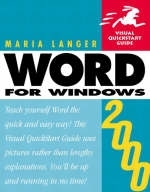
Word 2000 for Windows
Addison Wesley (Verlag)
978-0-201-35428-7 (ISBN)
- Titel erscheint in neuer Auflage
- Artikel merken
Like its Office-mates, Word has been updated for the new millennium. The latest version, Word 2000, is no mere word processor. It's tightly integrated with the other Office apps and the Internet, letting you create documents ranging from simple, one-page letters to fully functional Web pages with graphics and hyperlinks. Whether you're a newcomer or experienced user, Word 2000 for Windows: Visual QuickStart Guide is the must-have guide to the program's powerful new features.
Using concise steps and numerous illustrations, the book covers everything from word processing basics and formatting fundamentals to desktop and Web publishing techniques. If you're looking for a comprehensive introduction to Word 2000 and a valuable reference guide, this is it.
Maria Langer has written more than 20 computer books. She also writes for MacWEEK, MacAddict, NetProfessional, FileMaker Pro Advisor, and Computer User. She is a consultant, Webmaster, computer trainer, and regular speaker at Macworld Expo.
Introduction to Word 2000.
Introduction. New and Improved Features in Word 2000.
1. The Word Workplace.
Meet Microsoft Word. The Word Screen. The Mouse. Menus. Shortcut Keys. Toolbars. Dialog Boxes. Views. Document Navigation. Windows. The Office Assistant. Microsoft Word Help.
2. Word Basics.
Word Processing Basics. Running Word. Exiting Word. Word Documents, Templates, & Wizards. Creating Documents. Opening Existing Documents. Entering Text. Formatting Marks. The Insertion Point. Inserting & Deleting Text. Selecting Text. Editing Selected Text. Copying & Moving Text. Collect and Paste. Undoing, Redoing, & Repeating Actions. Find & Replace. Saving Documents.
3. Formatting Basics.
Formatting Basics. Learning about Applied Formats. Font Formatting. Applying Font Formatting. Paragraph Formatting. Applying Paragraph Formatting. Tabs. Page Formatting. Setting Page Formatting.
4. Advanced Formatting.
Advanced Formatting. Character Spacing. Drop Caps. Changing Case. Bullets & Numbering. Borders & Shading. The Format Painter. Styles. AutoFormat. Page, Section, & Column Breaks. Columns. Headers & Footers.
5. Writing Tools.
Word's Writing Tools. The Spelling & Grammar Checkers. AutoCorrect. The Thesaurus. Hyphenation. Word Count. Change-Tracking.
6. Printing Documents.
Printing Documents. Page Setup. Print Preview. Printing.
7. Inserting Special Text.
Special Text. AutoText & AutoComplete. Word Fields. Symbols & Special Characters. Comments. Footnotes & Endnotes.
8. Inserting Objects.
Objects & Multimedia Elements. Files. Objects. Pictures.
9. Outlines.
Outlines. Building an Outline. Rearranging Outline Components. Viewing Outlines. Working with an Outline in another View. Creating a Table of Contents.
10. Tables.
Tables. Creating a Table. Anatomy of a Table. Selecting Table Cells. Entering & Formatting Table Information. Inserting & Deleting Cells. Merging & Splitting Cells. Resizing Columns & Rows. Table Headings. Table AutoFormat. Removing a Table.
11. Envelopes & Labels.
Envelopes & Labels. Creating an Envelope. Creating Labels.
12. Mail Merge.
Mail Merge. The Mail Merge Helper. Creating a Main Document. Creating a Data Source. Completing a Main Document. Merging Documents.
13. Web Pages.
Web Pages. Creating a Web Page. Editing & Formatting Text. Themes. Working with Pictures. Hyperlinks. Working with Web Page Files.
14. The Options Dialog Box.
View Options. General Options. Edit Options. Print Options. Save Options. Spelling & Grammar Options. Track Changes Options. User Information Options. Compatibility Options. File Locations Options.
Appendix A: Menus & Shortcut Keys.
Menus & Shortcut Keys. File Menu. Edit Menu. View Menu. Insert Menu. Format Menu. Tools Menu. Table Menu. Window Menu. Help Menu.
Index.
| Erscheint lt. Verlag | 16.6.1999 |
|---|---|
| Verlagsort | Harlow |
| Sprache | englisch |
| Maße | 180 x 228 mm |
| Gewicht | 408 g |
| Themenwelt | Informatik ► Office Programme ► Word |
| ISBN-10 | 0-201-35428-4 / 0201354284 |
| ISBN-13 | 978-0-201-35428-7 / 9780201354287 |
| Zustand | Neuware |
| Informationen gemäß Produktsicherheitsverordnung (GPSR) | |
| Haben Sie eine Frage zum Produkt? |
aus dem Bereich