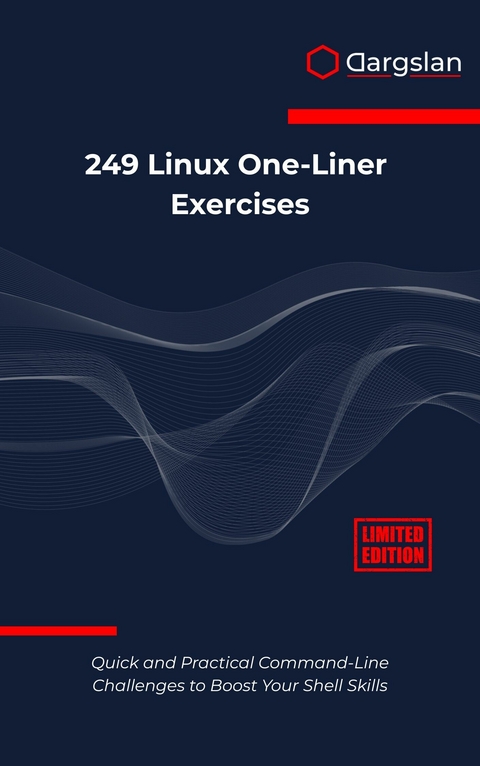
249 Linux One-Liner Exercises (eBook)
257 Seiten
Dargslan s.r.o. (Verlag)
978-0-00-097936-0 (ISBN)
Transform Your Linux Command-Line Skills with 249 Practical One-Liner Challenges
Are you ready to unlock the true power of the Linux command line? Whether you're a system administrator managing multiple servers, a developer working in Linux environments, or an enthusiast eager to master shell scripting, '249 Linux One-Liner Exercises' is your ultimate guide to command-line mastery.
Why This Linux Command Line Book Stands Out:
This isn't just another Linux tutorial filled with basic commands you'll never use. Every exercise in this comprehensive Linux reference book addresses real-world scenarios you'll encounter in professional environments. From file manipulation and text processing to system monitoring and network diagnostics, each one-liner is carefully crafted to solve actual problems while building your expertise systematically.
What Makes Linux One-Liners So Powerful:
Linux's philosophy of combining simple tools to create powerful solutions comes alive through one-liners. Master the art of chaining commands with pipes, redirections, and clever syntax to accomplish complex tasks in seconds rather than writing lengthy scripts. These bash scripting techniques separate novice users from Linux professionals who can automate workflows and solve problems efficiently.
Comprehensive Coverage Across 8 Essential Categories:
File and Directory Management (40 exercises) - Advanced techniques beyond basic ls and cp commands
Text Processing and Filters (50 exercises) - Leverage awk, sed, grep, and other powerful Linux utilities
Networking and Connections (25 exercises) - Network diagnostics and connection management
User and System Information (30 exercises) - System monitoring and resource analysis
Process and Scheduling (25 exercises) - Process management and automation
Searching and Matching (30 exercises) - Pattern matching and advanced search techniques
Archiving and Compression (20 exercises) - Efficient file management workflows
Productivity Shortcuts (29 exercises) - Time-saving tricks for daily Linux operations
Perfect for Multiple Skill Levels:
Whether you're preparing for Linux certification, enhancing your DevOps skills, or simply want to become more efficient with terminal operations, this book adapts to your learning style. Each exercise builds upon previous concepts while introducing new shell command combinations and system administration techniques.
Hands-On Learning Approach:
Forget passive reading-every page challenges you to practice. Each exercise presents a specific problem followed by elegant solutions that demonstrate Linux best practices. You'll develop intuitive understanding of how different utilities work together and build confidence to tackle novel challenges.
Bonus Resources Included:
Quick reference guides for essential Linux tools
ANSI color codes and terminal customization tricks
Sample .bashrc and .zshrc configuration snippets
Advanced learning resources for continued growth
Practice quiz to test your newfound skills
Who Should Read This Book:
System administrators seeking to automate routine tasks
Developers working in Linux/Unix environments
DevOps professionals optimizing deployment workflows
Students preparing for Linux certification exams
Anyone wanting to maximize terminal productivity
Get your copy now and discover what's possible when you truly master the Linux command line!
Introduction
The Power of a Single Line
In the vast landscape of computing, few operating systems embody the philosophy of elegant simplicity quite like Linux. At its heart lies a command-line interface that has remained remarkably consistent for decades, offering users the ability to accomplish complex tasks with breathtaking efficiency. This book is your gateway to mastering one of Linux's most powerful features: the art of crafting effective one-liner commands that can transform your productivity and deepen your understanding of the system.
The Linux command line represents more than just a text-based interface—it's a direct conversation with the operating system itself. Every command you type is a request, every parameter a specification, and every output a response from the kernel and its associated utilities. When you master the art of one-liners, you're not just learning commands; you're learning to think like the system itself, to understand the elegant interconnections that make Linux so powerful and flexible.
What Makes Linux One-Liners Special
Linux one-liners are complete solutions to specific problems, compressed into a single command or a series of commands connected through pipes and operators. They represent the distillation of complex operations into their most essential form. Unlike traditional programming, where solutions might span multiple files and hundreds of lines of code, Linux one-liners leverage the Unix philosophy of creating small, focused tools that work together harmoniously.
The beauty of a well-crafted Linux one-liner lies in its ability to chain together multiple utilities, each performing a specific function, to create a solution that is both elegant and powerful. Consider this simple example:
ps aux | grep -v grep | grep firefox | awk '{print $2}' | xargs kill
This single line accomplishes what might require a complex script in other environments: it lists all running processes, filters out the grep command itself, finds Firefox processes, extracts their process IDs, and terminates them. Each component serves a specific purpose, and together they create a complete solution.
The power of Linux one-liners stems from several fundamental characteristics of the Linux ecosystem. First, the abundance of specialized command-line tools means that almost any operation you can imagine has a corresponding utility designed specifically for that purpose. Second, the pipe operator allows these tools to work together seamlessly, with the output of one command becoming the input of the next. Third, the consistent text-based interface means that data flows smoothly between different tools without complex conversion processes.
The Philosophy Behind One-Liner Mastery
Understanding Linux one-liners requires appreciating the underlying philosophy that drives Linux system design. The Unix philosophy, which Linux inherits and extends, emphasizes creating tools that do one thing exceptionally well and can be combined with other tools to solve complex problems. This approach stands in stark contrast to monolithic applications that attempt to handle every conceivable use case within a single program.
When you approach a problem with the one-liner mindset, you begin to decompose complex tasks into their constituent parts. Instead of thinking about writing a complete program, you start identifying the individual transformations needed to convert your input data into the desired output format. This analytical approach not only leads to more efficient solutions but also develops your understanding of how data flows through Linux systems.
The iterative nature of one-liner development mirrors the exploratory process of system administration and data analysis. You start with a basic command, examine its output, then add another component to refine the result. This process continues until you achieve the desired outcome. Along the way, you develop an intuitive understanding of how different Linux utilities behave and interact.
Essential Components of Linux One-Liners
Every effective Linux one-liner builds upon a foundation of core concepts and utilities. Understanding these building blocks is crucial for developing the ability to craft your own solutions and adapt existing ones to new situations.
Command Chaining and Pipes
The pipe operator is perhaps the most fundamental concept in Linux one-liner construction. It represents the physical manifestation of the Unix philosophy, allowing the output of one command to become the input of another. When you use a pipe, you're creating a data processing pipeline where information flows from left to right, being transformed at each stage.
cat /var/log/syslog | grep "error" | wc -l
In this example, the cat command reads the system log file, grep filters for lines containing "error", and wc -l counts the number of matching lines. The pipes create a seamless flow of data through this processing chain.
Understanding how pipes work at a deeper level helps you craft more effective one-liners. Pipes create a buffer between processes, allowing them to run concurrently rather than sequentially. This means that grep can begin processing data as soon as cat starts producing output, rather than waiting for the entire file to be read.
Text Processing Utilities
Linux provides an extensive collection of text processing utilities, each designed for specific types of operations. The grep family of commands excels at pattern matching and extraction. The sed stream editor performs text transformations and substitutions. The awk programming language provides powerful text processing capabilities with built-in variables and functions.
grep -E "^[0-9]{1,3}/.[0-9]{1,3}/.[0-9]{1,3}/.[0-9]{1,3}" /var/log/apache2/access.log | awk '{print $1}' | sort | uniq -c | sort -nr
This one-liner demonstrates the power of combining multiple text processing tools. It extracts IP addresses from an Apache log file, counts their occurrences, and sorts them by frequency. Each tool contributes its specialized capability to the overall solution.
File System Operations
Linux one-liners frequently involve file system operations, from simple file listing to complex directory traversals. The find command serves as the foundation for many file system one-liners, providing powerful search capabilities that can be combined with other tools for comprehensive file management.
find /home -type f -name "*.tmp" -mtime +7 -exec rm {} /;
This command locates temporary files older than seven days and removes them. The find command's ability to execute actions on matching files makes it particularly powerful for system maintenance tasks.
Process Management
Linux one-liners excel at process management tasks, from monitoring system performance to controlling running applications. The ps command provides detailed process information, while tools like kill, killall, and pkill offer various approaches to process termination.
ps aux --sort=-%cpu | head -10 | awk '{printf "%-8s %-6s %-10s %s/n", $1, $2, $3, $11}'
This one-liner identifies the top ten CPU-consuming processes and formats the output for easy reading. It demonstrates how one-liners can combine system monitoring with data formatting to create useful administrative tools.
Learning Methodology and Approach
Mastering Linux one-liners requires a systematic approach that builds understanding progressively. This book employs a methodology designed to develop both your technical skills and your problem-solving intuition.
Progressive Complexity
The exercises in this book are arranged to build upon previous concepts while introducing new techniques and utilities. Early exercises focus on fundamental operations and basic command chaining. As you progress, you'll encounter more sophisticated scenarios that require creative combinations of tools and techniques.
This progressive approach ensures that you develop a solid foundation before tackling complex challenges. Each exercise includes detailed explanations of the commands used, their options, and the reasoning behind the solution approach. This context helps you understand not just what each command does, but why it's the appropriate choice for the given situation.
Practical Applications
Every exercise in this book addresses real-world scenarios that you're likely to encounter in Linux system administration, development, or data analysis. Rather than artificial examples designed solely to demonstrate command syntax, these exercises reflect genuine problems that Linux users face regularly.
The practical focus serves multiple purposes. It ensures that the skills you develop have immediate applicability to your work or personal projects. It also helps you understand the broader context in which these commands are used, making it easier to remember and apply the techniques when similar situations arise.
Hands-On Learning
Linux one-liners cannot be mastered through passive reading alone. The interactive nature of the command line demands hands-on practice to develop fluency and confidence. Each exercise in this book is designed to...
| Erscheint lt. Verlag | 29.7.2025 |
|---|---|
| Sprache | englisch |
| Themenwelt | Mathematik / Informatik ► Informatik ► Betriebssysteme / Server |
| ISBN-10 | 0-00-097936-8 / 0000979368 |
| ISBN-13 | 978-0-00-097936-0 / 9780000979360 |
| Informationen gemäß Produktsicherheitsverordnung (GPSR) | |
| Haben Sie eine Frage zum Produkt? |
 EPUB (Adobe DRM)
Größe: 1,3 MB
Kopierschutz: Adobe-DRM
Adobe-DRM ist ein Kopierschutz, der das eBook vor Mißbrauch schützen soll. Dabei wird das eBook bereits beim Download auf Ihre persönliche Adobe-ID autorisiert. Lesen können Sie das eBook dann nur auf den Geräten, welche ebenfalls auf Ihre Adobe-ID registriert sind.
Details zum Adobe-DRM
Dateiformat: EPUB (Electronic Publication)
EPUB ist ein offener Standard für eBooks und eignet sich besonders zur Darstellung von Belletristik und Sachbüchern. Der Fließtext wird dynamisch an die Display- und Schriftgröße angepasst. Auch für mobile Lesegeräte ist EPUB daher gut geeignet.
Systemvoraussetzungen:
PC/Mac: Mit einem PC oder Mac können Sie dieses eBook lesen. Sie benötigen eine
eReader: Dieses eBook kann mit (fast) allen eBook-Readern gelesen werden. Mit dem amazon-Kindle ist es aber nicht kompatibel.
Smartphone/Tablet: Egal ob Apple oder Android, dieses eBook können Sie lesen. Sie benötigen eine
Geräteliste und zusätzliche Hinweise
Buying eBooks from abroad
For tax law reasons we can sell eBooks just within Germany and Switzerland. Regrettably we cannot fulfill eBook-orders from other countries.
aus dem Bereich