


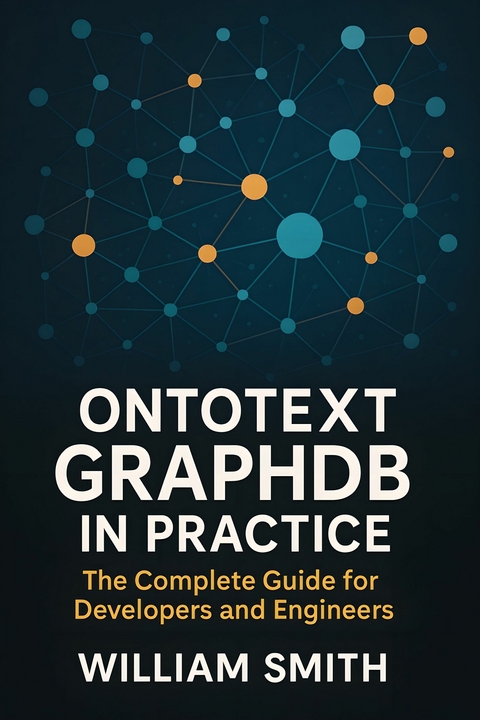
Ontotext GraphDB in Practice (eBook)
250 Seiten
HiTeX Press (Verlag)
978-0-00-097505-8 (ISBN)
'Ontotext GraphDB in Practice'
'Ontotext GraphDB in Practice' delivers a comprehensive, hands-on guide to leveraging the full power of semantic graph databases for modern enterprise use. Beginning with the fundamentals of graph data modeling and the W3C Semantic Web stack, the book offers a clear exposition of RDF, knowledge graphs, and the capabilities that set Ontotext GraphDB apart in a fast-evolving data landscape. It explores real-world use cases across publishing, pharma, and cultural heritage, while imparting a critical understanding of the challenges and opportunities inherent to large-scale graph-based systems.
This book equips data architects, engineers, and decision-makers with end-to-end expertise in deploying, configuring, and optimizing GraphDB in both standalone and clustered environments. Readers are guided through semantic data modeling, ontology management, robust data integration, and advanced SPARQL querying, with detailed attention to scalability, high availability, and security. Practical recipes, architectural best practices, and proven deployment patterns help organizations harness flexible interoperability with cloud, data lakes, streaming platforms, BI tools, and AI-driven analytics.
Expertly structured to address both foundational knowledge and advanced operational disciplines, 'Ontotext GraphDB in Practice' emphasizes enterprise integration, compliance, governance, and the relentless pursuit of data quality. Drawing on case studies and field-tested techniques, it illuminates the path from effective graph modeling to deploying mission-critical knowledge graphs that transform how businesses unify, analyze, and act on information. This book is an indispensable reference for building resilient, future-proof semantic data solutions at scale.
Chapter 2
Deploying and Configuring GraphDB
Successfully deploying and configuring Ontotext GraphDB is both an art and a science—demanding depth of system knowledge and practical control over every layer, from hardware to security. This chapter demystifies the essential steps to build, optimize, and safeguard robust RDF graph platforms, empowering you to architect for scale, resilience, and enterprise integration from the very start.
2.1 System Requirements and Installation
Achieving optimal performance from GraphDB requires careful consideration of the underlying system requirements, including hardware specifications, Java Virtual Machine (JVM) configurations, and supported operating systems. These elements directly influence the responsiveness, scalability, and reliability of the database, especially when deployed in various topologies ranging from standalone instances to clustered and cloud-native environments.
Hardware Requirements
The minimum hardware requirements for a base GraphDB deployment emphasize a balance between CPU, memory, and storage to accommodate small to medium workloads efficiently. A quad-core processor with a minimum clock speed of 2.5 GHz provides adequate computation capabilities. Memory allocation of at least 8 GB of RAM is essential, with 16 GB or more strongly recommended for datasets exceeding several million triples to sustain caching and query execution performance.
Disk storage must prioritize Input/Output Operations Per Second (IOPS) over raw capacity. Solid-state drives (SSDs) with throughput of at least 500 MB/s are favored for production due to their superior random access speed compared to traditional spinning drives. For environments handling massive RDF graphs or requiring extensive reasoning capabilities, provisioning 500 GB or more of SSD storage ensures growth headroom.
In cluster or cloud-based installations, these hardware thresholds scale proportionally with the number of nodes and anticipated concurrency. Network infrastructure must support low-latency communication (preferably 1 Gbps or higher) to minimize inter-node synchronization delays.
Java Virtual Machine Setup
GraphDB is implemented in Java and depends critically on JVM tuning. Supported Java versions include OpenJDK 11 and Oracle JDK 11 or later. The runtime environment must be configured to optimize garbage collection and heap management. A baseline JVM heap size of 4 GB is commonly set for standard instances, adjusted upward in proportion to dataset size and deployment scale.
Garbage collectors such as G1GC or ZGC are preferred to maintain low pause times. It is imperative to disable JVM options that trigger excessive class data sharing or aggressive JIT optimizations causing unpredictable stalls. Explicit JVM flags recommended for production include:
Memory region sizes, thread stack sizes, and JMX monitoring endpoints should be tuned according to the workload and deployment mode.
Operating System Compatibility
GraphDB supports deployment on mainstream Unix-like operating systems and Windows Server editions. Linux distributions such as Ubuntu 20.04 LTS, CentOS 8, and Debian 10 are validated and preferred for production due to their stability and ecosystem maturity. Windows Server 2019 or later editions also provide viable platforms, particularly in mixed enterprise settings.
Filesystem considerations include using ext4 or XFS on Linux for their journal capabilities and resilience. Network stack tuning parameters, such as TCP buffer sizes and ephemeral port range, should be adjusted to match the concurrency profile of the deployment to avoid throttling.
Installation Workflows
Base Installation
Base installation refers to a standalone GraphDB instance suitable for single-node testing and small-scale production deployments. The official distribution is provided as a ZIP archive containing a platform-independent Java application and scripts for managing lifecycle operations.
After extracting the archive, environment variables for Java paths and GraphDB home should be defined. The configuration file graphdb.properties allows specifying repository locations, HTTP port bindings, and logging levels. Initiating the server is accomplished through the script:
for Unix-like systems and
on Windows. Verification of a successful launch is done by querying the management REST API endpoints or accessing the integrated Workbench interface via a web browser.
Cluster Installation
High availability and horizontal scalability require a clustered deployment topology. GraphDB clusters connect multiple repository nodes to form a federated system facilitating load distribution and fault tolerance. Prerequisites include a shared storage layer (e.g., NFS or cloud object storage) for persistent state synchronization and ZooKeeper or Kubernetes-based service discovery.
Installation extends the base procedure by deploying the software on each node with identical configurations except for node-specific identifiers. A central coordination service manages cluster membership and rebalances workload dynamically. Cluster nodes communicate using dedicated ports for replication and heartbeat monitoring.
Automation tools such as Ansible or Terraform scripts are frequently employed to provision and configure cluster nodes consistently. Scaling cluster size is achieved by incrementally adding nodes and updating cluster membership settings without service disruption.
Cloud-Based Installation
Deployments in cloud environments leverage managed Kubernetes services or Infrastructure as Code (IaC) paradigms to maximize flexibility and operational efficiency. Containerized GraphDB images are available, supporting deployment through Helm charts or custom Kubernetes manifests.
Cloud installations typically incorporate persistent volumes provisioned through cloud-native storage classes, ensuring durability and scalability. Horizontal pod autoscaling based on CPU and memory utilization facilitates workload elasticity. To maintain security in public clouds, end-to-end encryption using TLS and integration with identity providers for authentication are standard practices.
Continuous Integration and Continuous Deployment (CI/CD) pipelines automate build, test, and release workflows, promoting rapid iteration and consistent environment replication across staging and production.
Automation and Configuration Management
Regardless of deployment topology, automation of installation and configuration management enhances reliability and reproducibility. Infrastructure provisioning tools such as Ansible, Puppet, or Chef enable idempotent setup of GraphDB components, JVM tuning, firewall configurations, and operating system parameters.
Declarative configuration management stores repository definitions, security policies, and performance tuning parameters in version-controlled files, facilitating auditability and rollback capabilities. Monitoring agents integrated with Prometheus or ELK stacks provide telemetry that guides automated scaling decisions and failure recovery mechanisms.
Optimal GraphDB performance emerges from harmonious integration of hardware provisioning, JVM tuning, and operating system selection aligned with the deployment scale and workload characteristics. Base installations suffice for development and small data volumes, whereas clustered and cloud-native topologies accommodate high-throughput, distributed querying and storage. Automation strategies underpin operational excellence, reducing human error and accelerating time to deployment across test and production-grade environments.
2.2 Repository Configuration and Initialization
GraphDB repositories serve as foundational storage units where RDF data is ingested, indexed, and queried. The design and initial setup of these repositories significantly influence performance, scalability, and operational resilience. Choosing appropriate storage backends and fine-tuning ...
| Erscheint lt. Verlag | 24.7.2025 |
|---|---|
| Sprache | englisch |
| Themenwelt | Mathematik / Informatik ► Informatik ► Programmiersprachen / -werkzeuge |
| ISBN-10 | 0-00-097505-2 / 0000975052 |
| ISBN-13 | 978-0-00-097505-8 / 9780000975058 |
| Informationen gemäß Produktsicherheitsverordnung (GPSR) | |
| Haben Sie eine Frage zum Produkt? |
 EPUB (Adobe DRM)
Kopierschutz: Adobe-DRM
Adobe-DRM ist ein Kopierschutz, der das eBook vor Mißbrauch schützen soll. Dabei wird das eBook bereits beim Download auf Ihre persönliche Adobe-ID autorisiert. Lesen können Sie das eBook dann nur auf den Geräten, welche ebenfalls auf Ihre Adobe-ID registriert sind.
Details zum Adobe-DRM
Dateiformat: EPUB (Electronic Publication)
EPUB ist ein offener Standard für eBooks und eignet sich besonders zur Darstellung von Belletristik und Sachbüchern. Der Fließtext wird dynamisch an die Display- und Schriftgröße angepasst. Auch für mobile Lesegeräte ist EPUB daher gut geeignet.
Systemvoraussetzungen:
PC/Mac: Mit einem PC oder Mac können Sie dieses eBook lesen. Sie benötigen eine
eReader: Dieses eBook kann mit (fast) allen eBook-Readern gelesen werden. Mit dem amazon-Kindle ist es aber nicht kompatibel.
Smartphone/Tablet: Egal ob Apple oder Android, dieses eBook können Sie lesen. Sie benötigen eine
Geräteliste und zusätzliche Hinweise
Buying eBooks from abroad
For tax law reasons we can sell eBooks just within Germany and Switzerland. Regrettably we cannot fulfill eBook-orders from other countries.
aus dem Bereich


