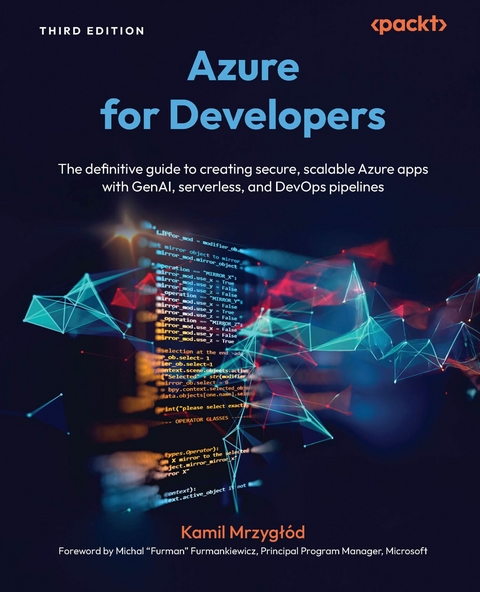
Azure for Developers (eBook)
584 Seiten
Packt Publishing (Verlag)
978-1-83620-350-6 (ISBN)
Supercharge your development career by mastering Azure's evolving GenAI, container, and serverless capabilities to build scalable, secure applications with confidence. This third edition of Azure for Developers transforms complex cloud concepts into practical skills, guiding you through the design, deployment, and management of cloud-native solutions while eliminating infrastructure headaches.
Fully updated with Azure's latest features, this hands-on guide helps you automate DevOps pipelines with GitHub Actions, deploy microservices using containers, and integrate generative AI via Azure OpenAI to modernize your development workflows. You will learn how to set up your environment, streamline app deployment, and implement robust service integrations using real-world best practices.
The final section is a game-changer for developers who want to stay ahead of the curve. It shows you how to leverage Azure's AI and machine learning services to automate tasks, fine-tune models, and build intelligent assistants and next-generation workflows.
By the end, you will have the confidence and capabilities to deliver production-grade cloud solutions that meet real-world demands and position yourself at the forefront of modern cloud development.
Advance your development career by mastering Microsoft Azure's latest tools and technologies to enhance existing applications and build powerful cloud-native solutionsKey FeaturesBuild and deploy Azure apps with web, serverless, and container-based architecturesCreate end-to-end cloud solutions on Azure by integrating AI services, monitoring tools, and DevOpsUpskill confidently with practical insights and real-world development practicesPurchase of the print or Kindle book includes a free PDF eBookBook DescriptionSupercharge your development career by mastering Azure's evolving GenAI, container, and serverless capabilities to build scalable, secure applications with confidence. This third edition of Azure for Developers transforms complex cloud concepts into practical skills, guiding you through the design, deployment, and management of cloud-native solutions while eliminating infrastructure headaches. Fully updated with Azure s latest features, this hands-on guide helps you automate DevOps pipelines with GitHub Actions, deploy microservices using containers, and integrate generative AI via Azure OpenAI to modernize your development workflows. You will learn how to set up your environment, streamline app deployment, and implement robust service integrations using real-world best practices. The final section is a game-changer for developers who want to stay ahead of the curve. It shows you how to leverage Azure s AI and machine learning services to automate tasks, fine-tune models, and build intelligent assistants and next-generation workflows. By the end, you will have the confidence and capabilities to deliver production-grade cloud solutions that meet real-world demands and position yourself at the forefront of modern cloud development.What you will learnIntegrate data solutions like Azure Storage and managed SQL databases into your applicationsEmbed monitoring into your application using Application Insights SDKDevelop serverless solutions with Azure Functions and Durable FunctionsAutomate CI/CD workflows with GitHub Actions and Azure integrationBuild and manage containers using Azure Container Apps, Azure Container Registry (ACR), and App ServiceDesign powerful workflows with both low-code and full-code approachesEnhance applications with AI and machine learning componentsWho this book is forThis book is for cloud developers and engineers building applications with Microsoft Azure, as well as those looking to begin a career in Azure development. While a basic understanding of programming concepts is recommended, the book covers both basic and advanced ideas and solutions, making it valuable for beginners and experienced developers looking to enhance their skills.]]>
Preface
Microsoft Azure is a robust cloud platform that is able to address hundreds of different business scenarios. It comes with a variety of application-oriented services, which can be used to implement messaging, store data, and monitor the system as a whole. With the rapid adoption of AI technologies such as generative AI (and especially LLMs), Azure has become one of the best building and hosting platforms for modernizing your application. Keeping up to date in such a dynamic environment is a challenge though. This is why this book was created. It will guide you through various services and concepts and explain how Azure components can be used to achieve the best results. With the addition of new topics (such as Azure OpenAI Service and GitHub Actions), it will help you gain confidence when working with the cloud when building a new application or modernizing an existing one.
Who this book is for
The book is for developers, QA engineers, and solutions architects who want to understand how application-oriented Azure services work and can be used to implement new or modernize existing applications and systems for scalability, reliability, and maintainability on the Azure platform. This includes personas such as the following:
- Software developers building Azure-based applications or looking for a way to modernize existing legacy applications
- Solutions architects looking at simplifying infrastructure management for their systems
- QA engineers who need to understand how to build automation for Azure-based services by gaining knowledge about the development of such services
What this book covers
Chapter 1, Getting Started with an Azure Account and Selecting an IDE, provides an introduction to Azure as a platform and instructions on how to set up a local environment.
Chapter 2, Choosing Between Azure CLI and Azure PowerShell, introduces you to the two most important command-line interface tools and the ways to configure them.
Chapter 3, Hosting Applications with Azure App Service, explains how to use Azure App Service as your main service for hosting web applications.
Chapter 4, Developing Static Web Applications, explores different options for hosting static web applications without the need to set up infrastructure.
Chapter 5, Going Serverless with Azure Functions, introduces serverless components and function-as-a-service using Azure Functions as the baseline for your application.
Chapter 6, Managing Secrets and Configuration in Azure, shows how to implement best practices for storing and managing secrets and configuration using Azure Key Vault and Azure App Configuration.
Chapter 7, Integrating Services with Azure Logic Apps, explains how to leverage a low-code solution to build workflows using Azure Logic Apps.
Chapter 8, Building Workflows Using Durable Functions, follows up on the workflow-based processes implemented in Azure and introduces Durable Functions as a low-level tool for implementing advanced application scenarios.
Chapter 9, Learning About Azure Container Registry, introduces a managed container registry in Azure.
Chapter 10, Building Ad Hoc Workloads Using Azure Container Instances, guides you through using Azure Container Instances as a simple platform for running containerized workloads with minimal configuration.
Chapter 11, Developing Microservices with Azure Container Apps, provides an extensive guide on how to implement microservices architecture using Azure Container Apps and compares it with other Azure services such as Azure Kubernetes Service.
Chapter 12, Hosting Containers with Azure App Service, follows up on the previous chapters and elaborates on the use of containers in the context of Azure App Service and web applications.
Chapter 13, Storing Data with Azure Storage, introduces the capabilities of Azure Storage with the main focus on Table Storage and Blob Storage, their use cases, and their limitations.
Chapter 14, Using Queues in Microsoft Azure, provides a detailed introduction to implementing queue-based services and compares messaging solutions such as Queue Storage, Azure Event Hub, and Azure Service Bus.
Chapter 15, Using Relational Databases in Microsoft Azure, explains how relational databases can be used in Azure, the differences between databases hosted on-premises and in the cloud, and what types of relational databases are supported in Azure as managed services.
Chapter 16, Adding Monitoring to Your Application, introduces Azure Monitor, Application Insights, and Log Analytics as the main building blocks for the logging and monitoring of cloud-based services.
Chapter 17, Integrating an Application with Azure OpenAI Service, provides an extensive introduction to managed OpenAI models served by Azure and the ways of integrating them with your application.
Chapter 18, Leveraging Azure Machine Learning to Automate Machine Learning Tasks, guides you through use cases of Azure Machine Learning and automation concepts for training machine learning models for applications.
Chapter 19, Using GitHub Actions to Build and Deploy Applications to Azure, explains how to automate deployments of applications using GitHub Actions as your platform for CI/CD pipelines.
Chapter 20, Developing, Testing, and Deploying Azure Logic Apps, elaborates on the concepts presented in Chapter 7 and provides additional details on building a workflow that is testable.
To get the most out of this book
To get the most from this book, you need to understand the basics of at least one programming language such as C#, Java, Python, or JavaScript. You should also understand the basics of Azure (ideally, have the AZ-900 certification) and be proficient with the IDE of your choice and running commands in the system terminal.
| Software/hardware covered in the book | Operating system requirements |
| Azure CLI | Windows, macOS, or Linux |
| Azure PowerShell | Windows, macOS, or Linux |
| Azurite | Windows, macOS, or Linux |
| Azure Storage Explorer | Windows, macOS, or Linux |
| Visual Studio Code | Windows, macOS, or Linux |
If you are using the digital version of this book, we advise you to type the code yourself or access the code from the book’s GitHub repository (a link is available in the next section). Doing so will help you avoid any potential errors related to the copying and pasting of code.
Download the example code files
You can download the example code files for this book from GitHub at https://github.com/PacktPublishing/Azure-for-Developers-Third-Edition/. If there’s an update to the code, it will be updated in the GitHub repository.
We also have other code bundles from our rich catalog of books and videos available at https://github.com/PacktPublishing/. Check them out!
Conventions used
There are a number of text conventions used throughout this book.
Code in text: Indicates code words in text, database table names, folder names, filenames, file extensions, pathnames, dummy URLs, user input, and X/Twitter handles. Here is an example: “Let’s perform a quick check using curl.”
A block of code is set as follows:
param parLogicAppName string = 'logicapp' resource la 'Microsoft.Logic/workflows@2019-05-01' = { name: parLogicAppName location: resourceGroup().location properties: { state: ‹Enabled› } }Any...
| Erscheint lt. Verlag | 30.7.2025 |
|---|---|
| Vorwort | Michal "Furman" Furmankiewicz |
| Sprache | englisch |
| Themenwelt | Mathematik / Informatik ► Informatik ► Software Entwicklung |
| ISBN-10 | 1-83620-350-0 / 1836203500 |
| ISBN-13 | 978-1-83620-350-6 / 9781836203506 |
| Informationen gemäß Produktsicherheitsverordnung (GPSR) | |
| Haben Sie eine Frage zum Produkt? |
 EPUB (Ohne DRM)
Digital Rights Management: ohne DRM
Dieses eBook enthält kein DRM oder Kopierschutz. Eine Weitergabe an Dritte ist jedoch rechtlich nicht zulässig, weil Sie beim Kauf nur die Rechte an der persönlichen Nutzung erwerben.
Dateiformat: EPUB (Electronic Publication)
EPUB ist ein offener Standard für eBooks und eignet sich besonders zur Darstellung von Belletristik und Sachbüchern. Der Fließtext wird dynamisch an die Display- und Schriftgröße angepasst. Auch für mobile Lesegeräte ist EPUB daher gut geeignet.
Systemvoraussetzungen:
PC/Mac: Mit einem PC oder Mac können Sie dieses eBook lesen. Sie benötigen dafür die kostenlose Software Adobe Digital Editions.
eReader: Dieses eBook kann mit (fast) allen eBook-Readern gelesen werden. Mit dem amazon-Kindle ist es aber nicht kompatibel.
Smartphone/Tablet: Egal ob Apple oder Android, dieses eBook können Sie lesen. Sie benötigen dafür eine kostenlose App.
Geräteliste und zusätzliche Hinweise
Buying eBooks from abroad
For tax law reasons we can sell eBooks just within Germany and Switzerland. Regrettably we cannot fulfill eBook-orders from other countries.
aus dem Bereich