


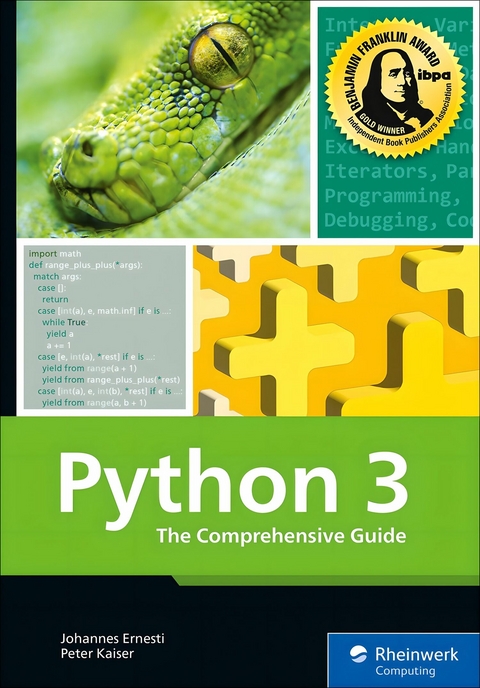
Python 3 (eBook)
1039 Seiten
Packt Publishing (Verlag)
978-1-80610-246-4 (ISBN)
This in-depth guide to Python 3 begins by helping readers install the language and understand its core syntax through interactive exploration. Early chapters cover variables, control structures, functions, and data types like lists, tuples, dictionaries, and sets. Readers then move into file handling, error management, and object-oriented programming, building a solid foundation for real-world development.
As the journey continues, the book introduces advanced concepts including decorators, generators, type hints, structural pattern matching, and context managers. It thoroughly explores the Python standard library, with practical applications in math, file systems, logging, regular expressions, parallel processing, and debugging. Readers also learn how to manage packages, virtual environments, and distributions.
Later chapters shift to applied development-building GUIs with tkinter and PySide6, creating web applications with Django, and working with scientific tools like NumPy, pandas, and SciPy. The book concludes with insights on using alternative interpreters, localization, and migrating from Python 2 to 3. This resource grows with the reader, from basics to expert-level Python programming.
5 Control Structures
A control structure is a construct for controlling the program flow. There are two types of control structures in Python: loops and conditionals. Loops are used to execute a block of code multiple times. Conditionals, on the other hand, tie a block of code to a condition. Python knows two subtypes each of loops and conditionals, which will be described in the following sections.
Control structures can be nested within each other in any way. The indentation depth grows continuously in the process.
5.1 Conditionals
In Python, there are two types of conditionals: the classic if statement,[ 11 ] and conditional expressions as an additional way of conditionally executing code. We’ll discuss both types of conditionals in detail ahead and explain them with the help of examples. Let’s start with the if statement.
5.1.1 The if Statement
The simplest type of a conditional is the if statement. An if statement consists of a statement header containing a condition and a code block as the statement body (see Chapter 4, Section 4.2).
The code block is executed only if the condition turns out to be true. The condition of an if statement must be an expression that can be interpreted as a truth value (True or False). Typically, the logical expressions introduced in Chapter 3, Section 3.7 are applied here:
Statement
…
Statement
As an example, you can consider an if statement that outputs corresponding text only if the variable x has the value 1:[ 12 ]
print("x has value 1")
Of course, you can also use other comparative operators or a more complex logical expression and write more than one statement in the body:
print("x is less than 1 ...")
print("... or greater than 5")
In many cases, a single if statement is not sufficient and you need a whole chain of mutually exclusive conditionals. In the following example, we want to output two different strings depending on whether x == 1 or x == 2. For this purpose, we can use two consecutive if statements:
print("x has value 1")
if x == 2:
print("x has value 2")
This is an inefficient way to achieve the goal from the interpreter's point of view, however, because both conditions are evaluated and checked in any case. But the second conditional would no longer have to be considered if the condition of the first one had already yielded True. The variable x cannot have both values 1 and 2 under any circumstances. To make such cases more efficient from the perspective of the interpreter and clearer from the programmer's point of view, an if statement can be extended by one or more elif branches.[ 13 ] The condition of such a branch is evaluated only if all preceding if or elif conditions have been evaluated as False.
You can write the preceding example using elif as follows:
print("x has value 1")
elif x == 2:
print("x has value 2")
An if statement can be extended by any number of elif branches:
Statement
…
Statement
elif condition:
Statement
…
Statement
elif condition:
Statement
…
Statement
In the source code, this could look as follows:
print("x has value 1")
elif x == 2:
print("x has value 2")
elif x == 3:
print("x has value 3")
As a final extension of the if statement, it’s possible to intercept all previously unhandled cases at once. For example, imagine that we want to output not only a corresponding string if x == 1 or x == 2 applies, but also an error message in all other cases, such as if x == 35 applies. For this purpose, an if statement can be extended by an else branch. If this branch is to be used, it must be written at the end of the if statement:
Statement
…
Statement
else:
Statement
…
Statement
In the source code, this can look as follows:
print("x has value 1")
elif x == 2:
print("x has value 2")
else:
print("Error: The value of x is neither 1 nor 2")
The code block subordinate to the else branch is run only if all previous conditions haven’t been met. An if statement can have only one else branch. In the example, else was used in combination with elif, which is possible but not mandatory.
The following example provides an overview of the structure of an if statement including the possible branch types:
Statement
Statement
elif condition:
Statement
Statement
else:
Statement
Statement
Note
If you already know a programming language such as C or Java, you might be interested to know that since Python 3.10 there is a counterpart to the switch/case control structure of these languages—namely, the match/case control structure, which we’ll describe in Chapter 25. In Python versions prior to 3.10, you can mimic the behavior of this control structure by using a cascade of if/elif/else branches.
5.1.2 Conditional Expressions
Based on the previous section, consider the following code:
var = 20
else:
var = 30
Considering that this is just a conditional assignment, the example is remarkably long at four lines. We’ll now show you that this code fits on one line using a conditional expression.
Such a conditional expression can have two different values depending on a condition. For example, you can set var in the same assignment to either 20 or 30 depending on the value of x:
The parentheses enclose the conditional expression in this case. They aren’t necessary, but they increase the level of clarity. The structure of a conditional expression is based on the English language and is as follows:
It takes either the value A if the condition is fulfilled or,...
| Erscheint lt. Verlag | 12.6.2025 |
|---|---|
| Sprache | englisch |
| Themenwelt | Mathematik / Informatik ► Informatik ► Programmiersprachen / -werkzeuge |
| ISBN-10 | 1-80610-246-3 / 1806102463 |
| ISBN-13 | 978-1-80610-246-4 / 9781806102464 |
| Informationen gemäß Produktsicherheitsverordnung (GPSR) | |
| Haben Sie eine Frage zum Produkt? |
 EPUB (Ohne DRM)
Digital Rights Management: ohne DRM
Dieses eBook enthält kein DRM oder Kopierschutz. Eine Weitergabe an Dritte ist jedoch rechtlich nicht zulässig, weil Sie beim Kauf nur die Rechte an der persönlichen Nutzung erwerben.
Dateiformat: EPUB (Electronic Publication)
EPUB ist ein offener Standard für eBooks und eignet sich besonders zur Darstellung von Belletristik und Sachbüchern. Der Fließtext wird dynamisch an die Display- und Schriftgröße angepasst. Auch für mobile Lesegeräte ist EPUB daher gut geeignet.
Systemvoraussetzungen:
PC/Mac: Mit einem PC oder Mac können Sie dieses eBook lesen. Sie benötigen dafür die kostenlose Software Adobe Digital Editions.
eReader: Dieses eBook kann mit (fast) allen eBook-Readern gelesen werden. Mit dem amazon-Kindle ist es aber nicht kompatibel.
Smartphone/Tablet: Egal ob Apple oder Android, dieses eBook können Sie lesen. Sie benötigen dafür eine kostenlose App.
Geräteliste und zusätzliche Hinweise
Buying eBooks from abroad
For tax law reasons we can sell eBooks just within Germany and Switzerland. Regrettably we cannot fulfill eBook-orders from other countries.
aus dem Bereich


