


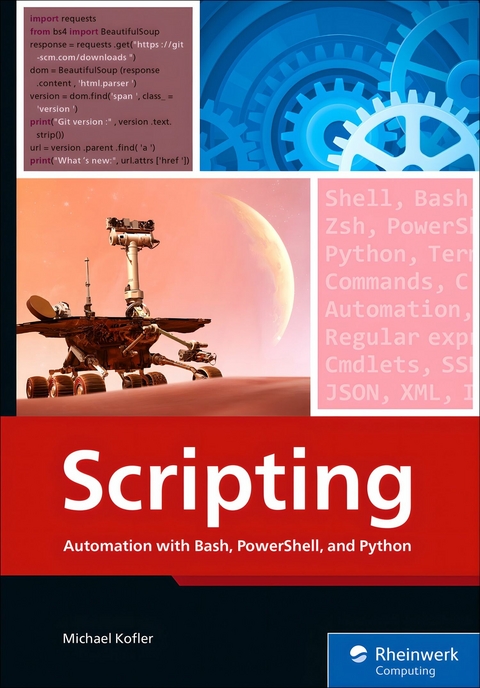
Scripting (eBook)
473 Seiten
Packt Publishing (Verlag)
9781806024865 (ISBN)
This comprehensive scripting guide empowers system administrators, developers, and power users to automate repetitive IT tasks across platforms using three major scripting languages: Bash, PowerShell, and Python. The book opens with foundational scripting concepts and showcases what you can accomplish with just ten lines of code. It continues with in-depth chapters on each language, emphasizing syntax, control structures, error handling, and modularity.
Readers will explore practical techniques for managing files, parsing text, utilizing regular expressions, and working with JSON, XML, and INI formats. The book dives into job automation with cron and Task Scheduler, secure communication via SSH, and scripting in professional environments with tools like Visual Studio Code and Git.
The final section applies scripting to real-world cases, including system backups, image processing, web scraping, API consumption, database interactions, cloud integration, and virtual machine automation. With this book, readers build a strong scripting toolkit to efficiently manage modern IT workflows.
1.2 Scripting Languages
In purely formal terms, scripting languages differ from other, “higher-level” programming languages in that the code is interpreted. Thus, the code is formulated in a text file and then executed directly by an interpreter in Bash, PowerShell, or Python. The code does not need to be compiled (i.e., converted to a binary representation) beforehand.
This concept has an advantage in that scripts can be executed immediately without lengthy preparation work, which speeds up the development process.
However, using an interpreter has a disadvantage in that scripts usually run somewhat more slowly than compiled programs. For this reason, a scripting language is rarely the ideal choice for developing computationally intensive algorithms. Since many scripts consist mainly of calls to other commands, the loss of efficiency due to the missing compiler does not matter at all.
All Linux shells are considered “classic” scripting languages, such as Bourne Shell, the Korn Shell, Bash, and Zsh. A shell is actually a command interpreter, that is, a program that accepts and executes commands. If several such commands are stored in a text file, the original form of a script is created.
Over time, countless scripting languages were developed that offered more syntactic options than traditional shells and were often optimized for specific tasks. These other languages include, for example, JavaScript, Python, PHP, and Tcl.
In the Windows world, the unspeakable cmd.exe program originally took over the role of the shell. Even now, *.bat files based on this program are still in use today despite their extremely modest scripting capabilities. This program was followed by VBScript, the VBA language optimized for Microsoft Office, and finally PowerShell, which brought Microsoft the success they had been hoping for: PowerShell is now considered the language when it comes to maintaining and administering large Windows network installations.
Compilers for Scripting Languages
The interpreter/compiler criterion was established in the past to distinguish between scripting and other languages, but this distinction is obsolete today. Compilers now exist for many languages whose code was initially executed by an interpreter. These compilers are often just-in-time compilers that compile the code immediately before execution and are thus unnoticed by users. This invisibility is true for JavaScript, PHP, and Python, among others.
1.2.1 Bash and Zsh
Obviously, I cannot cover all popular scripting languages in this book. I’ll instead focus on three (with Zsh, four) languages that are most important for administrative tasks and in DevOps environments. In the following sections, I’ll briefly introduce these languages to you.
The name Bash is an abbreviation for Bourne Again Shell. The Bourne shell was immensely popular for Unix more than 30 years ago. However, this program was not available in an open-source license, which led to the development of the largely compatible Bash, which later became the standard shell for most Linux distributions.
When scripting is mentioned in the context of a Linux environment without further explanation, the scripting language is almost always Bash. Whether server processes are being started, network connections set up, or firewall rules changed, quite often Bash scripts are already used at the operating system level for this purpose. Therefore, also running your own tasks using Bash makes sense.
The widespread use of Bash sometimes makes one overlook the fact that its roots and syntax are old. Accordingly, the syntax of the language is sometimes inconsistent, sometimes simply atrocious. Instead of simple functions, countless special characters must be used to perform quite trivial tasks (e.g., edit strings or perform calculations). Besides strings and arrays, no other data types exist. Object orientation is an unknown concept in Bash anyway.
On the plus side, an almost limitless selection of Unix tools can be used and combined in scripts. So, the strength of Bash lies not in its linguistic capabilities but in its commands, which you can easily call in scripts. (And as mentioned earlier, these commands were developed based on the motto “do one thing....”)
However, I must mention also that beginners can find becoming accustomed to the world of Bash and Linux commands quite difficult. While (almost) every command is well documented on its own, no central overview exists.
Bash versus Zsh
Zsh is largely compatible with Bash. With regard to script programming, the differences are minimal, and of course, you can call the same commands in both shells. However, when used interactively, Zsh stands out for its many advantages and better extensibility. Thus, Zsh is gaining more and more fans in the Linux world and is even used as the default shell by some distributions. (For other distributions, Zsh can be installed in a few simple steps.)
macOS switched from Bash to Zsh in 2019. Apple’s motivation had less to do with technical merits and more to do with licensing issues: Current versions of Bash use the GPL 3 license, which is avoided by Apple. Zsh, on the other hand, has a more liberal, BSD-like license.
As far as this book is concerned, whether you prefer Bash or Zsh doesn’t matter much. I’ll provide a brief overview of their main advantages and disadvantages in Chapter 3, Section 3.4.
1.2.2 PowerShell
Microsoft has long relied on GUIs, not only in the Microsoft Office area, but also for server administration. At first glance, this reliance seemed to be an advantage compared to Linux: A few mouse clicks are easier to understand than dubious configuration files.
For administrators, however, this choice has turned into a nightmare: The main problem is that configuration work does not scale. You need ten times longer to administer ten servers with a single mouse click than to administer just one server. In contrast to Linux, hardly any way existed to automate such work.
This limitation changed with the launch of PowerShell 2006. Microsoft used this opportunity for a new beginning well: Compared to Bash, PowerShell scores major points with a much more logical syntax. From a technical point of view, the most interesting feature of PowerShell is that data is transported from one command to the next, not in text form, but as full-fledged objects. This new approach enables far-reaching ways of processing by reading properties and calling methods. However, the object-oriented approach only works with commands specially optimized for PowerShell, which Microsoft refers to as cmdlets. (Calling traditional commands is also possible but is subject to restrictions.)
Another success factor for PowerShell can be found in its environment: Microsoft has started to make many Windows components and server services fully configurable through cmdlets. In the past, only basic settings could be changed via scripts, and other options could only be reached via mouse click. Now, the emphasis is on PowerShell first.
In addition to the cmdlets provided by default, countless extension modules with cmdlets for specific tasks are available on the internet. An active community has grown up around PowerShell. Since 2018, PowerShell has also been an open-source project and can also be installed on Linux and macOS. However, the cmdlet offerings available outside the Windows world is much smaller. Typical admin tasks (setting up users, changing network configuration, etc.) only work on Windows. Across platforms, PowerShell can only be used for tasks that are not Windows specific.
1.2.3 Python
The first Python version was released in 1991. Thus, Python is almost as old as Bash, the first version of which appeared in 1989. But unlike Bash, Python hardly shows its age: Python is characterized by an elegant, well-designed syntax that still sets standards today.
Python is a scripting language in that its code was originally executed by an interpreter. In current versions, however, the code is first compiled into an intermediate binary format (called byte code) for performance reasons. You won’t notice any of this effort when using Python. In other words, Python behaves like an interpreted language, but it very much uses a compiler behind the scenes.
Python was not primarily designed to automate administrative operations but instead is rather extremely general purpose. You can equally learn to program or solve AI problems with Python!
A basic concept behind Python is that the language core is very compact. For this purpose, the language can be easily extended by modules, and these modules are exactly why Python is so popular today (also) as a scripting language in the sense of this book. Over time, more and more extension modules have emerged to use cloud services, apply network functions, access databases, and more. For almost any admin task imaginable, a suitable Python module can be installed in no...
| Erscheint lt. Verlag | 17.6.2025 |
|---|---|
| Sprache | englisch |
| Themenwelt | Mathematik / Informatik ► Informatik ► Programmiersprachen / -werkzeuge |
| ISBN-13 | 9781806024865 / 9781806024865 |
| Informationen gemäß Produktsicherheitsverordnung (GPSR) | |
| Haben Sie eine Frage zum Produkt? |
 EPUB (Ohne DRM)
Digital Rights Management: ohne DRM
Dieses eBook enthält kein DRM oder Kopierschutz. Eine Weitergabe an Dritte ist jedoch rechtlich nicht zulässig, weil Sie beim Kauf nur die Rechte an der persönlichen Nutzung erwerben.
Dateiformat: EPUB (Electronic Publication)
EPUB ist ein offener Standard für eBooks und eignet sich besonders zur Darstellung von Belletristik und Sachbüchern. Der Fließtext wird dynamisch an die Display- und Schriftgröße angepasst. Auch für mobile Lesegeräte ist EPUB daher gut geeignet.
Systemvoraussetzungen:
PC/Mac: Mit einem PC oder Mac können Sie dieses eBook lesen. Sie benötigen dafür die kostenlose Software Adobe Digital Editions.
eReader: Dieses eBook kann mit (fast) allen eBook-Readern gelesen werden. Mit dem amazon-Kindle ist es aber nicht kompatibel.
Smartphone/Tablet: Egal ob Apple oder Android, dieses eBook können Sie lesen. Sie benötigen dafür eine kostenlose App.
Geräteliste und zusätzliche Hinweise
Buying eBooks from abroad
For tax law reasons we can sell eBooks just within Germany and Switzerland. Regrettably we cannot fulfill eBook-orders from other countries.
aus dem Bereich


