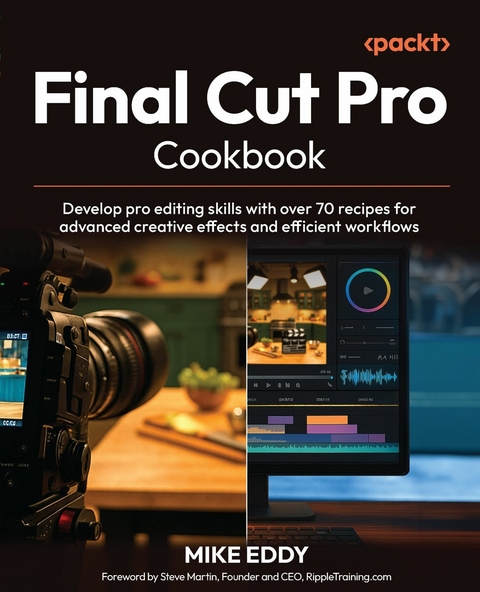
Final Cut Pro Cookbook (eBook)
514 Seiten
Packt Publishing (Verlag)
978-1-83588-847-6 (ISBN)
Develop pro editing skills with over 70 recipes for advanced creative effects and efficient workflows.
Follow Apple Certified Final Cut Pro Trainer Mike Eddy as he guides you from core editing to pro effects, real-world tips, and time-saving workflows using the latest version of Final Cut ProKey FeaturesOptimize your workflow and collaboration efficiency with time-saving organizational strategiesTroubleshoot common editing hurdles with the help of practical, workable solutionsEnhance your creative expression through color adjustments, visual effects, and audio editingPurchase of the print or Kindle book includes a free PDF eBookBook DescriptionSupercharge your Final Cut Pro game with this recipe-packed guide designed for driven video professionals and ambitious editors. The author distills his 30+ years of experience spanning top brands, big screens, and award-winning classrooms in this book to equip you with expert techniques for streamlining editing, boosting performance, and producing polished, professional-grade videos. Each recipe includes clear explanations and examples, making complex concepts accessible and actionable. The book begins by guiding you through the Final Cut Pro interface and essential tools, providing a solid foundation for more advanced topics. From there, you ll work through practical projects covering scratch audio, blend modes, and title object trackers. You ll learn how to optimize workflows, manage media, and utilize time-saving keyboard shortcuts to boost productivity. The chapters also help you explore comprehensive techniques for color correction, visual effects, and exporting closed captions, ensuring your videos are polished and professional. By the end of this book, you ll be able to confidently tackle complex projects, streamline your workflow, and produce stunning content. Whether you re a new producer or a seasoned editor, this cookbook delivers the insights you need to refine your craft.What you will learnAdapt the Final Cut Pro interface to streamline your workflowEnhance your media with color adjustments and blend modesTransform your storytelling skills with keyframes, masks, and visual effectsImprove audio components through blending, effects, and additional recordingAccelerate your editing speed with keyboard shortcutsOptimize team collaboration with efficient version control and sharing methodsWho this book is forThis book is for intermediate video editors, content creators, and post-production professionals using Final Cut Pro on macOS. This book is ideal for freelancers, educators, marketers, and production teams with an understanding of the basics of editing, media import, and project setup who want to develop professional-level skills.]]>
Preface
Final Cut Pro is an incredible piece of software. It’s built for fast, focused, digital video production. From the single main viewer window to its database-driven clip tagging, every tool is designed with one central goal: smooth, efficient, digital delivery. Is it perfect for every project? No – but I believe Final Cut Pro does 98% of what 98% of people need.
The inspiration to write this book came from my students at Century College in St. Paul, MN. Teaching Final Cut Pro has always been a joy – it’s intuitive enough to dive into right away, yet deep enough to keep revealing new possibilities the more you use it. I wanted this book to reflect that balance in a format that supports learning at your own pace.
This book is structured into chapters of recipes. The content generally builds on itself: we begin with the interface and importing media, then move into editing clips, adding effects, and beyond. But each recipe also stands on its own – you can jump in anywhere to learn a specific technique and apply it immediately.
I hope you enjoy the cooking metaphors peppered throughout. I’ve kept the tone conversational and included plenty of supporting screenshots to guide the way.
Unlike the how-to videos scattered online, this cookbook brings everything together in one place. It’s organized, practical, and designed with real-world editing scenarios in mind. You won’t waste time digging through tutorials – you can head straight to a clear, step-by-step recipe and work at your own tempo.
My aim was to explain techniques and tools through specific examples, hoping you will be inspired to explore similar features and apply them to your own projects. This book isn’t meant to be an exhaustive reference of every possible function or effect – it’s a starting point. A sharpened chef’s knife.
After 17 years of teaching Final Cut Pro at the college level, I feel confident sharing what I’ve learned. I hope this book helps you get creative, get editing, and get cooking.
Who this book is for
Among others, this book will be especially helpful for the independent producer – the kind of person who wears all the hats on a video project. Whether they are a freelancer juggling multiple clients or the one-person video department inside a company, this guide will get them cooking.
What this book covers
Chapter 1, Utilizing the Final Cut Pro Interface for Workflow Success: Just as a chef arranges their kitchen setup for each recipe, this chapter shows how customizing Final Cut Pro’s interface and using features such as tagging, the Magnetic Timeline, and the Precision Editor view can help you cook up a smoother, more flavorful editing workflow.
Chapter 2, Organizing Media and Using the Event Browser Effectively: Just as a great chef preps their ingredients before the heat is on, this chapter shows how organizing and importing media sets the stage for an efficient and stress-free edit.
Chapter 3, Sculpting Clips in the Final Cut Pro Timeline: Like a seasoned chef perfecting a signature dish, this chapter focuses on refining your edit with advanced trimming, transitions, and timeline tools to shape your project into a polished creation.
Chapter 4, Improving Your Editing Efficiency: Just as a skilled chef prepares ingredients with precision and speed, we’ll uncover time-saving shortcuts as this chapter serves up advanced editing techniques and workflow strategies to help you slice through projects with precision and speed.
Chapter 5, Exploring Color Correction and Stylizing: Just as a skilled chef uses spices to transform a dish, this chapter explores how to use Final Cut Pro’s powerful color tools to elevate your footage with emotion and visual flair.
Chapter 6, Applying Visual Effects: Just as a chef layers flavors to craft a signature dish, this chapter shows how to apply visual effects to enhance storytelling with precision, style, and purpose.
Chapter 7, Transforming Visual Elements: Just as a chef perfects a dish with careful plating and garnish, this chapter teaches how to refine and position visual elements to enhance clarity, motion, and storytelling impact.
Chapter 8, Correcting and Enhancing Audio: Just as a master chef balances flavors for a perfect dish, this chapter shows how to shape, enhance, and refine audio in Final Cut Pro to create a rich and immersive storytelling experience.
Chapter 9, Building Titles: Just as an event chef ensures every place setting is picture-perfect, this chapter teaches you how to craft and finesse titles to add clarity, personality, and polish to your video productions.
Chapter 10, Accelerating Real-World Projects: Just as a master chef shares secret recipes to perfect their dishes, this chapter offers essential practical tips and workflow strategies to help you efficiently manage and elevate your projects.
Chapter 11, Sharing Your Projects: Just as a great chef presents a carefully prepared feast to guests, this chapter guides you through sharing your Final Cut Pro projects with the world using tailored export and collaboration techniques.
To get the most out of this book
We are going to assume you are at least a little familiar with Final Cut Pro. The first chapters explore the interface and organizing clips, so you should know how to import clips and add them to a project in the Timeline panel.
You will also need some footage to work with. You will need a variety of clips, including some action, someone talking, and clips that need color correction. Most can be obtained from stock media websites, but you can also use clips from your smartphone camera.
| Software/hardware covered in the book | Operating system requirements |
| Final Cut Pro version 11.1 or later | macOS 14.6 or later |
| A Mac with 8 GB of memory (16 GB recommended) – some features require a Mac with Apple Silicon |
Disclaimer about AI usage
The author acknowledges the use of ChatGPT during the development of this book. It was used to generate some text, which was later edited, as well as to rewrite certain passages that the author may have further refined, thereby ensuring a smooth reading experience for readers. ChatGPT was also used in designing the book cover; however, no images within the chapters were created using AI. It’s essential to note that all content and ideas were crafted by the author and refined by a professional publishing team.
Download the color images
We also provide a PDF file that has color images of the screenshots/diagrams used in this book. You can download it here: https://packt.link/gbp/9781835888469.
Conventions used
There are a number of text conventions used throughout this book.
CodeInText: Indicates code words in text, database table names, folder names, filenames, file extensions, pathnames, dummy URLs, user input, and Twitter handles. For example: “Note that .cube files are the files that will work as LUTs.”
Bold: Indicates a new term, an important word, or words that you see on the screen. For instance, words in menus or dialog boxes appear in the text like this. For example: “Go to the Window menu and select Show in Workspace.”
Warnings or important notes appear like this.
Tips and tricks appear like this.
Get in touch
Feedback from our readers is always welcome.
General feedback: If you have questions about any aspect of this book or have any general feedback, please email us at customercare@packt.com and mention the book’s title in the subject of your message.
Errata: Although we have taken every care to ensure the accuracy of our content, mistakes do happen. If you have found a mistake in this book, we would be grateful if you reported this to us. Please visit http://www.packtpub.com/submit-errata, click Submit Errata, and fill in the form.
Piracy: If you come across any illegal copies of our works in any form on the internet, we would be grateful if you would provide us with the location address or website name. Please contact us at copyright@packtpub.com with a link to the material.
If you are interested in becoming an author: If there is a topic that you have expertise in and you are interested in either writing or contributing to a book, please visit http://authors.packtpub.com/.
Share your thoughts
Once you’ve read Final Cut Pro Cookbook, we’d love to hear your thoughts! Scan the QR code below to go straight to the Amazon review page for this book and share your...
| Erscheint lt. Verlag | 31.7.2025 |
|---|---|
| Sprache | englisch |
| Themenwelt | Mathematik / Informatik ► Informatik |
| Schlagworte | FCP • final cut pro efficient editing • Final Cut Pro software • Final Cut Pro X • mac video • Video editing • video editing software |
| ISBN-10 | 1-83588-847-X / 183588847X |
| ISBN-13 | 978-1-83588-847-6 / 9781835888476 |
| Informationen gemäß Produktsicherheitsverordnung (GPSR) | |
| Haben Sie eine Frage zum Produkt? |
 EPUB (Ohne DRM)
Digital Rights Management: ohne DRM
Dieses eBook enthält kein DRM oder Kopierschutz. Eine Weitergabe an Dritte ist jedoch rechtlich nicht zulässig, weil Sie beim Kauf nur die Rechte an der persönlichen Nutzung erwerben.
Dateiformat: EPUB (Electronic Publication)
EPUB ist ein offener Standard für eBooks und eignet sich besonders zur Darstellung von Belletristik und Sachbüchern. Der Fließtext wird dynamisch an die Display- und Schriftgröße angepasst. Auch für mobile Lesegeräte ist EPUB daher gut geeignet.
Systemvoraussetzungen:
PC/Mac: Mit einem PC oder Mac können Sie dieses eBook lesen. Sie benötigen dafür die kostenlose Software Adobe Digital Editions.
eReader: Dieses eBook kann mit (fast) allen eBook-Readern gelesen werden. Mit dem amazon-Kindle ist es aber nicht kompatibel.
Smartphone/Tablet: Egal ob Apple oder Android, dieses eBook können Sie lesen. Sie benötigen dafür eine kostenlose App.
Geräteliste und zusätzliche Hinweise
Buying eBooks from abroad
For tax law reasons we can sell eBooks just within Germany and Switzerland. Regrettably we cannot fulfill eBook-orders from other countries.
aus dem Bereich