Developing AI Applications (eBook)
405 Seiten
Packt Publishing (Verlag)
978-1-80602-248-9 (ISBN)
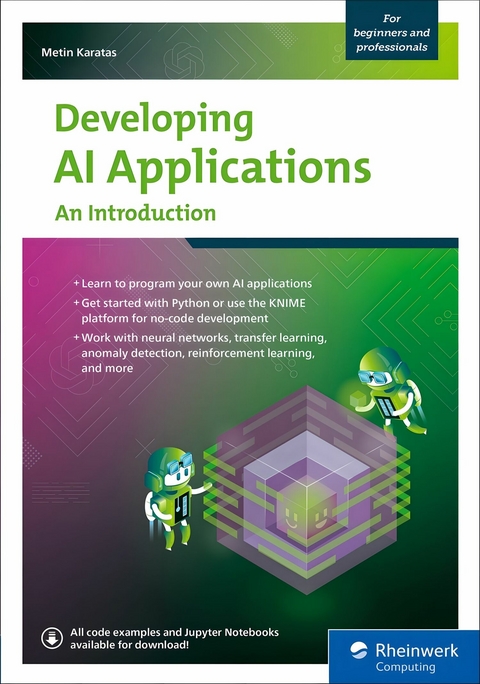
This book opens with a clear introduction to AI fundamentals, covering its history and key concepts while guiding readers through installing essential tools like KNIME and AutoKeras. It begins by building a strong foundation in artificial neural networks and decision trees, enabling readers to grasp core AI methods. The journey then advances to convolutional layers for image classification, transfer learning, and anomaly detection, offering practical, beginner-friendly examples.
As the reader progresses, the book explores text classification, cluster analysis, and automated AI model creation with AutoKeras. Visual programming with KNIME is introduced to simplify complex AI workflows. Further chapters cover reinforcement learning and genetic algorithms, expanding the reader's skill set and preparing them for more advanced challenges. Hands-on exercises throughout reinforce concepts and practical application.
In its final chapters, the guide dives into cutting-edge AI tools by demonstrating how to leverage ChatGPT and DALL-E APIs, including prompt engineering and API programming. It concludes with an outlook on the future of AI, equipping readers with the knowledge and confidence to build and deploy their own AI-powered applications from start to finish.
1.4 Development Tools Used in This Book
Many programming languages, libraries, and tools are available for developing AIs. Here is a brief introduction to the selection used in this book. Nothing is installed or programmed yet.
1.4.1 Python
The Python programming language is both very easy to learn and very powerful. Even during development, great importance was attached to readability, platform independence, and simple structures. Even if you program on Windows, the program can then be run on a Linux computer or macOS. These advantages have led to it becoming one of the most popular programming languages of all. In the world of data science and AI, Python has become the de facto standard. As already mentioned, this book isn’t intended as an introduction to the Python programming language. For us, it’s only a means to an end. The following Python statements are intended to illustrate the simplicity. We won’t start programming until the installation has been completed in the next chapter.
The standard “Hello World” example looks like this:
The print function can be used to output data to the console, in this case, "Hello World!". We can also save this character combination (string data type) in a variable first and then output it:
print(output)
Data Types
The most elementary data types in Python are as follows:
-
Strings (character strings), which are written in single or double quotation marks (e.g., “Hello World!”)
-
Integers (e.g., 72)
-
Floats (floating-point numbers, e.g., 3.14)
Certain operations are possible depending on the data type. String data such as “Hello” and “World” can be combined to form “Hello World”. Integer or float data can be offset against each other, for example, 3 × 8.
We’ll only introduce other data types when they are required to solve a specific task.
The same variable can also be reused for an integer (integer data type) or floating-point number (float data type). Python variables can store objects of any type:
print(output)
output = 42
print(output)
output = 42.2
print(output)
Listing 1.1 Variables with Python
Here, "Hello World!", 42, and 42.2 are output one after the other. Now let’s take a look at a supposedly more complicated program:
age = 20
# Query whether the person is of legal age
if age >= 18:
print("You are of legal age!")
else:
print("You are not yet of legal age!")
Listing 1.2 If-Else Structure with Python
The # character introduces comments that can help when reading the code, and these lines aren’t executed. The number 20 is stored in the age variable. You’ll then be asked whether the age is greater than or equal to 18. If that is the case (as in this example), the corresponding output is generated. The else branch is skipped, and the program is ended. Let’s clarify the following questions:
-
What effect would it have if the value 16 were stored in the age variable? Answer: The if branch would be skipped, and the else branch would be executed. The output would read "You are not yet of legal age!"
-
In some countries you’re only of legal age at 21. What changes are necessary to this program? Answer: In the if query, the comparison is made with the number 21 instead of 18.
-
Can the change to the age of majority query be described as “programming” or as a “configuration”? You can argue about that if you have nothing better to do.
As you can see, it’s quite easy to trace the source code in Python.
1.4.2 Jupyter Notebook
We need software into which we can type the Python commands. This software is used for programming, execution, and testing. Software of this type is called an integrated development environment (IDE). There are numerous very good IDEs available for Python. However, simple Jupyter Notebooks (open source) have established themselves in data science and AI development. The program is programmed in the browser and usually consists of a single file. To install and configure Python and Jupyter Notebook (and many other tools if required), we’ll use the free Anaconda distribution, which was developed for this purpose. It’s available for Windows, Linux and macOS. Using Anaconda you can set up simple development environments locally on a PC or centrally on a server. The advantage of the server version is that you can easily program in Jupyter Notebook from multiple clients via a browser. No further installation is necessary on these clients. However, if instead of using your own server, you want to use one provided by Anaconda in the cloud, you’ll have to pay for it.
Development Environment
An IDE provides important tools that support you in programming. This includes the automatic recognition and completion of commands, auto-correction, and helpful hints in the event of programming errors.
1.4.3 KNIME
The KNIME Analytics Platform software takes a completely different approach in that programming is carried out using graphical blocks, which are dragged and dropped into the workspace, linked together, and configured. This is also known as visual programming.
KNIME is based on Eclipse, a widely used development environment for various programming languages. It’s open source, free of charge, and platform-independent.
The following example shows a program that reads the contents of an Excel file and plots the numerical values in a graph (see Figure 1.1).
You can see the output of the Line Chart module in Figure 1.2. For this purpose, right-click on the block after executing it, and then click on View: Line Chart.
If the data source isn’t an Excel file, but instead a database or comma-separated values (CSV) file, for example, you only need to replace the Excel Reader module.
Figure 1.1 Loading an Excel File and Plotting the Contents
Figure 1.2 Plotting the Contents
1.4.4 ChatGPT and GPT-4
Let's just ask ChatGPT (or its successor GPT-4) itself who or what it is:
User: Who or what are you? Explain it to me as if I were 12 years old.
Answer: Of course! Imagine I’m like an extremely advanced computer program that can answer questions. You can think of me a bit like an interactive encyclopedia or a digital interlocutor who knows a lot of information.
I am not really a person and have no thoughts or feelings of my own. I am a tool created by humans to answer questions and provide information based on what was known until 2021.
You can try out this chatbot from OpenAI at https://chat.openai.com. We’ll take a closer look at this impressive tool later on in this book.
1.4.5 DALL-E 2 or DALL-E 3
DALL-E 2 and its successor DALL-E 3 are based on the ChatGPT model, which has been adapted for text-to-image synthesis. The name is derived from Salvador Dali (important surreal artist) and WALL-E (Pixar film robot).
You can use this tool (https://labs.openai.com) to generate images from textual descriptions (see Figure 1.3).
User: The image of a programmer sitting on an airplane and programming on a laptop.
Figure 1.3 Image Generated by DALL-E 3
...| Erscheint lt. Verlag | 18.6.2025 |
|---|---|
| Sprache | englisch |
| Themenwelt | Mathematik / Informatik ► Informatik ► Netzwerke |
| ISBN-10 | 1-80602-248-6 / 1806022486 |
| ISBN-13 | 978-1-80602-248-9 / 9781806022489 |
| Informationen gemäß Produktsicherheitsverordnung (GPSR) | |
| Haben Sie eine Frage zum Produkt? |
 EPUB (Ohne DRM)
Digital Rights Management: ohne DRM
Dieses eBook enthält kein DRM oder Kopierschutz. Eine Weitergabe an Dritte ist jedoch rechtlich nicht zulässig, weil Sie beim Kauf nur die Rechte an der persönlichen Nutzung erwerben.
Dateiformat: EPUB (Electronic Publication)
EPUB ist ein offener Standard für eBooks und eignet sich besonders zur Darstellung von Belletristik und Sachbüchern. Der Fließtext wird dynamisch an die Display- und Schriftgröße angepasst. Auch für mobile Lesegeräte ist EPUB daher gut geeignet.
Systemvoraussetzungen:
PC/Mac: Mit einem PC oder Mac können Sie dieses eBook lesen. Sie benötigen dafür die kostenlose Software Adobe Digital Editions.
eReader: Dieses eBook kann mit (fast) allen eBook-Readern gelesen werden. Mit dem amazon-Kindle ist es aber nicht kompatibel.
Smartphone/Tablet: Egal ob Apple oder Android, dieses eBook können Sie lesen. Sie benötigen dafür eine kostenlose App.
Geräteliste und zusätzliche Hinweise
Buying eBooks from abroad
For tax law reasons we can sell eBooks just within Germany and Switzerland. Regrettably we cannot fulfill eBook-orders from other countries.
aus dem Bereich