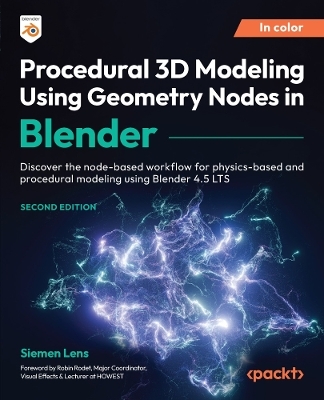
Procedural 3D Modeling Using Geometry Nodes in Blender
Packt Publishing Limited (Verlag)
978-1-83620-301-8 (ISBN)
Free with your book: DRM-free PDF version + access to Packt's next-gen Reader*
Key Features
Develop creative mathematical thinking to work on procedural projects in Blender 4.5 LTS
Learn how to calculate and create your very own math-based physics simulations
Find out how you can utilize Geometry Nodes to scatter objects randomly in a scene
Book DescriptionGeometry Nodes are tools that enable you to manipulate and generate 3D geometry in a node-based workflow. In this updated edition, you’ll learn how to use the basic and intermediate features of Geometry Nodes that are essential for creating complex, physics-based simulations and animations in Blender 4.5 LTS.
After an introduction to the Geometry Nodes system and its inner workings, you’ll learn about different node inputs and outputs, along with the basic nodes necessary for your Geometry Nodes projects. You’ll apply your newfound knowledge through exercises that involve modifying curves, meshes, text, and more, as well as work on a range of interesting projects, including creating a procedural plant, a brick wall generator, and a procedural LED panel to explore different aspects of node-based modeling. The concluding chapters take you through a brand-new addition to Geometry Nodes called the Simulation Zone, where you’ll create various physics simulations such as a procedural fountain and bugs crawling over objects using the Geometry Node editor.
By the end of this book, you’ll be able to tackle minor to major Geometry Nodes issues with confidence and create complicated Geometry Nodes trees and complex physics simulations tailored to your needs.
*Email sign-up and proof of purchase requiredWhat you will learn
Discover the different node inputs and outputs that Geometry Nodes have to offer
Get to grips with the flow of the Geometry Nodes system
Work with Geometry Nodes use cases through fun projects that advance with each chapter
Link Geometry and Material node editors using Named Attributes
Explore the flow of the Simulation Zone in Blender 4.5 LTS
Create both simple and complex physics simulations mathematically
Understand mathematical terms such as velocity, forces, collisions, and vectors
Work with variables in your Geometry Nodes-based workflow
Who this book is forIf you are an aspiring CG artist, environment artist, or CG generalist looking to learn node-based using Geometry Nodes and simulation workflows, this book is for you. Knowledge of Blender fundamentals is required; for example, understanding the workflow of material nodes and being able to apply that knowledge to your projects. A basic grasp of physics concepts will also help you get the most out of the more complex, physics-driven projects covered in the book.
Siemen Lens is a CG artist who excels at photorealism. Experiencing boredom during the COVID-19 lockdown of 2020, he began learning Blender. He currently studies VFX in Kortrijk. His specialty is creating abstract yet photorealistic renders using Geometry Nodes, physics, texturing, and various other techniques in Blender. He also uses other software, such as DaVinci Resolve, Illustrator, Houdini, and Maya. Siemen has worked as a product render designer in a furniture company. His goal is to create visually convincing CG art that is pleasing to the eye. For three years, he has familiarized himself with Blender, and today, with this book, he will familiarize you with Geometry Nodes.
Table of Contents
An Introduction to Geometry Nodes
Understanding the Functionality of Basic Nodes
Must-Have Add-Ons for Building Node Trees
Making Use of Node Primitives
Distributing Instances onto a Mesh
Working with the Spreadsheet in Blender
Creating and Modifying Text in the Geometry Node Editor
Editing Curves with Nodes
Manipulating Mesh Using Geometry Nodes
Creating a Procedural Plant Generator
Creating a Procedural Brick Wall Generator
Constructing a Procedural LED Panel
Tips and Tricks for the Geometry Node Editor
Troubleshooting the Most Common Problems in Geometry Nodes
Introduction to the Simulation Zone
Experimenting with Points in the Simulation Zone
Creating a Procedural Fountain Using Points
Baking in the Geometry Node Editor
Simulating Bugs Crawling on Objects
Creating a Shrinkwrapping Simulation
Common Issues Users Experience with Simulation Zone
| Erscheinungsdatum | 13.05.2025 |
|---|---|
| Vorwort | Robin Rodet |
| Verlagsort | Birmingham |
| Sprache | englisch |
| Maße | 191 x 235 mm |
| Themenwelt | Informatik ► Grafik / Design ► Blender |
| Informatik ► Grafik / Design ► Digitale Bildverarbeitung | |
| Mathematik / Informatik ► Informatik ► Theorie / Studium | |
| ISBN-10 | 1-83620-301-2 / 1836203012 |
| ISBN-13 | 978-1-83620-301-8 / 9781836203018 |
| Zustand | Neuware |
| Informationen gemäß Produktsicherheitsverordnung (GPSR) | |
| Haben Sie eine Frage zum Produkt? |