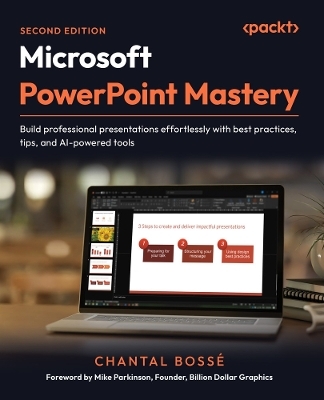
Microsoft PowerPoint Mastery
Packt Publishing Limited (Verlag)
978-1-83588-224-5 (ISBN)
Free with your book: PDF Copy, AI Assistant, and Next-Gen Reader
Key Features
Design dynamic, engaging presentations with purposeful transitions, navigation, and interactive elements
Save time and streamline workflows using Slide Master, Handout Master, Designer, and Copilot
Bring your ideas to life with stunning visuals using SmartArt, images, multimedia, and AI tools
Book DescriptionIf you’ve ever spent hours crafting slides that still feel uninspired, you’re not alone. This book shows you how to tap into PowerPoint’s true potential to transform ordinary decks into presentations that connect, persuade, and stick.
This second edition is updated with a full chapter on using Microsoft Copilot to jump-start new presentations and expands coverage of AI-powered design tools like Designer. It introduces new ways to convert text into SmartArt, customize PowerPoint’s stock images, and integrate third-party add-ins. You’ll also explore richer multimedia options, purposeful transitions and navigation, and enhanced delivery tools, such as Speaker Coach and the latest PowerPoint Live features, including polls, Q&A, avatars, and immersive spaces, for more engaging virtual presentations. You’ll discover how to speed up slide creation, elevate visuals, and structure your decks for maximum clarity and impact. Real-world examples throughout ensure you can apply these features immediately.
By the end of this book, you’ll have the skills, confidence, and workflow to create professional presentations that flow seamlessly and leave a lasting impression, all while saving time and working smarter.What you will learn
Plan and structure content for maximum audience impact
Use PowerPoint's Masters to create consistent, professional slides and documents
Leverage advanced animations and Morph transitions for smooth flow
Add interactivity with Zoom, hyperlinks, and custom menus
Practice and perfect your delivery with PowerPoint's built-in tools
Enhance audience engagement by using Presenter View features
Deliver seamless virtual presentations with PowerPoint Live
Who this book is forThis book is for business professionals who want actionable best practices and smarter ways to get the most out of PowerPoint’s features to create and deliver compelling presentations. No formal presentation design knowledge is needed, but you do need to know PowerPoint's basic tools and functions, such as starting and saving files, adding, copying, pasting, or moving slides. A sound understanding of cloud storage and the use of Office 365 is also needed.
Chantal Bossé shares her passion for visual communications and technology through her business, CHABOS, since 2004. As a presentation & visual communication leader, TEDx speaker coach, Microsoft M365 MVP and expert trainer on the LinkedIn Learning platform, she helps speakers and small businesses improve their PowerPoint presentations and public speaking, and their Microsoft 365 & Teams skills. Her goal is to help clients increase their bottom line by leveraging the power of their Microsoft 365 applications. Chantal's mission is helping small businesses and end-users be more empowered and efficient with communication and collaborative technologies.
Table of Contents
Analyzing Your Audience and Presentation Delivery Needs
Using Industry Best Practices to Design Better Visuals
Leveraging PowerPoint's Slide Master for Design
Using PowerPoint's Document Masters for Accessible Handouts and Notes
Starting Your Presentation With M365 Copilot
Using Artificial Intelligence to Improve Your Visuals
Adding and Modifying Visual Elements
Adding and Modifying Multimedia Elements
Working with Transitions and Animations
Building Flexibility and Interactivity into Your Presentations
Using PowerPoint Third-Party Add-Ins
Practicing Your Presentation Delivery
Using Presenter View
Using PowerPoint Live and Interactive Features in Microsoft Teams
| Erscheinungsdatum | 29.04.2025 |
|---|---|
| Vorwort | Mike Parkinson |
| Verlagsort | Birmingham |
| Sprache | englisch |
| Maße | 191 x 235 mm |
| Themenwelt | Informatik ► Office Programme ► Powerpoint |
| ISBN-10 | 1-83588-224-2 / 1835882242 |
| ISBN-13 | 978-1-83588-224-5 / 9781835882245 |
| Zustand | Neuware |
| Informationen gemäß Produktsicherheitsverordnung (GPSR) | |
| Haben Sie eine Frage zum Produkt? |
aus dem Bereich