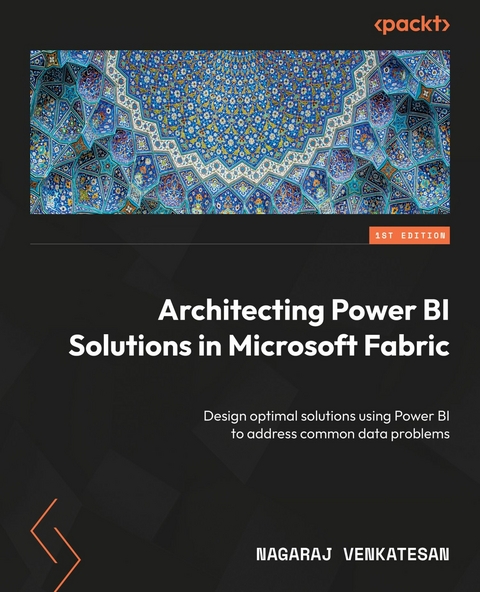
Architecting Power BI Solutions in Microsoft Fabric (eBook)
432 Seiten
Packt Publishing (Verlag)
978-1-83763-362-3 (ISBN)
Business Intelligence (BI) tools like Power BI are used by a wide range of professionals, creating diverse and complex scenarios, and finding the right solution can be daunting, especially when multiple approaches exist for a single use case. The author distills his 17 years of experience on various data platform technologies in this book to walk you through various Power BI usage scenarios.
The book is structured around Power BI usage scenarios, such as developing solutions for corporate BI reporting, self-service BI reporting, and Power BI for data scientists and independent software vendors (ISVs). Each part highlights common data issues encountered in the usage scenario, the correct approach to solve the problems, and supporting technical guidance. The chapters also introduce you to some of the latest enhancements in Power BI, such as Microsoft Fabric integration with Power BI, AI features like Copilot, Power BI Git integration, and Power BI Governance features.
By the end of this book, you'll have learned how to design optimal solutions using Power BI components and pick the right tool for the job, while adhering to security and performance best practices.
*Email sign-up and proof of purchase required
Master Power BI and Microsoft Fabric to design scalable, secure, and efficient business intelligence solutionsFree with your book: DRM-free PDF version + access to Packt's next-gen Reader*Key FeaturesMake well-informed decisions while selecting the right Power BI component for a scenarioLearn how to design secure and performant solutions using Power BIFamiliarize yourself with the latest Power BI capabilities like AI features, Microsoft Fabric enhancements, and Git integrationPurchase of the print or Kindle book includes a free PDF eBookBook DescriptionBusiness Intelligence (BI) tools like Power BI are used by a wide range of professionals, creating diverse and complex scenarios, and finding the right solution can be daunting, especially when multiple approaches exist for a single use case. The author distills his 17 years of experience on various data platform technologies in this book to walk you through various Power BI usage scenarios. The book is structured around Power BI usage scenarios, such as developing solutions for corporate BI reporting, self-service BI reporting, and Power BI for data scientists and independent software vendors (ISVs). Each part highlights common data issues encountered in the usage scenario, the correct approach to solve the problems, and supporting technical guidance. The chapters also introduce you to some of the latest enhancements in Power BI, such as Microsoft Fabric integration with Power BI, AI features like Copilot, Power BI Git integration, and Power BI Governance features. By the end of this book, you ll have learned how to design optimal solutions using Power BI components and pick the right tool for the job, while adhering to security and performance best practices. *Email sign-up and proof of purchase requiredWhat you will learnExplore Power BI fundamentals and usage scenariosGet to grips with optimal data models and reports for corporate reportingLeverage AI while building self-service reporting solutionsDiscover AutoML, as well as Python and R integration featuresDevelop expert solutions for ISVs using Power BI EmbeddedUnderstand Microsoft Fabric integration features for Power BIWho this book is forThis book is for anyone who uses Power BI at work. Solution architects, data engineers, Power BI administrators, and Power BI report developers will benefit from every section of the book. Business analysts and data scientists can use this book to learn about self-service BI features and data science capabilities, respectively. Although not mandatory, prior exposure to Power BI will help you get the most out of this book.]]>
Preface
Microsoft Fabric is Microsoft’s modern data and analytics platform that offers several services for data engineering, data science, real-time data streaming, data visualization, and so on. Power BI in Microsoft Fabric is a data visualization service and the most popular tool for visualizing data. The simplicity with which the tool has been designed means anyone with near-zero coding skills can build reports, publish them to share with others, and gain insights out of data. Easy adoption, however, is a double-edged sword. While the advantage of the quick adoption of Power BI is that everyone gets access to data, it also means you need to ensure that the data is used in Power BI in a performant, secure, and optimal way, as there will be more users of the data. Improper use of data in Power BI could result in data leaks, reports being too slow to be usable, or incorrect data being shown across reports.
So, this book helps you to design and develop high-quality solutions using Power BI. Whether you are an expert in Power BI or a novice, this book will help you design Power BI solutions. This book is not about every feature of Power BI, explaining how it works or how to develop reports. It is about making the right technical decisions when building solutions.
I have worked with some of the largest companies in the world, who have built incredible solutions using Power BI. The biggest challenge most companies face is deciding when to use which feature of Power BI. While Microsoft’s official documentation is fantastic and explains each feature in detail, there is a gap when you need to compare features and identify which feature is most suitable for a scenario. So, in this book, I have taken some of the most common scenarios where customers generally face difficulties in making technical decisions and offered in-depth guidance so that you can build high-quality solutions. Please do note that while this book is based on my customer experiences, none of it represents my employer’s opinion and the book is written in a personal capacity.
The book is organized into multiple parts, with each part comprising a group of chapters. The first part covers Power BI fundamentals, so even if you have had no exposure to Power BI and are tasked with building a solution, you could still follow the book. After the fundamentals, the book moves on to cover enterprise Business Intelligence (BI) solutions, with a focus on building high-quality solutions that are to be used across the organization. After the enterprise BI solutions part, we focus on the features of Power BI for business users, which will cover AI features of Power BI and Microsoft 365 integration features of Power BI. We also have a part for data scientists using Power BI. Finally, there is a part that focuses on key topics of interest for administrators, such as data security, governance, and platform management.
As Power BI is integrated with Microsoft Fabric, this book will also focus on features of Microsoft Fabric such as data engineering pipelines, Dataflow Gen2, data science notebooks, data warehouses, and lakehouses wherever appropriate.
Who this book is for
Architects looking to create data and analytics solutions using Power BI would find the book very useful, irrespective of their exposure level to Power BI. Power BI developers and data engineers looking to develop Power BI solutions will learn best practices to be followed while building solutions in Power BI. Power BI Administrators will also learn how to optimize, govern, and secure the Power BI environment.
What this book covers
Chapter 1, Decoding Power BI, is an introductory chapter on Power BI. The chapter introduces Power BI Desktop, connecting to a data source, building a report/dataset/dashboard, and publishing reports and datasets to the Power BI service. The chapter serves as a warmup for the rest of the book.
Chapter 2, Power BI Licensing, covers, in detail, the various licensing options available in Power BI, namely, the free license, Power BI Pro, Premium Per User, Fabric Capacity SKUs, Power BI Premium, and Power BI Embedded.
Chapter 3, Understanding Collaboration and Distribution in Power BI, covers various roles and permissions available within Power BI and how they can be used to distribute content effectively.
Chapter 4, Power BI Usage Patterns, introduces various scenarios or usage patterns in Power BI, such as enterprise BI, self-service BI, and managed self-service BI solutions. The book is structured into many parts, with each part corresponding to a Power BI usage pattern, and the chapter lays the foundation for the rest of the book.
Chapter 5, Deciding on the Storage Mode, compares the various data connectivity modes available in Power BI, such as import mode, DirectQuery mode, live connections, and composite models, and offers in-depth guidance on when to pick which option.
Chapter 6, Deciding on an Intermediate Data Store, introduces the two popular intermediate data stores in Power BI, namely, dataflows and datamarts. The chapter compares the various features of dataflows and datamarts and offers detailed guidance on picking the right choice between the two.
Chapter 7, Understanding Microsoft Fabric, introduces Fabric architecture and the various components of Fabric, such as OneLake storage, lakehouse, and warehouse. The chapter explains the advantages of Direct Lake connectivity mode and teaches how to use it. The chapter offers a detailed comparison of datamart, dataflow, lakehouse, and warehouse capabilities and provides guidance on selecting one over another.
Chapter 8, Managing Semantic Model Refresh, covers the various techniques available to refresh semantic models, such as refreshing from the Power BI service, using REST APIs, XMLA endpoints, and Fabric data engineering pipelines. The chapter compares the advantages and disadvantages of all the semantic model refresh techniques.
Chapter 9, Performing Optimizations in Power BI, covers in-depth optimization techniques across three major topics, namely, optimizing the semantic model, optimizing semantic model refresh, and performing report optimizations. We will cover best practices when designing a semantic model, VertiPaq engine internals, and the usage of tools such as Tabular Editor for optimization. We will also cover Power Query optimization methods, as well as best practices in designing performant reports and the usage of tools such as Performance Analyzer and DAX Studio for report optimization.
Chapter 10, Managing Semantic Model Security, covers the Power BI security architecture, explaining how data is stored inside Power BI. The chapter also covers key security features of Power BI, such as data encryption, row-level security, and object-level security.
Chapter 11, Performing Power BI Deployments, covers the semantic model, report certification, and the publishing/release management process. It covers the usage of deployment pipelines for moving Power BI artifacts across environments such as development, test, and production. The chapter also provides an overview of Git integration with Power BI, explaining its benefits in operations such as the version control of Power BI artifacts, and the Continuous Integration and Continuous Deployment (CI/CD) process for Power BI artifacts.
Chapter 12, Leveraging Artificial Intelligence in Power BI, covers how Artificial Intelligence (AI) can be used by technical and non-technical users inside Power BI. The chapter covers how to use Copilot within Power BI effectively and also covers other AI features useful for data exploration, such as quick insights, the decomposition tree, and smart narratives.
Chapter 13, Integrating Power BI with Microsoft 365 Tools, covers how business users can use familiar tools such as Microsoft Excel, Word, PowerPoint, and Teams with Power BI and be productive.
Chapter 14, Uncovering Features of Power BI for Data Scientists, introduces the data science process and covers the features of Fabric/Power BI for data scientists’ use, such as AutoML and Fabric semantic links. The chapter also covers useful AI features for data scientists, such as automatic clustering, anomaly detection, and sentiment analysis of text using AI insights.
Chapter 15, Protecting Data Using Microsoft Purview and Defender, focuses on security features and solutions in Power BI that prevent data leaks, external attacks, and unintended data sharing. This chapter focuses on designing security solutions using Microsoft Purview sensitivity labels, Microsoft Purview data loss prevention policies, and Microsoft Defender for Cloud Apps security for Power BI.
Chapter 16, Designing Power BI Governance, focuses on the various...
| Erscheint lt. Verlag | 25.4.2025 |
|---|---|
| Sprache | englisch |
| Themenwelt | Mathematik / Informatik ► Informatik |
| ISBN-10 | 1-83763-362-2 / 1837633622 |
| ISBN-13 | 978-1-83763-362-3 / 9781837633623 |
| Informationen gemäß Produktsicherheitsverordnung (GPSR) | |
| Haben Sie eine Frage zum Produkt? |
 EPUB (Ohne DRM)
Digital Rights Management: ohne DRM
Dieses eBook enthält kein DRM oder Kopierschutz. Eine Weitergabe an Dritte ist jedoch rechtlich nicht zulässig, weil Sie beim Kauf nur die Rechte an der persönlichen Nutzung erwerben.
Dateiformat: EPUB (Electronic Publication)
EPUB ist ein offener Standard für eBooks und eignet sich besonders zur Darstellung von Belletristik und Sachbüchern. Der Fließtext wird dynamisch an die Display- und Schriftgröße angepasst. Auch für mobile Lesegeräte ist EPUB daher gut geeignet.
Systemvoraussetzungen:
PC/Mac: Mit einem PC oder Mac können Sie dieses eBook lesen. Sie benötigen dafür die kostenlose Software Adobe Digital Editions.
eReader: Dieses eBook kann mit (fast) allen eBook-Readern gelesen werden. Mit dem amazon-Kindle ist es aber nicht kompatibel.
Smartphone/Tablet: Egal ob Apple oder Android, dieses eBook können Sie lesen. Sie benötigen dafür eine kostenlose App.
Geräteliste und zusätzliche Hinweise
Buying eBooks from abroad
For tax law reasons we can sell eBooks just within Germany and Switzerland. Regrettably we cannot fulfill eBook-orders from other countries.
aus dem Bereich