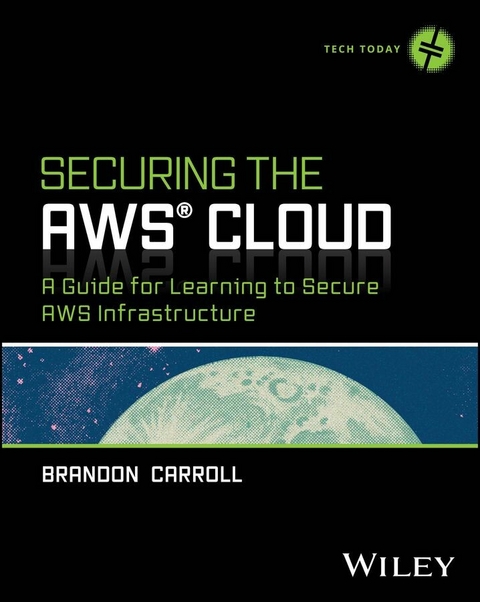
Securing the AWS Cloud (eBook)
703 Seiten
Wiley (Verlag)
978-1-394-28956-1 (ISBN)
Make your next Amazon Web Services deployment secure and private
Dive into the world of cloud security with Securing the AWS Cloud: A Guide for Learning to Secure AWS Infrastructure by Brandon Carroll, a comprehensive guide crafted for those eager to fortify their Amazon Web Services (AWS) deployments. Whether you are starting from scratch or looking to enhance an existing setup, this book serves as your essential roadmap to understanding and implementing robust security measures in the AWS environment.
The author, a seasoned infrastructure security expert, begins with the basics of cybersecurity and gradually introduces more complex AWS-specific security practices. His structured approach helps you use your existing knowledge to effectively secure your AWS cloud. The book navigates through a series of real-world challenges and provides actionable solutions, equipping you with the skills needed to tackle security issues head-on.
You'll:
- Learn foundational security practices to safeguard your AWS environment right from the start.
- Master advanced techniques for identity management, threat detection, and data security within AWS.
- Develop resilience and recovery strategies to maintain robust security and ensure business continuity.
Securing the AWS Cloud is the ideal resource for IT professionals, system administrators, and anyone aspiring to specialize in cloud security. It's tailor-made to enhance your ability to deploy secure, reliable, and private AWS solutions consistently. If you're ready to take your AWS security skills to the next level, don't wait. Buy your copy today and start building a safer cloud environment!
BRANDON CARROLL is an Amazon Web Services Certified Solutions Architect and currently works as a Senior AWS Security Developer Advocate. He's a seasoned cybersecurity professional with extensive experience teaching and implementing security solutions.
Make your next Amazon Web Services deployment secure and private Dive into the world of cloud security with Securing the AWS Cloud: A Guide for Learning to Secure AWS Infrastructure by Brandon Carroll, a comprehensive guide crafted for those eager to fortify their Amazon Web Services (AWS) deployments. Whether you are starting from scratch or looking to enhance an existing setup, this book serves as your essential roadmap to understanding and implementing robust security measures in the AWS environment. The author, a seasoned infrastructure security expert, begins with the basics of cybersecurity and gradually introduces more complex AWS-specific security practices. His structured approach helps you use your existing knowledge to effectively secure your AWS cloud. The book navigates through a series of real-world challenges and provides actionable solutions, equipping you with the skills needed to tackle security issues head-on. You'll: Learn foundational security practices to safeguard your AWS environment right from the start. Master advanced techniques for identity management, threat detection, and data security within AWS. Develop resilience and recovery strategies to maintain robust security and ensure business continuity. Securing the AWS Cloud is the ideal resource for IT professionals, system administrators, and anyone aspiring to specialize in cloud security. It's tailor-made to enhance your ability to deploy secure, reliable, and private AWS solutions consistently. If you're ready to take your AWS security skills to the next level, don't wait. Buy your copy today and start building a safer cloud environment!
Chapter 1
Introduction to Cloud Security
Welcome to the fascinating world of cloud computing and, more specifically, to securing your journey in the cloud with Amazon Web Services (AWS). Whether you’re just starting out or looking to deepen your existing knowledge, this chapter lays the foundation for a robust understanding of cloud security dynamics.
Understanding Cloud Computing
Cloud computing isn’t just a buzzword, although you may feel that way since it’s been thrown around as such for many years now. No, in reality, cloud computing represents a shift in how organizations manage and deploy IT resources. Traditionally, organizations had to invest heavily in physical infrastructure, including things like servers, data centers, and networking equipment. These resources required significant upfront capital investment, not to mention space to “rack and stack” them. They also needed expertise to be configured and maintained.
Cloud computing has changed that to a large degree. Instead of solely relying on purchasing and managing extensive physical hardware, organizations are increasingly turning to cloud service providers like AWS to access and utilize these resources over the Internet. This doesn’t eliminate the need for all physical infrastructure since organizations are still investing in hardware to provide connectivity and to maintain some critical services locally. However, the bulk of computing workloads have been or are being moved to the cloud.
This hybrid approach not only reduces the upfront capital expenditure but also combines the security and reliability of on-premises assets with the scalability and flexibility of the cloud, and there are many benefits to this approach. With the cloud, you can scale your resources up or down based on demand, and you pay only for what you use. This model democratizes access to the latest technology, enabling both small startups and large corporations to leverage powerful computing resources that they otherwise could not access.
This section covers the basics of what cloud computing is, the different models available, and the advantages it brings to businesses and individuals.
Definition and Evolution of Cloud Computing
What exactly is cloud computing? Simply put, cloud computing refers to the delivery of computing services, servers, storage, databases, networking, software, analytics, and more, over the Internet. In the early 2000s, when I was working as a Cisco trainer, we would often draw diagrams that showed two routers with a connection to one another through a service provider’s network. The service provider’s network was drawn in the diagram as a cloud. There were other components of the connectivity between the two routers in that cloud, but we did not have ownership or access to that networking equipment. So the cloud represented resources that were managed by someone else. I think this has something to do with why “the cloud” is called “the cloud.” Using AWS as an example, organizations can store files in an object storage service called S3, and it sits “in the cloud.” This represents that there are other components of the connectivity that provide access to this service, but the organization does not have access, nor does it control these resources. I’ll get into that a bit more. For now, you should understand that “the cloud” involves more resources that provide access to services and applications than what you have control over or even see on an architecture diagram.
But why is using the cloud beneficial to organizations today? Well, this model allows for flexible resource allocation, reduces costs, increases efficiency, and provides scalability. The shift from dedicated physical servers to virtualized resources is a significant technological evolution.
Types of Cloud Models (IaaS, PaaS, and SaaS)
As you’ve seen, cloud computing changes the way companies manage IT resources, giving them different levels of control and management. You can think of cloud services like different ways of getting a meal. First, you can cook from scratch, using traditional on-premises computing. Or you can order a complete meal from a third party. In cloud model terms, this is called Software as a Service (SaaS). In this model, everything is prepared for you. You show up and get your food. You eat.
But maybe you prefer to get a meal kit delivered and make the meal yourself. This most resembles the cloud model known as Platform as a Service (PaaS). With PaaS, you get all the components you need to build your applications in the cloud; however, you have to put them together yourself.
Taking this idea a step further, you can have the groceries delivered to you. This cloud model is called Infrastructure as a Service (IaaS). In this case, you order and prepare the ingredients, and then you cook the meal. You simply have access to the store—you do the rest on your own.
Each of these cloud models caters to different needs. They each provide varying degrees of control—from full (IaaS) to minimal (SaaS)—and they allow you to choose based on your specific requirements.
Benefits of Cloud Computing
The flexibility mentioned in these cloud models leads directly to some of the major benefits of cloud computing. These benefits extend beyond simple cost savings (which is one of the first benefits most people mention when asked). Taking advantage of the cloud can significantly change how businesses operate. The scalability allows companies to easily adjust their resource use in response to varying demand without the need for physical upgrades. In addition to that, flexibility and accessibility can increase operational efficiency. This is important because it provides remote access to resources, pretty much from anywhere, which in turn reduces IT management headaches and, of course, overall costs. The benefits are real, and many organizations are already taking advantage of these benefits. And likely, you will either work for one of these organizations or are already working for one. There are still many misconceptions and challenges that these organizations face, however. Let’s briefly discuss these.
Common Misconceptions and Challenges
As mentioned in the prior section, along with the clear benefits of cloud computing come some common misconceptions. One of these common misconceptions is that with cloud computing comes inherent security. It’s important to understand that, while cloud providers like AWS secure the infrastructure, the security of the resources you deploy and manage is your responsibility. This is called the shared responsibility model, and it’s essential that you understand it. Years ago, I worked for the phone company. When I arrived at someone’s home to fix an issue with their service, I had to explain to them that the connection on the outside of the house was a demarcation point. Anything up to that point was the phone company’s responsibility, and if the problem was there, I could fix it at no charge. Anything from that box into the house, all the way up to the telephone, was the customer’s responsibility, and although I might be able to fix it, there would be a cost involved. This represented a clear change of responsibility. The shared responsibility model is similar. Security “of” the cloud is AWS’s responsibility. Security “in” the cloud is the customer’s responsibility, which means “your” responsibility. If you don’t understand this, you’ll have a hard time avoiding risks that can undermine the convenience that cloud computing offers.
Now that I’ve talked about cloud computing models at a high level, and I’ve specifically mentioned AWS and the shared responsibility model, it’s time to look at the role that AWS plays in cloud computing.
AWS’s Role in Cloud Computing
I started working with AWS services in the late 2000s. I worked at a training company teaching Cisco certification classes. Some of the assets we shared with students, along with my personal blog, were stored in S3. S3 is the Amazon Simple Storage Service, one of AWS’s first offerings in the cloud. I will get into more details on services later, but my point here is that AWS has been around for a long time. Although others also provided services in the cloud before AWS, AWS is considered one of the first and most successful providers of cloud computing services.
Given its comprehensive tools and services, AWS plays a huge role in how many organizations leverage cloud computing. AWS isn’t just a set of tools: it’s way more. AWS supports everything from the ability to host simple websites to building complex Generative AI projects. Having a sense of AWS’s role reveals why it has become a leader in the cloud industry and how it supports such a diverse range of computing needs. The good news is that you’re here to learn more about how to implement the networking and security services AWS offers, so you’re going to become very familiar with them by the time you finish this book. With that said, the next section gives a high-level overview of AWS services and infrastructure.
Overview of AWS Services and Infrastructure
AWS provides an extensive array of services that cater to various IT needs, making it the Swiss Army knife of the tech world—ready for nearly any task. If you don’t believe me, try this. First, make sure you sign up for an AWS account at aws.amazon.com. With this account, once...
| Erscheint lt. Verlag | 8.4.2025 |
|---|---|
| Reihe/Serie | Tech Today |
| Sprache | englisch |
| Themenwelt | Mathematik / Informatik ► Informatik ► Netzwerke |
| Schlagworte | amazon web services cybersecurity • amazon web services security • aws cloud security • aws cybersecurity • aws environment security • aws infrastructure security • AWS Security • cybersecurity on aws • securing amazon web services • securing aws |
| ISBN-10 | 1-394-28956-1 / 1394289561 |
| ISBN-13 | 978-1-394-28956-1 / 9781394289561 |
| Informationen gemäß Produktsicherheitsverordnung (GPSR) | |
| Haben Sie eine Frage zum Produkt? |
 EPUB (Adobe DRM)
Kopierschutz: Adobe-DRM
Adobe-DRM ist ein Kopierschutz, der das eBook vor Mißbrauch schützen soll. Dabei wird das eBook bereits beim Download auf Ihre persönliche Adobe-ID autorisiert. Lesen können Sie das eBook dann nur auf den Geräten, welche ebenfalls auf Ihre Adobe-ID registriert sind.
Details zum Adobe-DRM
Dateiformat: EPUB (Electronic Publication)
EPUB ist ein offener Standard für eBooks und eignet sich besonders zur Darstellung von Belletristik und Sachbüchern. Der Fließtext wird dynamisch an die Display- und Schriftgröße angepasst. Auch für mobile Lesegeräte ist EPUB daher gut geeignet.
Systemvoraussetzungen:
PC/Mac: Mit einem PC oder Mac können Sie dieses eBook lesen. Sie benötigen eine
eReader: Dieses eBook kann mit (fast) allen eBook-Readern gelesen werden. Mit dem amazon-Kindle ist es aber nicht kompatibel.
Smartphone/Tablet: Egal ob Apple oder Android, dieses eBook können Sie lesen. Sie benötigen eine
Geräteliste und zusätzliche Hinweise
Buying eBooks from abroad
For tax law reasons we can sell eBooks just within Germany and Switzerland. Regrettably we cannot fulfill eBook-orders from other countries.
aus dem Bereich