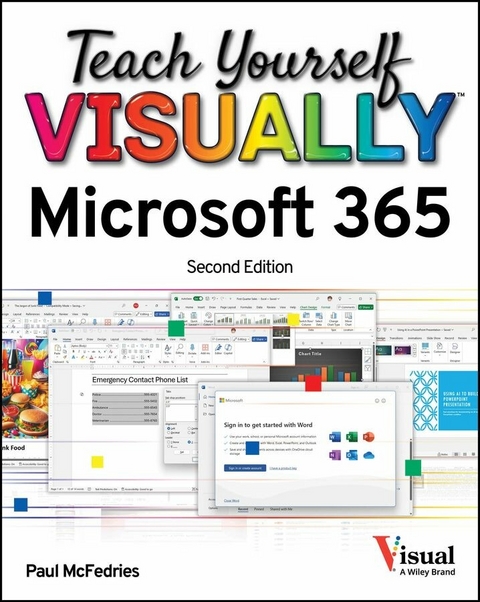
Teach Yourself VISUALLY Microsoft 365 (eBook)
321 Seiten
Wiley (Verlag)
978-1-394-29829-7 (ISBN)
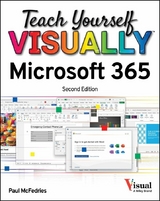
An illustrated, A-to-Z, and newly updated guide to mastering Microsoft Office 365
Teach Yourself VISUALLY Microsoft 365, 2nd Edition is a newly revised edition of the easy-to-use and up-to-date visual walkthrough of Microsoft's ubiquitous office products. It#s the fastest and most efficient way to get up to speed on world-famous apps like Word, Excel, and PowerPoint, offering crystal-clear, high-resolution screenshots that show you exactly how to get things done.
Tired of confusing, text-based 'instructions' that leave you scratching your head and wondering, 'Why didn't that work?' Then grab a copy of TYV Microsoft 365, 2nd Edition for a complete, A-to-Z tour of Microsoft 365 that takes you through how to generate sophisticated documents in Word, crunch numbers in Excel, keep your life organized in Outlook, and build attractive and persuasive presentations in PowerPoint.
This book shows you how to master basic, foundational features that have been around for years, as well as cutting-edge new additions to the software-like Microsoft's Copilot AI-that make your job easier and make you more productive. From working with files in the cloud to setting up your own local databases in Access, TYV Microsoft 365, 2nd Edition puts the info, screenshots, and instructions you need at your fingertips.
Readers will find:
- Hundreds of hi-res, full-page screenshots that demonstrate Microsoft 365's most useful features
- Specific instructions on how to get more from your favorite Office 365 apps, like how to add attachments to your Outlook emails or include narration in a PowerPoint presentation
- Techniques to incorporate artificial intelligence in your everyday work to supercharge your productivity by summarizing Word documents or automatically generating Excel formulas
Perfect for anyone looking for an intuitive and visual guide to Microsoft 365 that comes with full-screen images that show you exactly what to do and where to click, Teach Yourself VISUALLY Microsoft 365, 2nd Edition is the simplest and most effective resource for mastering the world's most popular suite of office apps.
An illustrated, A-to-Z, and newly updated guide to mastering Microsoft Office 365 Teach Yourself VISUALLY Microsoft 365, 2nd Edition is a newly revised edition of the easy-to-use and up-to-date visual walkthrough of Microsoft's ubiquitous office products. It#s the fastest and most efficient way to get up to speed on world-famous apps like Word, Excel, and PowerPoint, offering crystal-clear, high-resolution screenshots that show you exactly how to get things done. Tired of confusing, text-based instructions that leave you scratching your head and wondering, Why didn't that work? Then grab a copy of TYV Microsoft 365, 2nd Edition for a complete, A-to-Z tour of Microsoft 365 that takes you through how to generate sophisticated documents in Word, crunch numbers in Excel, keep your life organized in Outlook, and build attractive and persuasive presentations in PowerPoint. This book shows you how to master basic, foundational features that have been around for years, as well as cutting-edge new additions to the software like Microsoft's Copilot AI that make your job easier and make you more productive. From working with files in the cloud to setting up your own local databases in Access, TYV Microsoft 365, 2nd Edition puts the info, screenshots, and instructions you need at your fingertips. Readers will find: Hundreds of hi-res, full-page screenshots that demonstrate Microsoft 365's most useful features Specific instructions on how to get more from your favorite Office 365 apps, like how to add attachments to your Outlook emails or include narration in a PowerPoint presentation Techniques to incorporate artificial intelligence in your everyday work to supercharge your productivity by summarizing Word documents or automatically generating Excel formulas Perfect for anyone looking for an intuitive and visual guide to Microsoft 365 that comes with full-screen images that show you exactly what to do and where to click, Teach Yourself VISUALLY Microsoft 365, 2nd Edition is the simplest and most effective resource for mastering the world's most popular suite of office apps.
| Erscheint lt. Verlag | 10.3.2025 |
|---|---|
| Sprache | englisch |
| Themenwelt | Informatik ► Office Programme ► Outlook |
| Schlagworte | excel for Beginners • help with excel • how do I use excel? • how do I use word? • is excel easy? • is excel hard? • learn excel • Learn office 365 • Microsoft office guide • Office 365 book • Office 365 Guide • office 365 tutorial • word for beginners |
| ISBN-10 | 1-394-29829-3 / 1394298293 |
| ISBN-13 | 978-1-394-29829-7 / 9781394298297 |
| Informationen gemäß Produktsicherheitsverordnung (GPSR) | |
| Haben Sie eine Frage zum Produkt? |
 PDF (Adobe DRM)
Kopierschutz: Adobe-DRM
Adobe-DRM ist ein Kopierschutz, der das eBook vor Mißbrauch schützen soll. Dabei wird das eBook bereits beim Download auf Ihre persönliche Adobe-ID autorisiert. Lesen können Sie das eBook dann nur auf den Geräten, welche ebenfalls auf Ihre Adobe-ID registriert sind.
Details zum Adobe-DRM
Dateiformat: PDF (Portable Document Format)
Mit einem festen Seitenlayout eignet sich die PDF besonders für Fachbücher mit Spalten, Tabellen und Abbildungen. Eine PDF kann auf fast allen Geräten angezeigt werden, ist aber für kleine Displays (Smartphone, eReader) nur eingeschränkt geeignet.
Systemvoraussetzungen:
PC/Mac: Mit einem PC oder Mac können Sie dieses eBook lesen. Sie benötigen eine
eReader: Dieses eBook kann mit (fast) allen eBook-Readern gelesen werden. Mit dem amazon-Kindle ist es aber nicht kompatibel.
Smartphone/Tablet: Egal ob Apple oder Android, dieses eBook können Sie lesen. Sie benötigen eine
Geräteliste und zusätzliche Hinweise
Buying eBooks from abroad
For tax law reasons we can sell eBooks just within Germany and Switzerland. Regrettably we cannot fulfill eBook-orders from other countries.
aus dem Bereich