Building CLI Applications with C# and .NET (eBook)
306 Seiten
Packt Publishing (Verlag)
978-1-83588-275-7 (ISBN)
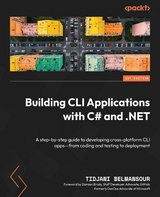
Developers and system administrators often face challenges like inefficient workflows, complex system operations, and the growing demand for robust automation tools. CLI applications provide a powerful solution by enhancing flexibility, efficiency, and productivity in various environments. This book will guide you through mastering the development of robust command-line tools using .NET.
Written by a Microsoft Azure MVP, the book's hands-on approach ensures practical experience with real-world projects. You'll start with an overview of foundational principles, essential concepts, and best practices for CLI application development. From there, you'll advance to creating interactive interfaces, integrating with external APIs and services, and implementing security measures to safeguard your applications. Each chapter will build progressively from basic to advanced topics.
Beyond development, you'll learn how to enhance application quality through testing, package for efficient distribution, and deploy effectively. The book also teaches strategies to optimize performance to ensure your applications run efficiently under heavy usage.
By the end of this book, you'll have gained a deep understanding of CLI application development with .NET to build modular, extensible, and easy-to-maintain applications.
Unlock the potential of .NET to design, test, and deploy robust CLI applications, including development, security, and monitoringKey FeaturesReceive expert guidance on building CLI applications with .NETImplement advanced techniques for creating cross-platform, modular, and robust CLI applicationsPut your knowledge into practice through hands-on exercises and real-world projectsPurchase of the print or Kindle book includes a free PDF eBookBook DescriptionDevelopers and system administrators often face challenges like inefficient workflows, complex system operations, and the growing demand for robust automation tools. CLI applications provide a powerful solution by enhancing flexibility, efficiency, and productivity in various environments. This book will guide you through mastering the development of robust command-line tools using .NET. Written by a Microsoft Azure MVP, the book s hands-on approach ensures practical experience with real-world projects. You ll start with an overview of foundational principles, essential concepts, and best practices for CLI application development. From there, you ll advance to creating interactive interfaces, integrating with external APIs and services, and implementing security measures to safeguard your applications. Each chapter will build progressively from basic to advanced topics. Beyond development, you ll learn how to enhance application quality through testing, package for efficient distribution, and deploy effectively. The book also teaches strategies to optimize performance to ensure your applications run efficiently under heavy usage. By the end of this book, you ll have gained a deep understanding of CLI application development with .NET to build modular, extensible, and easy-to-maintain applications.What you will learnMaster CLI application development principles to enhance productivityBuild modular and extensible CLI applications that adapt to evolving needsDevelop interactive CLI applications for engaging user experiencesIntegrate external APIs and services to extend functionalityImplement robust security measures to ensure data protectionImprove quality and reliability through comprehensive testingPackage and deploy CLI applications efficiently for smooth releasesOptimize performance to achieve high efficiency and effectivenessWho this book is forThis book is for software developers, architects, and DevOps engineers aiming to enhance their existing SaaS platforms or optimize system operations. It focuses on providing users with CLI applications that automate and streamline workflows, unlocking operational efficiency. A basic understanding of programming concepts and prior experience with .NET and C# is expected, as this book doesn't cover introductory material.]]>
Table of Contents
Preface
Free Benefits with Your Book
Part 1: Getting Started with CLI Applications
1
Introduction to CLI Applications
A day in the life of an IT professional
Why care about CLI applications?
To CLI or not to CLI?
CLI applications as the building block for creating workstation profiles
Even heavy graphical applications have a CLI tool!
Even ChatGPT has a CLI!
Summary
2
Setting Up the Development Environment
Technical requirements
Installing Visual Studio Code
Installing the required extensions
Installing the .NET SDK
Installing and configuring Git
Summary
Your turn!
3
Basic Concepts of Console Applications in .NET
Technical requirements
Creating (and executing) a simple console application
Working with the System.Console class
Useful properties
Useful methods
Useful event
One more thing
Summary
Your turn!
Part 2: Foundations of Building CLI Applications
4
Command-Line Parsing
Technical requirements
Creating the console application
Parsing the arguments of a console application
From console to CLI – parsing the arguments using an existing library
Adding the root command
Adding the link command
About commands
Do all commands need to have a handler method?
Adding options to the link command
What other types of options can we use?
Getting help
Getting the application’s version number
Summary
Your turn!
Task #1 – Delete an existing bookmark
Task #2 – Update an existing bookmark
Task #3 – List all existing bookmarks
5
Input/Output and File Handling
Technical requirements
Controlling input values for an option
Required versus non-required options
What about arguments?
Setting a default value for an option
Controlling the allowed values for an option
Validating input values
Adding multiple elements in one go
Working with files passed in as options values
Summary
Your turn!
Task #1 – validating the format and the ability to access the input file
Task #2 – merging existing links from the input file
6
Error Handling and Logging
Technical requirements
Handling errors in CLI applications
Handling exceptions
Handling errors doesn’t necessarily mean handling exceptions
Handling program termination
Logging in CLI applications
Why JSON?
Why Serilog?
Accessing IServiceCollection
Adding Serilog to IServiceCollection
Adding (and configuring) the required Serilog sinks
Configuring sinks in appsettings.json
Let’s log something!
Closing and gracefully disposing of Serilog
Summary
Your turn!
Task #1 – Handling errors for the Import command
Task #2 – Logging errors to a file
Part 3: Advanced Topics in CLI Application Development
7
Interactive CLI Applications
Technical requirements
Building interactive command-line applications
Adding a FIGlet
Designing user-friendly CLI applications
Enhancing text display using markup
Offering choices to the user using selection prompts
Showing live progress of the export command
Displaying bookmarks in a tree view
To be or not to be interactive?
Summary
Your turn!
Task 1 – present a bookmark in a user-friendly way
Task 2 – change the category of a bookmark interactively
8
Building Modular and Extensible CLI Applications
Technical requirements
Step 1 – building a code map of the application
Using the Help menu to build the code map
Step 2 – deciding where to start
Step 3 – designing the project structure
Step 4 – refactoring the export command
Step 5 – applying the dependency inversion principle
Step 6 – refactoring the Program class
Step 7 – running the program
Taking refactoring to new heights
Updating the project structure
Summary
Your turn!
Task #1 – refactor the remaining commands
9
Working with External APIs and Services
Technical requirements
Why consume external APIs?
How to consume an external API
Benefits of using IHttpClientFactory
Bookmarkr: your bookmarks, anywhere!
The sync command
Registering the sync command
Running the program
Reducing the coupling between our application and the external dependency
About the Service Agent pattern
Implementing the Service Agent pattern
Rerunning the program
Summary
Your turn!
Task #1 – adding SQLite as a data store
Task #2 – retrieving the web page name based on its URL
Part 4: Testing and Deployment
10
Testing CLI Applications
Technical requirements
Why is testing so important?
Types of tests
About usability tests
The pyramid of (software) testing
What should we test?
What not to test
Testing is a safety net
When should we run tests?
Adding a test project to Bookmarkr
Structuring the test project
Code artifacts that should not be tested
Writing effective tests
Running our tests
Mocking external dependencies
The role of mocking
How to mock an external dependency
Mocking the BookmarkService service
Using the mock version of the BookmarkService service
Changes to the code must be made!
Going back to implementing the test cases
Internals visibility
Centralizing test initialization
How to hunt a bug
Summary
Your turn!
Task #1 – Write the required unit tests for the remaining functionalities
Task #2 – Write integration tests for the sync command
11
Packaging and Deployment
Technical requirements
A bit of terminology
Packaging and distribution options for CLI applications
Packaging and distributing a CLI application
Option #1 – as a .NET tool
Option #2 – as a Docker container
Option #3 – as a WinGet package
Managing versions of the application
Semantic versioning primer
Managing versions of a .NET tool
Managing versions of a Docker container
Managing versions of a WinGet package
Summary
Your turn!
Task #1 – allowing Linux users to install Bookmarkr using apt-get
Task #2 – allowing macOS users to install Bookmarkr using Homebrew
Part 5: Advanced Techniques and Best Practices
12
Performance Optimization and Tuning
Technical requirements
Performance optimization areas
Instrumenting .NET applications
Hot spots versus hot paths
Identifying the application’s hot spots and hot paths
Profiling Bookmarkr with BenchmarkDotNet
Monitoring BookmarkrSyncr with Azure Application Insights
Common performance optimization techniques
Optimizing Bookmarkr’s performance
Summary
Your turn!
Task #1 – Write more...
| Erscheint lt. Verlag | 17.2.2025 |
|---|---|
| Vorwort | Damian Brady |
| Sprache | englisch |
| Themenwelt | Mathematik / Informatik ► Informatik ► Programmiersprachen / -werkzeuge |
| ISBN-10 | 1-83588-275-7 / 1835882757 |
| ISBN-13 | 978-1-83588-275-7 / 9781835882757 |
| Informationen gemäß Produktsicherheitsverordnung (GPSR) | |
| Haben Sie eine Frage zum Produkt? |
 EPUB (Ohne DRM)
Digital Rights Management: ohne DRM
Dieses eBook enthält kein DRM oder Kopierschutz. Eine Weitergabe an Dritte ist jedoch rechtlich nicht zulässig, weil Sie beim Kauf nur die Rechte an der persönlichen Nutzung erwerben.
Dateiformat: EPUB (Electronic Publication)
EPUB ist ein offener Standard für eBooks und eignet sich besonders zur Darstellung von Belletristik und Sachbüchern. Der Fließtext wird dynamisch an die Display- und Schriftgröße angepasst. Auch für mobile Lesegeräte ist EPUB daher gut geeignet.
Systemvoraussetzungen:
PC/Mac: Mit einem PC oder Mac können Sie dieses eBook lesen. Sie benötigen dafür die kostenlose Software Adobe Digital Editions.
eReader: Dieses eBook kann mit (fast) allen eBook-Readern gelesen werden. Mit dem amazon-Kindle ist es aber nicht kompatibel.
Smartphone/Tablet: Egal ob Apple oder Android, dieses eBook können Sie lesen. Sie benötigen dafür eine kostenlose App.
Geräteliste und zusätzliche Hinweise
Buying eBooks from abroad
For tax law reasons we can sell eBooks just within Germany and Switzerland. Regrettably we cannot fulfill eBook-orders from other countries.
aus dem Bereich