


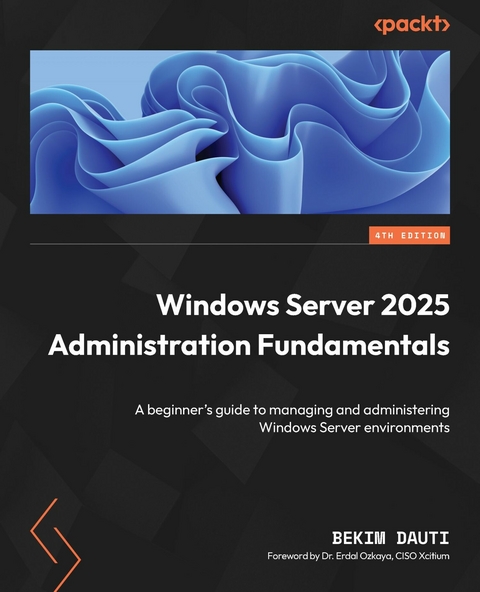
Windows Server 2025 Administration Fundamentals (eBook)
634 Seiten
Packt Publishing (Verlag)
978-1-83620-500-5 (ISBN)
In this extensively updated fourth edition, veteran author Bekim Dauti delivers practical, real-world guidance for deploying, managing, and securing modern server environments, with a strong focus on virtualization and hybrid cloud integration. Ideal for IT professionals, system administrators, and certification candidates, this hands-on guide equips you to confidently manage, update, and troubleshoot Windows Server 2025 environments using Microsoft-recommended best practices.
You'll be introduced to network fundamentals and installation procedures, and go through post-installation tasks, directory services, and adding roles. This updated edition covers the new and enhanced features of Windows Server 2025 extensively, including Active Directory Domain Services enhancements, SMB over QUIC, advanced security features, and hotpatching with Azure Arc. Additionally, numerous questions and answers at the end of each chapter help you test your knowledge of the concepts covered.
By the end of this book, you'll be fully prepared to ensure server stability, security, and performance, and to pass the Microsoft AZ-800 Administering Windows Server Hybrid Core Infrastructure exam with confidence.
Deploy, set up, and deliver network services with Windows Server 2025, along with exploring its new features, security, and Microsoft's role-based certificationsGet With Your Book: PDF Copy, AI Assistant, and Next-Gen Reader FreeKey FeaturesInstall and configure Windows Server 2025 with best practices in different environmentsEnhance server security by implementing advanced features, such as secure communication protocols and authentication mechanismsPrepare thoroughly for the AZ-800 certification exam with practical preparation tipsBook DescriptionIn this extensively updated fourth edition, veteran author Bekim Dauti delivers practical, real-world guidance for deploying, managing, and securing modern server environments, with a strong focus on virtualization and hybrid cloud integration. Ideal for IT professionals, system administrators, and certification candidates, this hands-on guide equips you to confidently manage, update, and troubleshoot Windows Server 2025 environments using Microsoft-recommended best practices. You ll be introduced to network fundamentals and installation procedures, and go through post-installation tasks, directory services, and adding roles. This updated edition covers the new and enhanced features of Windows Server 2025 extensively, including Active Directory Domain Services enhancements, SMB over QUIC, advanced security features, and hotpatching with Azure Arc. Additionally, numerous questions and answers at the end of each chapter help you test your knowledge of the concepts covered. By the end of this book, you ll be fully prepared to ensure server stability, security, and performance, and to pass the Microsoft AZ-800 Administering Windows Server Hybrid Core Infrastructure exam with confidence.What you will learnManage directory services effectively, including setting up and maintaining AD DS rolesImplement and troubleshoot group policies to enforce consistent configurations across the networkUtilize virtualization techniques to optimize server resources and enhance scalabilityMaintain server uptime and reliability through efficient hotpatching practices for applying updatesPrepare for the AZ-800 certification exam with exam preparation strategies, practical tips, and chapter-end questions and answers to test your knowledge and track your progress.Who this book is forThis book is for IT professionals, such as system administrators, network engineers, and IT managers, who are starting their journey in Windows Server 2025 administration. It is also suitable for individuals looking to update their knowledge with the latest tools and features in Windows Server 2025. Whether you re responsible for managing server infrastructure, ensuring network security, or optimizing server performance, this book will provide you with the essential skills and knowledge to excel in your role.]]>
Contents
- Windows Server 2025 Administration Fundamentals
- Foreword
- Contributors
- About the author
- About the reviewer
- Preface
- Part 1:Introducing Windows Server and Installing Windows Server 2025
- Chapter 1: Network Fundamentals and Introduction to Windows Server 2025
- Technical requirements
- Understanding hosts, nodes, and client/server architecture
- Overview of IP addressing and subnetting
- Getting to know the server
- Understanding Network Operating System
- Overview and editions of Windows Server 2025
- Windows Server 2025 overview
- Key differences between Windows Server 2025 and Windows Server 2022
- Minimum and recommended system requirements for Windows Server 2025
- Chapter exercise 1.1 – downloading Windows Server 2025
- Chapter exercise 1.2 – downloading Windows Admin Center
- Summary
- Questions
- Further reading
- Chapter 2: Installing Windows Server 2025
- Technical requirements
- Understanding disk partitioning and storage options
- Exploring boot configurations and startup options
- Understanding boot options in UEFI
- Getting to know the startup process in BIOS
- A different firmware program for booting modern computers
- Understanding TPM
- A crucial test for server hardware
- GPT and the boot programs
- A database for booting Windows OS
- What is the bootloader?
- What is the boot sector?
- How to use the boot menu?
- How does Safe Mode operate?
- Windows setup and disk configuration errors
- Installation options for Windows Server 2025
- Understanding the role of your server
- Pre-installation checks – resource compatibility checks
- Which installation option for Windows Server 2025 should I choose?
- Comparing Nano Server and Server Core
- Using logs to diagnose installation failures
- Network connectivity and domain joining
- Activation and licensing issues
- Various methods for deploying Windows Server 2025
- Summary
- Questions
- Further reading
- Chapter 3: What to Do After Installing Windows Server 2025
- Technical requirements
- Understanding and managing devices and drivers, including Plug and Play, IRQs, and driver signing
- Managing and optimizing registry entries and service accounts
- Performing initial server setup for better performance and security
- Chapter exercise – performing an initial Windows Server configuration
- Summary
- Questions
- Further reading
- Part 2: Setting Up Windows Server 2025
- Chapter 4: Directory Services in Windows Server 2025
- Technical requirements
- Understanding the AD infrastructure in Windows Server 2025
- Adding and configuring the AD DS role
- Understanding DCs
- Understanding domains
- Understanding the Domain Tree
- Understanding the Forest
- Understanding the Child Domain
- Understanding Operations Master Roles
- Understanding the difference between domains and workgroups
- Understanding trust relationships
- Understanding functional levels
- Exploring the concept of namespaces
- Sites explained
- Exploring replication
- Understanding the schema
- Microsoft Passport explained
- Exploring DNS fundamentals and configurations in Windows Server 2025
- Managing OUs and default containers
- User and group management within AD
- Chapter exercise – installing the AD DS and DNS roles and promoting the server to a DC
- Summary
- Questions
- Further reading
- Chapter 5: Adding Roles to Windows Server 2025
| Erscheint lt. Verlag | 21.1.2025 |
|---|---|
| Vorwort | Dr. Erdal Ozkaya |
| Sprache | englisch |
| Themenwelt | Mathematik / Informatik ► Informatik ► Betriebssysteme / Server |
| ISBN-10 | 1-83620-500-7 / 1836205007 |
| ISBN-13 | 978-1-83620-500-5 / 9781836205005 |
| Informationen gemäß Produktsicherheitsverordnung (GPSR) | |
| Haben Sie eine Frage zum Produkt? |
 EPUB (Ohne DRM)
Digital Rights Management: ohne DRM
Dieses eBook enthält kein DRM oder Kopierschutz. Eine Weitergabe an Dritte ist jedoch rechtlich nicht zulässig, weil Sie beim Kauf nur die Rechte an der persönlichen Nutzung erwerben.
Dateiformat: EPUB (Electronic Publication)
EPUB ist ein offener Standard für eBooks und eignet sich besonders zur Darstellung von Belletristik und Sachbüchern. Der Fließtext wird dynamisch an die Display- und Schriftgröße angepasst. Auch für mobile Lesegeräte ist EPUB daher gut geeignet.
Systemvoraussetzungen:
PC/Mac: Mit einem PC oder Mac können Sie dieses eBook lesen. Sie benötigen dafür die kostenlose Software Adobe Digital Editions.
eReader: Dieses eBook kann mit (fast) allen eBook-Readern gelesen werden. Mit dem amazon-Kindle ist es aber nicht kompatibel.
Smartphone/Tablet: Egal ob Apple oder Android, dieses eBook können Sie lesen. Sie benötigen dafür eine kostenlose App.
Geräteliste und zusätzliche Hinweise
Buying eBooks from abroad
For tax law reasons we can sell eBooks just within Germany and Switzerland. Regrettably we cannot fulfill eBook-orders from other countries.
aus dem Bereich


