


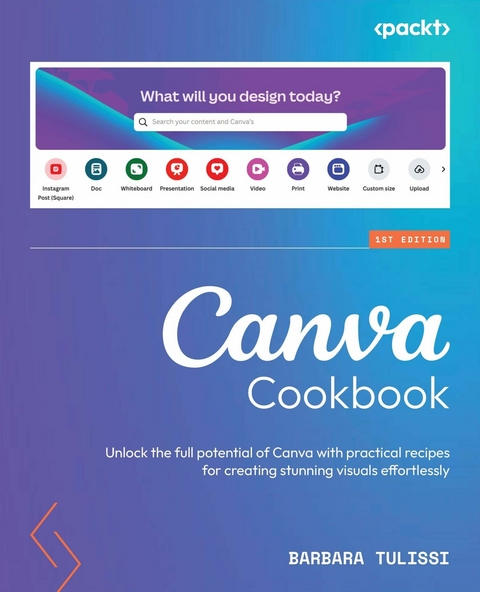
Canva Cookbook (eBook)
328 Seiten
Packt Publishing (Verlag)
978-1-80461-245-3 (ISBN)
Want to make an impact online with stunning visuals, scroll-stopping ads, and polished video? Digital design expert, Barbara Tulissi, shows you how to turn basic Canva skills into professional-level designs with ease.
Whether you're a content creator, educator, entrepreneur, or media manager, this book helps you take your visuals to the next level. You'll begin by building a strong visual identity, working through guided exercises to define your brand's voice, values, and aesthetic. With that foundation, you'll dive into a series of focused design recipes covering everything from crafting scroll-stopping posts to producing polished presentations and print-ready assets.
By the end of this book, you'll be equipped to create compelling brand identities, impactful marketing materials, scroll-stopping ads, and print-ready designs - all while mastering Canva AI's Magic Studio to streamline and elevate your design workflow.
Learn expert design techniques from Barbara Tulissi, a seasoned designer and Canva coach - with without a Pro subscriptionKey FeaturesEnhance your content creation skills, branding, and marketing with eye-catching visualsLearn Canva tricks, graphic design basics, and timesaving techniques for efficient design workflowsMaximize Canva's capabilities using both its free and Pro featuresPurchase of the print or Kindle book includes a free PDF eBookBook DescriptionWant to make an impact online with stunning visuals, scroll-stopping ads, and polished video? Digital design expert, Barbara Tulissi, shows you how to turn basic Canva skills into professional-level designs with ease. Whether you're a content creator, educator, entrepreneur, or media manager, this book helps you take your visuals to the next level. You ll begin by building a strong visual identity, working through guided exercises to define your brand s voice, values, and aesthetic. With that foundation, you ll dive into a series of focused design recipes covering everything from crafting scroll-stopping posts to producing polished presentations and print-ready assets. By the end of this book, you ll be equipped to create compelling brand identities, impactful marketing materials, scroll-stopping ads, and print-ready designs all while mastering Canva AI s Magic Studio to streamline and elevate your design workflow. What you will learnCreate captivating static designs for various media platformsCraft animated designs for video posts and adsAccelerate your design process with time-saving techniquesDevelop visuals for effective brand storytellingEnsure accessibility and inclusivity in your designsBuild and present a distinctive, well-defined brandWho this book is forThis book is for you if you want to create compelling designs with Canva, whether it s for personal branding, promoting a business, or content creation. As an entrepreneur, media manager, marketer, educator, or content creator, this book will help you craft professional-quality graphics, videos, ads, and presentations with ease.]]>
1
Introducing Canva and Its Interface
Imagine turning your creative ideas into professional-looking visual content, even if you have no design experience. Sounds impossible, right? Wrong! That’s the magic of Canva, a user-friendly design platform that democratizes graphic design for everyone.
I am Barbara, a professional designer and your Canva coach, and this first chapter serves as your gateway to the exciting world of Canva. Here, we’ll delve into its core features, navigate the interface, and equip you with essential design principles.
Think of Canva as your portable design studio, accessible on your computer, tablet, or even phone. Sure, the interface might get a makeover every now and then (think of it as a fun fashion update!), but the core features remain the same.
In this chapter, we’ll cover the following topics:
- Discovering Canva’s main interfaces
- Incorporating external resources and reviewing Canva’s limits
- Implementing useful shortcuts
Free Benefits with Your Book
Your purchase includes a free PDF copy of this book along with other exclusive benefits. Check the Free Benefits with Your Book section in the Preface to unlock them instantly and maximize your learning experience.
Technical requirements
To follow along with this chapter – and the rest of the book – you will just need Canva.
Saying that, it’s important to note that Canva has some features that require a paid subscription. But fear not, design grasshopper; we’ll be exploring both the free and paid sides – so whether you’re rocking a budget tighter than a drumhead or have pockets overflowing with digital doubloons, we’ve got you covered.
Discovering Canva’s main interfaces
Though Canva is extremely user-friendly, it might seem like a magical land of visual delights, and you may need some help navigating around the different interfaces.
Figure 1.1: Canva’s dashboard
So, let’s demystify the Canva interface together and explore some of its different features.
Canva search bar
Feeling the blank page panic? Fear not, design friend! Ditch the template hunt, tell the search bar what you want, and POOF! Canva’s magic AI whips up a unique design just for you!
Figure 1.2: Canva’s search bar
The search bar isn’t just your keyword buddy anymore – it’s a creative partner, understanding your ideas and generating designs based on your prompts. Think of it like ChatGPT for design.
But remember, our AI baby is still learning, so keep your prompts simple and concise. If you want to make an event about sushi, search for sushi Wednesday or flyer sushi. Adding a color to your prompt will also help you to find a template that suits your business, such as green flyer sushi.
Also, currently, the search bar only works in English (for now; more languages are coming soon!).
And another thing – even if you do not remember the name of a project, you can search for the style you gave it, the color codes used, or words featured in the design. Essentially, you can search for nearly anything you remember about the project and Canva should be able to find it for you!
Visual Suite
Since March 2023, Canva has transformed into a Visual Suite, serving up an array of eye-catching layouts right under your search bar. Need a social media post or a Pinterest pin? Easy peasy! Craving a video edit or a document template? You’ve got it! Invoices, estimates, mind maps, shopping lists, even CVs and presentations – Canva’s your one-stop shop for all things visual.
Figure 1.3: Canva’s Visual Suite
All the design types have been grouped into macro-categories, so just click on the category you need and look for a specific premade template or a blank one.
Templates
Feeling uninspired and stuck staring at a blank canvas? Don’t worry, you’re not alone! That’s where Canva templates come in. Instead of starting from scratch, you can use a template as a springboard, customizing it with your own colors, fonts, and images to make it unique.
And the best part? Even if you end up with something completely different from the template, it doesn’t matter! The template just sparked your imagination and helped you get started.
Figure 1.4: Templates page
Let’s suppose we are looking for inspiration to design social content about interior design. Click the Template option on the left-hand toolbar and, from the search bar, enter the keyword you are looking for. We’ll enter Interior design. Then, based on your color palette, let’s assume you want to find a template for Instagram that is predominantly white. You can just open the template’s filters, tick the Instagram post category, and select the color White. This way, you can find results that are closest to your needs without wasting time on uninteresting results.
Figure 1.5: Search results for “interior design” templates, plus filters
Brand Hub
Brand element management can be cumbersome; however, if you have a Pro subscription, consider utilizing Canva’s Brand Hub – this is your centralized storage space for all the logos, colors, fonts, and other assets of the brand (or brands) you may be managing. The Brand Hub eliminates the need for scattered folder structures and provides easy access in a single in-cloud location.
Even free users can leverage limited functionality by storing up to three essential brand colors. For extended functionality, consider creating a custom project (794x1,890 pixels) to serve as a DIY Brand Hub, housing logos, color codes, fonts, and relevant branding imagery, all saved in one handy document.
Figure 1.6: Brand Templates page
Alternatively, you can access a pre-made Brand Hub template (created by me!) here: https://partner.canva.com/eK5vY1. You can customize the template to suit your specific needs and populate it with relevant branding elements to establish a consistent and organized brand identity.
Figure 1.7: My pre-made Brand Hub template
Remember, effective organization enhances efficiency and streamlines design processes. Implement these suggestions to optimize your brand element management within Canva.
Plus, are you stuck with your brand voice? Canva Pro’s got your back! Since October 2023, you can store your brand tone right in the Hub with its AI writing tool. Canva’s AI brand voice feature is not just a text generator, though; it’s a powerful tool for harnessing the magic of consistency and injecting personality into your brand communication.
Think of it as a whisper coach: you define your brand voice guidelines, including vocabulary, tone, and personality traits. The AI then analyzes these guidelines and learns your brand’s “language.” When you want to generate content, the AI will suggest text tailored to your specific voice. The AI doesn’t simply parrot your existing content either – it uses its understanding of your brand to generate fresh, original text that aligns with your desired tone and message.
To find this feature, make sure that you’re in the Brand Hub and scroll down until you find Brand voice. Then you can tell Canva how to generate text using the same tone your brand is using, such as confident, casual, and friendly.
Figure 1.8: Canva’s brand voice
To have a taste of how it sounds, click on Try your brand voice in a design and a new document will open up where you can write a prompt that will be used to generate a response in your set brand’s voice:
Figure 1.9: Canva’s brand voice result
With this prompt, Canva’s AI can help you with generating customized texts for your documents, posts, and presentations.
Note
Speaking of AI, Canva is packed with a whole host of AI features. In fact, we’ve dedicated Chapter 11 to discussing them!
Single project interface
The single project page interface is our chameleon of Canva, changing and growing constantly, and is packed with features that we’ll explore throughout the book!
Accessing design elements within Canva’s project interface...
| Erscheint lt. Verlag | 10.1.2025 |
|---|---|
| Sprache | englisch |
| Themenwelt | Mathematik / Informatik ► Informatik ► Grafik / Design |
| ISBN-10 | 1-80461-245-6 / 1804612456 |
| ISBN-13 | 978-1-80461-245-3 / 9781804612453 |
| Informationen gemäß Produktsicherheitsverordnung (GPSR) | |
| Haben Sie eine Frage zum Produkt? |
 EPUB (Ohne DRM)
Digital Rights Management: ohne DRM
Dieses eBook enthält kein DRM oder Kopierschutz. Eine Weitergabe an Dritte ist jedoch rechtlich nicht zulässig, weil Sie beim Kauf nur die Rechte an der persönlichen Nutzung erwerben.
Dateiformat: EPUB (Electronic Publication)
EPUB ist ein offener Standard für eBooks und eignet sich besonders zur Darstellung von Belletristik und Sachbüchern. Der Fließtext wird dynamisch an die Display- und Schriftgröße angepasst. Auch für mobile Lesegeräte ist EPUB daher gut geeignet.
Systemvoraussetzungen:
PC/Mac: Mit einem PC oder Mac können Sie dieses eBook lesen. Sie benötigen dafür die kostenlose Software Adobe Digital Editions.
eReader: Dieses eBook kann mit (fast) allen eBook-Readern gelesen werden. Mit dem amazon-Kindle ist es aber nicht kompatibel.
Smartphone/Tablet: Egal ob Apple oder Android, dieses eBook können Sie lesen. Sie benötigen dafür eine kostenlose App.
Geräteliste und zusätzliche Hinweise
Buying eBooks from abroad
For tax law reasons we can sell eBooks just within Germany and Switzerland. Regrettably we cannot fulfill eBook-orders from other countries.
aus dem Bereich


