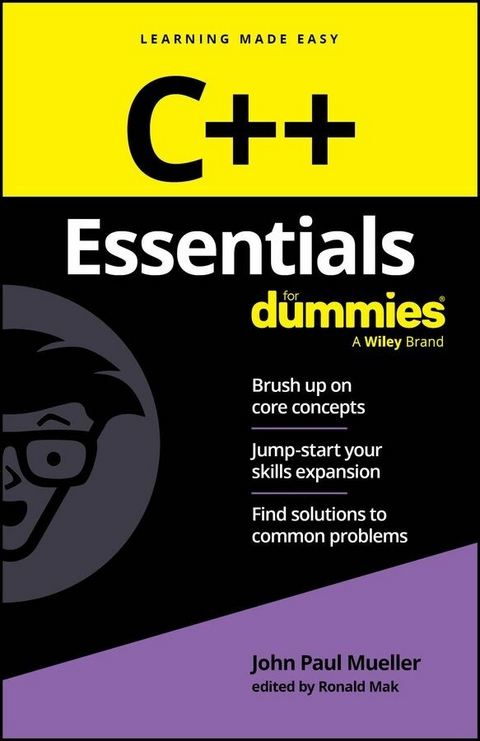
C++ Essentials For Dummies (eBook)
260 Seiten
For Dummies (Verlag)
978-1-394-30789-0 (ISBN)
The quick and crystal-clear guide to C++ programming
C++ Essentials For Dummies is your useful reference to the key concepts of C++, the popular general-purpose language utilized everywhere from building games to writing parts of operating systems. With minimal review and background material-and absolutely no fluff-this book gets straight to the essential topics you need to know to ramp up, brush up, or level up.
- Get a helpful intro to the basic concepts of coding in C++
- Review what you already know or pick up essential new skills
- Create projects that run smoothly with the C++ language
- Keep this concise reference book handy for jogging your memory as you work
Great for supplementing classroom learning, reviewing for a certification, or staying knowledgeable on the job, C++ Essentials For Dummies is a fantastic refresher guide that you can always turn to for answers.
John Paul Mueller produced more than 100 books and more than 600 articles on a range of topics, including functional programming techniques, application development using C++, and machine learning methodologies.
Ronald Mak teaches computer science and data science at San Jose State University. He was formerly a senior scientist at NASA and JPL, and has written books on software design, compiler construction, and numerical computing.
Chapter 2
Storing Data in C++
IN THIS CHAPTER
Using storage bins called variables
Working with integer and character variables
Manipulating strings
Using Boolean variables and conditional operators
Declaring and initializing a variable to hold a floating-point value
Telling cout how many digits to print after the decimal point
Using enumerations to make your code easier to read
Reading from the console
The best way to think of memory is as a set of storage bins. When you write a computer application, you reserve some storage bins, and you give each storage bin a name. You also say what type of thing can be stored in the storage bin. The technical term for such a storage bin is a variable.
In this chapter, you discover how you can use these storage bins in your applications.
Storing Values in Variables
When you write an application, you specify that you want to make use of one or more storage bins called variables. Each computer storage bin can hold only one value at a time. A variable is simply a storage bin with an associated name.
You can put many different types of values into your variables. For example, you can put numbers in a storage bin, or you can put a string in a storage bin. (However, each storage bin contains a unique kind of data — you can't put a number into a storage bin designed for a string.) As for numbers, they can be either integers (which are positive whole numbers, negative whole numbers, and 0) or numbers with a decimal point, such as 3.11 or 10.0, which (for various reasons) are called floating-point numbers.
The term floating-point number refers to a number that has a decimal point and something to the right of the decimal point (even if it’s just a 0). When you see the term floating point, you can remember what it means by focusing on the word point in its name — when you see point, think of decimal point.
Creating an integer variable
In your C++ application, you can easily write a line of code that creates a variable. Although the variable doesn’t actually get created until you run the application, people often refer to this process as creating a variable. A variable has three aspects:
- Name: Every variable must have a name. In your application, you refer to the variable by this name. For example, you may have a variable called
count, and you may have a variable calledLastName. - Type: When you create a variable, you must specify the type of value the variable can hold. For example, one variable may hold an integer, and another variable may hold a single character. After you pick a type for the variable in your application, you can put only values of that type into the variable.
- Value: At any given moment, a simple variable holds a single value. (Chapter 8 describes array variables that can hold multiple values.) For example, an integer variable may hold the number
10, and a character variable might hold the charactera.
You declare a variable when you specify its type and name. That is known as a variable declaration.
The code for the SimpleVariable example, shown here, demonstrates how to create a variable:
#include <iostream>

 using namespace std;

 int main()
 {
 int mynumber;
 mynumber = 10;
 cout << mynumber << endl;
 return 0;
 }
This is a full application that you can run.
Take a careful look at this code. Remember that the computer starts with the code inside the braces that follow main(), and it performs the code line by line.
The first line inside main looks like this:
int mynumber;
When you declare a variable, the first thing you specify is the type of thing the variable can hold. Here, you use the word int. This word is the C++ word for integer. Thus, the variable that you're declaring can hold an integer. Next is the name of the variable. This variable is named mynumber. Then a semicolon ends the variable declaration.
The next line looks like this:
mynumber = 10;
This line puts the value 10 in the variable. Because you already know that the variable can hold an integer, you're allowed to put in a 10 because it’s an integer. If you’d tried to put a value other than an integer in the variable, the compiler would’ve given you an error message. The compiler makes sure that you put into a variable only the same type of value. And, of course, you noticed that the statement ends with a semicolon. In C++, every statement ends with a semicolon.
To put a value in a variable, you type the variable’s name, an equal sign (surrounded by optional spaces), and the value. You end the line with a semicolon. This line of code is an assignment statement. Or you can say that you’re setting the variable to the value.
The next line is this:
cout << mynumber << endl;
This is a cout statement, which means that it writes something on the console. This code tells the computer to write the value of mynumber on the console. The previous line of code put a 10 in the storage bin, so this line prints a 10 on the console. The endl means “end line”, so the 10 is printed on a line by itself. When you run the application, you see this:
10
Think of it like this: When you type the variable's name, you’re accessing the variable. The exception to this is when the variable’s name appears to the left of an equal sign. In that case, you’re setting the variable. You can do two things with a variable:
- Setting the variable: You can set a variable, which means that you can put a value inside the storage bin.
- Retrieving the value: You can get back the value that is inside the variable. When you do so, the value stays inside it.
When you retrieve the value that’s in a variable, you aren’t removing it from the variable. The value is still inside the variable.
Declaring multiple variables
If you want to declare three integer variables in a row, you can do it in a single declaration statement, like this:
int monica, rachel, phoebe;
This statement declares three separate variables. The first is called monica; the second is called rachel; and the third is called phoebe. Each of these three variables can have an integer value. You haven't put anything in any of them, so you may follow that with some code to assign each of them a value. For example, this code puts the value 10 in monica, 20 in rachel, and 3254 in phoebe.
monica = 10;
 rachel = 20;
 phoebe = 3254;
When you run your applications, the computer executes the statements in the order in which they appear in your code. Therefore, in the preceding code, the computer first creates the three storage bins. Then it puts the value 10 inside monica. Next, rachel gets the value 20. And finally, phoebe gets the value 3254.
Changing values
Although a variable can hold only one value at a time, you can still change what the variable holds. After you put another value in a variable, it forgets what it originally had.
You put another value in the variable in the same way you originally put a value in it. Look closely at the code for the ChangeVariable example:
#include <iostream>

 using namespace std;

 int main()
 {
 int mynumber;
 mynumber = 10;
 cout << mynumber << endl;

 mynumber = 20;
 cout << mynumber << endl;
 return 0;
 }
When you see a single equal sign by itself, the item on the left side is the variable item that receives the value that is on the right side.
Setting one variable equal to another
Because you can do only two direct things with variables — put something in and retrieve the value — setting one variable equal to another is a simple process of retrieving the value of one variable and putting it in the other. This process is often referred to as copying the...
| Erscheint lt. Verlag | 13.12.2024 |
|---|---|
| Sprache | englisch |
| Themenwelt | Informatik ► Programmiersprachen / -werkzeuge ► C / C++ |
| Schlagworte | C++ • C++ basics • C++ Book • C++ certification • c++ coding • c++ coding course • C++ crash course • C++ guide • C++ Programming • C++ programming book • C++ Programming for Beginners • C++ programming language • C++ study guide • General-purpose programming language • Learn C++ • Programming basics |
| ISBN-10 | 1-394-30789-6 / 1394307896 |
| ISBN-13 | 978-1-394-30789-0 / 9781394307890 |
| Informationen gemäß Produktsicherheitsverordnung (GPSR) | |
| Haben Sie eine Frage zum Produkt? |
 EPUB (Adobe DRM)
Kopierschutz: Adobe-DRM
Adobe-DRM ist ein Kopierschutz, der das eBook vor Mißbrauch schützen soll. Dabei wird das eBook bereits beim Download auf Ihre persönliche Adobe-ID autorisiert. Lesen können Sie das eBook dann nur auf den Geräten, welche ebenfalls auf Ihre Adobe-ID registriert sind.
Details zum Adobe-DRM
Dateiformat: EPUB (Electronic Publication)
EPUB ist ein offener Standard für eBooks und eignet sich besonders zur Darstellung von Belletristik und Sachbüchern. Der Fließtext wird dynamisch an die Display- und Schriftgröße angepasst. Auch für mobile Lesegeräte ist EPUB daher gut geeignet.
Systemvoraussetzungen:
PC/Mac: Mit einem PC oder Mac können Sie dieses eBook lesen. Sie benötigen eine
eReader: Dieses eBook kann mit (fast) allen eBook-Readern gelesen werden. Mit dem amazon-Kindle ist es aber nicht kompatibel.
Smartphone/Tablet: Egal ob Apple oder Android, dieses eBook können Sie lesen. Sie benötigen eine
Geräteliste und zusätzliche Hinweise
Buying eBooks from abroad
For tax law reasons we can sell eBooks just within Germany and Switzerland. Regrettably we cannot fulfill eBook-orders from other countries.
aus dem Bereich