


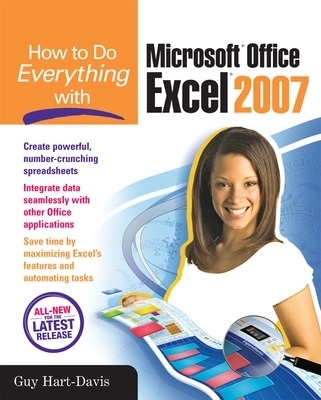
How to Do Everything with Microsoft Office Excel 2007
Osborne/McGraw-Hill (Verlag)
978-0-07-226369-5 (ISBN)
- Titel z.Zt. nicht lieferbar
- Portofrei ab CHF 40
- Auch auf Rechnung
- Artikel merken
Publisher's Note: Products purchased from Third Party sellers are not guaranteed by the publisher for quality, authenticity, or access to any online entitlements included with the product.
Master the latest version of Excel
Get more out of Excel than ever before with help from this hands-on guide. Learn how to create powerful and easy-to-use spreadsheets and bring yourself up to speed on all the new and improved features available in Excel 2007. Discover how to enter and format data, use graphics effectively, create formulas, build tables to store and analyze data, and share workbooks securely with other users. You'll also learn how to save files to intranet sites and Internet servers, and publish workbooks to Web pages. Plus, you'll find valuable shortcuts that will make it even easier to use the world's most popular spreadsheet application.
Control Excel using the new Ribbon interface instead of menus and toolbars
Configure and customize Excel to suit your working needs
Add visual impact to your worksheets with pictures and diagrams
Develop formulas to perform custom calculations
Analyze data using PivotTables and organize your information to show exactly what you need
Use what-if analysis to solve complex and time-grabbing business problems
Share workbooks and collaborate with colleagues
Transfer data easily among other Office applications
Guy Hart-Davis (Barnard Castle, UK) is the author of more than 60 computer books, including all editions of How to Do Everything: iPod, iPhone, & iTunes, iPad and iPhone Administrator’s Guide, Integrating Macs in Windows Networks, and Mac OS X System Administration.
Part I: Get Started with ExcelChapter 1: Navigate the Excel ScreenChapter 2: Configure Excel to Suit Your Working NeedsChapter 3: Create Spreadsheets and Enter DataChapter 4: Format Worksheets for Best EffectChapter 5: Add Graphics and Drawings to WorksheetsChapter 6: Check, Lay Out, and Print WorksheetsPart II: Calculate, Manipulate, and Analyze DataChapter 7: Perform Calculations with FunctionsChapter 8: Create Formulas to Perform Custom CalculationsChapter 9: Organize Data with Excel DatabasesChapter 10: Outline and Consolidate WorksheetsChapter 11: Analyze Data Using PivotTables and PivotChartsChapter 12: Solve Problems by Performing What-If AnalysisPart III: Share, Publish, and Present DataChapter 13: Create Effective Charts to Present Data VisuallyChapter 14: Share Workbooks and Collaborate with ColleaguesChapter 15: Using Excel's Web CapabilitiesChapter 16: Use Excel with the Other Office ApplicationsPart IV: Customize and Program ExcelChapter 17: Customize Excel's InterfaceChapter 18: Use Macros to Automate TasksAppendix: Keyboard ShortcutsIndex
| Erscheint lt. Verlag | 16.1.2007 |
|---|---|
| Zusatzinfo | 400 Illustrations |
| Verlagsort | New York |
| Sprache | englisch |
| Maße | 152 x 252 mm |
| Gewicht | 855 g |
| Themenwelt | Informatik ► Office Programme ► Excel |
| ISBN-10 | 0-07-226369-5 / 0072263695 |
| ISBN-13 | 978-0-07-226369-5 / 9780072263695 |
| Zustand | Neuware |
| Informationen gemäß Produktsicherheitsverordnung (GPSR) | |
| Haben Sie eine Frage zum Produkt? |
aus dem Bereich


