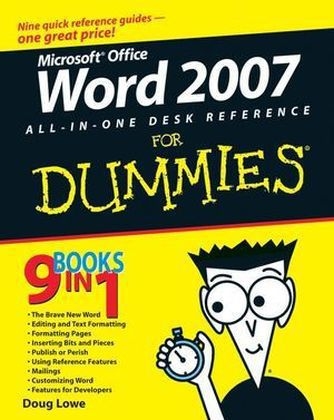
Word 2007 All-in-one Desk Reference For Dummies
John Wiley & Sons Ltd (Verlag)
978-0-470-04058-4 (ISBN)
- Titel ist leider vergriffen;
keine Neuauflage - Artikel merken
* Nine minibooks provide new and inexperienced Word users with the know-how to optimize the features of the long-anticipated release of the latest version of Word* Valuable minibooks cover Word basics; formatting text; various editing techniques; working with letters, envelopes, and labels; adding graphics; Web publishing; advanced document features; customizing Word; and programming Word with VBA* Offers insightful information for creating key documents such as reports, letters, business plans, and more for both the Web and print* Helps readers take advantage of the new Word features, including advanced collaboration, a results-oriented user interface, pre-built layouts, and more
Doug Lowe has written enough computer books to line all the birdcages in California. His other books include PowerPoint 2007 For Dummies, Java All-in-One Desk Reference For Dummies, and Networking For Dummies, Sixth Edition. Although Doug has yet to win a Pulitzer Prize, he remains cautiously optimistic. He is hopeful that George Lucas will pick up the film rights to this book and suggests PowerPoint Episode 2,007: The Phantom Presentation as a working title.
Introduction. Book I: The Brave New Word. Chapter 1: Getting to Know Word 2007. Chapter 2: Managing Your Documents. Chapter 3: Working with Templates. Chapter 4: Printing Your Documents. Chapter 5: Help! Book II: Editing and Text Formatting. Chapter 1: Getting Around Your Documents. Chapter 2: Basic Text Formatting. Chapter 3: Working with Styles. Chapter 4: Editing Techniques. Chapter 5: All About AutoCorrect and AutoFormat. Chapter 6: Spell-Checking and the Thesaurus. Chapter 7: Working with Outlines and Master Documents. Book III: Formatting Pages. Chapter 1: Basic Page Formatting and Sections. Chapter 2: Formatting Fancy Pages. Chapter 3: Creating Lists. Book IV: Inserting Bits and Pieces. Chapter 1: Drawing Shapes on Your Document. Chapter 2: Inserting Pictures and Clip Art. Chapter 3: Creating Charts and Diagrams. Chapter 4: Working with Tables. Chapter 5: Inserting Fancy Text. Chapter 6: Other Things You Can Insert in Your Documents. Book V: Publish or Perish. Chapter 1: Blogging with Word. Chapter 2: Working with SharePoint. Chapter 3: Collaborating with the Review Tab. Book VI: Using Reference Features. Chapter 1: Creating a Table of Contents or Table of Figures. Chapter 2: Working with Footnotes and Endnotes. Chapter 3: Indexing Your Masterpiece. Chapter 4: Citations and Bibliographies. Chapter 5: I Object! (To Tables of Authorities, That Is). Book VII: Mailings. Chapter 1: Creating Envelopes and Labels. Chapter 2: Faxing and E-Mailing Documents. Chapter 3: Using the Mail Merge Wizard. Chapter 4: Advanced Mail Merge Tricks. Book VIII: Customizing Word. Chapter 1: Customizing the User Interface. Chapter 2: Opting for Options. Chapter 3: Working with Fields. Chapter 4: Creating Custom Forms. Book IX: Features for Developers. Chapter 1: Recording and Using Macros. Chapter 2: Programming with VBA. Chapter 3: More Programming: Using Word's Object Model. Chapter 4: Creating UserForms. Index.
| Erscheint lt. Verlag | 2.2.2007 |
|---|---|
| Zusatzinfo | Illustrations |
| Verlagsort | Chichester |
| Sprache | englisch |
| Maße | 190 x 234 mm |
| Gewicht | 1008 g |
| Einbandart | Paperback |
| Themenwelt | Informatik ► Office Programme ► Word |
| ISBN-10 | 0-470-04058-0 / 0470040580 |
| ISBN-13 | 978-0-470-04058-4 / 9780470040584 |
| Zustand | Neuware |
| Informationen gemäß Produktsicherheitsverordnung (GPSR) | |
| Haben Sie eine Frage zum Produkt? |
aus dem Bereich