


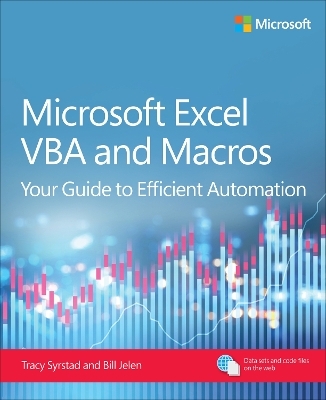
Microsoft Excel VBA and Macros
Addison Wesley (Verlag)
978-0-13-541023-3 (ISBN)
This book is designed to equip you with a solid foundation in Microsoft Excel Visual Basic for Applications (VBA), and help you progress to advanced techniques like in-memory processing and custom object programming for efficient data manipulation. You will learn to write and understand VBA code, automate complex Excel tasks, import and export data, interact with cells programmatically, and manipulate data efficiently. You’ll also learn advanced reporting automation, enabling you to generate and update charts and pivot tables through code and develop programs that transform raw data into comprehensive reports with a single click of a button. With clear explanations and practical examples, Tracy Syrstad and Bill Jelen help make complex tasks a breeze!
You’ll find simple, step-by-step instructions, real-world case studies, project specification solutions, and 50 workbooks packed with examples and complete, easy-to-adapt solutions.
By reading this book, you will:
Quickly master Excel macros development —even if you’re starting with no prior experience.
Learn the foundations of VBA through clear, step-by-step guidance.
Gain insider techniques for cleaner code, better structure, and long-term maintainability.
Go beyond how-to tutorials: learn how professionals approach automation.
Design advanced userforms with multiple views, custom controls, and data validation.
Use custom objects and collections to write scalable, object-oriented code.
Extend Excel’s power by automating Word, Outlook, and other Office programs.
Integrate data from the internet, Access, text fi les, and other sources.
Leverage advanced filter techniques to isolate and manipulate large datasets efficiently.
Share your programs using Excel Add-ins (XLAM), Office Add-ins (Office.js), and Office Scripts
About This Book
For everyone who wants to get more done with Microsoft Excel in less time
For business and financial professionals, entrepreneurs, students, and others who need to efficiently manage and analyze data
Tracy Syrstad has been deeply immersed in the world of Excel programming for 20 years, acquiring a comprehensive skillset largely through independent learning. VBA is more than just a programming language for her; it's a tool to unlock efficiency. Tracy's passion for empowering clients through automated projects and one-on-one Excel programming instruction extends beyond personal development. This hands-on experience, combined with her proven track record of authoring seven previous VBA books for Microsoft Press, equips her with the unique ability to translate complex Excel concepts into clear and engaging content for a broad audience. Bill Jelen is the host of MrExcel.com and the author of 67 books about Microsoft Excel including Excel Gurus Gone Wild, Pivot Table Data Crunching, and Microsoft Excel Inside Out. He was an ESPN commentator for the World Excel Championships, has made over 80 guest appearances on TV's Call for Help with Leo Laporte and was voted guest of the year on the Computer America radio show. He writes the Excel column for Strategic Finance magazine. He has produced over 2400 episodes of his video podcast Learn Excel from MrExcel. Before founding MrExcel.com in 1998, Jelen spent twelve years “in the trenches”, as a financial analyst for the accounting, finance, marketing, and operations departments of a publicly held company.
CHAPTER 1 Unleashing the power of Excel with VBA
CHAPTER 2 This sounds like BASIC, so why doesn’t it look familiar?
CHAPTER 3 Referring to ranges, names, and tables
CHAPTER 4 Laying the groundwork with variables and structures
CHAPTER 5 Looping and flow control
CHAPTER 6 R1C1 style formulas
CHAPTER 7 Event programming
CHAPTER 8 Arrays
CHAPTER 9 Creating custom objects and collections
CHAPTER 10 Userforms: An introduction
CHAPTER 11 Data mining with Advanced Filter
CHAPTER 12 Using VBA to create pivot tables
CHAPTER 13 Excel power
CHAPTER 14 Sample user-defined functions
CHAPTER 15 Creating charts
CHAPTER 16 Data visualizations and conditional formatting
CHAPTER 17 Dashboarding with sparklines in Excel
CHAPTER 18 Reading from the web using M and VBA
CHAPTER 19 Text file processing
CHAPTER 20 Automating Word
CHAPTER 21 Using Access as a back end to enhance multiuser access to data
CHAPTER 22 Advanced userform techniques
CHAPTER 23 The Windows Application Programming Interface (API)
CHAPTER 24 Handling errors
CHAPTER 25 Customizing the ribbon to run macros
CHAPTER 26 Creating Excel add-ins
CHAPTER 27 An introduction to creating Office Add-ins
| Erscheinungsdatum | 04.10.2025 |
|---|---|
| Reihe/Serie | Business Skills |
| Verlagsort | Boston |
| Sprache | englisch |
| Maße | 188 x 230 mm |
| Gewicht | 1250 g |
| Themenwelt | Informatik ► Office Programme ► Excel |
| Informatik ► Office Programme ► Outlook | |
| ISBN-10 | 0-13-541023-1 / 0135410231 |
| ISBN-13 | 978-0-13-541023-3 / 9780135410233 |
| Zustand | Neuware |
| Informationen gemäß Produktsicherheitsverordnung (GPSR) | |
| Haben Sie eine Frage zum Produkt? |
aus dem Bereich


