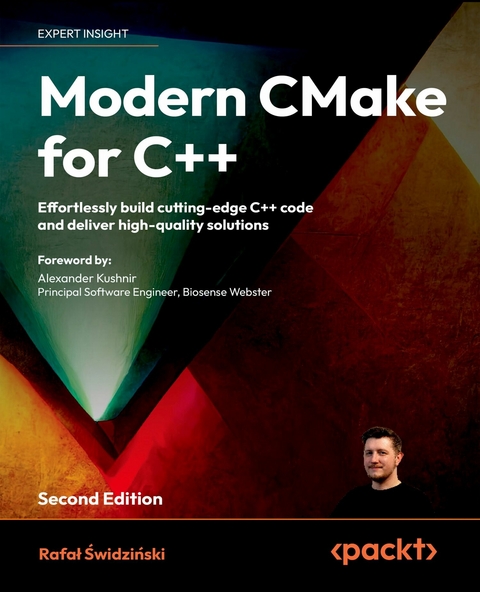
Modern CMake for C++ (eBook)
503 Seiten
Packt Publishing (Verlag)
978-1-80512-336-1 (ISBN)
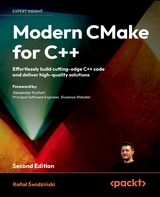
No detailed description available for "e;Modern CMake for C++"e;.
Cover 1
Copyright Page 3
Foreword 4
Contributors 5
Table of Contents 8
Preface 22
Chapter 1: First Steps with CMake 30
Technical requirements 31
Understanding the basics 31
What is CMake? 32
How does it work? 34
The configuration stage 34
The generation stage 35
The building stage 35
Installing CMake on different platforms 37
Docker 38
Windows 39
Linux 40
macOS 41
Building from the source 41
Mastering the command line 42
CMake command line 42
Generating a project buildsystem 42
Building a project 49
Installing a project 51
Running a script 53
Running a command-line tool 53
Running a workflow preset 54
Getting help 54
CTest command line 54
CPack command line 55
CMake GUI 55
CCMake command line 57
Navigating project directories and files 57
The source tree 58
The build tree 58
Listfiles 59
Project file 59
Cache file 60
Package definition file 61
Generated files 61
JSON and YAML files 62
Preset files 62
File-based API 63
Configure log 63
Ignoring files in Git 63
Discovering scripts and modules 64
Scripts 64
Utility modules 65
Find-modules 66
Summary 66
Further reading 66
Chapter 2: The CMake Language 68
Technical requirements 69
The basics of the CMake language syntax 69
Comments 70
Command invocations 72
Command arguments 73
Bracket arguments 73
Quoted arguments 75
Unquoted arguments 75
Working with variables 77
Variable references 78
Using environment variables 79
Using cache variables 81
How to correctly use variable scopes in CMake 82
Using lists 84
Understanding control structures in CMake 86
Conditional blocks 86
The syntax for conditional commands 86
Loops 90
while() 91
foreach() loops 91
Command definitions 93
Macros 93
Functions 94
The procedural paradigm in CMake 96
A word on naming conventions 98
Exploring the frequently used commands 98
The message() command 98
The include() command 101
The include_guard() command 101
The file() command 102
The execute_process() command 102
Summary 103
Further reading 104
Chapter 3: Using CMake in Popular IDEs 106
Getting to know IDEs 107
Choosing an IDE 108
Choose a comprehensive IDE 108
Choose an IDE that is widely supported in your organization 109
Don’t pick an IDE based on the target OS and platform 109
Pick an IDE with remote development support 109
Installing toolchains 110
Using this book’s examples with IDEs 111
Starting with the CLion IDE 112
Why you might like it 113
Take your first steps 114
Advanced feature: Debugger on steroids 116
Starting with Visual Studio Code 116
Why you might like it 117
Take your first steps 118
Advanced feature: Dev Containers 118
Starting with the Visual Studio IDE 119
Why you might like it 120
Take your first steps 121
Advanced feature: Hot Reload debugging 122
Summary 123
Further reading 124
Chapter 4: Setting Up Your First CMake Project 126
Technical requirements 127
Understanding the basic directives and commands 127
Specifying the minimum CMake version 128
Defining languages and metadata 129
Partitioning your project 130
Managing scope with subdirectories 132
When to use nested projects 134
Keeping external projects external 135
Thinking about the project structure 135
Scoping the environment 141
Detecting the operating system 141
Cross-compilation – what are host and target systems? 142
Abbreviated variables 142
Host system information 143
Does the platform have 32-bit or 64-bit architecture? 144
What is the endianness of the system? 145
Configuring the toolchain 145
Setting the C++ standard 145
Insisting on standard support 146
Vendor-specific extensions 147
Interprocedural optimization 147
Checking for supported compiler features 148
Compiling a test file 148
Disabling in-source builds 150
Summary 151
Further reading 152
Chapter 5: Working with Targets 154
Technical requirements 155
Understanding the concept of a target 155
Defining executable targets 156
Defining library targets 157
Custom targets 157
Dependency graph 158
Visualizing dependencies 160
Setting properties of targets 162
What are Transitive Usage Requirements? 163
Dealing with conflicting propagated properties 166
Meet the pseudo targets 167
Imported targets 168
Alias targets 168
Interface libraries 168
Object libraries 170
Build targets 170
Writing custom commands 171
Using a custom command as a generator 172
Using a custom command as a target hook 173
Summary 174
Further reading 175
Chapter 6: Using Generator Expressions 178
Technical requirements 179
What are generator expressions? 179
Learning the basic rules of general expression syntax 180
Nesting 181
Conditional expansion 182
Evaluating to Boolean 183
Logical operators 183
Comparisons 183
Queries 184
Querying and transforming 184
Dealing with strings, lists, and paths 184
Parametrizing the build configuration and platform 187
Tuning for toolchain 187
Querying target-related information 189
Escaping 191
Trying out examples 192
Build configurations 192
System-specific one liners 192
Interface libraries with compiler-specific flags 193
Nested generator expressions 193
The difference between a conditional expression and the evaluation of a BOOL operator 195
Summary 196
Further reading 196
Chapter 7: Compiling C++ Sources with CMake 198
Technical requirements 199
The basics of compilation 199
How compilation works 200
Initial configuration 202
Requiring specific features from the compiler 203
Managing sources for targets 204
Configuring the preprocessor 205
Providing paths to included files 205
Preprocessor definitions 206
Avoid accessing private class fields in your unit tests 208
Using git commit to track a compiled version 208
Configuring the headers 209
Configuring the optimizer 211
General level 212
Function inlining 214
Loop unrolling 215
Loop vectorization 216
Managing the process of compilation 217
Reducing compilation time 217
Precompilation of headers 218
Unity builds 220
Finding mistakes 222
Configuring errors and warnings 222
Debugging the build 223
Providing information for the debugger 226
Summary 227
Further reading 228
Chapter 8: Linking Executables and Libraries 230
Technical requirements 231
Getting the basics of linking right 231
Building different library types 236
Static libraries 236
Shared libraries 237
Shared modules 238
Position-independent code (PIC) 239
Solving problems with the ODR 240
Sorting out dynamically linked duplicated symbols 243
Use namespaces – don’t count on the linker 245
The order of linking and unresolved symbols 245
Dealing with unreferenced symbols 248
Separating main() for testing 249
Summary 252
Further reading 253
Chapter 9: Managing Dependencies in CMake 254
Technical requirements 255
Using already installed dependencies 255
Finding packages with CMake’s find_package() 255
Writing your own find modules 261
Discovering legacy packages with FindPkgConfig 267
Using dependencies not present in the system 270
FetchContent 270
Basic example with a YAML reader 272
Downloading the dependencies 274
Updating and patching 277
Using the installed dependency where possible 278
ExternalProject 280
Summary 282
Further reading 282
Chapter 10: Using the C++20 Modules 284
Technical requirements 285
What are the C++20 modules? 285
Writing projects with C++20 module support 289
Enabling the experimental support in CMake 3.26 and 3.27 289
Enabling support for CMake 3.28 and up 291
Setting the compiler requirements 291
Declaring a C++ module 291
Configuring the toolchain 292
Summary 294
Further reading 294
Chapter 11: Testing Frameworks 296
Technical requirements 297
Why are automated tests worth the trouble? 297
Using CTest to standardize testing in CMake 298
Build-and-test mode 299
Test mode 301
Querying tests 301
Filtering tests 302
Shuffling tests 302
Handling failures 303
Repeating tests 304
Controlling output 305
Miscellaneous 306
Creating the most basic unit test for CTest 306
Structuring our projects for testing 311
Unit-testing frameworks 315
Catch2 316
GoogleTest 319
Using GTest 319
GMock 321
Generating test coverage reports 328
Using LCOV for coverage reports 329
Avoiding the SEGFAULT gotcha 334
Summary 334
Further reading 335
Chapter 12: Program Analysis Tools 338
Technical requirements 339
Enforcing formatting 339
Using static checkers 343
clang-tidy 346
Cpplint 346
Cppcheck 347
include-what-you-use 347
Link What You Use 347
Dynamic analysis with Valgrind 348
Memcheck 349
Memcheck-Cover 353
Summary 355
Further reading 356
Chapter 13: Generating Documentation 358
Technical requirements 359
Adding Doxygen to your project 359
Generating documentation with a modern look 365
Enhancing output with custom HTML 367
Summary 369
Further reading 370
Chapter 14: Installing and Packaging 372
Technical requirements 373
Exporting without installation 373
Installing projects on the system 376
Installing logical targets 378
Utilizing the default destination for different platforms 380
Dealing with public headers 381
Low-level installation 383
Installing with install(FILES) and install(PROGRAMS) 383
Working with entire directories 386
Invoking scripts during installation 389
Installing runtime dependencies 391
Creating reusable packages 392
Understanding the issues with relocatable targets 392
Installing target export files 394
Writing basic config files 395
Creating advanced config files 398
Generating package version files 402
Defining components 403
How to use components in find_package() 404
How to use components in the install() command 404
Managing symbolic links for versioned shared libraries 406
Packaging with CPack 407
Summary 409
Further reading 410
Chapter 15: Creating Your Professional Project 412
Technical requirements 413
Planning our work 413
Project layout 417
Shared libraries versus static libraries 418
Project file structure 419
Building and managing dependencies 421
Building the Calc library 424
Building the Calc console executable 426
Testing and program analysis 431
Preparing the Coverage module 433
Preparing the Memcheck module 435
Applying testing scenarios 436
Adding static analysis tools 438
Installing and packaging 440
Installation of the library 441
Installation of the executable 443
Packaging with CPack 443
Providing the documentation 444
Generating the technical documentation 444
Writing non-technical documents for a professional project 446
Summary 449
Further reading 450
Chapter 16: Writing CMake Presets 452
Technical requirements 453
Using presets defined in a project 453
Writing a preset file 454
Defining stage-specific presets 455
Common features across presets 455
Unique name fields 456
Optional fields 456
Association with configuration-stage presets 457
Defining configuration-stage presets 457
Defining build-stage presets 459
Defining test-stage presets 460
Defining package-stage presets 463
Adding the installation preset 464
Defining workflow presets 466
Adding conditions and macros 467
Summary 469
Further reading 470
Appendix 472
Miscellaneous commands 472
The string() command 472
Search and replace 473
Manipulation 474
Comparison 474
Hashing 475
Generation 475
JSON 476
The list() command 477
Reading 477
Searching 477
Modification 477
Ordering 478
The file() command 479
Reading 479
Writing 479
Filesystem 480
Path conversion 481
Transfer 481
Locking 481
Archiving 481
The math() command 482
PacktPage 484
Other Books You May Enjoy 486
Index 2
Preface
Creating top-notch software is no easy task. Developers researching this subject online often struggle to determine which advice is current and which methods have been superseded by newer, better practices. Moreover, most resources explain the process chaotically, lacking proper background, context, and structure.
Modern CMake for C++ provides an end-to-end guide that offers a simpler experience by treating the building of C++ solutions comprehensively. It not only teaches you how to use CMake in your projects but also highlights what makes them maintainable, elegant, and clean. The guide walks you through automating complex tasks common in many projects, including building, testing, and packaging.
The book instructs you on organizing source directories, building targets, and creating packages. As you progress, you will learn to compile and link executables and libraries, understand these processes in detail, and optimize each step for the best results. Additionally, you will discover how to incorporate external dependencies into your project, such as third-party libraries, testing frameworks, program analysis tools, and documentation generators. Finally, you’ll learn how to export, install, and package your solution for both internal and external use.
After completing this book, you’ll be able to use CMake confidently on a professional level.
Who this book is for
After you’ve learned C++, you’ll quickly discover that proficiency with the language alone isn’t enough to prepare you for delivering projects at the highest standards. This book fills that gap: it is addressed to anyone aspiring to become a better software developer or even a professional build engineer!
Read it if you want to learn modern CMake from scratch or elevate and refresh your current CMake skills. It will help you understand how to make top-notch C++ projects and transition from other build environments.
What this book covers
Chapter 1, First Steps with CMake, covers the installation of CMake, the use of its command line interface, and introduces the fundamental building blocks necessary for a CMake project.
Chapter 2, The CMake Language, cover the essential concepts of the CMake language, including command invocations, arguments, variables, control structures, and comments.
Chapter 3, Using CMake in Popular IDEs, emphasizes the importance of Integrated Development Environments (IDEs), guides you through selecting an IDE, and provides setup instructions for Clion, Visual Studio Code, and Visual Studio IDE.
Chapter 4, Setting up Your First CMake Project, will teach you how to configure a basic CMake project in its top-level file, structure the file tree, and prepare the toolchain necessary for development.
Chapter 5, Working with Targets, explores the concept of logical build targets, understand their properties and different types, and learn how to define custom commands for CMake projects.
Chapter 6, Using Generator Expressions, explains the purpose and syntax of generator expressions, including how to use them for conditional expansion, queries, and transformations.
Chapter 7, Compiling C++ Sources with CMake, delves into the compilation process, configure the preprocessor and optimizer, and discover techniques to reduce build time and improve debugging.
Chapter 8, Linking Executables and Libraries, understands the linking mechanism, different types of libraries, the One Definition Rule, the order of linking, and how to prepare your project for testing.
Chapter 9, Managing Dependencies in CMake, will teach you to manage third-party libraries, add CMake support for those that lack it, and fetch external dependencies from the internet.
Chapter 10, Using the C++20 Modules, introduces C++20 modules, shows how to enable their support in CMake, and configure the toolchain accordingly.
Chapter 11, Testing Frameworks, will help you understand the importance of automated testing, leverage built-in testing support in CMake, and get started with unit testing using popular frameworks.
Chapter 12, Program Analysis Tools, will show you how to automatically format source code and detect software errors during both build time and runtime.
Chapter 13, Generating Documentation, presents how to use Doxygen for automating documentation creation from source code and add styling to enhance your documentation’s appearance.
Chapter 14, Installing and Packaging, prepares your project for release with and without installation, create reusable packages, and designate individual components for packaging.
Chapter 15, Creating Your Professional Project, applies all the knowledge acquired throughout the book to develop a comprehensive, professional-grade project.
Chapter 16, Writing CMake Presets, encapsulates high-level project configurations into workflows using CMake preset files, making project setup and management more efficient.
Appendix - Miscellaneous Commands, serves as a reference for various CMake commands related to strings, lists, files, and mathematical operations.
To get the most out of this book
Basic familiarity with C++ and Unix-like systems is assumed throughout the book. Although Unix knowledge isn’t a strict requirement, it will prove helpful in fully understanding the examples given in this book.
This book targets CMake 3.26, but most of the techniques described should work from CMake 3.15 (features that were added after are usually highlighted). Some chapters have been updated to CMake 3.28 to cover the latest features.
Preparation of the environment to run examples is covered in Chapters 1-3, but we specifically recommend using the Docker image provided with this book if you’re familiar with this tool.
Download the example code files
The code bundle for the book is hosted on GitHub at https://github.com/PacktPublishing/Modern-CMake-for-Cpp-2E. We also have other code bundles from our rich catalog of books and videos available at https://github.com/PacktPublishing/. Check them out!
Download the color images
We also provide a PDF file that has color images of the screenshots/diagrams used in this book. You can download it here: https://packt.link/gbp/9781805121800.
Conventions used
There are a number of text conventions used throughout this book.
CodeInText: Indicates code words in text, database table names, folder names, filenames, file extensions, pathnames, dummy URLs, user input, and Twitter handles. For example: “Mount the downloaded WebStorm-10*.dmg disk image file as another disk in your system.”
A block of code is set as follows:
cmake_minimum_required(VERSION 3.26) project(Hello) add_executable(Hello hello.cpp) When we wish to draw your attention to a particular part of a code block, the relevant lines or items are set in bold:
cmake_minimum_required(VERSION 3.26) project(Hello) add_executable(Hello hello.cpp) add_subdirectory(api) Any command-line input or output is written as follows:
cmake --build <dir> --parallel [<number-of-jobs>] cmake --build <dir> -j [<number-of-jobs>] Bold: Indicates a new term, an important word, or words that you see on the screen. For example: “Select System info from the Administration panel.”
Warnings or important notes appear like this.
Tips and tricks appear like this.
Get in touch
Feedback from our readers is always welcome.
General feedback: Email feedback@packtpub.com, and mention the book’s title in the subject of your message. If you have questions about any aspect of this book, please email us at questions@packtpub.com.
Errata: Although we have taken every care to ensure the accuracy of our content, mistakes do happen. If you have found a mistake in this book we would be grateful if you would report this to us. Please visit, http://www.packtpub.com/submit-errata, selecting your book, clicking on the Errata Submission Form link, and entering the details.
Piracy: If you come across any illegal copies of our works in any form on the Internet, we would be grateful if you would provide us with the location address or website name. Please contact us at copyright@packtpub.com with a link to the material.
If you are interested in becoming an author: If there is a topic that you have expertise in and you are interested in either writing or contributing to a book, please visit http://authors.packtpub.com.
Share your thoughts
Once you’ve read Modern CMake for C++, Secon Edition, we’d love to hear your thoughts! Please click here to go...
| Erscheint lt. Verlag | 11.6.2024 |
|---|---|
| Vorwort | Alexander Kushnir |
| Sprache | englisch |
| Themenwelt | Informatik ► Programmiersprachen / -werkzeuge ► C / C++ |
| Mathematik / Informatik ► Informatik ► Software Entwicklung | |
| ISBN-10 | 1-80512-336-X / 180512336X |
| ISBN-13 | 978-1-80512-336-1 / 9781805123361 |
| Informationen gemäß Produktsicherheitsverordnung (GPSR) | |
| Haben Sie eine Frage zum Produkt? |
 EPUB (Adobe DRM)
Größe: 6,1 MB
Kopierschutz: Adobe-DRM
Adobe-DRM ist ein Kopierschutz, der das eBook vor Mißbrauch schützen soll. Dabei wird das eBook bereits beim Download auf Ihre persönliche Adobe-ID autorisiert. Lesen können Sie das eBook dann nur auf den Geräten, welche ebenfalls auf Ihre Adobe-ID registriert sind.
Details zum Adobe-DRM
Dateiformat: EPUB (Electronic Publication)
EPUB ist ein offener Standard für eBooks und eignet sich besonders zur Darstellung von Belletristik und Sachbüchern. Der Fließtext wird dynamisch an die Display- und Schriftgröße angepasst. Auch für mobile Lesegeräte ist EPUB daher gut geeignet.
Systemvoraussetzungen:
PC/Mac: Mit einem PC oder Mac können Sie dieses eBook lesen. Sie benötigen eine
eReader: Dieses eBook kann mit (fast) allen eBook-Readern gelesen werden. Mit dem amazon-Kindle ist es aber nicht kompatibel.
Smartphone/Tablet: Egal ob Apple oder Android, dieses eBook können Sie lesen. Sie benötigen eine
Geräteliste und zusätzliche Hinweise
Zusätzliches Feature: Online Lesen
Dieses eBook können Sie zusätzlich zum Download auch online im Webbrowser lesen.
Buying eBooks from abroad
For tax law reasons we can sell eBooks just within Germany and Switzerland. Regrettably we cannot fulfill eBook-orders from other countries.
 PDF (Wasserzeichen)
Größe: 10,5 MB
DRM: Digitales Wasserzeichen
Dieses eBook enthält ein digitales Wasserzeichen und ist damit für Sie personalisiert. Bei einer missbräuchlichen Weitergabe des eBooks an Dritte ist eine Rückverfolgung an die Quelle möglich.
Dateiformat: PDF (Portable Document Format)
Mit einem festen Seitenlayout eignet sich die PDF besonders für Fachbücher mit Spalten, Tabellen und Abbildungen. Eine PDF kann auf fast allen Geräten angezeigt werden, ist aber für kleine Displays (Smartphone, eReader) nur eingeschränkt geeignet.
Systemvoraussetzungen:
PC/Mac: Mit einem PC oder Mac können Sie dieses eBook lesen. Sie benötigen dafür einen PDF-Viewer - z.B. den Adobe Reader oder Adobe Digital Editions.
eReader: Dieses eBook kann mit (fast) allen eBook-Readern gelesen werden. Mit dem amazon-Kindle ist es aber nicht kompatibel.
Smartphone/Tablet: Egal ob Apple oder Android, dieses eBook können Sie lesen. Sie benötigen dafür einen PDF-Viewer - z.B. die kostenlose Adobe Digital Editions-App.
Zusätzliches Feature: Online Lesen
Dieses eBook können Sie zusätzlich zum Download auch online im Webbrowser lesen.
Buying eBooks from abroad
For tax law reasons we can sell eBooks just within Germany and Switzerland. Regrettably we cannot fulfill eBook-orders from other countries.
EPUB (Ohne DRM)Digital Rights Management: ohne DRM
Dieses eBook enthält kein DRM oder Kopierschutz. Eine Weitergabe an Dritte ist jedoch rechtlich nicht zulässig, weil Sie beim Kauf nur die Rechte an der persönlichen Nutzung erwerben.
Dateiformat: EPUB (Electronic Publication)
EPUB ist ein offener Standard für eBooks und eignet sich besonders zur Darstellung von Belletristik und Sachbüchern. Der Fließtext wird dynamisch an die Display- und Schriftgröße angepasst. Auch für mobile Lesegeräte ist EPUB daher gut geeignet.
Systemvoraussetzungen:
PC/Mac: Mit einem PC oder Mac können Sie dieses eBook lesen. Sie benötigen dafür die kostenlose Software Adobe Digital Editions.
eReader: Dieses eBook kann mit (fast) allen eBook-Readern gelesen werden. Mit dem amazon-Kindle ist es aber nicht kompatibel.
Smartphone/Tablet: Egal ob Apple oder Android, dieses eBook können Sie lesen. Sie benötigen dafür eine kostenlose App.
Geräteliste und zusätzliche Hinweise
Buying eBooks from abroad
For tax law reasons we can sell eBooks just within Germany and Switzerland. Regrettably we cannot fulfill eBook-orders from other countries.
aus dem Bereich