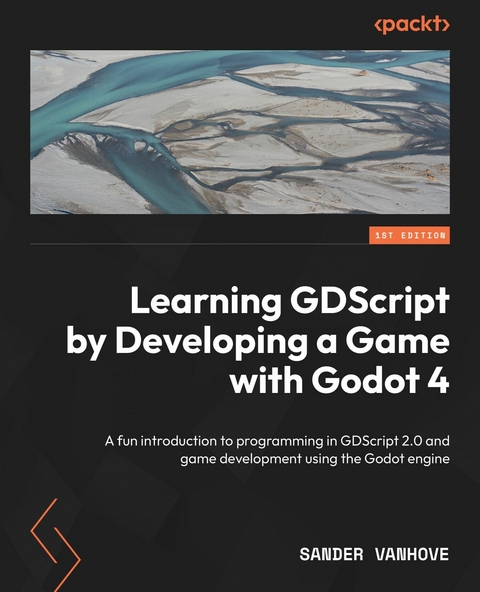
Learning GDScript by Developing a Game with Godot 4 (eBook)
378 Seiten
Packt Publishing Limited (Verlag)
978-1-80181-249-8 (ISBN)
No detailed description available for "e;Learning GDScript by Developing a Game with Godot 4"e;.
Preface
Godot Engine is the most popular free open-source game engine on the market. With the advent of Godot 4.0 and the release of many hit games made in Godot, such as Dome Keeper, Brotato, and Case of the Golden Idol, this popularity only grew. There is no better time to learn how to use this wonderful game development tool than now.
Learning how to program and use a new game engine can be a daunting task. However, this book will guide you step by step through all the aspects of creating your own game from scratch, from the basics of writing our first scripts in GDScript to more advanced topics.
We’ll learn how to program in GDScript, the custom language of the Godot Engine, which is easy to learn yet very capable and performant for game development. Then, we’ll go over all the ins and outs of the engine’s intuitive graphical interface and discover everything about its flexible node-based approach to game development.
Who this book is for
This book is for programmers, game designers, game developers, and game artists who want to start creating games in Godot 4. If you’re new to coding or game development, looking for a new creative outlet, and want to give Godot 4 and GDScript 2.0 a try, this book is for you. While no prior knowledge of programming or Godot is required, this book gradually introduces more complex concepts as you advance through the chapters.
What this book covers
Chapter 1, Setting Up the Environment, starts off the book by setting up everything we need to create games in the Godot Engine and gives a brief overview of the engine and how to write scripts.
Chapter 2, Getting Familiar with Variables and Control Flow, explains the major concepts of what variables are and how we can store data within them. From here, we go over different control flows that help us make decisions during the execution of our game.
Chapter 3, Grouping Information in Arrays, Loops, and Dictionaries, teaches about two new data types: arrays and dictionaries. These will help us group data in a more structured format. Along the way, we will learn about the two different kinds of loops with which we can loop over different sets of data.
Chapter 4, Bringing Structure with Methods and Classes, delves into writing reusable pieces of code using methods and how to structure variables and methods into classes.
Chapter 5, How and Why to Keep Your Code Clean, introduces many concepts around writing clean code, which will help us create code that is reusable and understandable by others as well as ourselves.
Chapter 6, Creating a World of Your Own in Godot, will kick off our own game project. We’ll start by defining what kind of game we will be making and progress to making the base of a player character and the environment in which they will be moving around.
Chapter 7, Making the Character Move, offers a refresher on vector math, which is integral to moving entities around in two-dimensional space. Then, we’ll write the physics code to make our layer character move and go into debugging the game while it is running.
Chapter 8, Splitting and Reusing Scenes, shows how we can easily split up our game into multiple smaller scenes that are easier to manage and maintain, followed by how we can organize all the scene and script files in tidy folders within the project.
Chapter 9, Cameras, Collisions, and Collectibles, starts by making a smooth camera that will follow the player character without making the real-life player nauseous. After this, we’ll move on to handling collisions with the terrain and creating collectible items.
Chapter 10, Creating Menus, Making Enemies, and Using Autoloads, finishes up our single-player game by teaching us about the menu system of the Godot Engine, followed by the creation of enemies that can navigate through the world and projectiles with which the player can shoot these enemies. We conclude this chapter with an introduction to autoloads, with which we can store the high score.
Chapter 11, Playing Together with Multiplayer, converts our single-player experience into a multiplayer one. We start with a crash course in computer networking. After this, we will learn about MultiplayerSpawner and MultiplayerSynchronizer to be able to play our game with others over a network.
Chapter 12, Exporting to Multiple Platforms, shows how we can export the game for different platforms such as Windows, macOS, Linux, and even the web. We will conclude the chapter by uploading our game to Itch.io, a popular platform for indie games.
Chapter 13, OOP Continued and Advanced Topics, introduces the more advanced object-oriented programming (OOP) topics such as the super keyword, static variables, enumerations, lambda functions, the different ways of passing values to methods, and the tool keyword.
Chapter 14, Advanced Programming Patterns, gives us a basis for programming patterns and explores the Event Bus, Object Pool, and State Machine patterns so that we can use them in our next project.
Chapter 15, Using the File System, introduces the file system of the Godot Engine and shows us how we can save and load data in our game.
Chapter 16, What Next?, leaves us with some last techniques and resources to start the next game project as well as introduce the game development community we can be part of.
To get the most out of this book
You don’t need any prior knowledge about programming or game development. The only prerequisite is that you are open to learning and willing to improve. During the book, I propose multiple experiments you could do and have included quizzes to test your knowledge. It’s important that you take the time to do these so that the knowledge gets cemented in your brain.
We’ll cover how to download and set up the Godot Engine in the first chapter of this book but you could already download Godot 4.2.1 or later if you’re feeling impatient. All the examples in the book were tested on Godot 4.2.1 but should work in future versions too.
| Software/hardware covered in the book | Operating system requirements |
| Godot 4.2.1 | Windows, macOS, or Linux |
| GDScript 2.0 |
The Godot Engine is a very light piece of software that easily runs on older, outdated hardware but it doesn’t hurt to check out the minimum specifications and make sure your computer is able to meet them: https://docs.godotengine.org/en/stable/about/system_requirements.html.
If you are using the digital version of this book, we advise you to type the code yourself or access the code from the book’s GitHub repository (a link is available in the next section). Doing so will help you avoid any potential errors related to the copying and pasting of code.
Download the example code files
You can download the example code files for this book from GitHub at https://github.com/PacktPublishing/Learning-GDScript-by-Developing-a-Game-with-Godot-4. If there’s an update to the code, it will be updated in the GitHub repository.
We also have other code bundles from our rich catalog of books and videos available at https://github.com/PacktPublishing/. Check them out!
Conventions used
There are a number of text conventions used throughout this book.
Code in text: Indicates code words in text, database table names, folder names, filenames, file extensions, pathnames, dummy URLs, user input, and Twitter handles. Here is an example: “In Chapter 1, we learned to write code with the _ready method of a node.”
A block of code is set as follows:
func deal_damage(amount: float) -> void: player_health -= amount func heal(amount: float) -> void: player_health += amountWhen we wish to draw your attention to a particular part of a code block, the relevant lines or items are set in bold:
func minimum(number1, number2): if...| Erscheint lt. Verlag | 31.5.2024 |
|---|---|
| Sprache | englisch |
| Themenwelt | Mathematik / Informatik ► Informatik ► Grafik / Design |
| Informatik ► Programmiersprachen / -werkzeuge ► C / C++ | |
| Informatik ► Software Entwicklung ► Spieleprogrammierung | |
| ISBN-10 | 1-80181-249-7 / 1801812497 |
| ISBN-13 | 978-1-80181-249-8 / 9781801812498 |
| Informationen gemäß Produktsicherheitsverordnung (GPSR) | |
| Haben Sie eine Frage zum Produkt? |
 EPUB (Adobe DRM)
Größe: 11,3 MB
Kopierschutz: Adobe-DRM
Adobe-DRM ist ein Kopierschutz, der das eBook vor Mißbrauch schützen soll. Dabei wird das eBook bereits beim Download auf Ihre persönliche Adobe-ID autorisiert. Lesen können Sie das eBook dann nur auf den Geräten, welche ebenfalls auf Ihre Adobe-ID registriert sind.
Details zum Adobe-DRM
Dateiformat: EPUB (Electronic Publication)
EPUB ist ein offener Standard für eBooks und eignet sich besonders zur Darstellung von Belletristik und Sachbüchern. Der Fließtext wird dynamisch an die Display- und Schriftgröße angepasst. Auch für mobile Lesegeräte ist EPUB daher gut geeignet.
Systemvoraussetzungen:
PC/Mac: Mit einem PC oder Mac können Sie dieses eBook lesen. Sie benötigen eine
eReader: Dieses eBook kann mit (fast) allen eBook-Readern gelesen werden. Mit dem amazon-Kindle ist es aber nicht kompatibel.
Smartphone/Tablet: Egal ob Apple oder Android, dieses eBook können Sie lesen. Sie benötigen eine
Geräteliste und zusätzliche Hinweise
Buying eBooks from abroad
For tax law reasons we can sell eBooks just within Germany and Switzerland. Regrettably we cannot fulfill eBook-orders from other countries.
 PDF (Wasserzeichen)
Größe: 12,4 MB
DRM: Digitales Wasserzeichen
Dieses eBook enthält ein digitales Wasserzeichen und ist damit für Sie personalisiert. Bei einer missbräuchlichen Weitergabe des eBooks an Dritte ist eine Rückverfolgung an die Quelle möglich.
Dateiformat: PDF (Portable Document Format)
Mit einem festen Seitenlayout eignet sich die PDF besonders für Fachbücher mit Spalten, Tabellen und Abbildungen. Eine PDF kann auf fast allen Geräten angezeigt werden, ist aber für kleine Displays (Smartphone, eReader) nur eingeschränkt geeignet.
Systemvoraussetzungen:
PC/Mac: Mit einem PC oder Mac können Sie dieses eBook lesen. Sie benötigen dafür einen PDF-Viewer - z.B. den Adobe Reader oder Adobe Digital Editions.
eReader: Dieses eBook kann mit (fast) allen eBook-Readern gelesen werden. Mit dem amazon-Kindle ist es aber nicht kompatibel.
Smartphone/Tablet: Egal ob Apple oder Android, dieses eBook können Sie lesen. Sie benötigen dafür einen PDF-Viewer - z.B. die kostenlose Adobe Digital Editions-App.
Buying eBooks from abroad
For tax law reasons we can sell eBooks just within Germany and Switzerland. Regrettably we cannot fulfill eBook-orders from other countries.
EPUB (Ohne DRM)Digital Rights Management: ohne DRM
Dieses eBook enthält kein DRM oder Kopierschutz. Eine Weitergabe an Dritte ist jedoch rechtlich nicht zulässig, weil Sie beim Kauf nur die Rechte an der persönlichen Nutzung erwerben.
Dateiformat: EPUB (Electronic Publication)
EPUB ist ein offener Standard für eBooks und eignet sich besonders zur Darstellung von Belletristik und Sachbüchern. Der Fließtext wird dynamisch an die Display- und Schriftgröße angepasst. Auch für mobile Lesegeräte ist EPUB daher gut geeignet.
Systemvoraussetzungen:
PC/Mac: Mit einem PC oder Mac können Sie dieses eBook lesen. Sie benötigen dafür die kostenlose Software Adobe Digital Editions.
eReader: Dieses eBook kann mit (fast) allen eBook-Readern gelesen werden. Mit dem amazon-Kindle ist es aber nicht kompatibel.
Smartphone/Tablet: Egal ob Apple oder Android, dieses eBook können Sie lesen. Sie benötigen dafür eine kostenlose App.
Geräteliste und zusätzliche Hinweise
Buying eBooks from abroad
For tax law reasons we can sell eBooks just within Germany and Switzerland. Regrettably we cannot fulfill eBook-orders from other countries.
aus dem Bereich