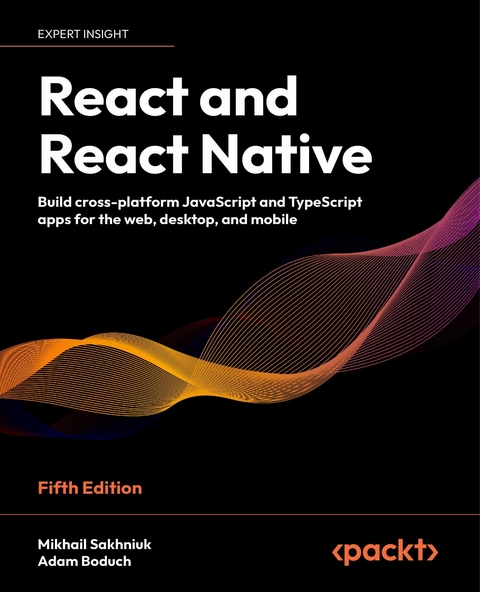
React and React Native (eBook)
508 Seiten
Packt Publishing Limited (Verlag)
978-1-80512-687-4 (ISBN)

No detailed description available for "e;React and React Native"e;.
Preface
Over the years, React and React Native have proven themselves among JavaScript developers as popular choices for a comprehensive and practical guide to the React ecosystem. This fifth edition comes with the latest features, enhancements, and fixes of React, while also being compatible with React Native. It includes new chapters covering critical features and concepts in modern cross-platform app development with React and TypeScript.
From the basics of React to popular features such as Hooks, server rendering, and unit testing, this definitive guide will help you become a professional React developer in a step-by-step manner.
You’ll begin by learning about the essential building blocks of React components. Next, you’ll learn how to improve the stability of your components using TypeScript. As you advance through the chapters, you’ll work with higher-level functionalities in application development and then put your knowledge to work by developing user interface components for the web and native platforms.
By the end of this book, you’ll be able to build React applications for the web and React Native applications for multiple platforms: web, mobile, and desktop: with confidence.
Who this book is for
This book is for any JavaScript developer who wants to start learning how to use React and React Native for mobile and web application development. No prior knowledge of React is required; however, working knowledge of JavaScript, HTML and CSS is necessary to be able to follow along with the content covered.
What this book covers
Chapter 1, Why React?, describes what React is and why you want to use it to build your application.
Chapter 2, Rendering with JSX, teaches the basics of JSX, the markup language used by React components.
Chapter 3, Understanding React Components and Hooks, introduces the core mechanisms of components and Hooks in React application.
Chapter 4, Event Handling, the React Way, gives an overview of how events are handled by React components.
Chapter 5, Crafting Reusable Components, guides you through the process of refactoring components by example.
Chapter 6, Type Checking and Validation with TypeScript, describes the various phases that React components go through and why it’s important for React developers.
Chapter 7, Handling Navigations with Routes, provides plenty of examples of how to set up routing for your React web app.
Chapter 8, Code Splitting Using Lazy Components and Suspense, introduces code-splitting techniques that result in performant, more efficient applications.
Chapter 9, User Interface Framework Components, gives an overview of how to get started with MUI, a React component library for building UIs.
Chapter 10, High-Performance State Updates, goes into depth on the new features in React that allow for efficient state updates and a high-performing application.
Chapter 11, Fetching Data from a Server, discusses how we can retrieve the data from servers using various ways.
Chapter 12, State Management in React, covers managing state in the app with popular solutions like Redux and Mobx.
Chapter 13, Server-Side Rendering, teaches you how to use Next.js to build large-scale React applications that render content on a server and a client.
Chapter 14, Unit Testing in React, gives an overview of testing software with focus on unit testing using Vittest.
Chapter 15, Why React Native?, describes what the React Native library is and the differences between native mobile development.
Chapter 16, React Native under the Hood, gives an overview of the architecture of React Native.
Chapter 17, Kick-Starting React Native Projects, teaches you how to start a new React Native project.
Chapter 18, Building Responsive Layouts with Flexbox, describes how to create a layout and add styles.
Chapter 19, Navigating between Screens, shows the approaches to switching between screens in an app.
Chapter 20, Rendering Item Lists, describes how to implement lists of data in an application.
Chapter 21, Geolocation and Maps, explains on how to track geolocation and add a map to an app.
Chapter 22, Collecting User Input, teaches you how to create forms.
Chapter 23, Responding to User Gestures, provides examples of how to handle user gestures.
Chapter 24, Showing Progress, shows you how to handle process indications and progress bars.
Chapter 25, Displaying Modal Screens, teaches you how to create dialog modals.
Chapter 26, Using Animations, describes how to implement animations in an app.
Chapter 27, Controlling Image Display, gives an overview of how to render images in a React Native app.
Chapter 28, Going Offline, shows how to deal with an app when a mobile phone doesn’t have an internet connection.
To get the most out of this book
This book assumes you have a basic understanding of the JavaScript programming language. It also assumes that you’ll be following along with the examples, which require a command-line terminal, a code editor, and a web browser. You’ll learn how to set up a React project in Chapter 1, Why React?.
The requirements for learning React Native are the same as for React development, but to run an app on a real device, you will need an Android or iOS smartphone. In order to run iOS apps in the simulator, you will need a Mac computer. To work with Android simulator, you can use any kind of PC.
Download the example code files
The code bundle for the book is hosted on GitHub at https://github.com/PacktPublishing/React-and-React-Native-5E. We also have other code bundles from our rich catalog of books and videos available at https://github.com/PacktPublishing/. Check them out!
Download the color images
We also provide a PDF file that has color images of the screenshots/diagrams used in this book. You can download it here: https://packt.link/gbp/9781805127307.
Conventions used
There are a number of text conventions used throughout this book.
CodeInText: Indicates code words in text, database table names, folder names, filenames, file extensions, pathnames, dummy URLs, user input, and Twitter handles. For example: “You have the actual routes declared as <Route> elements.”
A block of code is set as follows:
export default function First() { return <p>Feature 1, page 1</p>; } When we wish to draw your attention to a particular part of a code block, the relevant lines or items are set in bold:
export default function List({ data, fetchItems, refreshItems, isRefreshing }) { return ( <FlatList data={data} renderItem={({ item }) => <Text style={styles. item}>{item.value}</Text>} onEndReached={fetchItems} onRefresh={refreshItems} refreshing={isRefreshing} /> ); } Any command-line input or output is written as follows:
npm install @react-navigation/bottom-tabs @react-navigation/ drawer Bold: Indicates a new term, an important word, or words that you see on the screen. For instance, words in menus or dialog boxes appear in the text like this. For example: “Select System info from the Administration panel.”
Warnings or important notes appear like this.
Tips and tricks appear like this.
Get in touch
Feedback from our readers is always welcome.
General feedback: Email feedback@packtpub.com and mention the book’s title in the subject of your message. If you have questions about any aspect of this book, please email us at questions@packtpub.com.
Errata: Although we have taken every care to ensure the accuracy of our content, mistakes do happen. If you have found a mistake in this book, we would be grateful if you reported this to us. Please visit http://www.packtpub.com/submit-errata, click Submit Errata, and fill in the form.
Piracy: If you come across any illegal copies of our...
| Erscheint lt. Verlag | 13.5.2024 |
|---|---|
| Sprache | englisch |
| Themenwelt | Mathematik / Informatik ► Informatik ► Programmiersprachen / -werkzeuge |
| Informatik ► Software Entwicklung ► Mobile- / App-Entwicklung | |
| Mathematik / Informatik ► Informatik ► Web / Internet | |
| ISBN-10 | 1-80512-687-3 / 1805126873 |
| ISBN-13 | 978-1-80512-687-4 / 9781805126874 |
| Informationen gemäß Produktsicherheitsverordnung (GPSR) | |
| Haben Sie eine Frage zum Produkt? |
 EPUB (Adobe DRM)
Größe: 9,3 MB
Kopierschutz: Adobe-DRM
Adobe-DRM ist ein Kopierschutz, der das eBook vor Mißbrauch schützen soll. Dabei wird das eBook bereits beim Download auf Ihre persönliche Adobe-ID autorisiert. Lesen können Sie das eBook dann nur auf den Geräten, welche ebenfalls auf Ihre Adobe-ID registriert sind.
Details zum Adobe-DRM
Dateiformat: EPUB (Electronic Publication)
EPUB ist ein offener Standard für eBooks und eignet sich besonders zur Darstellung von Belletristik und Sachbüchern. Der Fließtext wird dynamisch an die Display- und Schriftgröße angepasst. Auch für mobile Lesegeräte ist EPUB daher gut geeignet.
Systemvoraussetzungen:
PC/Mac: Mit einem PC oder Mac können Sie dieses eBook lesen. Sie benötigen eine
eReader: Dieses eBook kann mit (fast) allen eBook-Readern gelesen werden. Mit dem amazon-Kindle ist es aber nicht kompatibel.
Smartphone/Tablet: Egal ob Apple oder Android, dieses eBook können Sie lesen. Sie benötigen eine
Geräteliste und zusätzliche Hinweise
Buying eBooks from abroad
For tax law reasons we can sell eBooks just within Germany and Switzerland. Regrettably we cannot fulfill eBook-orders from other countries.
 PDF (Wasserzeichen)
Größe: 9,4 MB
DRM: Digitales Wasserzeichen
Dieses eBook enthält ein digitales Wasserzeichen und ist damit für Sie personalisiert. Bei einer missbräuchlichen Weitergabe des eBooks an Dritte ist eine Rückverfolgung an die Quelle möglich.
Dateiformat: PDF (Portable Document Format)
Mit einem festen Seitenlayout eignet sich die PDF besonders für Fachbücher mit Spalten, Tabellen und Abbildungen. Eine PDF kann auf fast allen Geräten angezeigt werden, ist aber für kleine Displays (Smartphone, eReader) nur eingeschränkt geeignet.
Systemvoraussetzungen:
PC/Mac: Mit einem PC oder Mac können Sie dieses eBook lesen. Sie benötigen dafür einen PDF-Viewer - z.B. den Adobe Reader oder Adobe Digital Editions.
eReader: Dieses eBook kann mit (fast) allen eBook-Readern gelesen werden. Mit dem amazon-Kindle ist es aber nicht kompatibel.
Smartphone/Tablet: Egal ob Apple oder Android, dieses eBook können Sie lesen. Sie benötigen dafür einen PDF-Viewer - z.B. die kostenlose Adobe Digital Editions-App.
Buying eBooks from abroad
For tax law reasons we can sell eBooks just within Germany and Switzerland. Regrettably we cannot fulfill eBook-orders from other countries.
EPUB (Ohne DRM)Digital Rights Management: ohne DRM
Dieses eBook enthält kein DRM oder Kopierschutz. Eine Weitergabe an Dritte ist jedoch rechtlich nicht zulässig, weil Sie beim Kauf nur die Rechte an der persönlichen Nutzung erwerben.
Dateiformat: EPUB (Electronic Publication)
EPUB ist ein offener Standard für eBooks und eignet sich besonders zur Darstellung von Belletristik und Sachbüchern. Der Fließtext wird dynamisch an die Display- und Schriftgröße angepasst. Auch für mobile Lesegeräte ist EPUB daher gut geeignet.
Systemvoraussetzungen:
PC/Mac: Mit einem PC oder Mac können Sie dieses eBook lesen. Sie benötigen dafür die kostenlose Software Adobe Digital Editions.
eReader: Dieses eBook kann mit (fast) allen eBook-Readern gelesen werden. Mit dem amazon-Kindle ist es aber nicht kompatibel.
Smartphone/Tablet: Egal ob Apple oder Android, dieses eBook können Sie lesen. Sie benötigen dafür eine kostenlose App.
Geräteliste und zusätzliche Hinweise
Buying eBooks from abroad
For tax law reasons we can sell eBooks just within Germany and Switzerland. Regrettably we cannot fulfill eBook-orders from other countries.
aus dem Bereich