


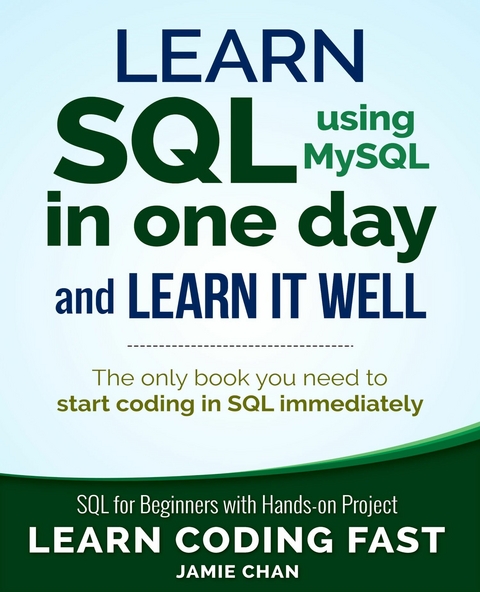
Learn SQL using MySQL in One Day and Learn It Well (eBook)
121 Seiten
De Gruyter (Verlag)
978-1-83620-566-1 (ISBN)
No detailed description available for "e;Learn SQL using MySQL in One Day and Learn It Well"e;.
Chapter 1: Introduction
Welcome to SQL and thank you so much for picking up my book. I sincerely hope that this book can help you master SQL fast and introduce you to the exciting world of databases.
This book adopts a hands-on approach to learning. As we progress from one chapter to another, we’ll be doing various exercises. You are strongly encouraged to follow along these exercises.
At the end of the book, we’ll also be working on a new project together. This project involves building a SQL database for a sports complex. We’ll learn to build the database, insert data, perform queries, write routines, views, cursors, and more.
Excited and ready to start embarking on our SQL learning journey? Let’s do it!
What is SQL?
Simply stated, SQL stands for Structured Query Language and is a language used to manage data stored in a relational database.
This brings us to the next question - What is a database?
A database is a collection of data organized in some format so that the data can be easily accessed, managed and updated. The predominant type of database is a relational database. Relational databases organize data in the form of tables. In addition, they contain queries, views and other elements to help us interact with the data.
In order to manage our database, we need to use a software application known as a database management system (DBMS).
Clear?
So far, we have the following terminologies:
1) SQL is a language
2) A database is a structured collection of data
3) A DBMS is a software that we use to manage our databases
With regards to DBMS, there are a large number of them available. Some are free to download and use while others are not. The most commonly used DBMS include MySQL, Oracle, Microsoft SQL Server and IBM DB2.
Each of these DBMS have their own versions of SQL. While this may sound intimidating, rest assured that all DBMS support the major SQL commands (such as SELECT, UPDATE, DELETE, INSERT) in a similar manner. Hence, if you know one version of SQL, it is very easy to pick up other versions.
In this book, we'll be using MySQL. This is one of the most popular DBMS available. Best of all, it’s free! From this point forward, whenever I mention SQL, I’m referring to the MySQL version.
Getting Ready to Code
In order to start using MySQL, we need to first download and install two applications: MySQL Server and My SQL Workbench.
Note that the instructions provided below are accurate as of March 2025. MySQL may update its download links or alter installation procedures in the future. In such cases, you can typically find the most up-to-date installation guides on YouTube by searching for terms like "Install MySQL on Windows" or "Install MySQL on Mac" and selecting the latest video with the highest number of views.
For the time being, let's proceed with installing the latest version of MySQL.
Installing MySQL applications
Installing MySQL Server
To install MySQL Server, go to https://dev.mysql.com/downloads/mysql/. We’ll download and install version 8.4.4 LTS, which is currently the latest Long-Term Support release.
Windows
For Windows users, click on the first “Download” button to download the MSI Installer.
You’ll be directed to another page. Scroll to the bottom of the page and click on “No thanks, just start my download.” Once you have downloaded the program, double-click on the file and follow the instructions to install the software.
Select “Typical” at the "Choose Setup Type" screen and click on “Next” to proceed with the installation. Stick to the default options at each stage.
Once the setup wizard is complete, the MySQL Configurator will launch. When prompted for the MySQL Root Password, enter your desired password and make a note of it - you’ll need it later.
Click on “Next” to continue and complete the installation, keeping the default options at each stage.
Mac
For Mac users, you’ll have to select the OS version that your system uses. Select the ARM version if your system uses an Apple silicon processor (such as the M1 or M2 chip) or the x86 version if it uses an Intel processor. Next, click on the first “Download” button to download the DMG archive.
Note that MySQL server 8.4.4 is compatible with Sequoia and Sonoma. If your system uses an older OS, you can click on the “Archives” tab to find a version that is compatible with your operating system.
Once you click on the “Download” button, you’ll be directed to another page. Scroll to the bottom of the page and click on “No thanks, just start my download.”
After you have downloaded the program, double-click on the file and follow the instructions to install the software.
If you are asked for permission to continue, click on “Allow”, “Agree”, or provide your Mac password when prompted.
At the configuration stage, enter your desired password for the “root” user and jot down the password; you’ll need this password later. Ensure that the "Start MySQL Server once the installation is complete" option is selected and click on "Finish" to complete the installation; provide your Mac password when prompted to do so.
Installing MySQL WorkBench
Once you are done installing MySQL Server, you need to install another software known as MySQL Workbench. This software provides us with a graphical user interface to make it easier for us to interact with MySQL.
To download MySQL Workbench, go to https://dev.mysql.com/downloads/workbench/.
For Windows users, download the MSI Installer for the latest version (version 8.0.41 as of March 2025).
For Mac users, select your OS version (ARM or x86) and download the latest DMG archive.
Scroll to the bottom of the page and click on “No thanks, just start my download.” to download the program. Double-click on the downloaded file and follow the instructions to install it after downloading.
Launching MySQL Workbench
Once you have installed the necessary applications, we are ready to do some coding.
First, launch MySQL Workbench, you’ll get the screen below:
Click on the grey rectangle under "MySQL Connections" and you’ll be prompted for a password. Enter the password that you keyed in previously when you installed MySQL Server and select “Save password in vault” (or “Save password in keychain” for Mac users). Next, press OK to proceed.
You may be presented with a warning message that says some MySQL Workbench features may not work properly. This does not affect us and you can just click “Continue Anyway” to proceed.
If all goes well, you will be directed to a screen that looks like the one below:
The main area is a text editor where we’ll be entering our SQL commands. The window below is the output area (refer to the screenshot above).
There’s an additional panel on the right (labeled “SQLAdditions” in the screenshot above) that we do not need. You can close this panel by selecting View > Panels > Hide Secondary Sidebar in the top menu.
Writing our first MySQL code
Now, we are ready to get our feet wet and write some SQL code.
Type the following lines into the text editor (for the first line, be sure to add a space after the two hyphens):
-- Using SELECT to display messages
SELECT 'Hello World';
SELECT 'MySQL is fun!';
You should notice that the word SELECT is in blue and 'Hello World' and 'MySQL is fun!' are in brown. (The colors may differ depending on your settings or the MySQL Workbench version that you are using).
This is the software’s way of making our code easier to read. Different words serve different purposes in our program, hence they are displayed using different colors. We’ll go into more detail in later chapters.
There are two ways to run the SQL commands that we wrote.
The first task is to select all the code that we want to run and click on the "Execute Selected" button (the button with a lightning bolt icon).
This button should normally be located to the right of the "Save" button (refer to the previous screenshot); it executes the selected portion of the script, or everything if there is no selection.
You will see a new panel called "Result Grid," with two tabs as shown below:
These two tabs give the results of the last two lines of code that we wrote (i.e. the two lines that start with the word SELECT).
The first line of code that we wrote does not give any result as it is a...
| Erscheint lt. Verlag | 10.5.2024 |
|---|---|
| Sprache | englisch |
| Themenwelt | Mathematik / Informatik ► Informatik ► Datenbanken |
| Mathematik / Informatik ► Informatik ► Programmiersprachen / -werkzeuge | |
| ISBN-10 | 1-83620-566-X / 183620566X |
| ISBN-13 | 978-1-83620-566-1 / 9781836205661 |
| Informationen gemäß Produktsicherheitsverordnung (GPSR) | |
| Haben Sie eine Frage zum Produkt? |
 EPUB (Adobe DRM)
Größe: 4,0 MB
Kopierschutz: Adobe-DRM
Adobe-DRM ist ein Kopierschutz, der das eBook vor Mißbrauch schützen soll. Dabei wird das eBook bereits beim Download auf Ihre persönliche Adobe-ID autorisiert. Lesen können Sie das eBook dann nur auf den Geräten, welche ebenfalls auf Ihre Adobe-ID registriert sind.
Details zum Adobe-DRM
Dateiformat: EPUB (Electronic Publication)
EPUB ist ein offener Standard für eBooks und eignet sich besonders zur Darstellung von Belletristik und Sachbüchern. Der Fließtext wird dynamisch an die Display- und Schriftgröße angepasst. Auch für mobile Lesegeräte ist EPUB daher gut geeignet.
Systemvoraussetzungen:
PC/Mac: Mit einem PC oder Mac können Sie dieses eBook lesen. Sie benötigen eine
eReader: Dieses eBook kann mit (fast) allen eBook-Readern gelesen werden. Mit dem amazon-Kindle ist es aber nicht kompatibel.
Smartphone/Tablet: Egal ob Apple oder Android, dieses eBook können Sie lesen. Sie benötigen eine
Geräteliste und zusätzliche Hinweise
Buying eBooks from abroad
For tax law reasons we can sell eBooks just within Germany and Switzerland. Regrettably we cannot fulfill eBook-orders from other countries.
 PDF (Wasserzeichen)
Größe: 2,6 MB
DRM: Digitales Wasserzeichen
Dieses eBook enthält ein digitales Wasserzeichen und ist damit für Sie personalisiert. Bei einer missbräuchlichen Weitergabe des eBooks an Dritte ist eine Rückverfolgung an die Quelle möglich.
Dateiformat: PDF (Portable Document Format)
Mit einem festen Seitenlayout eignet sich die PDF besonders für Fachbücher mit Spalten, Tabellen und Abbildungen. Eine PDF kann auf fast allen Geräten angezeigt werden, ist aber für kleine Displays (Smartphone, eReader) nur eingeschränkt geeignet.
Systemvoraussetzungen:
PC/Mac: Mit einem PC oder Mac können Sie dieses eBook lesen. Sie benötigen dafür einen PDF-Viewer - z.B. den Adobe Reader oder Adobe Digital Editions.
eReader: Dieses eBook kann mit (fast) allen eBook-Readern gelesen werden. Mit dem amazon-Kindle ist es aber nicht kompatibel.
Smartphone/Tablet: Egal ob Apple oder Android, dieses eBook können Sie lesen. Sie benötigen dafür einen PDF-Viewer - z.B. die kostenlose Adobe Digital Editions-App.
Buying eBooks from abroad
For tax law reasons we can sell eBooks just within Germany and Switzerland. Regrettably we cannot fulfill eBook-orders from other countries.
EPUB (Ohne DRM)Digital Rights Management: ohne DRM
Dieses eBook enthält kein DRM oder Kopierschutz. Eine Weitergabe an Dritte ist jedoch rechtlich nicht zulässig, weil Sie beim Kauf nur die Rechte an der persönlichen Nutzung erwerben.
Dateiformat: EPUB (Electronic Publication)
EPUB ist ein offener Standard für eBooks und eignet sich besonders zur Darstellung von Belletristik und Sachbüchern. Der Fließtext wird dynamisch an die Display- und Schriftgröße angepasst. Auch für mobile Lesegeräte ist EPUB daher gut geeignet.
Systemvoraussetzungen:
PC/Mac: Mit einem PC oder Mac können Sie dieses eBook lesen. Sie benötigen dafür die kostenlose Software Adobe Digital Editions.
eReader: Dieses eBook kann mit (fast) allen eBook-Readern gelesen werden. Mit dem amazon-Kindle ist es aber nicht kompatibel.
Smartphone/Tablet: Egal ob Apple oder Android, dieses eBook können Sie lesen. Sie benötigen dafür eine kostenlose App.
Geräteliste und zusätzliche Hinweise
Buying eBooks from abroad
For tax law reasons we can sell eBooks just within Germany and Switzerland. Regrettably we cannot fulfill eBook-orders from other countries.
aus dem Bereich


