


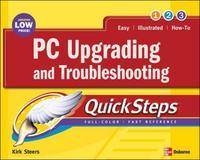
PC Upgrading and Troubleshooting QuickSteps
Seiten
2005
McGraw-Hill Professional (Verlag)
978-0-07-225961-2 (ISBN)
McGraw-Hill Professional (Verlag)
978-0-07-225961-2 (ISBN)
- Titel ist leider vergriffen;
keine Neuauflage - Artikel merken
Uses color screenshots and brief instructions to show and explain how to fix various kinds of PC problems. This book features step-by-step graphics that cover: desktop and laptop PCs; Windows XP; multimedia and gaming functions; and, printers, monitors, CD and DVD drives. It also includes useful tips, reminders, shortcuts, and cautions.
This low-priced, fast reference uses color screenshots and brief instructions show and explain how to fix all kinds of PC problems. Each chapter’s “How to” list and color coded tabs make it easy to flip straight to specific tasks, such as routine maintenance, start-up issues, drive, monitor, and peripheral problems, Internet connections, upgrading, and more. Useful tips, reminders, shortcuts, and cautions are displayed in the margins so they don’t break the flow of the book. Learn instantly from the step-by-step graphics that cover:
Desktop and laptop PCsWindows XPMultimedia and gaming functionsPrinters, monitors, CD and DVD drives
This low-priced, fast reference uses color screenshots and brief instructions show and explain how to fix all kinds of PC problems. Each chapter’s “How to” list and color coded tabs make it easy to flip straight to specific tasks, such as routine maintenance, start-up issues, drive, monitor, and peripheral problems, Internet connections, upgrading, and more. Useful tips, reminders, shortcuts, and cautions are displayed in the margins so they don’t break the flow of the book. Learn instantly from the step-by-step graphics that cover:
Desktop and laptop PCsWindows XPMultimedia and gaming functionsPrinters, monitors, CD and DVD drives
McGraw-Hill authors represent the leading experts in their fields and are dedicated to improving the lives, careers, and interests of readers worldwide
Ch. 1: Solving Problems on Your PC; Ch. 2: Backing Up Your Data and Software; Ch. 3: Stopping Trouble Before It Starts: Routine Maintenance; Ch. 4: Dealing With a PC That Won't Start; Ch. 5: Fixing CD-ROM, DVD, and Sound Problems; Ch. 6: Troubleshooting Monitor Problems; Ch. 7: Fixing Internet Problems; Ch. 8: Troubleshooting Printers, Scanners, and Digital Cameras; Ch. 9: Upgrading Your PC; Ch. 10: Installing a Wireless Network or High-Speed Internet Connection.
| Erscheint lt. Verlag | 16.5.2005 |
|---|---|
| Reihe/Serie | QuickSteps |
| Zusatzinfo | 500 Illustrations, unspecified |
| Sprache | englisch |
| Themenwelt | Informatik ► Weitere Themen ► Hardware |
| ISBN-10 | 0-07-225961-2 / 0072259612 |
| ISBN-13 | 978-0-07-225961-2 / 9780072259612 |
| Zustand | Neuware |
| Informationen gemäß Produktsicherheitsverordnung (GPSR) | |
| Haben Sie eine Frage zum Produkt? |
Mehr entdecken
aus dem Bereich



aus dem Bereich
ein Streifzug durch das Innenleben eines Computers
Buch | Softcover (2023)
Springer (Verlag)
CHF 39,15
Computer und Notebooks selbst reparieren, geeignete Komponenten …
Buch | Softcover (2025)
Eifert, Klaus (Verlag)
CHF 44,75


