


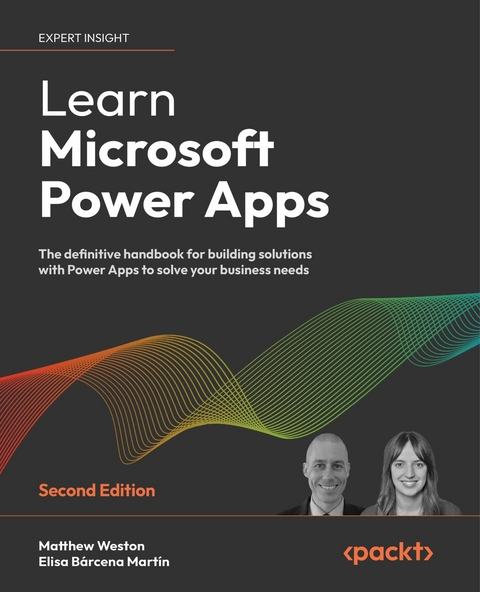
Learn Microsoft Power Apps (eBook)
702 Seiten
Packt Publishing (Verlag)
978-1-80107-143-7 (ISBN)
Microsoft Power Apps provides a modern approach to building low-code business applications for mobiles, tablets, browsers, and Microsoft Teams. The second edition of Learn Microsoft Power Apps will guide you in creating well designed and secure apps that transform old processes and workflows.
Learn Microsoft Power Apps starts with an introduction to Power Apps to help you feel comfortable with the creation experience. Using screenshots from the latest UI, you will be guided through how to create an app, building your confidence to start developing further. This book will help you design, set up, and configure your first application by writing simple formulas. You'll learn about the different types of apps you can build in Power Apps and which one applies best to your requirements.
In addition to this, you'll learn how to identify the right data storage system for you, with new chapters covering how to integrate apps with SharePoint or Dataverse. As you advance, you'll be able to use various controls, connectors, and data sources to create a powerful, interactive app. For example, this book will help you understand how Power Apps can use Microsoft Power Automate, Power BI, and Azure functionalities to improve your applications. Finally, you will be introduced to the emerging Power Apps Copilot tool, which uses artificial intelligence to accelerate the app building process.
By the end of this Power Apps book, you'll be ready to confidently develop lightweight business applications with minimal code.
A step-by-step guide that will help you create, share, and deploy applications across your organization using Microsoft Power AppsPurchase of the print or Kindle book includes a free PDF eBookKey FeaturesBuild apps from scratch to solve real-world business scenariosLearn how to keep app data secure with expanded coverage on DataverseIncorporate AI into your app building process using AI Builder and CopilotBook DescriptionMicrosoft Power Apps provides a modern approach to building low-code business applications for mobiles, tablets, browsers, and Microsoft Teams. The second edition of Learn Microsoft Power Apps will guide you in creating well designed and secure apps that transform old processes and workflows. Learn Microsoft Power Apps starts with an introduction to Power Apps to help you feel comfortable with the creation experience. Using screenshots from the latest UI, you will be guided through how to create an app, building your confidence to start developing further. This book will help you design, set up, and configure your first application by writing simple formulas. You'll learn about the different types of apps you can build in Power Apps and which one applies best to your requirements. In addition to this, you ll learn how to identify the right data storage system for you, with new chapters covering how to integrate apps with SharePoint or Dataverse. As you advance, you ll be able to use various controls, connectors, and data sources to create a powerful, interactive app. For example, this book will help you understand how Power Apps can use Microsoft Power Automate, Power BI, and Azure functionalities to improve your applications. Finally, you will be introduced to the emerging Power Apps Copilot tool, which uses artificial intelligence to accelerate the app building process. By the end of this Power Apps book, you ll be ready to confidently develop lightweight business applications with minimal code.What you will learnUnderstand the Power Apps ecosystem and licensingTake your first steps building canvas appsDevelop apps using intermediate techniques such as the barcode scanner and GPS controlsExplore new connectors to integrate tools across the Power PlatformStore data in Dataverse using model-driven appsDiscover the best practices for building apps cleanly and effectivelyUse AI for app development with AI Builder and CopilotWho this book is forThis book is intended for business analysts, IT professionals, and both developers and non-developers alike. If you want to meet business needs by creating purpose-built apps, this book is for you. To get the most out of this book, it is recommended that you have a basic understanding of Microsoft 365 as you will interact with various elements of it while developing apps.]]>
Preface
I would like to take this opportunity to thank you for choosing this book, and to welcome you to a learning journey within Power Apps and the Power Platform. With Learn Microsoft Power Apps, you will learn how to build solutions in the Power Platform by utilizing canvas apps and model-driven apps, both key parts of the Power Apps service. Throughout the book, you will not only learn the theory behind the components and what they do, but also put them into practice by incrementally building an app through several labs.
The book introduces new topics in each chapter, gradually introducing more and more functionality from Power Apps to help you understand how you can continually improve your apps to build something just as powerful as a custom developed application.
Updates to Power Apps
Power Apps receives frequent updates from Microsoft. As a result of this, there may be times when the illustrations or explanations within this book appear out of date. This is purely a consequence of working within an evergreen platform, so please don’t let this stop you from following through and building the examples. While the interfaces may change, the techniques and thought processes that we introduce in the book are likely to remain the same regardless of what else comes along in the world of Power Apps.
We hope that you enjoy the book and find it useful, and wish you the very best in creating some rich, powerful, and enjoyable Power Apps.
Who this book is for
This book is intended for business analysts, IT professionals, and both developers and non-developers alike. If you want to meet business needs by creating purpose-built apps, this book is for you. To get the most out of this book, it is recommended that you have a basic understanding of Microsoft 365 as you will interact with various elements of it while developing apps.
What this book covers
Chapter 1, Introducing Power Apps, gives a high-level overview of Power Apps, what it is, how it is licensed, and how to get started.
Chapter 2, Creating Your First Canvas Power App, is where we take our first steps into creating a canvas app. We will explore the types of canvas app that we can create, look at various use cases, and explore the options that we have available to us.
Chapter 3, Creating Apps from SharePoint, explores the relationship between Microsoft SharePoint and Power Apps, exploring how we can create apps from SharePoint data or even change the list forms using a canvas app.
Chapter 4, Publishing and Leveraging Power Apps, looks at how we can leverage our apps across multiple platforms. We will explore how we can use our apps on mobile devices, SharePoint, and Microsoft Teams.
Chapter 5, Exploring Controls, focuses on understanding the building blocks of our apps and how they can be used to create an engaging user interface. We will look at some of the use cases for the different controls as well as highlighting key properties to be aware of.
Chapter 6, Exploring Formulas, introduces how we start to build logic within our apps by using formulas to create functions and their properties.
Chapter 7, Exploring Reusable Controls, introduces a way of being able to reduce the development time of your apps by creating reusable combinations of controls from both a local app level and also across an entire environment.
Chapter 8, Working with Data, investigates how we can store and interact with data within our Power Apps, focusing on the functionality provided by collections and variables as well as introducing forms.
Chapter 9, Introducing Connectors, covers the way that we can connect our apps to services, both services within Microsoft 365 and services provided by other vendors. We will also look at the difference between standard and premium connectors, as well as creating our own custom connectors.
Chapter 10, Using GPS in Power Apps, looks at how we can start to use the GPS functionality afforded to us by mobile devices to track location data and use it within our app.
Chapter 11, Working with Images and Barcodes, looks at another functionality of mobile devices, using the camera, to add the ability to capture images and scan barcode data to our apps.
Chapter 12, Securing Your Power Apps, explores how various elements of security can be applied and what the impact is on the app itself. We will start from the data source and then consider how we can apply security to the various screens within the app itself.
Chapter 13, Working Offline, allows us to provide our app the capability to still function even when we lose connection to a data source.
Chapter 14, Using Power Automate with Power Apps, introduces how we can build leverage by using other parts of the Power Platform, in this case Power Automate. We will look at how we can offload the heavy processing to Power Automate as well as building some other basic automations.
Chapter 15, Using Azure with Power Apps, allows us to begin to integrate services provided by Microsoft Azure into our Power Apps by exploring some of the commonly used services and the connectors that allow us to utilize them.
Chapter 16, Data Visualization, introduces another part of the Power Platform, Power BI. We will investigate how we can visualize data using the chart controls in Power Apps, and then expand that to how we can utilize Power BI visuals.
Chapter 17, AI Builder, investigates how we can implement artificial intelligence to help an app’s users use the app more effectively, whether that is through processing images or forms, or through custom built models.
Chapter 18, Introducing Microsoft Dataverse, opens the door to the built-in relational database, Dataverse. We will see how Dataverse can be used to store data directly within the Power Platform. As introductory topics for understanding Dataverse in relation to Power Apps, we will investigate environments, solutions, and data migrations.
Chapter 19, Introducing Model-Driven Apps, takes us into data modeling within Dataverse and how key elements such as tables, columns, and relationships are created and managed. We will also explore a new way of modeling data from natural language with Power Apps AI Copilot.
Chapter 20, Creating Model-Driven Apps, builds on Dataverse to create a model-driven app that allows us to directly interact with the database and provide interfaces for the user with views, forms, charts, and dashboards.
Chapter 21, Exploring Environments and Data Policies, investigates how different environments can be used within your tenancy. This will not only introduce the segregation of assets, but also start to investigate Power Platform governance.
Chapter 22, Introducing the Future of Power Apps, gives us a look into the future of Power Apps and how artificial intelligence will help us to increase the speed at which we can create apps.
Chapter 23, Good Practices for Creating Power Apps, shares some professional experiences and learnings, which focus on the mindset rather than just the technical “how-to.”
Appendix, Answers, contains the answers to the self-assessment questions that are located at the end of every chapter.
To get the most out of this book
- To get the most out of this book, it is recommended that you have a basic understanding of Microsoft 365 as you will interact with various elements of it while developing apps.
- To follow along with the labs, you will need an active Power Apps subscription. This will be covered in the first chapter. Some services, such as Azure, SharePoint, and Dataverse, may also require a subscription.
- For some functionalities, you may need premium connectors. Additionally, some instructions will require a mobile phone. In any case, it will be made clear where this applies.
Download the example code files
The code bundle for the book is hosted on GitHub at https://github.com/PacktPublishing/Learn-Microsoft-Power-Apps-2E/. We also have other code bundles from our rich catalog of books and videos available at https://github.com/PacktPublishing/. Check them out!
Download the color images
We also provide a PDF file that has color images of the screenshots/diagrams used in this book. You can download it here: https://packt.link/kXggB.
Conventions used
There are a number of text conventions used throughout this book.
CodeInText: Indicates code words in text, database table names, folder names, filenames, file extensions, pathnames, dummy URLs, user input, and Twitter handles. For example: “We can use the RenameColumns formula to shape our collection by wrapping it.”
A block of code is set as follows:
{ Country: "China", Population: 1439323776, 'Land Area': 9388211 }, When we wish to draw your attention to a particular part of a code block, the relevant lines or items are set in bold:
ClearCollect(colStats,...| Erscheint lt. Verlag | 29.9.2023 |
|---|---|
| Sprache | englisch |
| Themenwelt | Mathematik / Informatik ► Informatik ► Programmiersprachen / -werkzeuge |
| ISBN-10 | 1-80107-143-8 / 1801071438 |
| ISBN-13 | 978-1-80107-143-7 / 9781801071437 |
| Informationen gemäß Produktsicherheitsverordnung (GPSR) | |
| Haben Sie eine Frage zum Produkt? |
 EPUB (Ohne DRM)
Digital Rights Management: ohne DRM
Dieses eBook enthält kein DRM oder Kopierschutz. Eine Weitergabe an Dritte ist jedoch rechtlich nicht zulässig, weil Sie beim Kauf nur die Rechte an der persönlichen Nutzung erwerben.
Dateiformat: EPUB (Electronic Publication)
EPUB ist ein offener Standard für eBooks und eignet sich besonders zur Darstellung von Belletristik und Sachbüchern. Der Fließtext wird dynamisch an die Display- und Schriftgröße angepasst. Auch für mobile Lesegeräte ist EPUB daher gut geeignet.
Systemvoraussetzungen:
PC/Mac: Mit einem PC oder Mac können Sie dieses eBook lesen. Sie benötigen dafür die kostenlose Software Adobe Digital Editions.
eReader: Dieses eBook kann mit (fast) allen eBook-Readern gelesen werden. Mit dem amazon-Kindle ist es aber nicht kompatibel.
Smartphone/Tablet: Egal ob Apple oder Android, dieses eBook können Sie lesen. Sie benötigen dafür eine kostenlose App.
Geräteliste und zusätzliche Hinweise
Buying eBooks from abroad
For tax law reasons we can sell eBooks just within Germany and Switzerland. Regrettably we cannot fulfill eBook-orders from other countries.
aus dem Bereich


