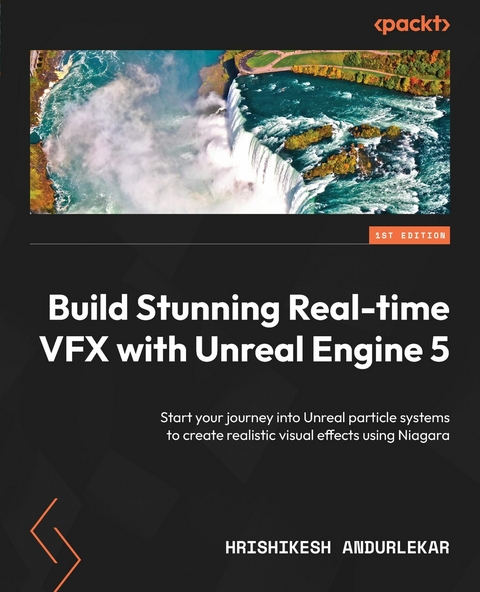
Build Stunning Real-time VFX with Unreal Engine 5 (eBook)
312 Seiten
Packt Publishing (Verlag)
978-1-80107-872-6 (ISBN)
While no game would be complete without visual effects, the ever-evolving VFX industry churns out stellar digital environments that can make your games stand out from the crowd. Build Stunning Real-time VFX with Unreal Engine 5 is here to help you boost your creativity using Niagara to make jaw-dropping particle systems backed by the power of Unreal Engine 5-without a line of code.
This handy guide for VFX artists takes you through the principles and concepts of designing particle systems and design workflows, along with the architecture of Niagara, Unreal Engine 5's VFX system. Throughout the book, you'll build a series of mini projects that will put your particle system knowledge to the test. As you advance, you'll cover topics such as creating your own custom modules, debugging workflows, and controlling particles with blueprints, and conclude by working on two projects that will bring everything together into a neat package.
By the end of this VFX book, you'll have a deeper understanding of particle systems, improving your skills, portfolio, and the chances of being employed by studios using Unreal Engine 5.
Create professional real-time particle systems and particle asset creation workflows for games with the power of Niagara and Unreal Engine 5Key FeaturesExplore how Niagara can make your games pop by creating stunning particle systems in Unreal Engine 5Level up your VFX skills and enhance your employability in a competitive marketBuild various particle system projects to reinforce your learning and put your new knowledge into practiceBook DescriptionWhile no game would be complete without visual effects, the ever-evolving VFX industry churns out stellar digital environments that can make your games stand out from the crowd. Build Stunning Real-time VFX with Unreal Engine 5 is here to help you boost your creativity using Niagara to make jaw-dropping particle systems backed by the power of Unreal Engine 5-without a line of code. This handy guide for VFX artists takes you through the principles and concepts of designing particle systems and design workflows, along with the architecture of Niagara, Unreal Engine 5 s VFX system. Throughout the book, you ll build a series of mini projects that will put your particle system knowledge to the test. As you advance, you ll cover topics such as creating your own custom modules, debugging workflows, and controlling particles with blueprints, and conclude by working on two projects that will bring everything together into a neat package. By the end of this VFX book, you ll have a deeper understanding of particle systems, improving your skills, portfolio, and the chances of being employed by studios using Unreal Engine 5.What you will learnBrush up your vector mathematics skillsAccess and create namespaces in NiagaraAdd a Niagara system to a Blueprint actorCreate a particle system with dynamic inputsPublish a custom module for your team members to useCreate Niagara Scratch modulesEnable your particle emitters to communicate using event handlersControl Niagara systems using Blueprint public variablesWho this book is forThis book is for visual effects artists transitioning to real-time virtual production workflow as well as beginners looking to learn Niagara for games and other real-time applications. Game programmers, 3D generalists, and game designers interested in adding VFX for their game and metaverse projects will also find this book useful. A basic understanding of Unreal Engine 5, blueprints, as well as layout, materials, and lighting in Unreal Engine is expected.]]>
2
Understanding Particle System Concepts
Particle systems are a technique used in computer graphics to simulate a variety of phenomena, such as fire, smoke, rain, and explosions. In a game engine, particle systems are used to add realism and visual interest to scenes. The three main functions of particle systems are emission, simulation, and rendering.
Emission is the process of creating and releasing particles from a specific location or object. This is controlled through properties such as emission rate, velocity, and direction. Emission can also be triggered by events, such as collisions or user input.
Simulation refers to the movement and behavior of the particles over time. This can include properties such as gravity, wind, and turbulence, which can be used to create realistic movement patterns. Particles can also be affected by other forces, such as collisions and user-defined behaviors.
Rendering is the process of displaying the particles on the screen. This can be done using sprites or 3D models and can include techniques such as billboard rendering and alpha blending to create realistic effects.
In this chapter, we will see how these apply to Niagara. We will also learn a few concepts of vector mathematics, which we will apply to our particle systems in the later chapters. Finally, we will learn about other particle system tools available on the market.
This chapter will cover the following topics:
- Exploring key particle concepts
- Vector mathematics and matrices and their representation in Niagara
- Understanding particle system tools
Technical requirements
You can find the project we worked on in this book here:
https://github.com/PacktPublishing/Build-Stunning-Real-time-VFX-with-Unreal-Engine-5
Exploring key particle concepts
In this chapter, we will understand the key functional concepts of particle systems and how they are implemented in the particle systems in Unreal. All particle systems will invariably have some variation of the following functionalities built into them:
- Emission
- Simulation
- Rendering
Each one of these functionalities will have some variables that will be exposed to enable the user to tweak the behavior of the particle system. Most software has this functionality built in a monolithic element with limited ability to customize it. In Unreal, it is built into modules that are stacked on top of each other. The modules have exposed variables, which can be used to tweak the module’s effect on the behavior of the particle system. These modules are roughly grouped into three broad functionality groups: Emission, Simulation, and Rendering.
Figure 2.1: The Niagara Emitter node grouped into three functionalities
So, let’s take a look at these functionalities.
Functionality
Now, we will delve deeper into the individual functionalities – emission, simulation, and rendering.
Emission
This part of the system handles the spawning of the emitters, as well as their behavior throughout their lifetime. In Niagara, emitters and systems exist as independent entities. Emitters need not always be a part of a particle system. The emitters can be called into any particle system as a reference. This structure allows us to work on the emitters and systems independently, making the workflow modular and scalable.
Multiple emitters can be called in a system to create the required effects. For example, for a fire system, we may have an emitter for flames, another emitter for embers, and another one for smoke. All three emitters will come together in a fire system to create the overall effect of fire. Emitters can also be affected by the behavior of other emitters in the system using event handlers, which allow users to create event-based effects.
Emitters determine how particles are emitted – for example, from a point space, volume, the surface of a geometry, or from the surface of an animated skeletal mesh. This is how the emitter section looks in Niagara:
Figure 2.2: Emission-related functionality grouped together
Simulation
This is where the majority of a particle system’s behavior is determined. Once the particles have been emitted, the simulation modules take over and determine things such as the movement, the change in scale or color, or the animation of sprites in the particle system. Each module will affect a specific aspect of the particle system’s behavior. These modules use mathematical formulas, randomized values, and cached data to affect the behavior of the particles. The modules are usually stacked, and the order of stacking affects the final outcome of the particle behavior. The efficiency of the simulation modules matters and various methods such as using GPU acceleration are used to enable particle systems to handle a large number of stimulated particles. This is what a typical simulation section looks like in a Niagara Emitter node:
Figure 2.3: Simulation-related functionality grouped under Particle Update
Rendering
While all the simulation calculations are done by the modules that handle simulation, the particles won’t be visible unless they are rendered by the particle system. This is handled by the rendering module. The fact that the rendering module is independent of the simulation module makes it possible to render the simulated particles in different forms such as sprites, meshes, or ribbons. The same simulation can create different images based on the rendering module chosen. For example, the rendering module, depending on its type, could render a set of simulated particles as two-dimensional sprites, as a three-dimensional geometry mesh, or maybe as ribbons. The simulation remains the same; only the rendering module changes. You can also choose to simultaneously use multiple rendering modules in the same particle simulation. This is how the rendering section looks in Niagara:
Figure 2.4: Rendering-related functionality grouped together
In Niagara, the three functionality groups discussed here manifest themselves as stages. These stages have names ending with Update and Spawn; for example, Particle Update and Particle Spawn. We also have advanced stages such as Event, or Simulation, about which we will learn in the later chapters.
Next, let’s talk about module groups.
Module groups
Unreal takes a modular approach where the particle system starts out as a simple entity with a few essential properties. These properties and the additional properties required to add functionality to the particle system are made available as modules. Users can add and remove these modules from their particle system as required to achieve the desired behavioral effect. Each module will influence a specific aspect of the particle behavior. Certain modules can alter the color of particles throughout their lifetime, for example, transitioning from being yellow at birth to red at death. Other modules simulate forces such as wind and gravity on the particle system. Since the user only adds the modules that they need, the particle system is lean and efficient.
The particle simulation data flows from top to bottom of a Niagara module stack. These modules can be assigned to a group. The group determines where the module will be executed. A module in a Particle group, for example, would be executed on particles only and not on emitters. The groups are associated with namespaces that determine what data the module can affect.
There are three module groups which are as follows:
- System
- Emitter
- Particle
Niagara has many namespaces. Some of the important ones are System, Emitter, Particle, Engine, and User.
Namespaces may seem a bit confusing for a beginner, so think of them as an additional qualifier to help segregate similarly named variables.
For example, SYSTEM LoopCount is different from EMITTER LoopCount due to them being in separate namespaces, that is, SYSTEM and EMITTER.
Figure 2.5: Namespaces in Unreal help differentiate similarly named parameters according to their mode of operation
The namespaces restrict the places from where the data can be read or written to. For example, the Engine namespace parameters are read-only values that come directly from Unreal...
| Erscheint lt. Verlag | 30.5.2023 |
|---|---|
| Sprache | englisch |
| Themenwelt | Mathematik / Informatik ► Informatik ► Grafik / Design |
| ISBN-10 | 1-80107-872-6 / 1801078726 |
| ISBN-13 | 978-1-80107-872-6 / 9781801078726 |
| Informationen gemäß Produktsicherheitsverordnung (GPSR) | |
| Haben Sie eine Frage zum Produkt? |
 EPUB (Ohne DRM)
Digital Rights Management: ohne DRM
Dieses eBook enthält kein DRM oder Kopierschutz. Eine Weitergabe an Dritte ist jedoch rechtlich nicht zulässig, weil Sie beim Kauf nur die Rechte an der persönlichen Nutzung erwerben.
Dateiformat: EPUB (Electronic Publication)
EPUB ist ein offener Standard für eBooks und eignet sich besonders zur Darstellung von Belletristik und Sachbüchern. Der Fließtext wird dynamisch an die Display- und Schriftgröße angepasst. Auch für mobile Lesegeräte ist EPUB daher gut geeignet.
Systemvoraussetzungen:
PC/Mac: Mit einem PC oder Mac können Sie dieses eBook lesen. Sie benötigen dafür die kostenlose Software Adobe Digital Editions.
eReader: Dieses eBook kann mit (fast) allen eBook-Readern gelesen werden. Mit dem amazon-Kindle ist es aber nicht kompatibel.
Smartphone/Tablet: Egal ob Apple oder Android, dieses eBook können Sie lesen. Sie benötigen dafür eine kostenlose App.
Geräteliste und zusätzliche Hinweise
Buying eBooks from abroad
For tax law reasons we can sell eBooks just within Germany and Switzerland. Regrettably we cannot fulfill eBook-orders from other countries.
aus dem Bereich