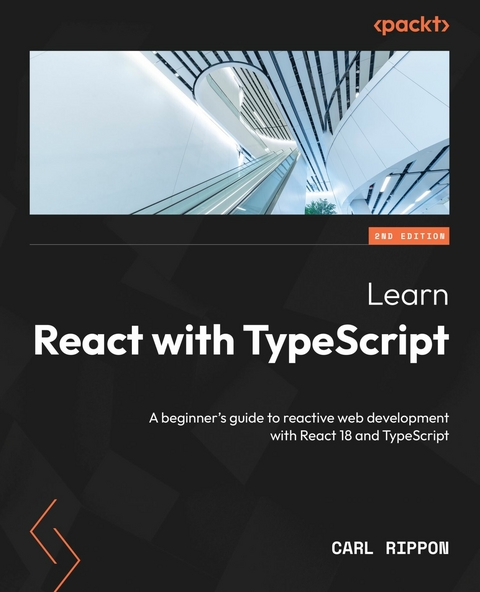
Learn React with TypeScript (eBook)
474 Seiten
Packt Publishing (Verlag)
978-1-80461-105-0 (ISBN)
Reading, navigating, and debugging a large frontend codebase is a major issue faced by frontend developers. This book is designed to help web developers like you learn about ReactJS and TypeScript, both of which power large-scale apps for many organizations.
This second edition of Learn React with TypeScript is updated, enhanced, and improved to cover new features of React 18 including hooks, state management libraries, and features of TypeScript 4. The book will enable you to create well-structured and reusable React components that are easy to read and maintain, leveraging modern design patterns.
You'll be able to ensure that all your components are type-safe, making the most of TypeScript features, including some advanced types. You'll also learn how to manage complex states using Redux and how to interact with a GraphQL web API. Finally, you'll discover how to write robust unit tests for React components using Jest.
By the end of the book, you'll be well-equipped to use both React and TypeScript.
Take your first step in building modern-day component-based web apps using the latest features and capabilities of React and TypeScript with this easy-to-follow guideKey FeaturesLearn to use different React hooks with TypeScriptExplore different styling approaches while building React web appsGain experience in using React Dev Tools to debug componentsPurchase of the print or Kindle book includes a free PDF eBookBook DescriptionReading, navigating, and debugging a large frontend codebase is a major issue faced by frontend developers. This book is designed to help web developers like you learn about ReactJS and TypeScript, both of which power large-scale apps for many organizations. This second edition of Learn React with TypeScript is updated, enhanced, and improved to cover new features of React 18 including hooks, state management libraries, and features of TypeScript 4. The book will enable you to create well-structured and reusable React components that are easy to read and maintain, leveraging modern design patterns. You ll be able to ensure that all your components are type-safe, making the most of TypeScript features, including some advanced types. You ll also learn how to manage complex states using Redux and how to interact with a GraphQL web API. Finally, you ll discover how to write robust unit tests for React components using Jest. By the end of the book, you ll be well-equipped to use both React and TypeScript.What you will learnGain first-hand experience of TypeScript and its productivity featuresUnderstand how to transpile your TypeScript code into JavaScript for running in a browserBuild a React frontend codebase with hooksInteract with REST and GraphQL web APIsDesign and develop strongly typed reusable componentsCreate automated component testsWho this book is forThis book is for experienced frontend developers looking to build large scale web applications using React and TypeScript. Intermediate knowledge of JavaScript, HTML and CSS is a prerequisite.]]>
Preface
React was built by Meta to provide more structure to its code base and allow it to scale much better. React worked so well for Facebook that they eventually made it open source. Today, React is the dominant technology for building the frontend of an application; it allows us to build small, isolated, and highly reusable components that can be composed together to create complex frontends.
TypeScript was built by Microsoft to help developers more easily develop large JavaScript-based programs. It is a superset of JavaScript that brings a rich type system to it. This type system helps developers to catch bugs early and allows tools to be created to robustly navigate and refactor code.
This book will teach you how to use both of these technologies to create large, sophisticated frontends that are easy to maintain.
Who this book is for
If you are a developer who wants to create large and complex frontends with React and TypeScript, this book is for you. The book doesn’t assume you have any previous knowledge of React or TypeScript – however, basic knowledge of JavaScript, HTML, and CSS will help you get to grips with the concepts covered.
What this book covers
Chapter 1, Introducing React, covers the fundamentals of building React components. This includes defining component output using JSX, making a component configurable using props, and making a component interactive using states.
Chapter 2, Introducing TypeScript, is all about the fundamentals of TypeScript and its type system. This includes using inbuilt types, as well as creating new types.
Chapter 3, Setting Up React and TypeScript, explains how to create a project for React and TypeScript development. The chapter then moves on to how to create React components that use TypeScript to make props and states type-safe.
Chapter 4, Using React Hooks, details the common React hooks and their typical use cases. The chapter also covers how to use the hooks with TypeScript to make them type-safe.
Chapter 5, Approaches to Styling React Frontends, walks through how to style React components using several different approaches. The benefits of each approach are also explored.
Chapter 6, Routing with React Router, introduces a popular library that provides client-side routing for applications with multiple pages. It covers how to declare the paths for the pages and how to create links between them. It also covers how to implement page parameters for highly dynamic pages.
Chapter 7, Working with Forms, explores how forms can be implemented using several different approaches, including the use of a popular library. The benefits of each approach are also included.
Chapter 8, State Management, walks through how states can be shared between different components. Several approaches are explored, along with their benefits.
Chapter 9, Interacting with RESTful APIs, demonstrates how React components can interact with a REST API. The chapter steps through an approach using core React and then an alternative approach using a popular library.
Chapter 10, Interacting with GraphQL APIs, shows how React components can interact with a GraphQL API. The chapter details how this can be done using two different popular libraries.
Chapter 11, Reusable Components, brings in several patterns for making React components highly reusable but still type-safe.
Chapter 12, Unit Testing with Jest and React Testing Library, first delves into how functions can be tested with Jest. The chapter then moves on to how React components can be tested with the help of the React Testing Library.
To get the most out of this book
To get the most out of this book, you need to know the basics of JavaScript, including the following:
- An understanding of some of the primitive JavaScript types, such as string, number, boolean, null, and undefined
- An understanding of how to create variables and reference them, including arrays and objects
- An understanding of how to create functions and call them
- An understanding of how to create conditional statements with the if and else keywords
You also need to know the basics of HTML, including the following:
- An understanding of basic HTML elements such as div, ul, a, and h1
- An understanding of how to reference a CSS class to style an HTML element
An understanding of basic CSS is also helpful, including the following:
- How to size elements and include margins and padding
- How to position elements
- How to color elements
To follow along with this book, you will need the following technologies installed on your computer:
- A modern browser such as Google Chrome, which can be installed from https://www.google.com/chrome/
- Node.js and npm: You can install them from https://nodejs.org/en/download/
- Visual Studio Code: You can install it from: https://code.visualstudio.com/
| Software/hardware covered in the book |
| React 18.0 or later |
| TypeScript 4.7 or later |
If you are using the digital version of this book, we advise you to type the code yourself or access the code from the book’s GitHub repository (a link is available in the next section). Doing so will help you avoid any potential errors related to the copying and pasting of code.
Download the example code files
You can download the example code files for this book from GitHub at https://github.com/PacktPublishing/Learn-React-with-TypeScript-2nd-Edition. If there’s an update to the code, it will be updated in the GitHub repository.
We also have other code bundles from our rich catalog of books and videos available at https://github.com/PacktPublishing/. Check them out!
Download the color images
We also provide a PDF file that has color images of the screenshots and diagrams used in this book. You can download it here: https://packt.link/5CvU5.
Conventions used
There are a number of text conventions used throughout this book.
Code in text: Indicates code words in text, database table names, folder names, filenames, file extensions, pathnames, dummy URLs, user input, and Twitter handles. Here is an example: “Here, null is passed because there are no properties.”
A block of code is set as follows:
<div className=”title”> <span>Oh no!</span> </div>When we wish to draw your attention to a particular part of a code block, the relevant lines or items are set in bold:
React.createElement( 'span', null, title ? title : 'Something important' );Any command-line input or output is written as follows:
$ mkdir css $ cd cssBold: Indicates a new term, an important word, or words that you see onscreen. For instance, words in menus or dialog boxes appear in bold. Here is an example: “Select System info from the Administration panel.”
Tips or important notes
Appear like this.
Get in touch
Feedback from our readers is always welcome.
General feedback: If you have questions about any aspect of this book, email us at customercare@packtpub.com and mention the book title in the subject of your message.
Errata: Although we have taken every care to ensure the accuracy of our content, mistakes do happen. If you have found a mistake in this book, we would be grateful if you would report this to us. Please visit www.packtpub.com/support/errata and fill in the form.
Piracy: If you come across any illegal copies of our works in any form on the internet, we would be grateful if you would provide us with the location address or website name. Please contact us at...
| Erscheint lt. Verlag | 3.3.2023 |
|---|---|
| Sprache | englisch |
| Themenwelt | Mathematik / Informatik ► Informatik ► Web / Internet |
| ISBN-10 | 1-80461-105-0 / 1804611050 |
| ISBN-13 | 978-1-80461-105-0 / 9781804611050 |
| Informationen gemäß Produktsicherheitsverordnung (GPSR) | |
| Haben Sie eine Frage zum Produkt? |
 EPUB (Ohne DRM)
Digital Rights Management: ohne DRM
Dieses eBook enthält kein DRM oder Kopierschutz. Eine Weitergabe an Dritte ist jedoch rechtlich nicht zulässig, weil Sie beim Kauf nur die Rechte an der persönlichen Nutzung erwerben.
Dateiformat: EPUB (Electronic Publication)
EPUB ist ein offener Standard für eBooks und eignet sich besonders zur Darstellung von Belletristik und Sachbüchern. Der Fließtext wird dynamisch an die Display- und Schriftgröße angepasst. Auch für mobile Lesegeräte ist EPUB daher gut geeignet.
Systemvoraussetzungen:
PC/Mac: Mit einem PC oder Mac können Sie dieses eBook lesen. Sie benötigen dafür die kostenlose Software Adobe Digital Editions.
eReader: Dieses eBook kann mit (fast) allen eBook-Readern gelesen werden. Mit dem amazon-Kindle ist es aber nicht kompatibel.
Smartphone/Tablet: Egal ob Apple oder Android, dieses eBook können Sie lesen. Sie benötigen dafür eine kostenlose App.
Geräteliste und zusätzliche Hinweise
Buying eBooks from abroad
For tax law reasons we can sell eBooks just within Germany and Switzerland. Regrettably we cannot fulfill eBook-orders from other countries.
aus dem Bereich