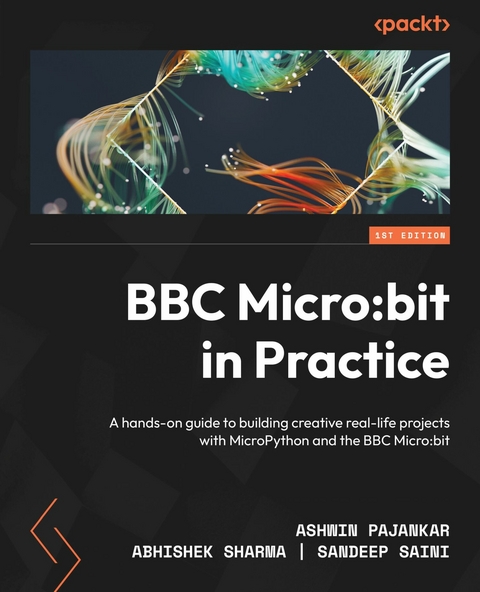
BBC Micro:bit in Practice (eBook)
292 Seiten
Packt Publishing (Verlag)
978-1-80461-415-0 (ISBN)
This book is a one-stop guide for learning BBC Micro:bit with MicroPython, exploring many hardware components and programming techniques to provide detailed insights into developing practical applications with the Micro:bit. It will also show you how hardware components can be manipulated using a combination of Micro:bit and MicroPython for developing practical projects. BBC Micro:bit in Practice will help you gain a holistic understanding of the BBC Micro:bit platform and MicroPython programming, guiding you through mini projects aimed at developing practical knowledge of circuit design and writing programs. You'll learn how to write programs for working with built-in LEDs and buttons, interfacing external LEDs, buttons, motors, buzzers, and much more. You'll also work with built-in radio, speakers, accelerometer, and a compass. You'll dive into concepts related to the Micro:bit filesystem, interfacing external displays, and working with libraries in detail before exploring sewable circuits and wearable technology.
After reading this Micro:bit book, you'll understand how to apply principles in electronics and MicroPython to create interesting real-life projects from scratch.
Develop real-world interactive physical computing applications using the Micro:bit with more than 100 MicroPython examples with circuit diagramsKey FeaturesExplore hardware programming and leverage the power of the BBC Micro:bit and MicroPythonBuild real-life creative projects step by step with each chapter increasing in complexity and interactivityLearn the features of the Micro:bit and how to interface it with electronic components through circuits and code examplesBook DescriptionThis book is a one-stop guide for learning BBC Micro:bit with MicroPython, exploring many hardware components and programming techniques to provide detailed insights into developing practical applications with the Micro:bit. It will also show you how hardware components can be manipulated using a combination of Micro:bit and MicroPython for developing practical projects. BBC Micro:bit in Practice will help you gain a holistic understanding of the BBC Micro:bit platform and MicroPython programming, guiding you through mini projects aimed at developing practical knowledge of circuit design and writing programs. You'll learn how to write programs for working with built-in LEDs and buttons, interfacing external LEDs, buttons, motors, buzzers, and much more. You'll also work with built-in radio, speakers, accelerometer, and a compass. You'll dive into concepts related to the Micro:bit filesystem, interfacing external displays, and working with libraries in detail before exploring sewable circuits and wearable technology.After reading this Micro:bit book, you'll understand how to apply principles in electronics and MicroPython to create interesting real-life projects from scratch.What you will learnExplore the essentials of the BBC Micro:bit, its hardware specifications, and versionsProgram built-in and external LEDs and buttonsProgram external LED-based displays, buzzers, and stepper motorsUse analog input and pulse width modulation to drive a servo motorDetect gestures with internal sensors such as accelerometer, compass, and magnetometerWork on projects with built-in features such as music, speech, radio, and filesystemExplore the advanced features of the Micro:bitWho this book is forThis book is for anyone who wants to use the combination of MicroPython and the BBC Micro:bit for building exciting real-life projects. Engineers, researchers, hobbyists, and technology instructors working in areas such as embedded systems, electronics, software development, IoT, robotics, teaching, and training will find this book useful for building projects. Prior experience with building basic electronic circuits and any programming language, not necessarily MicroPython, will be helpful.
1
Introduction to the BBC Micro:bit
I certainly hope that you have read the preface and the table of contents, which provide a fair idea about our journey into the amazing world of the BBC Micro:bit (also written as Micro:bit or Micro Bit). This introductory chapter will warm you up for the upcoming exciting journey into the vast world of the Micro:bit. The road ahead is full of interesting concepts and projects. It is always a good idea to prepare well for the journey ahead, and this chapter will accomplish that.
We will explore the following topics in this chapter:
- The history of the Micro:bit
- The specifications of Micro:bit V1 and Micro:bit V2
- Powering up the Micro:bit
- Breakout boards
- Fritzing to create circuit diagrams
Let’s get started!
Technical requirements
We will need the following hardware for this chapter:
- BBC Micro:bit V1 or V2
- A computer with Windows, macOS, or Linux
- A BBC Micro:bit edge connector
- A Micro-USB to USB cable
- An internet connection
- A mobile power bank
- Kitronik Mi:power
The history of the Micro:bit
It is important to know the history of the BBC Micro:bit. The British Broadcasting Corporation (BBC) is the United Kingdom’s public broadcaster. It is also the world’s oldest and biggest broadcaster. BBC has always been pioneering in creating programs for outreach in science and technology to improve the public understanding of science. Its programs include various documentaries and television series.
One such interesting television series was The Computer Programme. It was broadcast on BBC Two and used a home computer, the BBC Micro, conceptualized by the BBC and developed by Acorn Computers. The TV series was a part of the BBC Computer Literacy Project. The BBC Micro had six different models, which were all based on the famous MOS Technology 6502 8-bit microprocessor. It is a simplified and faster version of the Motorola 6800 microprocessor. The 6502 is a very popular microprocessor, and variants of it were used in popular video game consoles and computers such as Atari 2600, Apple II, Nintendo Entertainment System (popularly known as NES or Famicom), Commodore 64, and, of course, the BBC Micro. The BBC Micro was very successful, and it made a great impact in the computer education sector, leaving a great legacy behind.
In 2012, with the release of Raspberry Pi, a new era was ushered into the world of computing and education. Through the Computer Literacy Project, the BBC sought to build upon the legacy of the BBC Micro after the great success of Raspberry Pi. It onboarded many partners from industry, such as Microsoft, and academia, such as Lancaster University. The first version (now referred to as the Micro:bit V1) was launched in July 2015 and was available for general sale in March 2016. The BBC also gave hundreds of thousands of Micro:bits to school children in the UK as a part of science education outreach. After the Micro:bit successfully launched, the BBC formed a not-for-profit organization known as the Microbit Foundation.
Note
For more details, you can visit the home page of the Microbit Foundation at https://microbit.org/.
In October 2020, the Microbit Foundation released the second version of the Micro:bit. V2 has got better specifications than V1 at the same price. We will explore the specifications of V1 and V2 side by side in the following section.
The specifications of Micro:bit V1 and Micro:bit V2
The following table compares the features of the BBC Micro:bit V1 and V2 side by side (source: https://microbit.org/):
| BBC Micro:bit | V1 | V2 |
| Processor | Nordic nRF51822 | Nordic nRF52833 |
| Flash memory | 256 KB | 512 KB |
| RAM | 16 KB | 128 KB |
| Speed | 16 MHz | 64 MHz |
| Bluetooth | Bluetooth 4.0 | Bluetooth 5.1 with Bluetooth Low Energy (BLE) |
| Radio communication | 2.4 GHz radio (80 channels) | 2.4 GHz radio (80 channels) |
| Buttons | Two programmable (A and B) and one system (reset) | Two programmable (A and B) and one system (power/reset) |
| On/off switch | None | Press and hold the rear power button |
| Touchpad | None | Touch-sensitive logo |
| Microphone | None | Onboard Knowles SPU0410LR5H-QB-7 MEMS microphone (with LED indicator) |
| Display | 5x5 programmable LED matrix (25 LEDs in total) | 5x5 programmable LED matrix (25 LEDs in total) |
| Speaker | None | Onboard JIANGSU HUANENG MLT-8530 (up to 80 dB) |
| Motion sensor and compass | LSM303AGR | LSM303AGR |
| Temperature sensor | On-board temperature sensor | On-core NRF52 |
| Edge connector | 25 pins | 25 pins |
Table 1.1 – Comparison of the features of BBC Micro:bit V1 and V2
The processors used in both versions are a special type of processor known as a System on Chip (also abbreviated as SoC or SOC). An SoC is an Integrated Circuit (IC) that has all or most components of a complete working computer system. A typical SoC has a processor, flash memory, and RAM. Both versions employ Advanced RISC Machines (ARM) processors. The ARM uses Reduced Instruction Set Computer (RISC) instruction architecture. The V1 uses Nordic nRF51822 SoC (https://www.nordicsemi.com/Products/nRF51822), and the V2 uses Nordic nRF52833 (https://www.nordicsemi.com/products/nrf52833). The Random Access Memory (RAM) is used to execute the programs. The flash memory is used to store the programs, and it is reprogrammable.
The following diagram shows the front faces of V2 and V1 side by side:
Figure 1.1 – Hardware features on the fronts of V2 and V1 (courtesy: ©Micro:bit Educational Foundation/microbit.org)
The following diagram shows the rear of the V2...
| Erscheint lt. Verlag | 9.12.2022 |
|---|---|
| Sprache | englisch |
| Themenwelt | Mathematik / Informatik ► Informatik |
| ISBN-10 | 1-80461-415-7 / 1804614157 |
| ISBN-13 | 978-1-80461-415-0 / 9781804614150 |
| Informationen gemäß Produktsicherheitsverordnung (GPSR) | |
| Haben Sie eine Frage zum Produkt? |
 EPUB (Ohne DRM)
Digital Rights Management: ohne DRM
Dieses eBook enthält kein DRM oder Kopierschutz. Eine Weitergabe an Dritte ist jedoch rechtlich nicht zulässig, weil Sie beim Kauf nur die Rechte an der persönlichen Nutzung erwerben.
Dateiformat: EPUB (Electronic Publication)
EPUB ist ein offener Standard für eBooks und eignet sich besonders zur Darstellung von Belletristik und Sachbüchern. Der Fließtext wird dynamisch an die Display- und Schriftgröße angepasst. Auch für mobile Lesegeräte ist EPUB daher gut geeignet.
Systemvoraussetzungen:
PC/Mac: Mit einem PC oder Mac können Sie dieses eBook lesen. Sie benötigen dafür die kostenlose Software Adobe Digital Editions.
eReader: Dieses eBook kann mit (fast) allen eBook-Readern gelesen werden. Mit dem amazon-Kindle ist es aber nicht kompatibel.
Smartphone/Tablet: Egal ob Apple oder Android, dieses eBook können Sie lesen. Sie benötigen dafür eine kostenlose App.
Geräteliste und zusätzliche Hinweise
Buying eBooks from abroad
For tax law reasons we can sell eBooks just within Germany and Switzerland. Regrettably we cannot fulfill eBook-orders from other countries.
aus dem Bereich