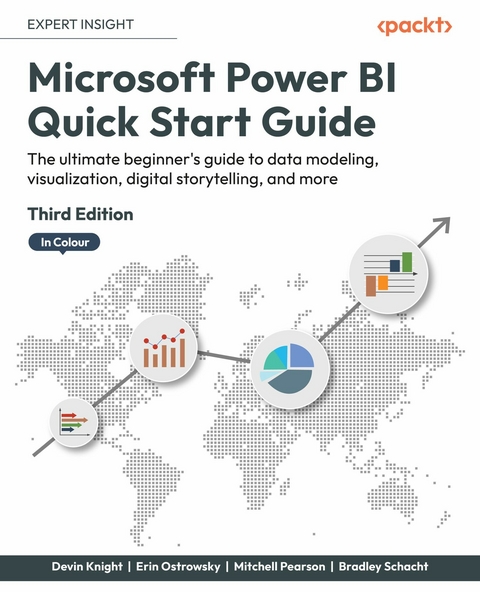
Microsoft Power BI Quick Start Guide (eBook)
338 Seiten
Packt Publishing (Verlag)
978-1-80461-266-8 (ISBN)
Updated with the latest features and improvements in Power BI, this fast-paced yet comprehensive guide will help you master the core concepts of data visualization quickly. You'll learn how to install Power BI, design effective data models, and build basic dashboards and visualizations to help you make better business decisions. This new edition will also help you bridge the gap between MS Excel and Power BI.
Throughout this book, you'll learn how to obtain data from a variety of sources and clean it using the Power Query Editor. You'll also start designing data models to navigate and explore relationships within your data and building DAX formulas to make data easier to work with. Visualizing data is a key element of this book, so there's an emphasis on helping you get to grips with data visualization styles and enhanced digital storytelling.
As you progress, you'll start building your own dataflows, gain an understanding of the Common Data Model, and automate dataflow refreshes to eradicate data cleaning inefficiency. You'll learn how to administer your organization's Power BI environment so that deployment can be made seamless, data refreshes can run properly, and security can be fully implemented.
By the end of this Power BI book, you'll know how to get the most out of Power BI for better business intelligence.
Bring your data to life with this accessible yet fast-paced introduction to Power BI, now in color. Purchase of the print or Kindle book includes a free eBook in PDF format.Key FeaturesLearn faster with practical examples of the latest features of Power BI, including navigator buttons, column-level security, visualizing goals, and moreMigrate your existing Excel and data analysis skills to Power BIBuild accurate analytical models, reports, and dashboards, now in colorBook DescriptionUpdated with the latest features and improvements in Power BI, this fast-paced yet comprehensive guide will help you master the core concepts of data visualization quickly. You ll learn how to install Power BI, design effective data models, and build basic dashboards and visualizations to help you make better business decisions. This new edition will also help you bridge the gap between MS Excel and Power BI. Throughout this book, you ll learn how to obtain data from a variety of sources and clean it using the Power Query Editor. You ll also start designing data models to navigate and explore relationships within your data and building DAX formulas to make data easier to work with. Visualizing data is a key element of this book, so there s an emphasis on helping you get to grips with data visualization styles and enhanced digital storytelling. As you progress, you ll start building your own dataflows, gain an understanding of the Common Data Model, and automate dataflow refreshes to eradicate data cleaning inefficiency. You ll learn how to administer your organization's Power BI environment so that deployment can be made seamless, data refreshes can run properly, and security can be fully implemented. By the end of this Power BI book, you ll know how to get the most out of Power BI for better business intelligence.What you will learnConnect to data sources using import, DirectQuery, and live connection optionsUse Power Query Editor for data transformation and data cleansing processes, and write M and R scripts and dataflows to do the same in the cloudDesign effective reports with built-in and custom visuals to optimize user experienceImplement row-level and column-level security in your dashboardsAdminister a Power BI cloud tenant for your organizationUse built-in AI capabilities to enhance Power BI data transformation techniquesDeploy your Power BI Desktop files into Power BI Report ServerWho this book is forThis book is for aspiring business intelligence and data professionals with a basic understanding of BI concepts, who want to learn Power BI quickly. Complete beginners with no BI background can also get plenty of useful information from this book.]]>
Contents
- Preface
- Gaining Data Literacy with Power BI
- Connecting to Data
- Data Transformation Strategies
- Building the Data Model
- Leveraging DAX
- Visualizing Data
- Digital Storytelling with Power BI
| Erscheint lt. Verlag | 25.11.2022 |
|---|---|
| Sprache | englisch |
| Themenwelt | Mathematik / Informatik ► Informatik |
| ISBN-10 | 1-80461-266-9 / 1804612669 |
| ISBN-13 | 978-1-80461-266-8 / 9781804612668 |
| Informationen gemäß Produktsicherheitsverordnung (GPSR) | |
| Haben Sie eine Frage zum Produkt? |
 EPUB (Ohne DRM)
Digital Rights Management: ohne DRM
Dieses eBook enthält kein DRM oder Kopierschutz. Eine Weitergabe an Dritte ist jedoch rechtlich nicht zulässig, weil Sie beim Kauf nur die Rechte an der persönlichen Nutzung erwerben.
Dateiformat: EPUB (Electronic Publication)
EPUB ist ein offener Standard für eBooks und eignet sich besonders zur Darstellung von Belletristik und Sachbüchern. Der Fließtext wird dynamisch an die Display- und Schriftgröße angepasst. Auch für mobile Lesegeräte ist EPUB daher gut geeignet.
Systemvoraussetzungen:
PC/Mac: Mit einem PC oder Mac können Sie dieses eBook lesen. Sie benötigen dafür die kostenlose Software Adobe Digital Editions.
eReader: Dieses eBook kann mit (fast) allen eBook-Readern gelesen werden. Mit dem amazon-Kindle ist es aber nicht kompatibel.
Smartphone/Tablet: Egal ob Apple oder Android, dieses eBook können Sie lesen. Sie benötigen dafür eine kostenlose App.
Geräteliste und zusätzliche Hinweise
Buying eBooks from abroad
For tax law reasons we can sell eBooks just within Germany and Switzerland. Regrettably we cannot fulfill eBook-orders from other countries.
aus dem Bereich