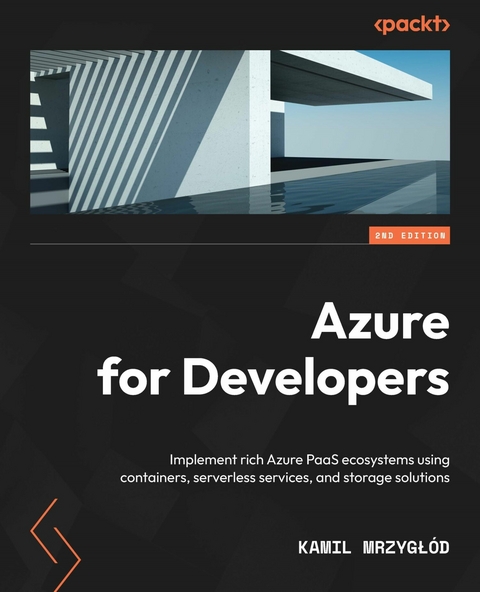
Azure for Developers (eBook)
632 Seiten
Packt Publishing (Verlag)
978-1-80323-854-8 (ISBN)
Microsoft Azure is currently one of the fastest growing public cloud service providers thanks to its sophisticated set of services for building fault-tolerant and scalable cloud-based applications.
This second edition of Azure for Developers will take you on a journey through the various PaaS services available in Azure, including Azure App Service, Azure Functions, and Azure SQL Databases, showing you how to build a complete and reliable system with ease. Throughout the book, you'll discover ways to enhance your skills when building cloud-based solutions leveraging different SQL/NoSQL databases, serverless and messaging components, containerized solutions, and even search engines such as Azure Cognitive Search. That's not all!! The book also covers more advanced scenarios such as scalability best practices, serving static content with Azure CDN, and distributing loads with Azure Traffic Manager, Azure Application Gateway, and Azure Front Door.
By the end of this Azure book, you'll be able to build modern applications on the Azure cloud using the most popular and promising technologies to make your solutions reliable, stable, and efficient.
Develop cloud applications based on the most popular Azure services, including hosting web applications, running containers, storing data using both relational and non-relational databases, and much moreKey FeaturesTake a modern approach to Azure Cloud development and managementGet a detailed introduction to services such as web hosting, databases, and serverless platformsGet the hang of cloud services with this practical, developer-centric guide for Azure developersBook DescriptionMicrosoft Azure is currently one of the fastest growing public cloud service providers thanks to its sophisticated set of services for building fault-tolerant and scalable cloud-based applications.This second edition of Azure for Developers will take you on a journey through the various PaaS services available in Azure, including Azure App Service, Azure Functions, and Azure SQL Databases, showing you how to build a complete and reliable system with ease. Throughout the book, you'll discover ways to enhance your skills when building cloud-based solutions leveraging different SQL/NoSQL databases, serverless and messaging components, containerized solutions, and even search engines such as Azure Cognitive Search. That's not all!! The book also covers more advanced scenarios such as scalability best practices, serving static content with Azure CDN, and distributing loads with Azure Traffic Manager, Azure Application Gateway, and Azure Front Door.By the end of this Azure book, you'll be able to build modern applications on the Azure cloud using the most popular and promising technologies to make your solutions reliable, stable, and efficient.What you will learnIdentify the Azure services that can help you get the results you needImplement PaaS components - Azure App Service, Azure SQL, Traffic Manager, CDN, Notification Hubs, and Azure Cognitive SearchWork with serverless componentsIntegrate applications with storagePut together messaging components (Event Hubs, Service Bus, and Azure Queue Storage)Use Application Insights to create complete monitoring solutionsSecure solutions using Azure RBAC and manage identitiesDevelop fast and scalable cloud applicationsWho this book is forThis book is for developers and IT professionals who want to learn Microsoft Azure by developing applications based on various cloud services. Prior knowledge of software development and the basics of software architecture and Azure services give you an advantage.
1
Web Applications in Azure – Azure App Service
Azure App Service is one of the biggest and most used services available in the Azure cloud. It allows the easy development of web applications with multiple features available (such as support for different platforms, including .NET, PHP: Hypertext Preprocessor (PHP), and Java), manual and automated scaling, and different performance options. It's a general platform and runtime that fuels other services, such as WebJobs and Azure Functions. This chapter is designed to get you familiar with the basics of web development in Microsoft Azure.
In this chapter, you will learn about the following topics:
- Creating and deploying an Azure App Service resource
- Working with different operating systems and platforms
- Choosing the right App Service plan and exploring what its features are
- Securing App Service resources using different security providers
- Configuring networking for Azure App Service
Technical requirements
To perform the exercises in this chapter, you will need the following:
- Access to an Azure subscription.
- Visual Studio 2022 with the Azure development workload installed. All editions would suffice (Community/Professional/Enterprise).
- Visual Studio Code (VS Code) installed (available at https://code.visualstudio.com/).
- The Azure command-line interface (Azure CLI) (https://docs.microsoft.com/en-us/cli/azure/).
Creating and deploying an Azure App Service resource
To get started with Azure App Service, you must learn how to create that service and deploy your code. Throughout the chapter, you will see how many ways Azure provides for doing so. Depending on your current needs and the specification of your application, each path can be easier or harder; still, the strength of a cloud and Platform-as-a-Service (PaaS) offering lies in the straightforward and intuitive process of provisioning new components of your system.
Note
PaaS is one of the several cloud infrastructure models available. In general, it stands between Infrastructure-as-a-Service (IaaS) and Software-as-a-Service (SaaS), offering a balance between the ability to manage underlying infrastructure and abstraction over used components.
Let's now check the different ways to deploy your very first Azure App Service resource.
Creating an Azure App Service resource using the Azure portal
To begin, you will deploy your service using the Azure portal. All you will need is a browser with access to the internet. Enter https://portal.azure.com to get started.
Selecting Azure Web Apps from the available services
To create an Azure App Service resource in the Azure portal, you must first find the option to do so in the list of available services. The easiest way to do so is to click on the + Create a resource button and then click on Web App, as shown in the following screenshot:
Figure 1.1 – Create a resource screen
Alternatively, you can utilize the search box at the top of the screen to quickly access any service, as shown in the following screenshot:
Figure 1.2 – Searching for a resource via the search box
As you can see, the Azure portal already displays the most popular services. If for some reason the Web App/App Service resource is not displayed, use the search box by entering the name of a service you are looking for.
When you click on the Web App item, you will see the first step of a resource creator, which will guide you through the process of provisioning your application. Now, we will go through all the steps and describe in detail the different parameters that are available to you.
Tip
Here, we are using the raw version of Azure App Service, which comes without any additional tools installed. When you gain more experience and become more familiar with the available services, you will see that Azure offers many useful preconfigured setups (such as an integrated Web Apps and Structured Query Language (SQL) Database instance), which can be used to shorten development and configure all services in one place.
Configuring an Azure web app
Provisioning any Azure service requires going through creators consisting of different steps. In general, not all fields will be required. It is worth remembering that all the mandatory parameters are marked with an * (asterisk) symbol.
The first tab available is the Basics tab, which is divided into three different sections: Project Details, Instance Details, and App Service Plan. The very first thing is entering a combination of Subscription and Resource Group details. Remember that in Azure, resources cannot exist in a vacuum—they require a container for logical separation. Here, you can use any combination you have access to (or you were asked to choose). The process is illustrated in the following screenshot:
Figure 1.3 – Project Details section
Next, we have the Instance Details section, which requires a few more details to be provided. Here, we need to enter the name of our web application (it has to be globally unique), the method used to publish it (Code versus Docker Container), and Runtime stack, Operating System, and Region details, as illustrated in the following screenshot. While the Publish/Runtime stack/Operating System parameters seem self-explanatory and depend on your technology stack, let's talk a little bit about regions next:
Figure 1.4 – Instance details section
In Azure, each region represents a co-located set of data centers and directly affects the geographic location of your cloud resources. That also has some legal implications (if you are about to process users' data, it is often forbidden to store it outside the user's origin). Each instance of an Azure service must be deployed to one of the available regions.
Tip
One of Azure's best practices is to deploy resources to the same region as the resource group they are in. This allows for the best performance and reliability.
The last section of the Basics tab is App Service Plan. Since you are just starting with Azure, you probably do not have any App Service plans created. As we cannot create an App Service resource without an App Service plan, we will sort this now. Note that if you have an existing App Service plan, the Azure portal may automatically choose it here based on the chosen region. It will also generate a random name if there is no App Service plan available.
Creating an App Service plan
When you click on Create new, you will see a popup allowing you to enter the plan name. Click on it, enter the name of your new plan, and then click the OK button. It should look like this:
Figure 1.5 – Configuring an App Service plan
The last thing required here is to select the Sku and size option. This parameter will directly affect the features available for your web application, its performance, and finally, the price. To make a choice, click on Change size. Now, the Spec Picker screen should appear, presenting you with the options available, as illustrated in the following screenshot:
Figure 1.6 – Spec Picker for App Service plan
As you can see in the preceding screenshot, we have three categories of App Service plans, as follows:
- Dev / Test: This contains F, D, and B tiers (which stand for free, shared, and basic). They are designed for simple development/test (dev/test) scenarios and lightweight web applications that do not need features such as autoscaling or backups. Note that the shared tier is unavailable for Linux.
- Production: This offers powerful machines and advanced features that are useful in many day-to-day scenarios, such as application programming interfaces (APIs), e-commerce, and popular portals.
- Isolated: This uses the same hardware as the Production tier, but with even more features and possibilities to isolate your web apps on the hardware level. This is the most expensive category but can be helpful when creating systems that cannot be made available publicly.
Tip
It is important to remember that tiers F and D have a limited amount of computing time per day. That means that once you exceed the limit (60 minutes for the F...
| Erscheint lt. Verlag | 30.8.2022 |
|---|---|
| Sprache | englisch |
| Themenwelt | Mathematik / Informatik ► Informatik |
| ISBN-10 | 1-80323-854-2 / 1803238542 |
| ISBN-13 | 978-1-80323-854-8 / 9781803238548 |
| Informationen gemäß Produktsicherheitsverordnung (GPSR) | |
| Haben Sie eine Frage zum Produkt? |
 EPUB (Ohne DRM)
Digital Rights Management: ohne DRM
Dieses eBook enthält kein DRM oder Kopierschutz. Eine Weitergabe an Dritte ist jedoch rechtlich nicht zulässig, weil Sie beim Kauf nur die Rechte an der persönlichen Nutzung erwerben.
Dateiformat: EPUB (Electronic Publication)
EPUB ist ein offener Standard für eBooks und eignet sich besonders zur Darstellung von Belletristik und Sachbüchern. Der Fließtext wird dynamisch an die Display- und Schriftgröße angepasst. Auch für mobile Lesegeräte ist EPUB daher gut geeignet.
Systemvoraussetzungen:
PC/Mac: Mit einem PC oder Mac können Sie dieses eBook lesen. Sie benötigen dafür die kostenlose Software Adobe Digital Editions.
eReader: Dieses eBook kann mit (fast) allen eBook-Readern gelesen werden. Mit dem amazon-Kindle ist es aber nicht kompatibel.
Smartphone/Tablet: Egal ob Apple oder Android, dieses eBook können Sie lesen. Sie benötigen dafür eine kostenlose App.
Geräteliste und zusätzliche Hinweise
Buying eBooks from abroad
For tax law reasons we can sell eBooks just within Germany and Switzerland. Regrettably we cannot fulfill eBook-orders from other countries.
aus dem Bereich