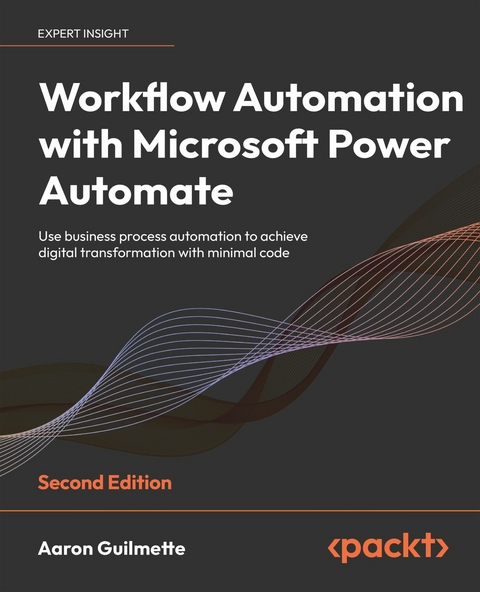
Workflow Automation with Microsoft Power Automate (eBook)
424 Seiten
Packt Publishing (Verlag)
978-1-80324-266-8 (ISBN)
MS Power Automate is a workflow automation tool built into MS 365 to help businesses automate repetitive tasks or trigger business processes without user intervention. It is a low-code tool that is part of the Microsoft applications framework, the Power Platform.
If you are new to Power Automate, this book will give you a comprehensive introduction and a smooth transition from beginner to advanced topics to help you get up to speed with business process automation. Complete with hands-on tutorials and projects, this easy-to-follow guide will show you how to configure automation workflows for business processes between hundreds of applications, using examples within Microsoft and including third-party apps like Dropbox and Twitter. Once you understand how to use connectors, triggers, and actions to automate business processes, you'll learn how to manage user input, documents, and approvals, as well as interact with databases. This edition also introduces new Power Automate features such as using robotic process automation (RPA) to automate legacy applications, interacting with the Microsoft Graph API, and working with artificial intelligence models to do sentiment analysis.
By the end of this digital transformation book, you'll have mastered the basics of using Power Automate to replace repetitive tasks with automation technology.
Make your organization more productive and simplify your workflow by using Microsoft Power Automate for business process automationPurchase of the print or Kindle book includes a free eBook in PDF format.Key FeaturesLearn the latest in Power Automate with updated user interface visuals and new technology includedApply practical knowledge like managing user inputs, documents, approvals, and database storageCreate flows that integrate with services both inside and outside the Microsoft 365 ecosystemBook DescriptionMS Power Automate is a workflow automation tool built into MS 365 to help businesses automate repetitive tasks or trigger business processes without user intervention. It is a low-code tool that is part of the Microsoft applications framework, the Power Platform.If you are new to Power Automate, this book will give you a comprehensive introduction and a smooth transition from beginner to advanced topics to help you get up to speed with business process automation. Complete with hands-on tutorials and projects, this easy-to-follow guide will show you how to configure automation workflows for business processes between hundreds of applications, using examples within Microsoft and including third-party apps like Dropbox and Twitter. Once you understand how to use connectors, triggers, and actions to automate business processes, you'll learn how to manage user input, documents, and approvals, as well as interact with databases. This edition also introduces new Power Automate features such as using robotic process automation (RPA) to automate legacy applications, interacting with the Microsoft Graph API, and working with artificial intelligence models to do sentiment analysis.By the end of this digital transformation book, you'll have mastered the basics of using Power Automate to replace repetitive tasks with automation technology.What you will learnLearn the basic building blocks of Power Automate capabilitiesExplore connectors in Power Automate to automate email workflowsDiscover how to make a flow for copying files between cloud servicesConfigure Power Automate Desktop flows for your business needsBuild on examples to create complex database and approval flowsConnect common business applications like Outlook, Forms, and TeamsLearn the introductory concepts for robotic process automationDiscover how to use AI sentiment analysisWho this book is forThis book is excellent for information workers and Power users who are looking to automate repetitive tasks for their organizations or for projects they are undertaking. To make the most of this book you should have some basic exposure to the MS 365 platform.
Preface
Microsoft Power Automate is a business productivity tool designed to bring automation capabilities to both cloud and on-premises applications. The ubiquity and proliferation of cloud-based software-as-a-service technologies has resulted in organizations using a myriad of disconnected tools as part of their business operations.
Throughout this updated and revised book, you’ll learn how Power Automate can be used to drive efficiency in automation by connecting all these disconnected parts and help you reduce the time spent performing repetitive tasks.
Who is this book for?
This book is for individuals who are new to the Microsoft Power Platform (including Power Automate, Power Apps, and Power BI). Readers can have little to no experience in coding, automation, or software development practices. This book will walk readers through very basic tasks to gain an understanding of the tools and leave them with completed workflows that can be exported and used in their daily work or further refined and adapted to more complex processes.
What this book covers
Chapter 1, Introducing Microsoft Power Automate, introduces the basic concepts of workflows and automation.
Chapter 2, Getting Started with Power Automate, dives into the Power Automate interface and application components.
Chapter 3, Working with Email, explains how to configure Power Automate to process and interact with emails and attachments.
Chapter 4, Copying Files, explores how to use Power Automate to copy files between cloud-based services.
Chapter 5, Creating Button Flows, demonstrates how to use button flows (also called manual or instant flows) and shows how they can be executed from mobile devices.
Chapter 6, Generating Push Notifications, explains how to configure flows with push notifications to mobile devices.
Chapter 7, Working with Shared Flows, covers how to share and co-manage flows with your peers.
Chapter 8, Working with Conditions, explains how to enable multiple outcomes for flows based on criteria evaluation.
Chapter 9, Getting Started with Approvals, discusses how to use approval workflows for documents.
Chapter 10, Working with Multiple Approvals, builds on the knowledge gained in the previous chapter and expands it using conditions, branching, and sequential approvals.
Chapter 11, Posting Approvals to Teams, demonstrates how to integrate approval workflows into Microsoft Teams.
Chapter 12, Using a Database, covers connecting to a database and using it to store or retrieve information as part of a flow.
Chapter 13, Working with Microsoft Forms, demonstrates how to use Power Automate to process response data from Microsoft Forms.
Chapter 14, Accepting User Input, explores configuring a button flow to accept a variety of user input types.
Chapter 15, Automating Azure AD, introduces connectors for working with Microsoft Graph.
Chapter 16, Introducing Robotic Process Automation, demonstrates capturing screen, keyboard, and mouse data to automate legacy desktop applications.
Chapter 17, Introducing AI Models, introduces the Sentiment Analysis AI model for evaluating text.
Chapter 18, Exporting, Importing, and Distributing Flows, discusses how to import, export, and transport flows between environments.
Chapter 19, Monitoring and Troubleshooting Flows, contains troubleshooting tips for when things go wrong.
To get the most out of this book
To get the most out of this book, you should have a Microsoft 365 subscription with access to a premium Power Automate plan to enable access to premium connectors, AI models, and Robotic Process Automation.
You should also have an internet-connected computer with a modern browser such as Microsoft Edge or Google Chrome. You can obtain a free Microsoft 365 subscription from https://aka.ms/e5trial.
For Chapter 2, Getting Started with Power Automate, and Chapter 4, Copying Files, you will need accounts on Twitter and Dropbox, respectively.
For Chapter 16, Introduction to Robotic Process Automation, you will need a Power Automate license that includes unattended Robotic Process Automation.
For Chapter 17, Introduction to AI Models, you will need AI Builder capacity. The unattended Robotic Process Automation licensing includes a base level of AI Builder capacity suitable for completing the examples.
Download the example code files
The code bundle for the book is hosted on GitHub at https://github.com/PacktPublishing/Workflow-Automation-with-Microsoft-Power-Automate-2nd-Edition. We also have other code bundles from our rich catalog of books and videos available at https://github.com/PacktPublishing/. Check them out!
Download the color images
We also provide a PDF file that has color images of the screenshots/diagrams used in this book. You can download it here: https://static.packt-cdn.com/downloads/9781803237671_ColorImages.pdf.
Conventions used
There are a number of text conventions used throughout this book.
CodeInText: Indicates code words in text, database table names, folder names, filenames, file extensions, pathnames, dummy URLs, user input, and Twitter handles. For example: “Update the prompt to say Please enter today's date.”
A block of code is set as follows:
{ "type": "thumbnail", "fileName": "FavoriteThing.jpg", "fieldName": "Picture", "serverUrl": "https://learningpowerautomate.sharepoint.com/sites/FavoriteThings", "serverRelativeUrl": "@{decodeUriComponent(decodeUriComponent(outputs('Add_attachment')?['body/Id']))}", "id": "@{guid()}" } Bold: Indicates a new term, an important word, or words that you see on the screen. For instance, words in menus or dialog boxes appear in the text like this. For example: “A gateway is a software application installed on an on-premises computer.”
Warnings or important notes appear like this.
Tips and tricks appear like this.
Get in touch
Feedback from our readers is always welcome.
General feedback: Email feedback@packtpub.com and mention the book’s title in the subject of your message. If you have questions about any aspect of this book, please email us at questions@packtpub.com.
Errata: Although we have taken every care to ensure the accuracy of our content, mistakes do happen. If you have found a mistake in this book, we would be grateful if you reported this to us. Please visit http://www.packtpub.com/submit-errata, click Submit Errata, and fill in the form.
Piracy: If you come across any illegal copies of our works in any form on the internet, we would be grateful if you would provide us with the location address or website name. Please contact us at copyright@packtpub.com with a link to the material.
If you are interested in becoming an author: If there is a topic that you have expertise in and you are interested in either writing or contributing to a book, please visit http://authors.packtpub.com.
Learn more on Discord
To join the Discord community for this book – where you can share feedback, ask questions to the author, and learn about new releases – follow the QR code below:
Share your thoughts
Once you’ve read Workflow Automation with Microsoft Power Automate, Second Edition, we’d love to hear your thoughts! Please click here to go straight to the Amazon review page for this book and share your feedback.
Your review is important to us and the tech community and will help us make sure we’re delivering excellent quality content.
Download a free PDF copy of this book
Thanks for purchasing this book!
Do you like to read on the go but are unable to carry your print books everywhere?Is your eBook purchase not compatible with the device of your choice?
Don’t worry, now with every Packt book you get a DRM-free PDF version of that book at no cost.
Read anywhere, any place, on any device. Search, copy, and paste code from your favorite technical books directly into your application.
The perks don’t stop there, you can get exclusive access to discounts, newsletters, and great free content in your inbox daily
Follow these simple steps to get the benefits:
- Scan the QR code or visit...
| Erscheint lt. Verlag | 19.8.2022 |
|---|---|
| Sprache | englisch |
| Themenwelt | Mathematik / Informatik ► Informatik ► Office Programme |
| Mathematik / Informatik ► Informatik ► Programmiersprachen / -werkzeuge | |
| ISBN-10 | 1-80324-266-3 / 1803242663 |
| ISBN-13 | 978-1-80324-266-8 / 9781803242668 |
| Informationen gemäß Produktsicherheitsverordnung (GPSR) | |
| Haben Sie eine Frage zum Produkt? |
 EPUB (Ohne DRM)
Digital Rights Management: ohne DRM
Dieses eBook enthält kein DRM oder Kopierschutz. Eine Weitergabe an Dritte ist jedoch rechtlich nicht zulässig, weil Sie beim Kauf nur die Rechte an der persönlichen Nutzung erwerben.
Dateiformat: EPUB (Electronic Publication)
EPUB ist ein offener Standard für eBooks und eignet sich besonders zur Darstellung von Belletristik und Sachbüchern. Der Fließtext wird dynamisch an die Display- und Schriftgröße angepasst. Auch für mobile Lesegeräte ist EPUB daher gut geeignet.
Systemvoraussetzungen:
PC/Mac: Mit einem PC oder Mac können Sie dieses eBook lesen. Sie benötigen dafür die kostenlose Software Adobe Digital Editions.
eReader: Dieses eBook kann mit (fast) allen eBook-Readern gelesen werden. Mit dem amazon-Kindle ist es aber nicht kompatibel.
Smartphone/Tablet: Egal ob Apple oder Android, dieses eBook können Sie lesen. Sie benötigen dafür eine kostenlose App.
Geräteliste und zusätzliche Hinweise
Buying eBooks from abroad
For tax law reasons we can sell eBooks just within Germany and Switzerland. Regrettably we cannot fulfill eBook-orders from other countries.
aus dem Bereich