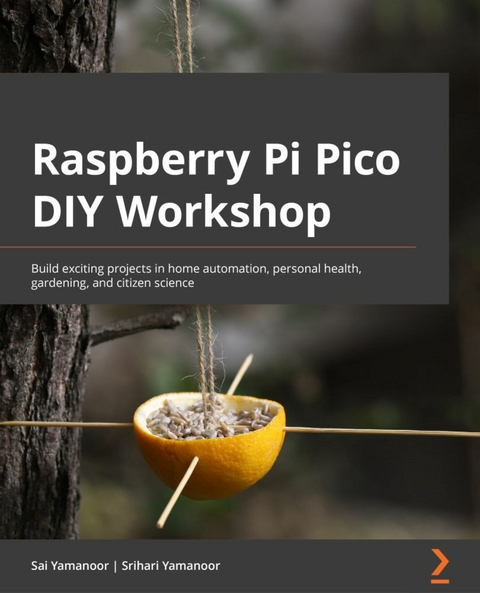
Raspberry Pi Pico DIY Workshop (eBook)
376 Seiten
Packt Publishing (Verlag)
978-1-80181-066-1 (ISBN)
The Raspberry Pi Pico is the latest addition to the Raspberry Pi family of products. Introduced by the Raspberry Pi Foundation, based on their RP2040 chip, it is a tiny, fast microcontroller that packs enough punch to power an extensive range of applications. Raspberry Pi Pico DIY Workshop will help you get started with your own Pico and leverage its features to develop innovative products.
This book begins with an introduction to the Raspberry Pi Pico, giving you a thorough understanding of the RP2040's peripherals and different development boards for the Pico designed and manufactured by various organizations. You'll explore add-on hardware and programming language options available for the Pico. Next, you'll focus on practical skills, starting with a simple LED blinking project and building up to a giant seven-segment display, while working with application examples such as citizen science displays, digital health, and robots. You'll also work on exciting projects around gardening, building a weather station, tracking air quality, hacking your personal health, and building a robot, along with discovering tips and tricks to give you the confidence needed to make the best use of RP2040.
By the end of this Raspberry Pi book, you'll have built a solid foundation in product development using the RP2040, acquired a skillset crucial for embedded device development, and have a robot that you built yourself.
Take your first steps with the Raspberry Pi Pico and take on exciting projects using CircuitPython, MicroPython, and PicoKey FeaturesMake the most of the Raspberry Pi Pico-a low-cost microcontroller that is primed for innovationWork with easy-to-follow examples and learn how to interface and program a Raspberry Pi PicoWork on fun projects, right from home automation to building a seven-segment display to tracking air qualityBook DescriptionThe Raspberry Pi Pico is the latest addition to the Raspberry Pi family of products. Introduced by the Raspberry Pi Foundation, based on their RP2040 chip, it is a tiny, fast microcontroller that packs enough punch to power an extensive range of applications. Raspberry Pi Pico DIY Workshop will help you get started with your own Pico and leverage its features to develop innovative products. This book begins with an introduction to the Raspberry Pi Pico, giving you a thorough understanding of the RP2040's peripherals and different development boards for the Pico designed and manufactured by various organizations. You'll explore add-on hardware and programming language options available for the Pico. Next, you'll focus on practical skills, starting with a simple LED blinking project and building up to a giant seven-segment display, while working with application examples such as citizen science displays, digital health, and robots. You'll also work on exciting projects around gardening, building a weather station, tracking air quality, hacking your personal health, and building a robot, along with discovering tips and tricks to give you the confidence needed to make the best use of RP2040. By the end of this Raspberry Pi book, you'll have built a solid foundation in product development using the RP2040, acquired a skillset crucial for embedded device development, and have a robot that you built yourself.What you will learnUnderstand the RP2040's peripherals and apply them in the real worldFind out about the programming languages that can be used to program the RP2040Delve into the applications of serial interfaces available on the PicoDiscover add-on hardware available for the RP2040Explore different development board variants for the Raspberry Pi PicoDiscover tips and tricks for seamless product development with the PicoWho this book is forThis book is for students, teachers, engineers, scientists, artists, and tech enthusiasts who want to develop embedded systems that drive cost-effective automation, IoT, robotics, medical devices, and art projects. If you consider yourself a maker and would like to learn how to use the Raspberry Pi Pico, then this book is for you. Familiarity with Python programming, MicroPython, CircuitPython, embedded hardware, and peripherals is helpful but not mandatory to get the most out of this book.
Chapter 1: Getting Started with the Raspberry Pi Pico
In this chapter, we would like to delve into a quick introduction to the Raspberry Pi Pico and the RP2040 microcontroller. We will discuss the Raspberry Pi Pico's features, the RP2040's peripherals, the add-on hardware for the Pico, and development boards for the RP2040 developed by other makers. We will also discuss the programming language options available for the Pico and supplement the chapter by discussing a simple "Hello World" example where we print something to the screen and blink a light-emitting diode (LED).
By the end of this first chapter, you will have gotten started with the Pico and will be ready to start programming the RP2040 microcontroller and start planning to implement projects from the later chapters of this book, as well as thinking ahead to how you can tackle your own projects with the Raspberry Pi Pico!
We are going to cover the following main topics:
- Introducing the Raspberry Pi Pico and RP2040
- Discussing variants of the Pico board
- Soldering the Pico's headers
- Implementing the "Hello World!" example
- Implementing the LED-blinking example
- Identifying useful add-on hardware for the Pico
Technical requirements
The hardware and software required for this introductory chapter will be used throughout the book. In further chapters, we will provide any additional or chapter-specific requirements.
The hardware requirements are listed as follows:
- A laptop or a Raspberry Pi with a Universal Serial Bus (USB) port
- Optional: Soldering equipment including iron, solder, safety glasses, and miscellaneous equipment
- Optional: Prototyping breadboard and a jumper wire kit
Code in Action videos for this chapter can be viewed at https://bit.ly/3MRdYjx.
Introducing the Raspberry Pi Pico and RP2040
The Raspberry Pi Pico is the latest educational and industrial tool introduced by the Raspberry Pi Foundation. The Pico, a low-cost microcontroller, costs USD 4, and even at the low price point, the Pico packs quite a punch. The Pico is centered on the RP2040, a dual-core Cortex-M0+ microcontroller. The board comes with a total of 40 pins, where there are 20 pins on each side, as shown in the following screenshot. The Pico also comes with 2 MB of onboard flash memory and an LED on the GP25 (GP refers to General Purpose Input/Output) button.
Figure 1.1 – Raspberry Pi Pico
The datasheet for the Raspberry Pi Pico is available from here: https://bit.ly/3cwv1Ic. In this book, we will be making use of the different peripherals available on the Pico in the projects discussed in each chapter. Hence, it is handy to print the pinout provided by the Raspberry Pi foundation (source: https://bit.ly/3wa0nwq). This pinout sheet can help with pin selection during project planning. A screenshot of the pinout from Adafruit Industries is shown next. You can purchase them for USD 0.50 from their website.
Figure 1.2 – Pico pinout (Image source: Adafruit Industries; License: CC BY-SA 3.0)
The Pico board can be used in various applications involving robots, remote monitoring, citizen science, and so on. In this book, we will walk you through different application examples while exploring the peripherals of the RP2040 microcontroller.
RP2040 microcontroller
The RP2040 is a dual-core ARM Cortex-M0+ microcontroller with 264 kilobytes (KB) of static random-access memory (SRAM) but does not have have in-built flash memory. The RP2040 comes with a volley of peripherals including Inter-Integrated Circuit (I2C), Serial Peripheral Interface (SPI), and Programmable Input/Output (PIO). The PIO on the RP2040 microcontroller enables you to design your own interface, such as an additional universal asynchronous receiver-transmitter (UART) interface or a video interface. In Chapter 12, Best Practices for Working with the Pico, we will discuss using the PIO peripheral.
Here is a list of the resources for RP2040:
- The datasheet for the RP2040 is available at the following link:
- The datasheet for the Raspberry Pi Pico is available at the following link:
- A video from the Raspberry Pi foundation on the RP2040's PIO can be found at the following link:
- Resources for the RP2040 from the Raspberry Pi Foundation can be found by visiting the following link:
We recommend that you download Pico's datasheet along with the RP2040 datasheet. It will come in handy as a reference during development, and we will refer you to the datasheet at certain points in this book for more information.
Discussing variants of the Pico board
Since the launch of the Raspberry Pi Pico, there have been several developer board variants that include the RP2040 from various open hardware companies. These are boards that come with the RP2040 microcontroller and they are outlined in more detail here:
- SparkFun Thing Plus – RP2040 (USD 17.95): This is an open source development board from SparkFun (https://bit.ly/2NS5vUn). The Thing Plus comes in the Feather form factor from Adafruit. Something unique about this board is that it comes with a microSD card holder and an individually addressable RGB LED. If you are not familiar with the Feather form factor, it simplifies prototyping due to its stacking capability and the ecosystem of prototyping tools available in the Feather form factor. In the following screenshot, you can notice the top (on the right) and bottom (on the left) sides of the RP2040 Thing Plus board:
Figure 1.3 – SparkFun Thing Plus (RP2040)
- SparkFun MicroMod RP2040 Processor (USD 11.95): This is another variant from SparkFun (https://bit.ly/3clp0hG). It comes with 16 MB of onboard flash memory. It comes in the MicroMod form factor that makes use of the M.2 standard. In the following screenshot, you can find the top and bottom sides of the RP2040 MicroMod board. You will notice a notch in a half-moon shape that is used to fasten the board to a carrier board using an M2.5 screw:
Figure 1.4 – MicroMod RP2040 Processor
SparkFun also makes carrier boards for the MicroMod ecosystem. For example, the carrier board (https://bit.ly/3cnlrHF) shown in the following screenshot was designed to drive a high-definition multimedia interface (HDMI) display using the RP2040:
Figure 1.5 – MicroMod Big Display Board for the RP2040 processor
- SparkFun Pro Micro – RP2040 (USD 9.95): The Pro Micro – RP2040 board (https://bit.ly/3cnhVgH) is a variant that belongs to the relatively small ecosystem of the Pro Micro family of boards. It comes with 16 MB of flash, individually addressable RGB LEDs, and castellated pads that enable soldering the module directly onto another printed circuit board (PCB). The castellated pins of the Pro Micro are shown in the following screenshot:
Figure 1.6 – SparkFun Pro Micro – RP2040
- Pimoroni Tiny 2040 (USD 11.55): This board from Pimoroni (https://bit.ly/3d9f7Tf) is about the size of a quarter and comes with 8 MB of flash and an RGB LED. The castellated pads enable it to be soldered onto your custom PCB directly. We must point out that you will need a cutout to solder the board onto your custom board. This is because the microcontroller in this development board is on the bottom side, as shown in the following screenshot. We will demonstrate using this board on your custom PCB.
Figure 1.7 – Pimoroni Tiny 2040
- Adafruit Feather RP2040 (USD 11.95): As the name indicates, this board from Adafruit (https://bit.ly/3cm3tW0) is a Feather board for the RP2040 microcontroller. As with the SparkFun Thing Plus, it packs a punch with a Qwiic/STEMMA connector and comes with 8 MB of flash. At the time of writing this book, this board was out of stock. Here's a screenshot showing the board:
Figure 1.8 – Adafruit Feather RP2040
- Adafruit ItsyBitsy RP2040 (USD 9.95): This board...
| Erscheint lt. Verlag | 26.5.2022 |
|---|---|
| Sprache | englisch |
| Themenwelt | Mathematik / Informatik ► Informatik |
| ISBN-10 | 1-80181-066-4 / 1801810664 |
| ISBN-13 | 978-1-80181-066-1 / 9781801810661 |
| Informationen gemäß Produktsicherheitsverordnung (GPSR) | |
| Haben Sie eine Frage zum Produkt? |
 EPUB (Ohne DRM)
Digital Rights Management: ohne DRM
Dieses eBook enthält kein DRM oder Kopierschutz. Eine Weitergabe an Dritte ist jedoch rechtlich nicht zulässig, weil Sie beim Kauf nur die Rechte an der persönlichen Nutzung erwerben.
Dateiformat: EPUB (Electronic Publication)
EPUB ist ein offener Standard für eBooks und eignet sich besonders zur Darstellung von Belletristik und Sachbüchern. Der Fließtext wird dynamisch an die Display- und Schriftgröße angepasst. Auch für mobile Lesegeräte ist EPUB daher gut geeignet.
Systemvoraussetzungen:
PC/Mac: Mit einem PC oder Mac können Sie dieses eBook lesen. Sie benötigen dafür die kostenlose Software Adobe Digital Editions.
eReader: Dieses eBook kann mit (fast) allen eBook-Readern gelesen werden. Mit dem amazon-Kindle ist es aber nicht kompatibel.
Smartphone/Tablet: Egal ob Apple oder Android, dieses eBook können Sie lesen. Sie benötigen dafür eine kostenlose App.
Geräteliste und zusätzliche Hinweise
Buying eBooks from abroad
For tax law reasons we can sell eBooks just within Germany and Switzerland. Regrettably we cannot fulfill eBook-orders from other countries.
aus dem Bereich